Advanced Custom Fields Multilingual ACF

Note
Note: This is an Addon for Advanced Custom Fields (ACF) Pro
100% Original fileUnmodified copy of the developer's release
DeveloperAdvanced Custom Fields
Up to dateOriginal released Sep 29, 2026 · File last updated Oct 23, 2026
About this product
ACFML, short for Advanced Custom Fields Multilingual, is the add-on that lets WPML translate the custom fields you build with ACF. Each field group gets a translation mode and each field gets a preference, so translators only see the text that needs translating. It's meant for developers and agencies running multilingual WordPress sites on ACF. This page is for Advanced Custom Fields Multilingual 5.2.0, released on September 29, 2026. On GPLGuide you download the original plugin file to install on your own WordPress websites.
Good for: WordPress developers, agencies and freelancers who build multilingual sites with ACF field groups, such as team pages, product spec sheets, event listings that change from country to country, and Options Pages that hold contact details or footer links in every language.
Requirements: WordPress 6.0 or newer and PHP 7.4 to 8.5, which is the developer's minimum for WPML. ACFML 5.2.0 was tested with WordPress 7.1. It's an add-on, so three other plugins must be installed and active first: WPML (the core plugin), WPML String Translation, and Advanced Custom Fields, either the free plugin or ACF Pro. These are separate products and they aren't part of this download.
What ACFML does
ACF stores your content in custom fields. WPML translates posts. ACFML sits between the two and tells WPML what each field should do in other languages: translate it, copy it, copy it once, or leave it out. The developer's own compatibility page says ACF needs this glue plugin for full compatibility with WPML, and that applies to the free version and to Pro.
It covers more than post fields. Options Pages get their own translations, labels and choice values go through WPML String Translation, and custom post types, taxonomies and Options Pages registered through ACF are translated with their labels. Fields defined in PHP or Local JSON are handled too.
One thing to get straight early: ACFML doesn't add new field types. Your templates keep calling get_field() as before, and on a translated page ACF simply reads the translated values.
Field group modes in ACFML
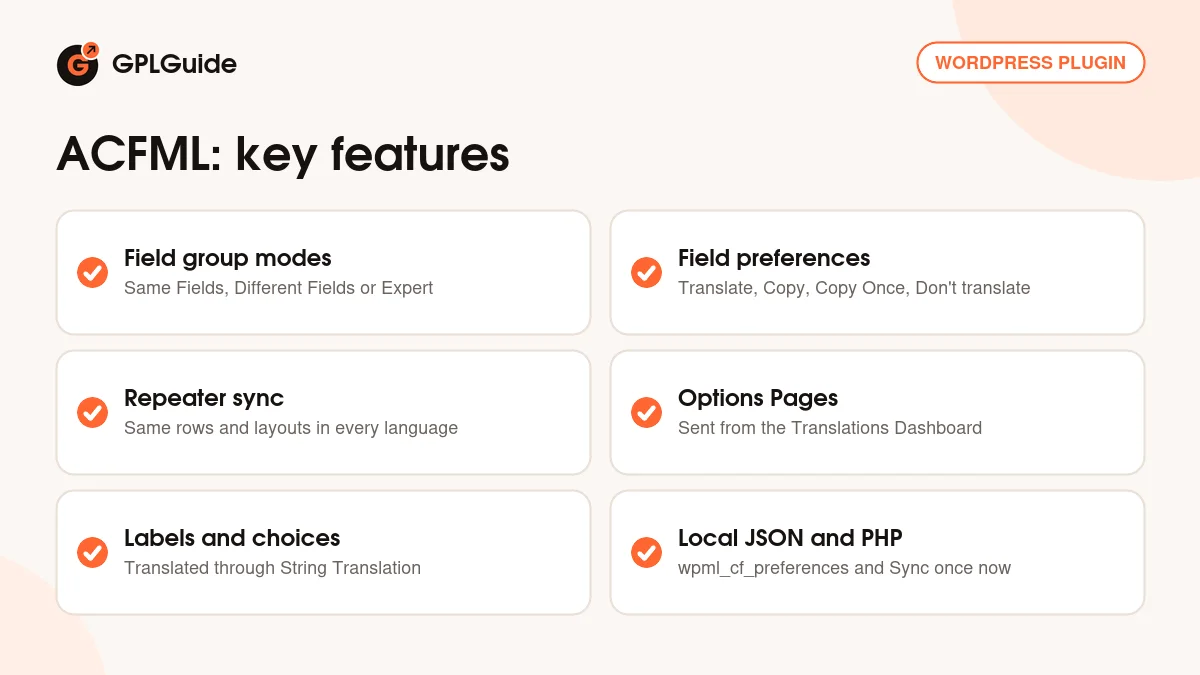
Every field group gets one of three translation modes. You choose it in the Multilingual Setup section of the field group, under ACF, Field Groups.
Same Fields Across Languages. The structure stays the same and only the values change per language. The developer's example is an Our Team page: the same people in every language, with names and bios translated. Most sites want this mode for most groups.
Different Fields Across Languages. Each language holds its own content in the same field group, like localized Events pages that list different events per country. When you add a language with the plus icon in the post's Languages box, you get a blank draft with empty custom fields to fill in.
Expert Mode. Here you set a preference for every single field. The docs' example sets the title and description to Translate, and the price, date and address to Copy.
Version 5.0.0 added a Multilingual Setup screen that sets the mode for every field group in one place. Groups with no mode yet get Same fields when you finish the WPML setup wizard or switch on Translate Everything.
Translation preferences, repeaters and Flexible Content
Inside a group, each field has one of four preferences. Translate gives every language its own value. Copy keeps the value in sync, so an edit in the original shows up everywhere. Copy Once fills the translation the first time and then lets each language go its own way. Don't translate takes the field out of the translation process.
The defaults are sensible. Text, Text Area, Wysiwyg Editor and Message fields are set to Translate in both modes. Number, Image, Gallery, Select, Date Picker, Relationship, Link and most other types are Copy in Same Fields mode and Copy Once in Different Fields mode. You can override any of them in Expert Mode, or for the whole site with the acfml_field_group_mode_field_translation_preference filter.
Repeater and Flexible Content fields need one more decision at row level. Copy keeps the same layout and number of rows in every language, which is what most sites want. Copy Once lets each language end up with its own layout and row count after the first copy. If translated rows drift out of step, check this setting first: the docs name Copy Once as the usual cause.
Options Pages, labels and Local JSON in ACFML
Labels and choices don't travel with the post. Field labels live in WPML String Translation, so you send them separately: open WPML, Translations Dashboard, expand ACF Field Group, select the Field Group Labels item, pick a translation method and send. Choice values for Select, Checkbox, Radio Button and Button Group fields go the same way when you send the field group itself.
Options Pages are their own object type. In the Translations Dashboard, expand ACF Options, select the page (Contact details or Footer links, say) and send it. Once it's translated, each language's values appear when ACF reads the option in that language. These fields have shown up in the dashboard since version 2.2.0.
Fields registered with acf_add_local_field_group() or saved as Local JSON ignore the admin preferences. Add a wpml_cf_preferences key to each field instead: 0 for Don't translate, 1 for Copy, 2 for Translate and 3 for Copy once. Then go to ACF, Tools, find Translate ACF Local JSON and PHP-Registered Fields, choose Sync once now under Sync Translation Preferences for Local Fields and click Apply. The sync runs only when you trigger it, not on every page load.
Setups you can copy with ACFML
- Team page: a field group in Same Fields Across Languages with Name and Bio on Translate and Photo on Copy. Translators get the words, and the photo copies across.
- Country event pages: an Events group in Different Fields Across Languages. Create each translation from the Languages box and fill in the local events by hand.
- Product spec sheet: Expert Mode with Title and Description on Translate and Price, Date and Address on Copy, so a price change in the original reaches every language.
- Landing page sections: a Flexible Content field with its row behaviour on Copy, so every language keeps the same sections in the same order.
- Site settings: an Options Page with phone, address and footer links, sent from Translations Dashboard, ACF Options.
- Fields in Git: Local JSON field groups with wpml_cf_preferences set per field, then one Sync once now after any deploy that changes them.
What's new in ACFML 5.2.0
Version 5.2.0 came out on September 29, 2026, and it's a fix release aimed at repeaters and Options Pages. Moving or removing repeater rows on large posts is much faster, with translation renumbering now taking under a second. Reordering rows no longer damages translated sub-fields that hold several values, such as Link fields, and on Options pages it no longer leaves such a sub-field with only its last value. Adding an image to a Copy sub-field also stops flagging every translation as needing work.
Smaller fixes round it out. String Translation stops collecting old Options strings that no value uses, a post object or relationship value of 0 stays on the translated copy, and a field group restored from the trash keeps its WPML field lock. The block editor shows the mixed modes warning once rather than twice, and saving in the classic editor no longer breaks the redirect on sites that display PHP notices.
Before it, 5.0.0 (September 13, 2026) was the big one: the Multilingual Setup screen, link titles and URLs sent for translation, image alt text and captions in the translation editor, and better handling of Options Pages and ACF blocks. It shipped with WPML 5.0, and the list jumps from 2.2.4 (April 21, 2026) straight to 5.0.0, with no 3.x or 4.x. At the time of writing, 5.2.0 is the newest stable version, with 5.2.0 in beta.
Good to know before you buy
ACFML does nothing on its own. You need WPML, WPML String Translation and Advanced Custom Fields (free) or ACF Pro installed and active. WPML is a paid plugin from the developer, and String Translation comes with its Multilingual CMS and Multilingual Agency plans, not with the Multilingual Blog plan. For Pro fields such as Repeater and Flexible Content, you'll want ACF Pro.
Automatic translation is a service, not part of the file. AI Translation words, translating software with PTC and the translation services integration all run through an official WPML account on the developer's servers.
A few behaviours catch people out. Field labels look untranslated until you send them from the Translations Dashboard. Conditional logic follows the original language's value when the controlling field is set to Copy or Don't translate, so put that field on Translate if it should differ per language. The developer's compatibility page also lists one open issue: radio values not being removed from automatic translation.
ACFML from GPLGuide vs the official subscription
From GPLGuide you get the original ACFML 5.2.0 plugin ZIP, with every mode, preference, Options Page tool and Local JSON sync described above in it. The license key is already activated, so there's nothing for you to enter.
The developer doesn't sell ACFML by itself. It's included with the Multilingual CMS plan at €99 (3 production and 9 development sites) and the Multilingual Agency plan at €199 (unlimited sites), each with a year of support and updates. Only an official account gives you the developer's support, which runs 24/7 in 14 languages, their 30-day money-back guarantee, and the AI translation words: 22,500 with CMS and 45,000 with Agency.
How to install ACFML
- Sign in to GPLGuide, open My Account, Downloads and save the ACFML ZIP.
- Check that WPML, WPML String Translation and ACF or ACF Pro are installed and active.
- In WordPress go to Plugins, Add New Plugin, Upload Plugin, choose the ZIP, click Install Now, then Activate.
- Open ACF, Field Groups, edit a field group and pick a translation mode in its Multilingual Setup section.

For a good first setup, start with one field group you know well and set it to Same Fields Across Languages. Translate a single page and check that only the text fields reach the translation editor. Then send the Field Group Labels from the Translations Dashboard. When that looks right, move on to Options Pages and any Local JSON groups. Back up the database first, as you would before any plugin touches existing content.
Keeping it up to date
Updates from GPLGuide are manual. When a newer ACFML version is listed here, download it from your account and upload it under Plugins, Add New Plugin, Upload Plugin. WordPress offers to replace the installed copy, and your translations stay where they are because they're stored in the database, not in the plugin folder. If you spot a newer version we haven't added, tell us on the Request Item/Update page.
Questions about ACFML
Does ACFML work without WPML? No. It's a WPML add-on and needs the WPML core plugin plus WPML String Translation before it can translate anything.
Can I use it with the free Advanced Custom Fields plugin? Yes. The developer says both the free plugin and ACF Pro are compatible. You only need Pro for Pro fields such as Repeater and Flexible Content.
Do I have to enter a license key? No. The ACFML file from GPLGuide comes with the license key already activated, so you can install it and start setting up field groups.
Will repeater rows match in every language? They will when the field's row behaviour is Copy. Copy Once lets each language change its rows after the first copy.
Can I translate an ACF Options Page? Yes. Send it from WPML, Translations Dashboard, under ACF Options, and each language then reads its own values.
What about field groups saved as Local JSON? They work. Set wpml_cf_preferences on each field and run Sync once now under ACF, Tools. Full Local Fields support arrived in 2.2.0 in February 2026.
Does it translate my content automatically? Not by itself. ACFML tells WPML what to translate. Automatic translation uses AI translation words from an official WPML account, or you can pick Translate myself and do it by hand.
Building more multilingual sites? Browse more WordPress plugins on GPLGuide, or see what a GPLGuide membership includes if you use several premium plugins.
Features & capabilities
- Three field group modes: Same Fields, Different Fields and Expert Mode
- Translate, Copy, Copy Once and Don't translate preferences per field
- Multilingual Setup screen to set every field group in one place
- Repeater and Flexible Content rows kept in step across languages
- ACF Options Pages translated from the Translations Dashboard
- Field labels and choice values through WPML String Translation
- Local JSON and PHP fields with wpml_cf_preferences and Sync once now
- Link titles, URLs and image alt text sent to the translation editor