Ad Overlay Anything

100% Original fileUnmodified copy of the developer's release
DeveloperCodecanyon
Up to dateFile last updated Oct 23, 2026
About this product
Ad Overlay Anything 2.0.2 is a WordPress plugin that puts an ad directly on top of the content people are already looking at: an embedded video, an image or a block of text. It's for video blogs, image galleries and content sites where sidebar banners get ignored while the main content gets all the attention. The ad sits over that content until the visitor closes it or it times out, and you can tie each ad to the post or video it covers so it stays relevant.
What's in the Ad Overlay Anything download
Our download is the original Ad Overlay Anything ZIP for version 2.0.2, with the license key already activated. It's the plugin itself, ready to upload. The developer's page lists no add-ons for it, and no ads come with it: you bring the ad content yourself, such as an AdSense unit, an image banner or a line of affiliate text.
Good to know
The plugin file states no minimum WordPress or PHP version; the developer's changelog says it was updated for PHP 8 and WordPress 5.9. After activation, the options sit under the Ad Overlay Anything menu. On some hosts WordPress asks for the server's FTP details during the upload. The aoa editor button is a Classic Editor button, and the developer doesn't mark the plugin as optimized for the block editor. Try new ads with the admin-only live testing option before visitors see them.
How to install Ad Overlay Anything
Features & capabilities
- Overlays an ad on top of an embedded video, an image or a block of text
- Applies ads automatically to all videos, or only where you wrap content in the shortcode
- Automatic overlay of custom meta fields as well as post content
- Close text or button with an optional delay and a visible countdown
- Auto close after a set number of seconds, show only after a delay, or repeat every few seconds
- One ad per visitor per set number of hours with a cookie, down to half an hour
- Options for mobile display, a domain whitelist and random ads
- Ad preview on the edit screen and an admin-only live testing mode
Frequently asked questions
Is this the original file?
Yes. Every product on GPLGuide is the developer’s own release, unchanged. The license key comes already activated. If a product does ask for a key, the activation steps appear on its page once you have it.
Is it legal to use a GPL plugin or theme from GPLGuide?
Yes. WordPress plugins and themes are released under the GPL, which lets anyone use, share and change the code. The developer’s support desk and the developer’s own update service are not part of the file; those stay with the developer.
How do I install it?
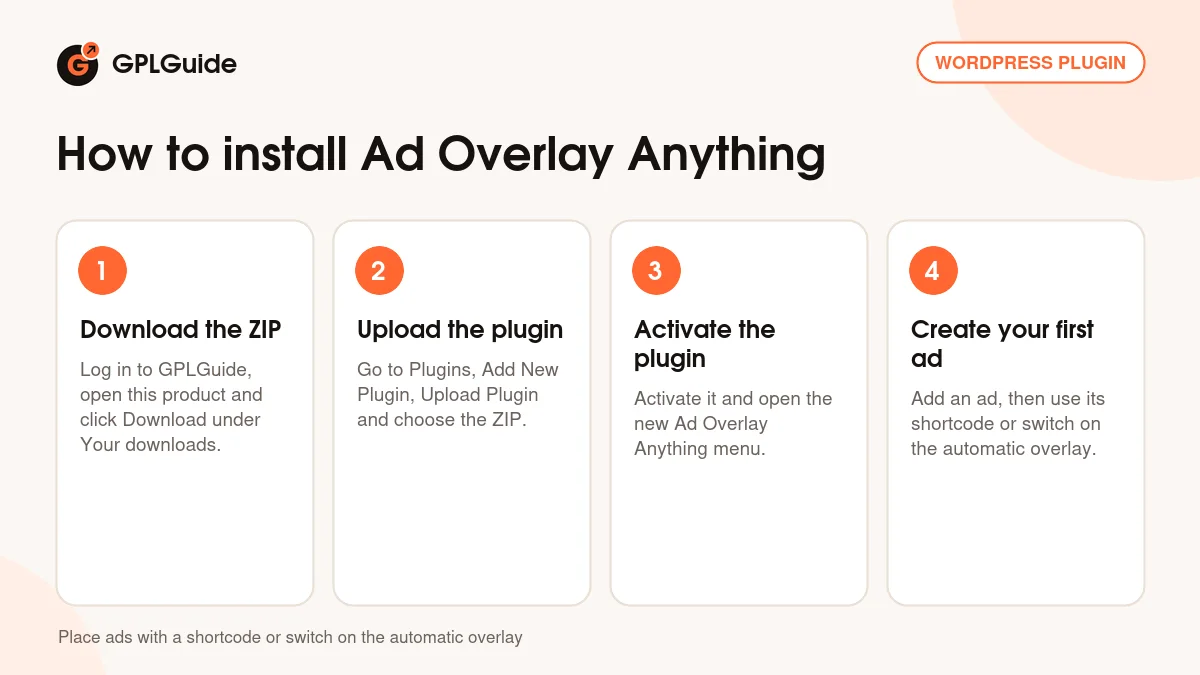
Log in, open the product page and click Download under Your downloads. For a plugin go to Plugins, Add New Plugin, Upload Plugin, choose the ZIP, then Install Now and Activate. For a theme go to Appearance, Themes, Add New Theme, Upload Theme.
How do updates work?
When a newer version is listed on GPLGuide, download it from the product page and upload it over the installed copy; WordPress offers to replace the old version. Updates are manual.
Can I use it on more than one site?
Yes. The GPL lets you use it on as many of your own sites as you like.
What if the file does not work or a newer version is out?
Tell us on the Request Item page or through Support. We check the file and add the newer version when we have it.