AdForest – Classified Ads WordPress Theme
100% Original fileUnmodified copy of the developer's release
DeveloperScriptsBundle
Up to dateOriginal released Jul 29, 2026 · File last updated Oct 16, 2026
About this product
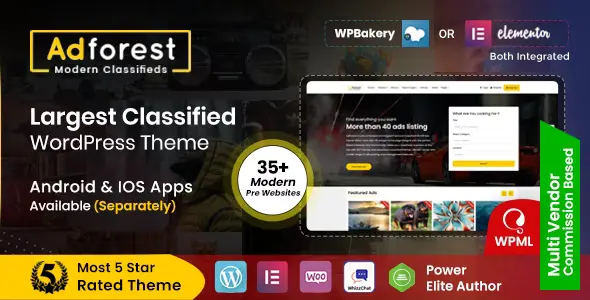
AdForest is a classified ads WordPress theme made by ScriptsBundle for buy-and-sell websites, local directories and small marketplaces. Users post ads with photos, prices and locations, buyers search by category, price or distance, and both sides talk through built-in messages. You can sell ad packages through WooCommerce and run a shop next to the listings. This page is for AdForest 6.1.2, released on July 29, 2026. On GPLGuide you download the original theme file to install on your own websites.
Good for: anyone building a local classifieds site, a car or property portal, a pet or event board, a business directory or a multi-vendor marketplace, who wants posting, search, paid packages and messaging in one theme.
Requirements: WordPress 6.0 or newer (the developer lists versions 6.0 to 7.0) and PHP 8.0.30 or newer, the minimum since AdForest 6.1.0. Elementor is the only supported page builder since version 6.0, and WooCommerce runs the ad packages and payments. The theme also works with its own companion plugins, named in the developer's changelog as SB Framework, AdForest Elementor, SB Chat and SB Directory, with Redux Framework behind the Theme Options panel. The developer says the plugins packed with the theme are free and no paid plugin is required. Elementor Pro, WPML and MultiVendorX are optional.
What AdForest does
AdForest turns WordPress into a classifieds website. Registered users post ads from the front end: they pick a category, fill in its custom fields, drag and drop their photos and place the ad on a map. Each ad has a status such as Active, Sold or Expired, can expire after a set time and can be promoted to a featured ad. Buyers browse in grid, list or gallery views and contact sellers through the built-in messages.
You run the site from Theme Options, a Redux panel where you decide whether ads go live at once or wait for approval, what the bad word filter blocks, how search behaves and how users register. Income can come from simple and paid packages sold through WooCommerce, from featured listings and from advertisement spots. Sellers get public profiles with ratings.
AdForest comes with many ready-made demos. The developer's demo site shows classified home pages called Mars, Venus, Europa, Mercury and Nova, plus Real Estate, AutoForest, PetForest, EventForest, Directory Listing and City & Places, and eCommerce demos such as Vendor and an Arabic RTL version. The one-click demo import loads a layout, so you start from a working site.
Posting ads, packages and approval in AdForest
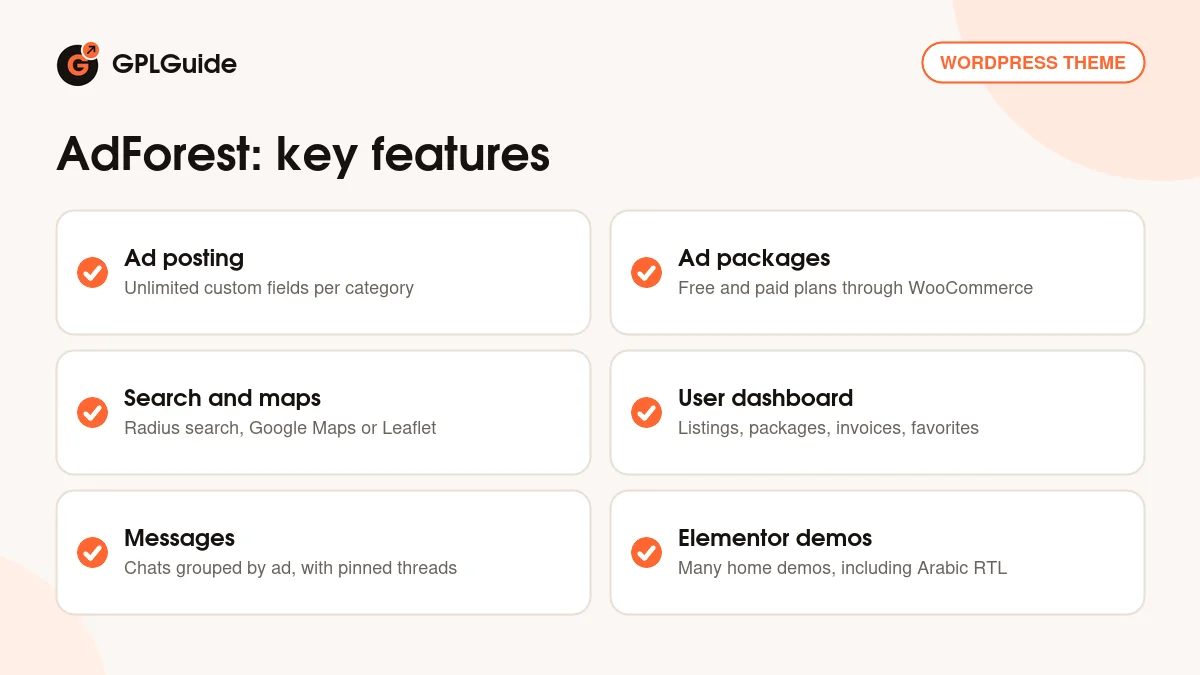
The Ad Post page is where sellers spend most of their time. Unlimited custom fields let each category ask its own questions, so a car ad can ask for mileage while a flat asks for the number of rooms. Fields can be shown or hidden per category template. Under Ads Settings, Ads Post Settings you can also hide the condition and warranty taxonomies on the single ad page.
Packages decide what posting costs. You can allow free ads in Theme Options, sell paid packages through WooCommerce, or mix both so a user posts for free and later buys a package to promote that ad. AdForest 6.0.10 added a toggle between free and paid posting, plus tools to unassign packages in bulk or revoke a single package. Package orders can be approved automatically after payment.
Moderation stays simple. Choose manual or automatic ad approval, switch on the bad word filter, and turn on phone verification so only verified users can post. Under Users you can require email verification, send the admin an email for each new sign-up and approve users by hand. A basic bidding module lets buyers bid on an ad, though the developer says it is not a full auction system.
Search, maps and locations in AdForest
Search is Ajax based. Visitors filter by keyword, category, price and radius, and categories can go four levels deep. Under Ads Settings, Search Settings there is a separate Category Page Search setting, and version 6.0.10 added a toggle for parent-to-child category search. The demo site shows a map search, home as search, a sidebar search and a top bar search.
For maps you choose Google Maps with a location picker, which needs your own Google Maps API key, or Leaflet with OpenStreetMap. AdForest 6.0.14 let you limit the Nominatim location search to one country and city from Theme Options, added a geocoding fallback for radius search and fixed multi-word places such as "Harlow, Essex, UK". Version 6.1.0 added a Top Locations Elementor widget where you pick the locations by hand.
Dashboard, messages and seller profiles
Version 6.1.0 rebuilt the user dashboard. Sellers now get modern pages for My Listings, Awaiting Approval, Favorites, Invoices, Messages, My Packages, Profile Settings and Add New, plus a modern user menu that you switch on in Theme Options. Notifications tell users when an ad or an order changes status.
Messages are grouped by ad, so a seller with many listings sees each conversation under the item it is about. Conversations can be pinned and voice messages show a preview. Seller profiles carry ratings, and a Seller Store page lists everything one seller has posted. Since AdForest 6.0.13 users can sign in with a one-time code sent to their phone.
AdForest setups you can copy
Start from the demo closest to your idea and change it, rather than building every page yourself:
- Local buy-and-sell site: import Mars or Venus, allow free ads, and sell one small paid package for sellers who want to promote an ad.
- Car listings: start from AutoForest, give car categories fields for make, year and mileage, and use radius search.
- Property portal: use the Real Estate demo with a map on every ad, and hide the condition and warranty taxonomies.
- Business directory: begin with Directory Listing or City & Places and show your main towns with the Top Locations widget.
- Vendor marketplace: start from the Vendor demo and add MultiVendorX, so sellers run their own shops next to their ads.
- Arabic site: import the RTL demo first, as the developer advises, then pick any home page and translate with WPML.
Whatever you build, set up packages and approval rules before you open the site. It is easier to set them once than to change them after people start posting.
What's new in AdForest 6.1.2
Version 6.1.2 came out on July 29, 2026. The Category Based Ads Elementor widget gained a grid layout with pagination, Show More or Infinite Scroll, and an automatic View All button linked to the chosen category. Fixes cover the password reset popup reopening, duplicate reset links in emails, WooCommerce shop pages returning 404 errors, the products per page setting and variation images. The plugins were updated, and security work tightened password reset checks and AJAX nonces.
Before that, 6.1.1 (June 4, 2026) fixed a Profile Page error with MultiVendorX active and an SB Directory activation problem. 6.1.0 (May 22, 2026) brought the modern header, footer and dashboard, the Trust Strip and Top Locations widgets and the PHP 8.0.30 minimum. 6.0.14 (April 22, 2026) fixed radius search and timezone bugs in expiry and bidding timers, and closed SQL injection and XSS issues.
Good to know before you buy
AdForest has used Elementor only since version 6.0, when WPBakery support was removed. If you still run version 5.x or older, the developer asks you to move to 6.0 or later and to take a full backup first. Elementor Pro works with it, but the ad detail pages and search are controlled by the theme's own options, not by Elementor.
Several parts run on outside services that you set up yourself. Google Maps needs an API key from Google, social login needs your own Google and Facebook developer details, and Mailchimp needs your Mailchimp API key. Phone verification has used Firebase OTP and Twilio in past releases. Spam protection is reCAPTCHA; the developer says Cloudflare Turnstile is not supported. The AI title and description suggestions added in 6.0.13 are listed without a named AI service, so check what they need before you rely on them.
A few more limits come from the developer's own replies. Visitors must register to post, send messages or see phone numbers. The theme doesn't compress images on upload, so add an image optimisation plugin. The AdForest Android and iOS apps are sold separately on CodeCanyon, and so is the WhizzChat plugin. If a demo import stops halfway, a low max_execution_time on your server is a common cause. The developer does not support adult or dating websites.
AdForest from GPLGuide vs the official subscription
From GPLGuide you get the original AdForest 6.1.2 theme file, the same one the developer releases, with the theme options, demos and Elementor widgets that are in that file. The file comes with the license key already activated, so there is no key to enter. Under Envato's licence for this item, its PHP code is licensed under the GPL.
AdForest is sold by ScriptsBundle on ThemeForest, where the Regular licence costs $59. That price includes future updates through ThemeForest and 6 months of item support from the author, which you can extend to 12 months for $17.63. Support runs through the developer's ticket system, replies can take up to 2 business days, and installation and customization are not covered, though the developer sells a separate setup service for $200. Refunds follow Envato's rules. We can't offer ScriptsBundle's support, so buy there if you want their help. If you only need the theme file, we sell it on its own or as part of a GPLGuide membership.
How to install AdForest
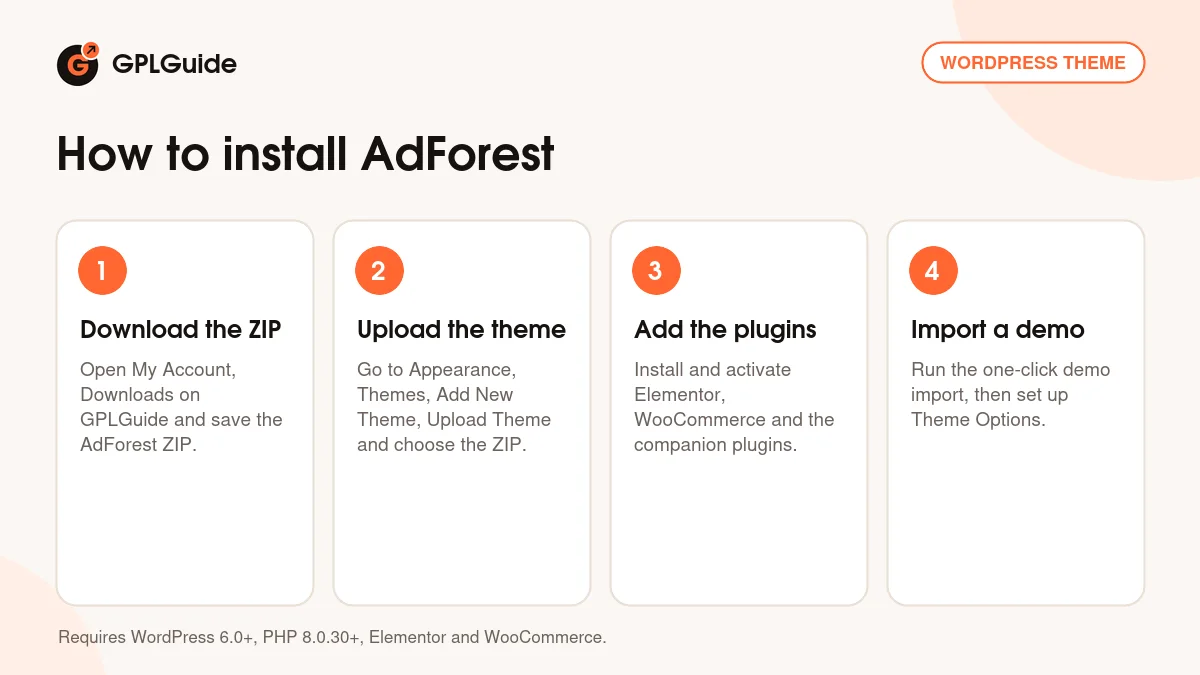
- Sign in to GPLGuide, open My Account, Downloads and save the AdForest ZIP.
- In WordPress go to Appearance, Themes, Add New Theme, Upload Theme, choose the ZIP, click Install Now and then Activate.
- Install and activate the plugins the theme asks for, including Elementor, WooCommerce and the AdForest companion plugins.
- Run the one-click demo import for the layout you like, then open Theme Options to set your logo, map key and ad rules.
A good first setup is one demo, one free package and a few categories. Import the demo closest to your niche, add your Google Maps API key, then create three or four categories with their custom fields. Keep ad approval on manual while you test, post a couple of ads from a normal user account and check how they look in search and on the map. When that works, add a paid package in WooCommerce.
Keeping it up to date
Updates from GPLGuide are manual. When a new version of AdForest is listed here, download it from your account and upload it under Appearance, Themes, Add New Theme, Upload Theme. WordPress offers to replace the installed copy, and your settings, ads and users stay in your database. New releases often update the companion plugins too, so update those after the theme, and take a full backup first. If you spot a newer version that we haven't added, tell us on the Request Item/Update page.
Questions about AdForest
Do I need Elementor Pro for AdForest? No. Elementor is the supported page builder and Elementor Pro is optional.
Does the theme need any paid plugins? The developer says no paid plugin is required and the plugins packed with the theme are free.
Can sellers pay to post or promote ads? Yes. Packages are sold through WooCommerce, and users can buy a package to promote a free ad.
Can I use OpenStreetMap instead of Google Maps? Yes. Leaflet with OpenStreetMap is an option, and the Nominatim search can be limited to one country and city.
Can I build a multi-vendor marketplace? Yes, with the MultiVendorX plugin and WooCommerce. The Vendor demo shows how such a site can look.
Does it support right-to-left languages? Yes. It supports RTL and WPML, and there is an Arabic RTL demo.
Are the AdForest mobile apps included? No. The Android and iOS apps that connect to the theme are separate products on CodeCanyon.
Can I import ads from another site? Yes. The developer suggests the WP All Import plugin for bulk imports of listings.
Building a listings site? Browse more WordPress themes on GPLGuide, or see what a GPLGuide membership includes if you need several premium themes and plugins. Elementor, the page builder AdForest is built on, is free on WordPress.org.
Features & capabilities
- Front-end ad posting with unlimited custom fields per category
- Free and paid ad packages sold through WooCommerce
- Ajax search by keyword, category, price, location and radius
- Google Maps or Leaflet with OpenStreetMap for ad locations
- Modern user dashboard with listings, packages, invoices and favorites
- Built-in messages grouped by ad, plus seller profiles and ratings
- Elementor widgets and many demos, including an Arabic RTL demo
- Manual or automatic ad approval, bad word filter and phone OTP login