Proffer – Fundraising & Charity WordPress Theme

100% Original fileUnmodified copy of the developer's release
Developerthemexshaper
Up to dateOriginal released Jan 17, 2026 · File last updated Oct 17, 2026
About this product
The Proffer theme is a WordPress theme by themexshaper for charities, non-profit groups, NGOs and fundraising or crowdfunding campaigns. It is built around the Elementor page builder and comes with three home page layouts, its own Elementor widgets, a theme options panel and a one-click demo import. This page is for Proffer 1.0.7, released on January 17, 2026. On GPLGuide you download the original theme file to install on your own websites.
Good for: charities, foundations, church appeals, NGOs and crowdfunding projects that need pages for causes, donation campaigns, events and volunteers, with a blog and a contact page on the same site.
Requirements: The item page lists WordPress 5.9 up to 7.0, WooCommerce 8 and 9, and Elementor or Elementor Pro. It gives no minimum PHP version, but the changelog added PHP 8.1 support in 1.0.5 and PHP 8.2 support in 1.0.7. The theme is built with Elementor, One Click Demo Import, the Codestar Framework and Contact Form 7, and the changelog refers to a core plugin that the item page does not name.
What the Proffer theme does
The Proffer theme gives a charity the pages it needs to explain its work and ask for help. The developer describes layouts for causes, donation campaigns, events, crowdfunding projects, volunteers, testimonials, the blog and the contact page. You start from one of three home page layouts, and every page is edited in Elementor, so you change text, photos and the order of sections on the page itself.
The design is clean and quiet, built on the Bootstrap 3 grid with a responsive layout and a sticky header that stays in view while visitors scroll. The demo uses the Now and Roboto fonts, and icons come from Font Awesome, Themify Icons and Flaticon. Google Maps can show several locations on one map, which helps when you run more than one office, shop or collection point.
WooCommerce support is listed as well. The item page names WooCommerce 8 and 9 as compatible, so you can add a small shop for charity merchandise, printed calendars or gala tickets sold as products, styled to match the rest of the Proffer theme.
Building pages with Elementor and the Proffer widgets
The Proffer theme is built for Elementor. The item page lists both Elementor and Elementor Pro as compatible and does not say that Pro is required. On top of the standard Elementor widgets, the Proffer theme adds custom widgets for its charity sections. The changelog shows steady work on them: the custom widgets were improved in 1.0.1 and 1.0.2, and later releases fixed Elementor deprecation issues and kept the theme in step with new Elementor versions.
Working in Elementor means each section of a Proffer theme home layout is a block you can move, copy or delete. You can keep the parts that suit your charity, drop the ones you don't need and save time by copying a finished section to another page. The look stays consistent because the colours and fonts come from the theme options, not from each widget.
The changelog updates the core plugin in most releases, from 1.0.4 onwards. Treat it as part of the Proffer theme: keep it active, and when you update the theme, update the core plugin from the same release so the two stay in step.
Theme options, colours and typography
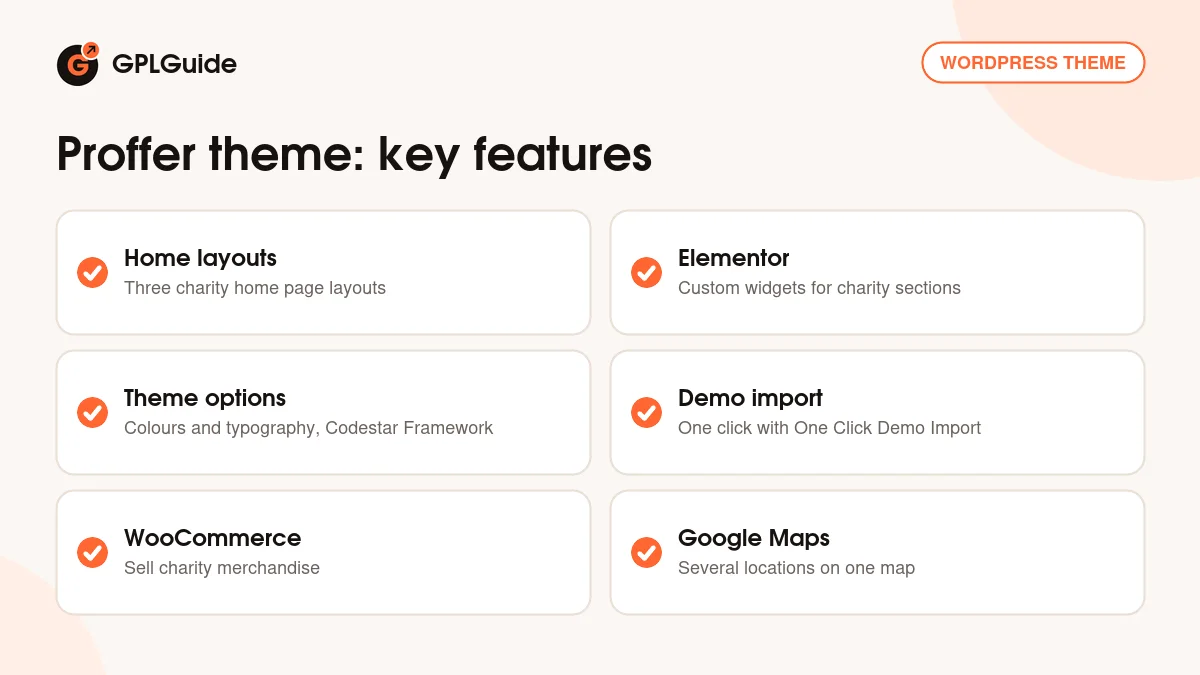
Global settings for the Proffer theme live in the theme options panel, which the developer built with the Codestar Framework. The item page lists unlimited colour options and advanced typography settings, so you can set a charity's brand colours and fonts once instead of styling every page. Version 1.0.4 improved both the theme options and the framework files behind them.
The item page does not publish a list of every option, and we found no public online documentation for the Proffer theme, only a "Well Documented" note on the item page. So we won't guess at option names here. What the page does confirm is the sticky header, the colour and typography controls, the responsive layout and Google Maps with multiple locations.
A good habit is to set the brand colours and fonts first, before you edit pages. The global look is then in place, and you only change single widgets when one page needs to stand apart, such as an emergency appeal.
Demo import and the plugins it uses
The Proffer theme has a one-click demo import based on the One Click Demo Import plugin. It brings in the demo pages so you start from a finished layout rather than a blank site. Version 1.0.4 fixed demo import issues. Forms run on Contact Form 7, which the theme integrates for contact and sign-up pages.
Run the import on a fresh WordPress install if you can. Importing into a site that already has pages and menus mixes the demo content with yours and makes cleanup slower. The item page does not say whether the demo photos come with the import, so plan to use photos of your own projects, volunteers and events.
Charity setups you can copy
These ideas use only the parts of the Proffer theme that the developer lists. Pick the one closest to your organisation and build from there.
- Single-cause appeal: Pick one home layout, keep the opening section, one campaign block and a volunteer call, and remove the rest. Point the main button at the page where you accept gifts.
- Small NGO with several projects: Give each project its own cause layout with a short paragraph on the need and one strong photo. Post a monthly update on the blog so returning donors see progress.
- Charity run or gala: Use the events layout for the date and venue, add a Google Map with the start line or the hall, and a Contact Form 7 sign-up form.
- Volunteer drive: Build a volunteers page with a form that asks for name, email, phone and the days people can help, and place two or three testimonials from current volunteers next to it.
- Merchandise table: Add WooCommerce and list t-shirts, tote bags or a yearly calendar, with the profits explained on each product page.
- Collection points: Show every drop-off point for a food or clothing drive on one Google Map.
Keep each cause page short and specific. One clear goal, one photo and one button usually work better than a long report. Save the full story for a blog post and link to it.
What's new in Proffer 1.0.7
Version 1.0.7 came out on January 17, 2026. It adds PHP 8.2 compatibility and WordPress 6.9 compatibility, fixes PHP deprecated notices and resolves issues in the comment system. The item page was last updated on January 24, 2026, and 1.0.7 is still the newest version it lists.
Before that, version 1.0.6 (May 27, 2025) added WordPress 6.6 compatibility, fixed WooCommerce deprecated issues, updated the core plugin and fixed a post type select error. Version 1.0.5 (January 20, 2024) added PHP 8.1 and WordPress 6.4 support, the latest WooCommerce compatibility and a core plugin update. Version 1.0.4 (August 19, 2023) added PHP 8 and WordPress 6.3 support, WooCommerce 8.0.1 compatibility, better theme options and fixes for the demo import.
Good to know before you buy
The Proffer theme presents causes, donation campaigns and crowdfunding projects, but the item page does not name a donation or payment plugin. We found no documentation that explains how money is collected. Look through the live preview on the item page to see how the cause pages behave, and plan a separate donation tool if you need online payments.
The core plugin is not named on the item page, and there are no public online docs. Option names, custom post types and the exact plugin list are therefore not confirmed here. The theme is built on Bootstrap 3, an older version of the framework. We found no cloud services or online libraries tied to it; the parts listed run on your own site.
Item support for the Proffer theme comes from themexshaper for buyers on ThemeForest. Updates from our shop are manual, as explained below.
Proffer from GPLGuide vs the official subscription
The Proffer theme is sold by themexshaper on ThemeForest. The Regular licence costs $59 there and includes future updates through the marketplace and six months of item support from the developer, which can be extended to 12 months. Under Envato's licence for this item, its PHP code is licensed under the GPL.
From GPLGuide you get the original Proffer theme file, with the home layouts, Elementor widgets, theme options and demo import that are in the file. The file from GPLGuide comes with the license key already activated, so there is no key to enter.
What only the developer provides is item support, refunds under Envato's rules and updates through your own Envato account. If you want themexshaper to help with a setup problem, buy the licence on ThemeForest. If you need the theme itself, GPLGuide sells the same file on its own or as part of a membership.
How to install the Proffer theme
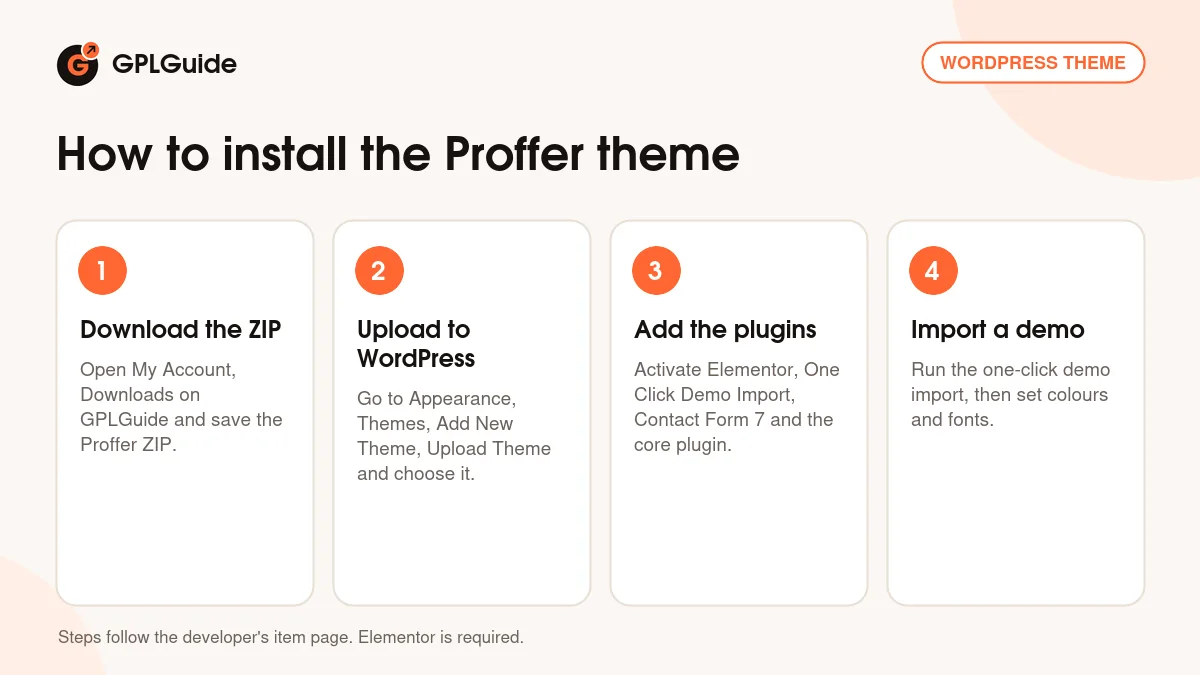
- Sign in to GPLGuide, open My Account, Downloads and save the Proffer ZIP.
- In WordPress go to Appearance, Themes, Add New Theme, Upload Theme, choose the ZIP and click Install Now.
- Activate the theme, then install and activate Elementor, One Click Demo Import, Contact Form 7 and the theme's core plugin.
- Run the one-click demo import, then set your colours and fonts in the theme options.
For a good first setup, import the demo on a test site and pick the home layout that is closest to your charity. Replace the logo, colours and fonts in the theme options, then rewrite one cause page with your real goal and a photo. Once that page looks right, copy its sections to the next cause and work through the rest of the site.
Keeping it up to date
Updates from GPLGuide are manual. When a new version of the Proffer theme is listed here, download it from your account and upload it under Appearance, Themes, Add New Theme, Upload Theme. WordPress offers to replace the installed copy, and your pages and settings stay in the database. Update the core plugin from the same release too. If you edit theme code, keep those edits in a child theme so an update does not overwrite them. If you see a newer version that we haven't added, tell us on the Request Item/Update page.
Questions about the Proffer theme
Which page builder does the Proffer theme use? Elementor. The item page lists Elementor and Elementor Pro as compatible and does not say that Pro is required.
Can I take donations online with it? The item page describes donation campaigns and crowdfunding layouts but names no donation or payment plugin, so check the live preview and plan a payment tool if you need one.
How many home page layouts are there? Three. The item page does not name them, but you can see them in the live preview.
Does it run on PHP 8.2? Yes. PHP 8.2 compatibility was added in version 1.0.7, and PHP 8.1 in 1.0.5.
Is it ready for WordPress 7.0? The item page lists WordPress 7.0 among the tested versions, back to 5.9.
Can I sell merchandise? Yes. The item page lists WooCommerce 8 and 9 as compatible, so you can add a shop for charity goods.
Are the demo photos included? The item page does not say, so plan to use your own pictures.
Can I show several offices on a map? Yes. The theme supports Google Maps with multiple locations.
Does it support the block editor? The item page marks it as Gutenberg optimized, though the demo pages are built in Elementor.
Looking for more designs? Browse the WordPress themes in our shop, or see what a GPLGuide membership includes. The page builder behind the Proffer theme is the free Elementor plugin on WordPress.org.
Features & capabilities
- Three home page layouts for charities, NGOs and fundraising campaigns
- Layouts for causes, campaigns, events, volunteers and testimonials
- Elementor page builder with the theme's own custom widgets
- Theme options panel built on the Codestar Framework
- Unlimited colour options and advanced typography settings
- One-click demo import and Contact Form 7 integration
- WooCommerce 8 and 9 support for a charity shop
- Google Maps with multiple locations and a sticky header