Adifier – Classified Ads WordPress Theme
100% Original fileUnmodified copy of the developer's release
DeveloperSpoonThemes
Up to dateFile last updated Oct 25, 2026
About this product
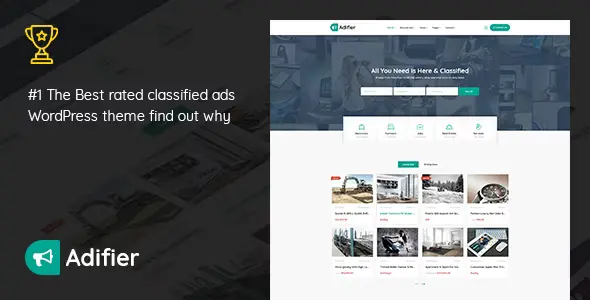
Adifier Theme 4.0.0 is a WordPress theme for classified ads that allows users to post and view ads. It works well for owners who wish to manage a job board, an auction site, or a local or specialized classifieds board and want to make money from sponsored listings, paid ad packages, or memberships. Rather than creating a broad theme with add-ons, the developer created it as a specific classifieds system.
What's in the Adifier Theme download
Our download is the original Adifier Theme package for version 4.0.0, with the license key already activated. The theme ships with demo content and builds its ad features on dedicated plugins of its own rather than third-party ones. It supports Elementor, King Composer and Beaver Builder. The developer notes that demo images are not part of the demo content, so placeholder images appear in their place.
Good to know
The developer lists compatibility with WordPress 4.9 up to 7.0 and publishes no PHP minimum. Elementor is the default page builder. Payments use gateways built into the theme, such as PayPal, Stripe and Authorize.Net, and the developer lists no shop plugin as a requirement. If WordPress reports missing style sheets, the wrong ZIP was uploaded; the developer says that error does not mean the theme is broken.
How to install Adifier Theme
- Log in to GPLGuide, open this product and click Download under Your downloads.
- In WordPress, go to Appearance, Themes, Add New Theme, Upload Theme and choose the theme's ZIP.
- Click Install Now, then click Activate once the upload has finished.
- To build pages with the default page builder, install and activate Elementor under Plugins, Add New Plugin.
- Open the Adifier WP menu in the WordPress admin, where the Ads, Images and Payments sections hold the submission, image size and gateway settings.
Features & capabilities
- Several ad types: selling, auctions with countdown and bidding history, buying, exchange, gifts, rent and job offers.
- Paid posting through packages, subscriptions or a mix of both, or no posting fee at all.
- Promotion options such as bump up, highlight, featured, urgent and a spot on the home page map.
- AJAX search with radius, price and custom field filters, plus side by side ad comparison.
- Custom fields per category, including nested ones such as car make and model.
- Messaging per ad, buyer and seller reviews, and a user dashboard.
- Maps through Google Maps, Mapbox or OpenStreet Maps, with several currencies.
- Many payment gateways plus bank transfer, invoices, XML, CSV and XLS importers, and RTL support.
Frequently asked questions
Is this the original file?
Yes. Every product on GPLGuide is the developer’s own release, unchanged. The license key comes already activated. If a product does ask for a key, the activation steps appear on its page once you have it.
Is it legal to use a GPL plugin or theme from GPLGuide?
Yes. WordPress plugins and themes are released under the GPL, which lets anyone use, share and change the code. The developer’s support desk and the developer’s own update service are not part of the file; those stay with the developer.
How do I install it?
Log in, open the product page and click Download under Your downloads. For a plugin go to Plugins, Add New Plugin, Upload Plugin, choose the ZIP, then Install Now and Activate. For a theme go to Appearance, Themes, Add New Theme, Upload Theme.
How do updates work?
When a newer version is listed on GPLGuide, download it from the product page and upload it over the installed copy; WordPress offers to replace the old version. Updates are manual.
Can I use it on more than one site?
Yes. The GPL lets you use it on as many of your own sites as you like.
What if the file does not work or a newer version is out?
Tell us on the Request Item page or through Support. We check the file and add the newer version when we have it.