Advance Seat Reservation Management for WooCommerce
100% Original fileUnmodified copy of the developer's release
DeveloperCode Canyon
Up to dateFile last updated Oct 23, 2026
About this product
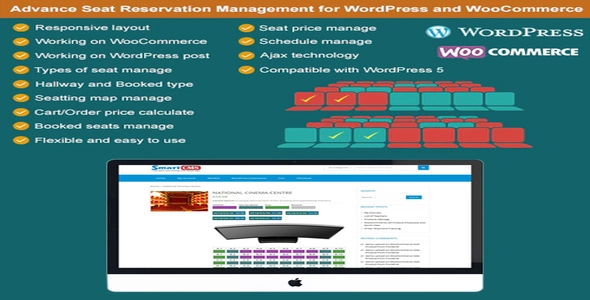
Advance Seat Reservation Management for WooCommerce 3.1 adds a seat map to your products, so customers pick the exact seat they're paying for before checkout. It's meant for shops that sell assigned places rather than general entry: cinemas, theaters, conferences and events, bus, train or plane trips, and even sunbeds or beach chairs. If you've been taking seat requests by email and juggling them in a spreadsheet, this puts the choice in the customer's hands and records each booking with the order.
What's in the Advance Seat Reservation Management download
Our download is the original Advance Seat Reservation Management package for version 3.1, with the license key already activated. It contains the WooCommerce seat plugin itself. The developer sells a separate COVID-19 edition and versions for PrestaShop and Joomla VirtueMart, and none of those are in this file. Features the changelog adds after this version, such as the stage option and seat numbers in emails and invoices, aren't part of it either.
Good to know
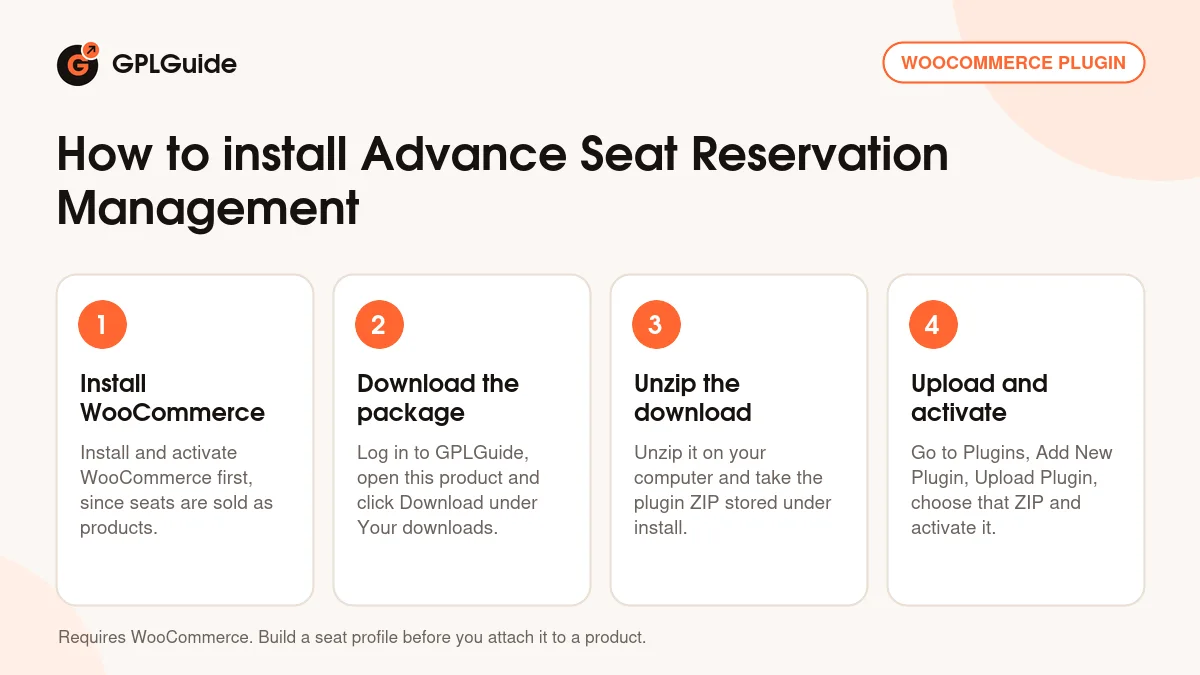
Unzip the download on your computer first, then upload the plugin ZIP stored under install, not the whole package. WooCommerce has to be active to sell seats on products; the developer's notes for this version list WordPress 6 and WooCommerce 7, with WooCommerce 8 and later named only in newer releases. Build a seat profile first (seat types, then column and row labels), and only then pick that profile and set a price per seat type on the product edit page.
How to install Advance Seat Reservation Management
Features & capabilities
- Seat profiles for each room, hall or vehicle, with your own seat types such as VIP, Standard or Free.
- Maps built from column and row labels, with a type per seat, hallway seats for aisles and a re-label option.
- A separate price for each seat type on every product, added up in the cart.
- Schedules, including daily ones, so seats are reserved per schedule instead of once for good.
- An option that makes customers choose a seat before the product goes into the cart.
- Booked seats shown in the order, on the product edit page, at checkout and in My Account.
- Admins can book seats by hand and release booked seats for rebooking; cancelled orders free their seats.
- Seat booking on ordinary WordPress posts, with the customer's details emailed to the admin.
Frequently asked questions
Is this the original file?
Yes. Every product on GPLGuide is the developer’s own release, unchanged. The license key comes already activated. If a product does ask for a key, the activation steps appear on its page once you have it.
Is it legal to use a GPL plugin or theme from GPLGuide?
Yes. WordPress plugins and themes are released under the GPL, which lets anyone use, share and change the code. The developer’s support desk and the developer’s own update service are not part of the file; those stay with the developer.
How do I install it?
Log in, open the product page and click Download under Your downloads. For a plugin go to Plugins, Add New Plugin, Upload Plugin, choose the ZIP, then Install Now and Activate. For a theme go to Appearance, Themes, Add New Theme, Upload Theme.
How do updates work?
When a newer version is listed on GPLGuide, download it from the product page and upload it over the installed copy; WordPress offers to replace the old version. Updates are manual.
Can I use it on more than one site?
Yes. The GPL lets you use it on as many of your own sites as you like.
What if the file does not work or a newer version is out?
Tell us on the Request Item page or through Support. We check the file and add the newer version when we have it.