
Advanced Heading and Animated Text for Elementor

100% Original fileUnmodified copy of the developer's release
DeveloperDynamicLayers
Up to dateFile last updated Oct 23, 2026
About this product
Advanced Heading for Elementor 1.0.7 is a small add-on that gives the Elementor editor two extra heading widgets, one for styled titles and one for animated text. It's for people who build landing pages, business sites, portfolios and blogs in Elementor and find the stock Heading widget too plain, but don't want to write custom CSS every time a section title needs a second colour, a border, text behind it or an animated word.
What's in the Advanced Heading for Elementor download
Our download is the original Advanced Heading for Elementor ZIP for version 1.0.7, with the license key already activated. The plugin brings both widgets, Advanced Heading and Animated Heading, so there is no second add-on to install. Elementor itself is not in the file. The developer lists only Elementor as a requirement, so the free version from the WordPress plugin screen is enough and you don't need Elementor Pro for either widget.
Good to know
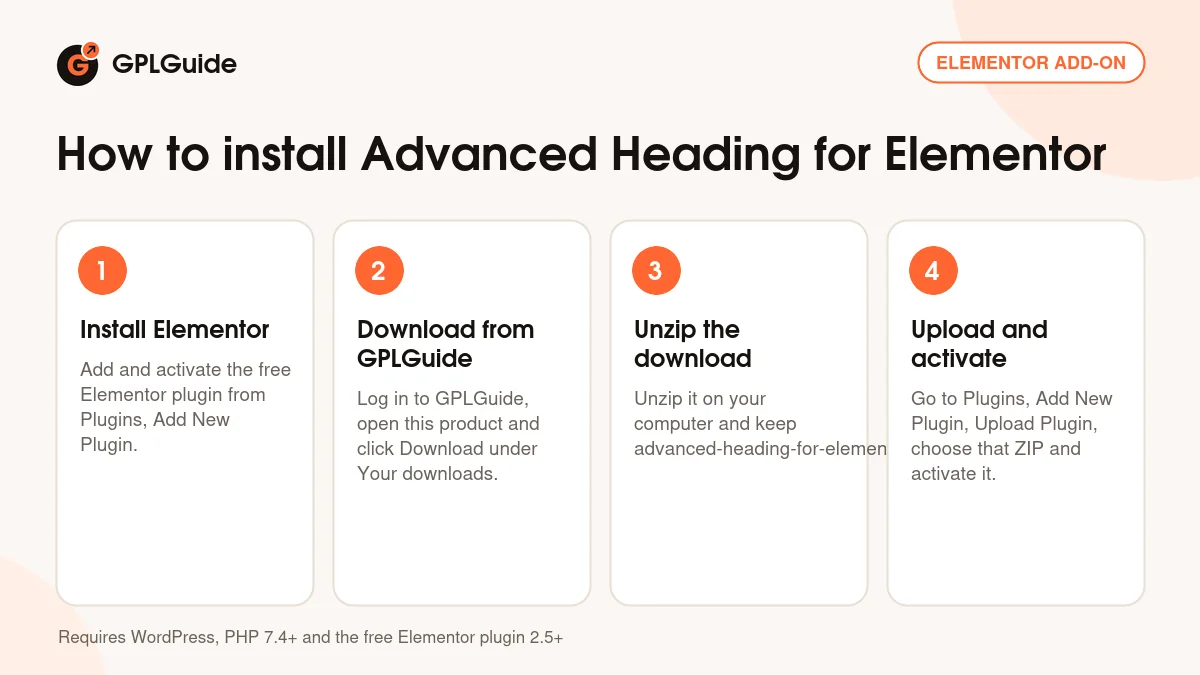
You need WordPress with PHP 7.4 or newer and the free Elementor plugin, version 2.5 or newer, and the developer's docs ask for the current Elementor release. Install and activate Elementor first, because this add-on lists Elementor as a required plugin. Unzip the download on your computer first and upload advanced-heading-for-elementor.zip, not the whole package. Both widgets then sit in their own Advanced Heading category in the Elementor panel, not among the standard widgets.
How to install Advanced Heading for Elementor
Features & capabilities
- Two widgets in one add-on: Advanced Heading and Animated Heading
- Separate style sections for the text before, in the centre of and after the main heading
- A Custom Border section for the Advanced Heading widget
- A Background Text style section for text set behind the heading
- Animated Heading with a choice of animation type and options to control the animation
- Heading tag and alignment settings on the Animated Heading widget
- Fonts, colours, borders, backgrounds, gradients and positions set from the Elementor style tab
- Responsive settings and a POT file for translating the widget text
Frequently asked questions
Is this the original file?
Yes. Every product on GPLGuide is the developer’s own release, unchanged. The license key comes already activated. If a product does ask for a key, the activation steps appear on its page once you have it.
Is it legal to use a GPL plugin or theme from GPLGuide?
Yes. WordPress plugins and themes are released under the GPL, which lets anyone use, share and change the code. The developer’s support desk and the developer’s own update service are not part of the file; those stay with the developer.
How do I install it?
Log in, open the product page and click Download under Your downloads. For a plugin go to Plugins, Add New Plugin, Upload Plugin, choose the ZIP, then Install Now and Activate. For a theme go to Appearance, Themes, Add New Theme, Upload Theme.
How do updates work?
When a newer version is listed on GPLGuide, download it from the product page and upload it over the installed copy; WordPress offers to replace the old version. Updates are manual.
Can I use it on more than one site?
Yes. The GPL lets you use it on as many of your own sites as you like.
What if the file does not work or a newer version is out?
Tell us on the Request Item page or through Support. We check the file and add the newer version when we have it.


