Affiliate Butler Pro

100% Original fileUnmodified copy of the developer's release
DeveloperWPRuby
Up to dateOriginal released Jan 24, 2025 · File last updated Oct 23, 2026
About this product
Affiliate Butler Pro 2.2.0 is a WordPress plugin that turns chosen keywords into links across your posts, so you set up each affiliate link once instead of pasting it into every article. It's built for affiliate bloggers, review sites and niche publishers with lots of posts that mention the same products, shops or services. Doing that by hand gets messy fast: when a partner changes its URL you'd be editing old posts one by one, while here the link lives in one place.
What's in the Affiliate Butler Pro download
Our download is the original Affiliate Butler Pro ZIP for version 2.2.0, with the license key already activated. It's the full Pro plugin, ready to upload as it is. This release adds a setting to switch off auto-linking for chosen post types and clears up PHP warnings and deprecated functions, according to the developer's changelog.
Good to know
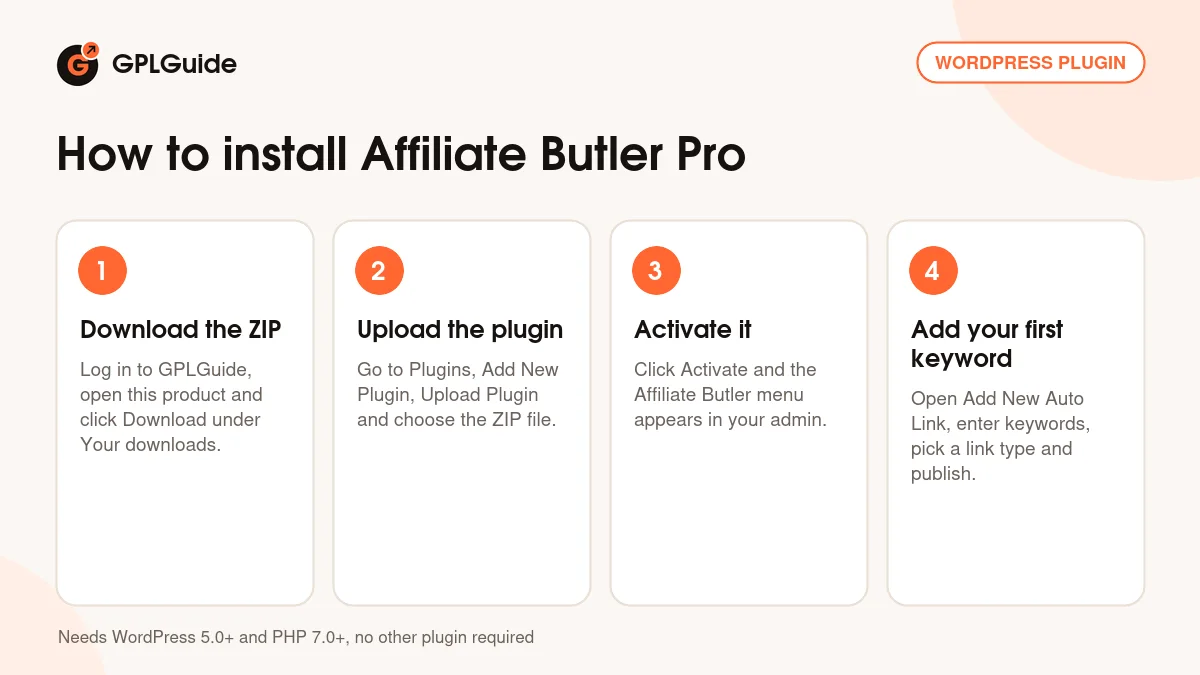
The developer lists WordPress 5.0 or newer and PHP 7.0 or newer, and no other plugin is needed. After activation everything sits under Affiliate Butler in the admin menu: add keywords under Add New Auto Link and set the defaults under Settings. To keep links out of headings or bold text, list those tags under Excluded HTML tags, for example h1,h2,strong. To keep one post free of links, tick the "Disable Affiliate Butler Pro for this post" box in its editor. Deleting an older copy before replacing it wipes your settings, the docs warn.
How to install Affiliate Butler Pro
Features & capabilities
- Link one keyword or a whole set of keywords to a single URL from one Auto Link entry.
- Point keywords at external URLs, your own posts and pages, or popups with HTML, images, galleries, YouTube or Vimeo videos and Google Maps.
- The Shrink option turns long affiliate URLs into short links with your own slug and prefix.
- Choose dofollow or nofollow, same or new window, and case-sensitive matching.
- Limits Per Post caps how often a keyword becomes a link in one article.
- Auto-link category and other taxonomy terms to their archive pages.
- Click stats per keyword with visits per day, countries, browsers, operating systems and languages.
- Switch auto-linking off for chosen post types or a single post, and sort keywords into Link Categories.
Frequently asked questions
Is this the original file?
Yes. Every product on GPLGuide is the developer’s own release, unchanged. The license key comes already activated. If a product does ask for a key, the activation steps appear on its page once you have it.
Is it legal to use a GPL plugin or theme from GPLGuide?
Yes. WordPress plugins and themes are released under the GPL, which lets anyone use, share and change the code. The developer’s support desk and the developer’s own update service are not part of the file; those stay with the developer.
How do I install it?
Log in, open the product page and click Download under Your downloads. For a plugin go to Plugins, Add New Plugin, Upload Plugin, choose the ZIP, then Install Now and Activate. For a theme go to Appearance, Themes, Add New Theme, Upload Theme.
How do updates work?
When a newer version is listed on GPLGuide, download it from the product page and upload it over the installed copy; WordPress offers to replace the old version. Updates are manual.
Can I use it on more than one site?
Yes. The GPL lets you use it on as many of your own sites as you like.
What if the file does not work or a newer version is out?
Tell us on the Request Item page or through Support. We check the file and add the newer version when we have it.