Affiliate Egg – Niche Affiliate Marketing WordPress Plugin

100% Original fileUnmodified copy of the developer's release
DeveloperKeywordRush
Up to dateFile last updated Oct 16, 2026
About this product
Affiliate Egg is a WordPress plugin by KeywordRush that turns product pages from online shops into affiliate product blocks on your own site. You paste a product link, the plugin reads the title, price, image and stock status, and your affiliate link is added to the button. It is made for shops that offer no affiliate API and no product feed. This page is for Affiliate Egg version 10.11.2. On GPLGuide you download the original plugin file to install on your own websites.
Good for: niche bloggers and review sites that link to shops without an API, price comparison pages with merchants you pick, deal blogs that post new products from a shop's catalog, and Content Egg users who want to add shops that have no feed.
Requirements: PHP 8.0 or newer and WordPress 6.0 or newer, according to the developer. You also need approval from each shop's affiliate program or network before your links earn anything. For shops that block automated requests, an account with a paid scraping service helps. Content Egg is optional and is a separate KeywordRush plugin.
What Affiliate Egg does
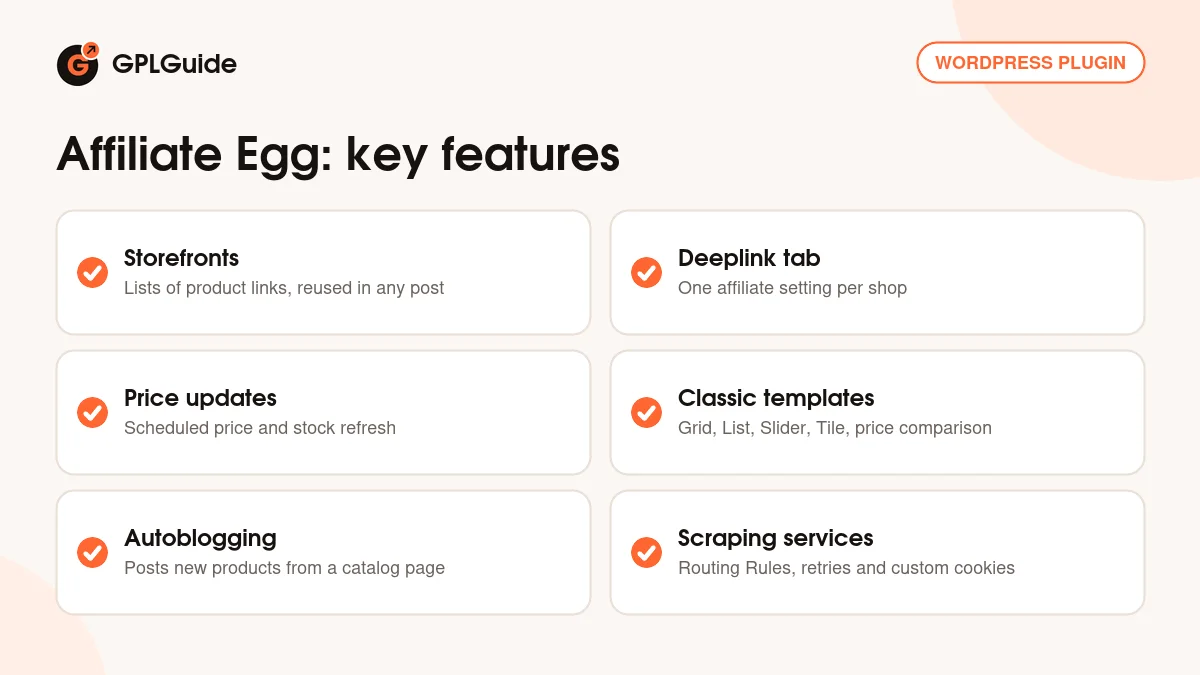
Affiliate Egg works with storefronts. A storefront is a named list of product URLs. When you save it, the plugin visits each page, reads the product data and stores it in your WordPress database. You then place the storefront in a post with a shortcode such as [affegg id=10]. One storefront can appear in many posts, and when you edit it, every post that shows it changes too.
You add clean product links, not affiliate links. The affiliate part is set once per shop in the Deeplink tab and applied to every product from that shop. Because the stored URLs stay clean, you can move to another affiliate network later without editing your storefronts.
Prices and stock refresh on a schedule, and visitors never wait for the shop's server, because the data is already on your site. The plugin can also feed Content Egg, the larger KeywordRush plugin. Note that the developer's docs now describe the newer 11.x line. Where something arrived after 10.11.2, this page says so.
How Affiliate Egg reads shops
Every shop is read by a parser, a small piece of code that knows where that shop keeps its title, price, image and stock. Version 10.11.2 ships with built-in parsers, and the changelog shows KeywordRush adding shops over time, such as many Amazon marketplaces, Shopee stores in several countries and Coupang. Parsers need repairs when shops change their pages. Version 10.9.8, for example, was a parser update.
To check a shop, paste one product URL into a storefront. If the title, price and image come through, you are set. If the page loads but no product data comes back, that shop needs a custom parser. If the shop refuses the request, often with a 503 or 403 error, it is a block, which is covered further down.
Custom parsers are files you place in /wp-content/affegg-parsers/. KeywordRush writes them for $25 per store, usually within one or two days, with six months of free fixes. If you know PHP and XPath, you can write your own, using the built-in parsers as models.
Whole categories work too. In 10.11.2 you add a category page with the older [catalog] prefix in front of the link. The [import limit=10] prefix in the current docs arrived in 11.0.0. Direct product links stay the most reliable choice.
Affiliate links, templates and price updates
In the Deeplink tab, each shop domain gets one affiliate setting. For networks such as AWIN, ShareASale, CJ or Admitad, take a sample affiliate link to a product page, replace the product URL part with {{url_encoded}} and paste the result. For programs that add an ID to the product URL, such as Amazon, enter only the parameter and value, for example tag=yourtag-20. Then test a few links.
Each storefront has a template, picked on its edit screen. Version 10.11.2 uses the classic set: Slider, Grid, List, Masonry, Tile and two price comparison layouts, a full one and a short one. The modern cards, top list and inline pick templates came in 11.0.0. To make your own, copy a template into wp-content/affegg-templates with the egg_ prefix and edit your copy.
Price and stock refresh is set under Affiliate Egg, Settings with the Product update interval, given in seconds. The docs list a default of 30 days, and 0 switches updates off. Updates run on WordPress Cron, which only fires when the site gets visits, so on a quiet site ask your host for a real server cron job. If a shop is down during a refresh, the product keeps its last known price.
Autoblogging lives under Affiliate Egg, Autoblog, Add Autoblog. Give it a catalog URL, such as a shop's new arrivals page, and it creates posts as new products appear. You set how many products go in one post, the post status, author, category and a title template with tags such as %PRODUCT.TITLE% and %PRODUCT.PRICE%. The Duplicate check stops the same product being posted twice.
Scraping services, routing rules and cookies
Some shops refuse automated requests. Rate limits from adding many products at once usually clear within about a day, but anti-bot walls do not clear by waiting. The developer's advice is to use direct product links, add products a few at a time, keep price updates slow and ask the shop to whitelist your server's IP address.
For harder cases, Affiliate Egg can send requests through a paid scraping service. Under Affiliate Egg, Settings, Extractor Settings you enter an API key for each provider. The changelog adds ScraperAPI, Proxycrawl and Scrapingdog in 10.4.0 and ScrapeOwl in 10.9.5. Decodo came in 10.12.0 and Bright Data in 11.2.0, so those two are not in 10.11.2.
Routing Rules, added in 10.11.0, decide which provider handles which shop. Each rule has a Pattern such as example.com or *.example.com, a Provider and optional Extra params, for example country_code=us for ScraperAPI. The first matching rule wins, so put specific patterns above general ones.
Custom Cookies fix a common surprise: a shop showing the wrong currency because your server sits in another country. Choose your country and currency in your browser, copy the Cookie request header from the network panel and save it for that shop.
Site setups you can copy with Affiliate Egg
- Single product review: one storefront with the product from one shop, shown with the Grid or List template under your verdict.
- Price comparison table: the same product from three or four shops, one direct link per shop, shown with a price comparison template.
- Local shop guide: shops in your country that have no API, each with its own deeplink, and Custom Cookies so prices show in your local currency.
- Deal blog: an autoblog task on a shop's new products page, with Post status set to draft so you review each post first.
Keep storefronts small at first. Fewer products mean fewer requests to each shop and less risk of a temporary block while you learn how each shop behaves with Affiliate Egg.
What's new in Affiliate Egg 10.11.2
The developer's public changelog has no separate entry for version 10.11.2 and gives no release dates. Version 10.11.2 sits after 10.11.0 and before 10.12.0. The main change in that line is Routing Rules for scraping services that need extra parameters. Earlier releases in this file include the Parse GTIN method (10.10.0), shop parser updates (10.9.8), ScrapeOwl (10.9.5) and the Retry attempts and Direct request extractor settings (10.8.0).
Not included: the developer's newest version is 11.2.1. Version 10.12.0 added Decodo and 10.13.0 added WordPress 7.0 compatibility. Version 11.0.0 was a large rewrite with link import from nearly any shop, modern templates, a block editor block and better fetching. Then 11.1.0 added Cashback Tracker earnings and 11.2.0 added Bright Data.
Good to know before you buy
This plugin reads other people's websites. When a shop redesigns its product pages, the parser for that shop can stop working until KeywordRush ships a fix in a new version. This copy has the parsers as they were in 10.11.2, without later fixes or the improved fetching from 11.0.0. Some shops may have changed since, so test every shop you plan to use before you build a site around it.
Requests come from your own server's IP address, and bulk adding or frequent refreshes can get it blocked for a while. A few shops cannot be read reliably at all. Scraping services are paid outside accounts, though the docs say most include around 1,000 free requests a month. Amazon blocks scrapers hard, so KeywordRush recommends Content Egg's Amazon module, which uses Amazon's official API, if Amazon matters to your site.
WordPress 7.0 compatibility is listed from 10.13.0, so test 10.11.2 on a staging copy first if your site runs WordPress 7.0. Content Egg is a separate plugin, and its docs say connecting shops that are not registered needs Affiliate Egg 11.0.0 or newer. Custom parsers are a paid KeywordRush service.
Affiliate Egg from GPLGuide vs the official subscription
From GPLGuide you get the original Affiliate Egg 10.11.2 plugin file under the GPL, with everything that is in it: storefronts, the classic templates, deeplinks, price updates, autoblogging, scraping service settings and the Content Egg integration. The file comes with the license key already activated, so there is no key to enter.
A plan from KeywordRush adds what stays with the developer: one year of their support, updates through their user panel and their refund policy (14 days, only for a fault their support cannot fix). Affiliate Egg Pro costs $59 a year for one site, or $149 as a one-time lifetime plan, with 5-site and 25-site plans above that. If you want developer support, buy there. If you need the plugin itself, get it on its own or in a GPLGuide membership.
How to install Affiliate Egg
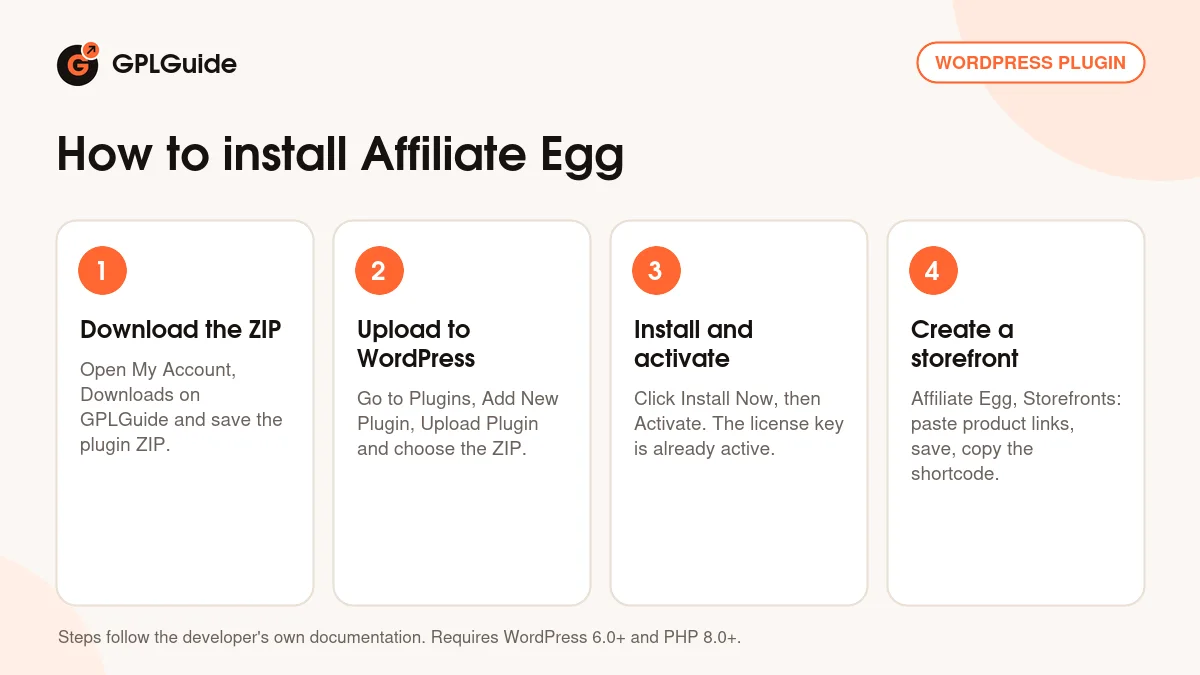
- Sign in to GPLGuide, open My Account, Downloads and save the Affiliate Egg ZIP.
- In WordPress go to Plugins, Add New Plugin, Upload Plugin and choose the ZIP.
- Click Install Now, then Activate the plugin.
- Go to Affiliate Egg, Storefronts, add a storefront, paste a few direct product links and save.
A good first setup: pick one shop where you already have affiliate approval, add three direct product links to a storefront and save. Set that shop's affiliate link in the Deeplink tab, put the storefront's shortcode in a draft post and preview it. Set the Product update interval to one day, which is 86400 seconds.
Keeping it up to date
Updates from GPLGuide are manual. When a newer version is listed, download it from your account and upload it under Plugins, Add New Plugin, Upload Plugin. WordPress offers to replace the installed copy. Your storefronts stay in the database, and custom templates and parsers in their own wp-content folders are left alone. If you need a version we have not added yet, let us know on the Request Item/Update page.
Questions about Affiliate Egg
Do I need an API key or a product feed? No. The plugin reads the shop's product page itself. You still need the shop's affiliate approval.
Which shops does version 10.11.2 support? Shops it has a built-in parser for, plus any shop you add a custom parser for. Paste one product URL into a new storefront to test.
Can I use Affiliate Egg with Amazon? Yes, there is an Amazon parser. Amazon blocks scrapers aggressively, though, so for Amazon-heavy sites the developer points to Content Egg's Amazon module.
Is there a block for the block editor? Not in 10.11.2. The storefront block came in 11.0.0. Here you paste the shortcode, for example into a Shortcode block.
How often do prices update? As often as the Product update interval says, through WordPress Cron. The docs give 30 days as the default.
Can I change how products look? Yes. Pick a classic template per storefront, or copy one into wp-content/affegg-templates and edit it.
Is there a license key to enter? No. The file comes with the license key already activated.
Does Affiliate Egg work without Content Egg? Yes, on its own with storefronts and shortcodes. Content Egg adds keyword search and price comparison across many merchants.
Building an affiliate site? Browse more WordPress plugins on GPLGuide, or see what a GPLGuide membership includes if you run several sites.
Features & capabilities
- Storefronts: named lists of product links you can reuse in any post
- [affegg id=10] shortcode to place a storefront in posts and pages
- One affiliate setting per shop in the Deeplink tab
- Scheduled price and stock updates through WordPress Cron
- Classic templates: Slider, Grid, List, Masonry, Tile and price comparison
- Autoblogging that posts new products from a shop's catalog page
- Scraping services with Routing Rules and Custom Cookies
- Custom parsers in their own folder, plus Content Egg integration