CountDown Pro WP Plugin WebSites / Products / Offers
100% Original fileUnmodified copy of the developer's release
DeveloperLambertGroup
Up to dateOriginal released Jun 1, 2025 · File last updated Oct 16, 2026
About this product
CountDown Pro WP Plugin is a WordPress countdown timer made by LambertGroup, a CodeCanyon author since 2010. It builds circular or electronic timers for a website launch, an event, a product release or the end of an offer, and it can put up a full under construction page with maintenance mode while you finish your site. This page is for CountDown Pro 2.8, released on June 1, 2025. On GPLGuide you download the original plugin file to install on your own WordPress websites.
Good for: site owners preparing a launch who want a coming soon page with a timer, shops and bloggers running a limited-time offer, event organisers counting down to a date, and anyone who wants a deal of the day timer that restarts by itself every 24 hours.
Requirements: a self-hosted WordPress site. LambertGroup does not list a minimum WordPress or PHP version on the item page, and it names no other plugin or theme that CountDown Pro depends on. The timers use jQuery, which WordPress already loads, and version 2.0 made the code compatible with jQuery 3.5 and newer. The circular style is drawn with HTML5 canvas, so it does not show in very old browsers such as Internet Explorer 7 and 8.
What CountDown Pro does
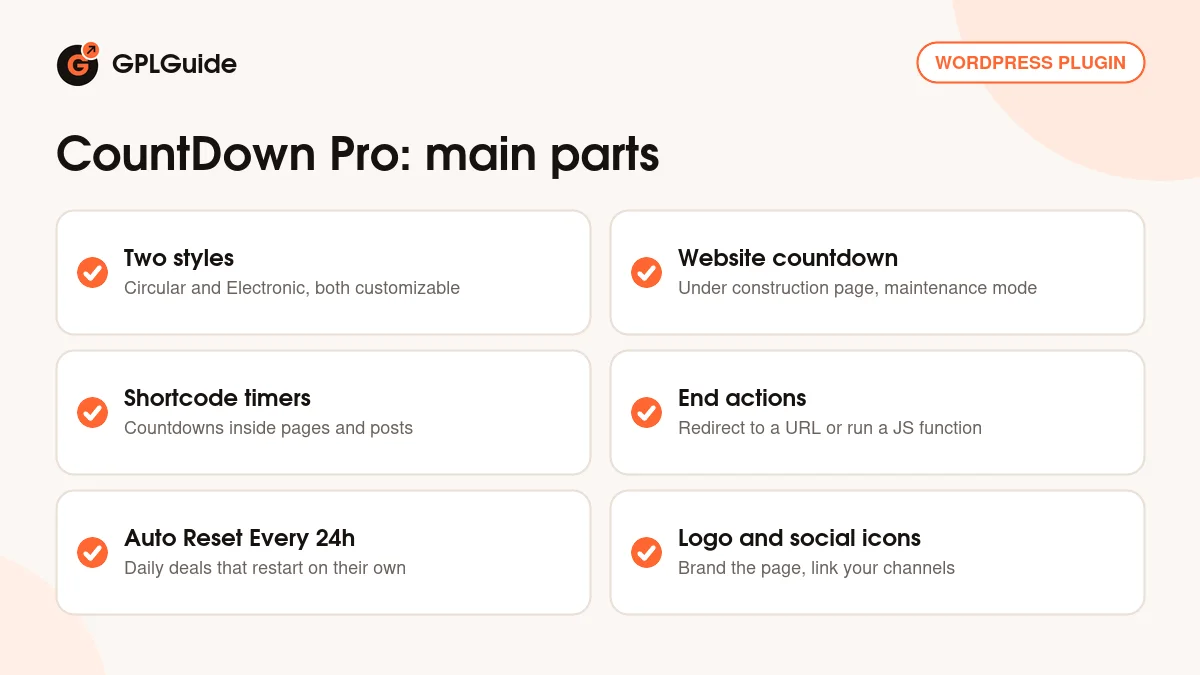
CountDown Pro counts down to a date and time you choose and shows the days, hours, minutes and seconds that are left. You build each countdown in the plugin's own admin panel and then decide where it appears. There are two ways to use it: as a website countdown that covers the whole site until launch day, or as a countdown you place inside a page or post with its shortcode.
The website countdown is the one LambertGroup shows with maintenance mode. You get an under construction page with the timer, your logo and links to your social channels, and you set the end date of the maintenance mode yourself. The shortcode countdowns are for products, events and offers. They sit inside your normal layout, next to the content they belong to, and you can run several of them on the same page.
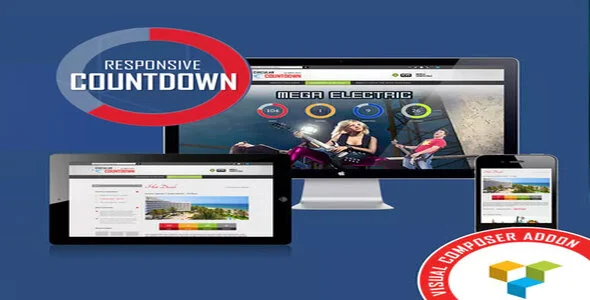
There are two looks. The Circular version shows each unit inside a circle, and the Electronic version shows the numbers in a digital clock style. Both are styled from the same set of more than 80 options. A parameter switches responsive behaviour on or off, and LambertGroup states that CountDown Pro works on iOS and Android devices.
Building a countdown in CountDown Pro: dates, clock and end actions
Every countdown starts with a name, which is a required field, and an interval. You set a Begin Date and an End Date down to the year, month, day, hour, minute and second. A separate setting decides whether the timer follows the server time or the visitor's computer time. Server time is the safer choice for a launch or a sale, because it does not depend on how each visitor's device clock is set.
The Auto Reset Every 24h option turns a single countdown into a daily timer. Set the End Date, switch the option on, and when the timer reaches zero it adds another 24 hours and starts again. The developer is clear that 24 hours is the only reset interval. Weekly resets, custom intervals and timers that skip weekends are not available.
When a countdown ends, the plugin can send visitors to any URL you enter. If you know a little JavaScript, you can also define your own function that runs at zero, for example to hide a block of content or to disable a "Join now" button once an offer closes. LambertGroup confirmed both uses in replies to buyers on the item page.
Styling, logo and social channels in CountDown Pro
Most of the 80-plus options are about appearance. You pick colors, fonts, transparency, borders and dimensions for the timer. Since version 1.4.3 there is an option to apply the styling of the Days block, meaning its colors, alpha and borders, to Hours, Minutes and Seconds, so you style one unit and copy it to the rest. Images such as your logo are chosen through the WordPress Media Library window.
For the website countdown you also get a Logo Section. Add your logo, set where it links and choose whether that link opens in the same window or a new one. The social channels part adds icons that point to your profiles. The developer's demo uses Facebook, Twitter, Tumblr, Pinterest and Google, under the line "Until then, enjoy our social channels".
The website page also has a Page Body Background Additional CSS field for extra CSS on the page background. Shortcode countdowns sit inside your own layout, so their background comes from your page. LambertGroup's advice to a buyer who wanted an image behind a shortcode timer was to set the background on the block that contains it.
Setups you can copy with CountDown Pro
These examples use only the options described above, so you can copy them and change the dates.
- Launch page: create a website countdown, add your logo and social links, set the End Date to your launch time and enable maintenance mode. Choose server time so every visitor sees the same time left.
- Weekend sale: make a Circular countdown that ends on Sunday night, insert its shortcode on your sale page and add a redirect URL that sends late visitors to your regular shop page.
- Deal of the day: set the End Date to your daily cut-off, for example 23:59, and switch Auto Reset Every 24h on. The timer restarts every night without you touching it.
- Webinar or event: use the Electronic style on the event page, with a JavaScript function at zero that hides the sign-up form once registration closes.
- Several offers on one page: create one countdown per offer and place each shortcode next to its product.
Keep the text around the timer short. Tell visitors what ends, for example "Early bird price ends in" above the timer. If a countdown resets every day, say so, so visitors don't feel misled when they see a new deadline tomorrow.
What's new in CountDown Pro 2.8
CountDown Pro 2.8 came out on June 1, 2025, and it is the newest version in LambertGroup's release log. The log entry is short. It says only "patch applied" and does not describe what changed, so treat it as a maintenance release rather than a feature update.
The versions before it were small as well. Version 2.7 (July 2, 2024) added jQuery as a declared dependency when the plugin registers its script. Version 2.6 (March 18, 2023) fixed image upload on the settings page. Version 2.5.1 (February 20, 2022) brought "updates for 2022", and version 2.5 (October 22, 2021) improved the color picker. The last bigger change was version 2.0 (December 9, 2020), which made the code compatible with jQuery 3.5 and newer.
Good to know before you buy
CountDown Pro is an older plugin with a slow release pace. The first version is from December 2013 and the last release, 2.8, is from June 2025. The item page lists no tested WordPress or PHP versions, so try it on a staging copy of your site first.
It also looks like the plugin is no longer on sale at CodeCanyon. When we checked on October 16, 2026, the item page showed the description and release log but no price, no buy button and no support terms, and the plugin was missing from LambertGroup's CodeCanyon portfolio.
Know the limits. A countdown always runs to a fixed end date, so you can't set a timer of 30 days from each visitor's first visit without custom work from the developer. Resets happen every 24 hours or not at all. The timer can't be placed inside other plugins such as sliders, and it works only on the site where it is installed. There is no built-in mailing list signup either.
There is no written manual. Help comes from five video tutorials that LambertGroup posted on YouTube in December 2013 and from the developer's answers in the item comments. One useful tip from those answers: on a multisite network, activate the plugin on each subsite instead of network activating it.
Everything runs on your own site. The item page mentions no cloud service, account or API key, and our file comes with the license key already activated, so there is no key to enter.
CountDown Pro from GPLGuide vs the official subscription
There is no subscription for this plugin. CountDown Pro is sold by LambertGroup on CodeCanyon as a one-time purchase. Under Envato's licence for this item, its PHP code is licensed under the GPL. From GPLGuide you get the original plugin file for version 2.8, with every option in that file: both styles, the website countdown with maintenance mode, shortcode countdowns, auto reset, end actions, logo and social icons.
Buying on CodeCanyon is where support and refunds come from. The item page says buyers can download all updated versions free from their CodeCanyon account, and it gives LambertGroup's email for questions. It does not state a support period, and we could not find a Regular licence price because the page no longer shows one. GPLGuide does not provide support from LambertGroup.
How to install CountDown Pro
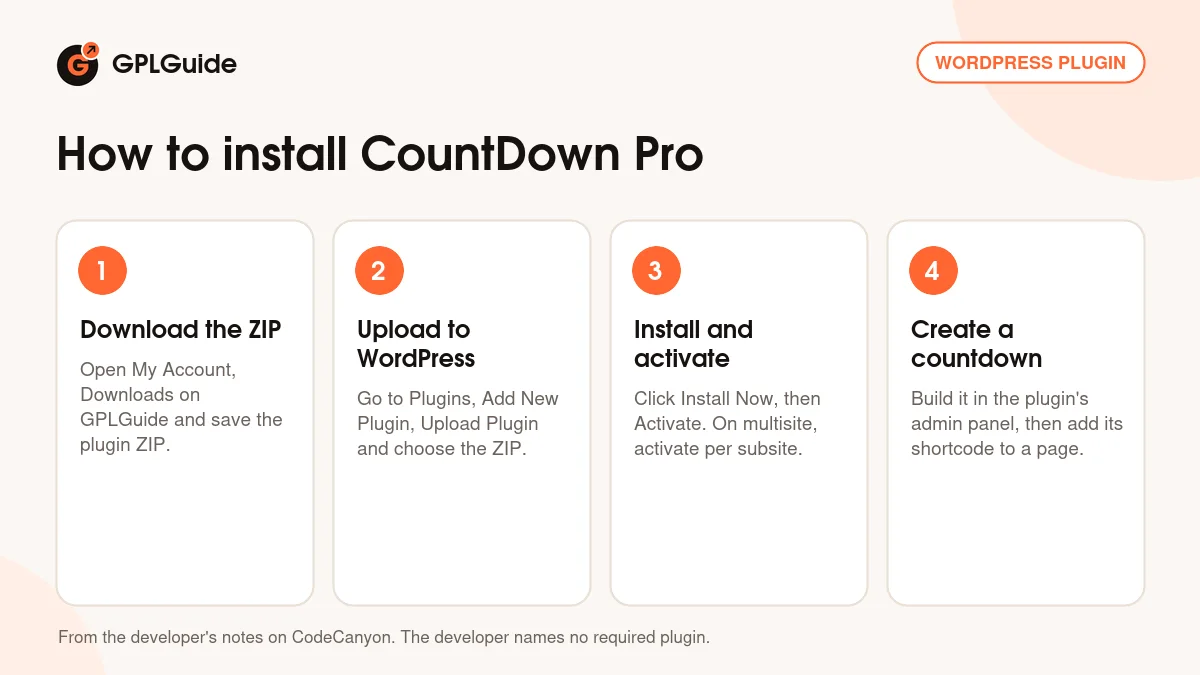
- Sign in to GPLGuide, open My Account, Downloads and save the CountDown Pro ZIP.
- In WordPress go to Plugins, Add New Plugin, Upload Plugin and choose the ZIP.
- Click Install Now, then Activate. On a multisite network, activate it on each subsite rather than network wide.
- Open the plugin's admin panel, create your first countdown and give it a name, then add its shortcode to a page or post, or set up the website countdown with maintenance mode.
A good first setup is a test countdown on a draft page. Pick the Circular style, set the End Date about ten minutes ahead, choose server time and add a redirect URL. Preview the page, watch the timer reach zero and check that the redirect works. For a launch page, prepare your logo and social links first and enable maintenance mode last.
Keeping it up to date
Updates from GPLGuide are manual. When a new version of CountDown Pro is listed here, download it from your account and upload it under Plugins, Add New Plugin, Upload Plugin. WordPress offers to replace the installed copy. Your countdowns are saved in the plugin's own database tables, so they should stay in place, but take a backup first. If you spot a newer release that we haven't added, tell us on the Request Item/Update page.
Questions about CountDown Pro
Can I show more than one countdown on a page? Yes. Create a countdown for each date and insert each shortcode where you want it. The developer confirms that several countdowns can run on one page.
Can CountDown Pro work as a coming soon or maintenance page? Yes. The website countdown shows an under construction page with the timer, your logo and social icons, and you set the end date of the maintenance mode.
Can the timer restart every day? Yes. Set the End Date and switch Auto Reset Every 24h on. Other intervals, such as weekly or every 45 minutes, are not possible.
What happens when the countdown reaches zero? You can redirect visitors to any URL, or run your own JavaScript function to hide content or disable a button.
Can a countdown start when each visitor arrives? Not out of the box. Countdowns run to a fixed end date, and the developer offered per-visitor timers only as custom work.
Why is my countdown list empty after activation? According to LambertGroup, the plugin's database tables were not created. Make sure your database user can create tables, then deactivate and reactivate the plugin.
WordPress says the upload failed. What now? If the ZIP you upload holds another ZIP inside, unzip it and upload the inner file, which is the plugin itself. That was LambertGroup's advice to buyers who saw this error.
Is the license key already set up? Yes. The file comes with the license key already activated, so you can install CountDown Pro and start building countdowns straight away.
Looking for more tools for your site? Browse all our WordPress plugins, or see what a GPLGuide membership includes if you use several premium plugins and themes.
Features & capabilities
- Circular and Electronic countdown styles
- Website countdown with maintenance mode, logo and social icons
- Shortcode countdowns for products, events and offers
- Begin and End Date down to the second, on server or computer time
- Auto Reset Every 24h for daily deals
- Redirect URL or your own JavaScript function when the timer ends
- Over 80 options for colors, fonts, transparency, borders and sizes
- Responsive on or off, with several countdowns per page