Cost Calculator by BoldThemes

100% Original fileUnmodified copy of the developer's release
DeveloperBoldThemes
Up to dateOriginal released Oct 18, 2025 · File last updated Oct 16, 2026
About this product
BoldThemes Cost Calculator is a WordPress plugin for building price quote and estimate forms, made by BoldThemes and sold on CodeCanyon. Visitors pick options, move sliders or type in amounts, and the total updates as they go, so they see how their price is put together before they contact you or pay. This page is for BoldThemes Cost Calculator 3.0.9, released on October 18, 2025. On GPLGuide you download the original plugin file to install on your own websites.
Good for: service businesses that price by the job, such as renovation firms, dentists, car washes, couriers, hosting companies and wedding planners. It also suits agencies that collect leads through a quote form, and WooCommerce stores whose product prices are built from several choices.
Requirements: WordPress 6.0 or newer; the item page lists versions 6.0 to 6.9. The developer does not state a minimum PHP version, but version 2.4.6 improved PHP 8 compatibility. No other plugin is required. WooCommerce (9.x is listed) is only needed for product pricing, and Contact Form 7 only if you want your own form. Calculators are placed with a shortcode, so they work with Elementor, WPBakery Page Builder, Bold Builder and the block editor.
What BoldThemes Cost Calculator does
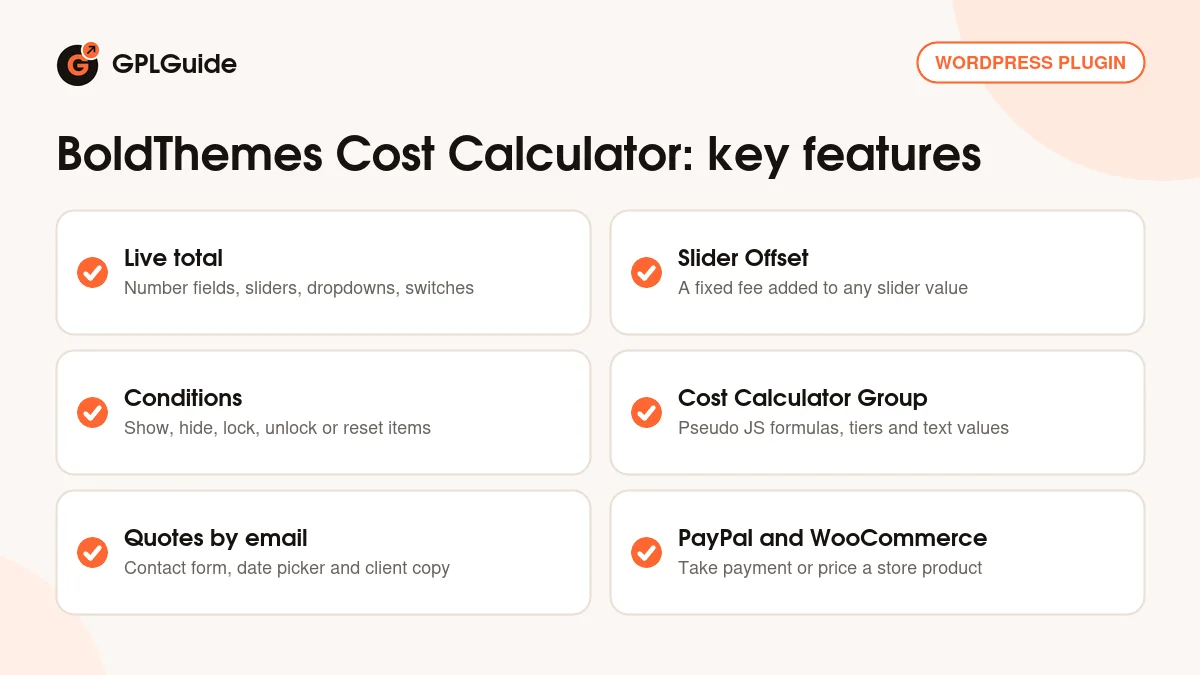
Each calculator is a list of items: number fields, sliders, dropdown lists, on/off switches and multiply blocks. Every item carries a value, and BoldThemes Cost Calculator adds those values into a live total at the bottom of the form. The visitor sees the price change the moment they move a slider or flip a switch.
Calculators are saved as their own post type. After activation a Cost Calculator menu appears in the dashboard. You click Add New, use the large plus button to add the calculator element, then add items inside it. When the form is ready, copy its shortcode into a page, a Text or Shortcode element in your page builder, or the classic editor.
After the total, BoldThemes Cost Calculator can email the quote to you, pass the visitor to PayPal, or feed the price into a WooCommerce product. One Accent Color setting changes the color scheme, and the layout is responsive.
Items and how BoldThemes Cost Calculator works out the price
Number Input Field. The visitor types a number and the plugin multiplies it by the Unit Value. Initial Value, Min, Max and Step control what can be entered, which suits square metres, hours or guests.
Slider Bar. Min Value and Max Value set the range and Slider Handle Moves By sets the step. Each step is multiplied by the Unit value, and Offset adds a fixed amount wherever the handle sits, handy for a call-out fee.
Select List. Options go one per line as name;value;description. Each option can have an image, with the height set in pixels, which works well for picking a material or a package.
Toggle Switch and Multiply. A Toggle Switch has a Value On and a Value Off, good for extras such as express delivery. Multiply multiplies the items you add to it; the developer's example is 300 times a slider set to 5, which adds 1500.
Every item also has a Label, a Description and Show Raw Value Only. With that option on, emails, the log and WooCommerce orders show what the visitor picked instead of a price. The Design tab gives each item a Custom ID Attribute, which conditions use to find it.
Conditions and groups in BoldThemes Cost Calculator
In BoldThemes Cost Calculator, conditions let one item control another. You write them in the Change Event Condition field of the item that triggers the change, one line each, in the pattern == value;target ID;action. For example, == 0;extras;hide(); hides the item with the ID extras when a switch is off, and == 1;extras;show(); brings it back. Add lock; or unlock; to block or allow changes, and .bt_cc_set_value() to reset the target or set it to a value it allows.
For pricing that a plain sum can't handle, put items inside a Cost Calculator Group. Its Pseudo JS field takes a short formula that reads almost like JavaScript: the first item becomes $1, the second $2 and so on. If statements give you price tiers, and the group returns one value that joins the total.
Groups also allow text values. Select List and Toggle Switch items inside a group can use words such as Regular, Direct and Same Day, and your formula turns each word into a price. A Subtotal element shows a partial sum through setSubtotal, and _wc_product_price reads a WooCommerce product price. Items with text values can't use conditional settings.
Quotes by email, PayPal and WooCommerce
Turn on Enable Contact Form and a Next button appears under the total. Visitors fill in their details and you choose which fields are mandatory. Show Date/Time Inputs adds a preferred date and time. Contact Form Is Always Visible removes the button, and Optional Redirection URL sends people to a thank-you page.
On the Email tab you set the Admin Email and subject. Send Email to Client mails the visitor a copy with your own HTML header and footer, and Add GDPR checkbox puts a consent box on the form. Prefer Contact Form 7? Pick it under Choose Contact Form and add the [hidden bt-cc-data] tag to the form and [bt-cc-data] to the mail. Google reCAPTCHA keys keep spam out.
The PayPal tab sends the total to PayPal with your account email, a cart name and a currency code. For WooCommerce you link a Simple Product with a bt_cc custom field, enter its ID on the WooCommerce tab and name the cart line with Quote Title in Cart/Order. BoldThemes Cost Calculator keeps form submissions in the CC Log, while WooCommerce orders stay in WooCommerce.
Calculator setups you can copy
The developer's demo site shows calculators for renovation, dentists, car washes, loans, hosting, trucking and weddings. These ideas use only the settings above.
- Renovation quote: a Number Input Field for square metres with your price per metre as the Unit Value, a Select List of work types with images, and a Toggle Switch for "Remove old materials".
- Courier price: a Slider Bar for weight with an Offset for the base fee, a Select List of zones and a Toggle Switch for same-day delivery.
- Hosting plans: a Select List of plans with a short description each, switches for backups and extra storage, and PayPal to pay.
- Wedding budget: a Cost Calculator Group with guests as $1 and the menu as $2, using text values such as Buffet and Seated. Send Email to Client gives the couple a copy.
- WooCommerce product with options: a Simple Product linked through bt_cc, Show Raw Value Only on every item, and Hide Total and Hide Subtotal ticked, as the docs advise.
- Lead filter: Contact Form Is Always Visible with Email and Phone mandatory, and a redirection URL to your booking page.
What's new in BoldThemes Cost Calculator 3.0.9
Version 3.0.9 came out on October 18, 2025, and the changelog lists one change: a fix for the accent color. The releases just before it, 3.0.8 (October 2, 2025), 3.0.7 (August 11, 2025) and 3.0.6 (May 29, 2025), are listed as minor bug fixes.
The big step in this series was 3.0.0 on March 7, 2025. It added WooCommerce support, Hide Subtotal, raw item values, text values inside groups and Min, Max and Step for the number input. Versions 3.0.1 (March 11, 2025) and 3.0.4 (April 10, 2025) fixed Contact Form 7 problems.
BoldThemes has since released 3.1.0 (December 6, 2025) and 3.2.0 (March 31, 2026), both listed as fixes for a WooCommerce related issue. Neither fix is part of version 3.0.9.
Good to know before you buy
The changelog doesn't say what the WooCommerce issues fixed in 3.1.0 and 3.2.0 were. If the WooCommerce link is your main reason for buying, test BoldThemes Cost Calculator 3.0.9 on a staging site first, and ask us for the newer release if you need it.
PayPal payments need your own PayPal account and reCAPTCHA needs keys from Google. The docs describe no cloud library, credits or other service on BoldThemes servers.
The sample calculators come as demo XML files in the CodeCanyon package, so don't count on having them, and the demo images are not licensed for your site. The WooCommerce setup also takes manual steps, such as the custom field and AJAX add to cart buttons under WooCommerce, Settings, Products.
Simple sums in BoldThemes Cost Calculator need no code, but group formulas need a little JavaScript style thinking. Updates keep your calculators, while edits made inside the plugin's PHP files are overwritten, so put custom CSS in your theme's Additional CSS field.
BoldThemes Cost Calculator from GPLGuide vs the official subscription
From GPLGuide you get the original BoldThemes Cost Calculator 3.0.9 plugin file. Everything in the file works the same: items, conditions, groups, the contact form, Contact Form 7 support, PayPal, WooCommerce and the CC Log. The file comes with the license key already activated, so there is no key to enter. Under Envato's licence for this item, its PHP code is licensed under the GPL.
The plugin is sold by BoldThemes on CodeCanyon, where the Regular licence costs $39. Buying there adds future updates through the marketplace and 6 months of item support from BoldThemes, which can be extended to 12 months. Support tickets and refunds come only from BoldThemes and the marketplace. If you want help from the author, buy it there. If you need the plugin for your own sites, get it here on its own or with a membership.
How to install BoldThemes Cost Calculator
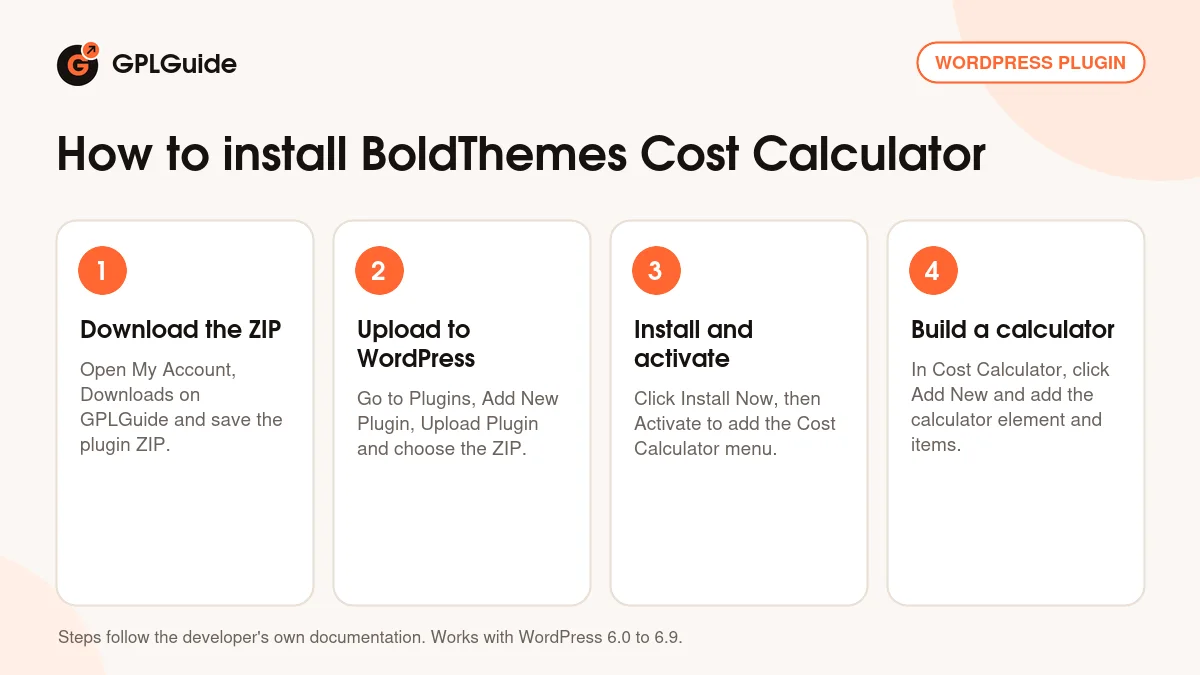
- Sign in to GPLGuide, open My Account, Downloads and save the BoldThemes Cost Calculator ZIP.
- In WordPress go to Plugins, Add New Plugin, Upload Plugin and choose the ZIP.
- Click Install Now, then Activate. A Cost Calculator menu appears in the dashboard.
- Open Cost Calculator, click Add New, use the plus button to add the calculator element, then add your items.
A good first calculator is a short quote form. Click the pencil icon and set your Currency Symbol and Accent Color on the General tab. Add a Slider Bar with an Offset for your base fee and a Toggle Switch for one extra. Turn on Enable Contact Form, enter your Admin Email and tick Send Email to Client. Paste the shortcode into a test page, send yourself a quote, and check that both emails arrive and the entry shows in the CC Log.
Keeping it up to date
Updates from GPLGuide are manual. When a new version of BoldThemes Cost Calculator is listed here, download it from your account and upload it under Plugins, Add New Plugin, Upload Plugin. WordPress offers to replace the installed copy, and your calculators stay in place because they are saved in your database. If you see a newer version that we haven't added, let us know on the Request Item/Update page.
Questions about BoldThemes Cost Calculator
Do I need to write code? No, not for normal sums, since items add up on their own. You only write a short formula in a Cost Calculator Group for tiers or text values.
Can BoldThemes Cost Calculator send the customer a copy? Yes. Tick Send Email to Client on the Email tab.
Can I use Contact Form 7 instead of the built-in form? Yes. Choose your form under Choose Contact Form and add the two bt-cc-data tags to its form and mail.
Does BoldThemes Cost Calculator work with my page builder? It is placed with a shortcode, so it works in Elementor, WPBakery Page Builder, Bold Builder, the block editor and the classic editor.
Does BoldThemes Cost Calculator work with WooCommerce? Yes, since version 3.0.0. You can put a calculator on a product page or a product inside a calculator. Keep the later WooCommerce fixes in mind.
Where do I see the quotes people send? In the CC Log in the Cost Calculator panel, with the date and time of each submission.
Do I need a purchase code? No. The file comes with the license key already activated, so there is no key to enter. New versions come through your GPLGuide account.
Building a site that needs more tools? Browse more WordPress plugins on GPLGuide, or see what a GPLGuide membership includes if you use several premium plugins. To send quotes through your own forms with BoldThemes Cost Calculator, Contact Form 7 is free on WordPress.org.
Features & capabilities
- Live price total from number fields, sliders, dropdowns, switches and multiply blocks
- Slider Offset for a fixed fee and images on dropdown options
- Conditions to show, hide, lock, unlock or reset items
- Cost Calculator Group with Pseudo JS formulas, text values and subtotals
- Built-in contact form with date and time inputs, GDPR checkbox and client copy
- Contact Form 7 support and a CC Log of every submission
- PayPal payments and WooCommerce product pricing
- Shortcode placement for Elementor, WPBakery, Bold Builder and the block editor