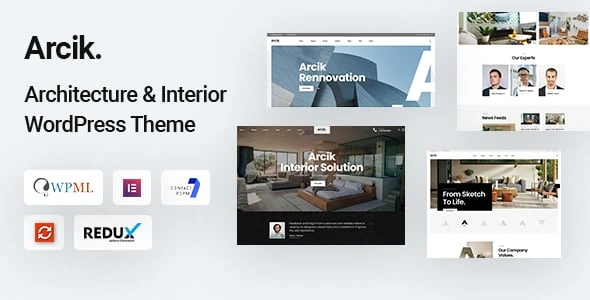
Arcik – Architecture WordPress Theme
100% Original fileUnmodified copy of the developer's release
DeveloperBravis-Themes
Up to dateFile last updated Oct 17, 2026
About this product
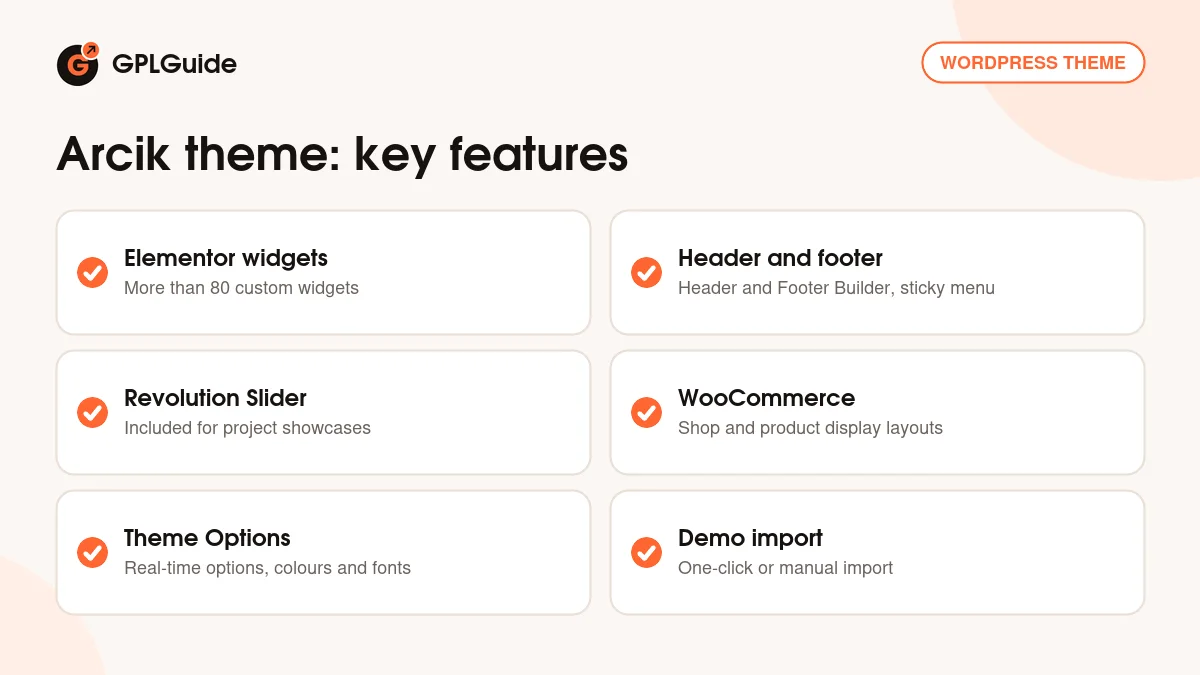
The Arcik theme is an Elementor-based WordPress theme by Bravis-Themes for architects, interior designers, furniture and decor stores and creative studios. It comes with more than 80 custom widgets, a header and footer builder, Revolution Slider and WooCommerce layouts. This page is for Arcik theme version 1.0.5. On GPLGuide you download the original theme file to install on your own websites. The file from GPLGuide comes with the license key already activated, so there is no key to enter.
Good for: Architecture firms, interior design studios, furniture and decor shops, building and design agencies, and minimal multipurpose sites that want a clean portfolio look.
Requirements: WordPress. The ThemeForest listing shows compatibility with WordPress 4.9.x through 7.0.x. The developer's docs ask for PHP 7 or later for WordPress, MySQL 5.6 or later (or MariaDB 10.0), mod_rewrite, the GD Library, cURL and OpenSSL, plus a memory_limit of at least 256 MB and max_input_vars of at least 4000. Elementor is the page builder.
What the Arcik theme does
The Arcik theme is a clean, minimal design for studios that sell ideas and spaces. The listing describes drag and drop pages in Elementor, a long list of custom widgets, a sticky header, a sticky menu that appears when you scroll, carousels, parallax and video backgrounds for sections.
It is also set up for selling. The listing names WooCommerce readiness, support for various product types and multiple layouts for the product display and for the shop page. A furniture or decor store can therefore sit next to the portfolio on one site.
Language support is broad: the theme is WPML and translation ready, and it supports right-to-left languages. The design is responsive and retina ready, and the listing says it is SEO optimised. It names Chrome, Firefox, Safari, Opera, Edge, IE10 and IE11 as supported browsers and claims high speed performance, which is worth checking on your own host with a test copy.
Elementor widgets and the header and footer builder in the Arcik theme
The listing counts more than 80 custom widgets made for the Arcik theme. Elementor shows the widgets in its own panel. Drag one onto a section, set its options and see the result on the page. The developer's docs describe Elementor as the drag and drop editor and do not list the widgets by name.
A Header & Footer Builder is supported, so you can design the header and footer yourself instead of accepting a fixed layout. Together with the sticky header and sticky menu, it lets you shape how visitors move through a portfolio.
Revolution Slider is included, and the listing values it at $49. Use it for a project showcase on the home page, with one slide per building or room. For forms, the Arcik theme is styled for Contact Form 7, and the listing also names Mailchimp and Google Maps support. WPForms and Gravity Forms appear in its compatibility list too, so you are not tied to one form plugin.
Theme Options, Page Options and typography in the Arcik theme
Settings for the whole site live under Theme Options in the left-hand menu of the admin. The listing describes them as real-time Customizer options on the Vafpress framework, with unlimited colour options, Google fonts and advanced typography. You change a value and see the page update before you save.
Settings for a single page are called Page Options. The docs give an overview with a screenshot, so open a page in the editor to see the individual switches. The same Theme Options screen has an Import/Export area, which you use for the manual demo import described below.
The docs also cover menus: creating a menu, adding items, building multi-level menus and assigning a menu to a location. For translations they suggest Loco Translate or Poedit, and for SEO they mention Yoast SEO, Smush.it and SEO Friendly Images. These are suggestions from the developer, not parts of the theme. For sidebars, the docs also explain how to add widgets to the sidebar.
Demo content and server settings for the Arcik theme
The listing promises one-click demo content import and a one-click installer, and the docs link to a video tutorial for the one-click importer. The docs also describe a manual import in five steps. First, upload the two XML files, attachment-data.xml and content-data.xml, under Tools, Import. Second and third, paste the contents of options.json and settings.json under Theme Options, Import/Export, using Import from File.
Fourth, upload widgets.wie under Tools, Widget Importer & Exporter, which the docs name as the plugin needed for widget import. Fifth, import the slider file demo-slider.zip in Slider Revolution. The docs' folder names mention another theme's name in places, so check the folder structure of your download before you begin.
Import jobs can be heavy, so the docs list PHP limits: post_max_size and upload_max_filesize of 64 MB or more, memory_limit of 256 MB or more, max_execution_time of 900 seconds or more and max_input_vars of at least 4000, with 6000 recommended. Ask your host to raise them if the import stops half way.
Shop pages deserve a short note. The docs send you to WooCommerce's own server requirements article for the shop side, so check that as well as the theme's list. Within the shop, the listing says you can choose between several layouts for the product display and for the shop page, and it names support for various product types.
Setups you can copy with the Arcik theme
- Architecture portfolio: an Elementor home page with a Revolution Slider showcase, project pages built from the custom widgets and a contact page with Contact Form 7.
- Interior design studio: parallax sections and a section video background for a project film, plus the sticky header on long pages.
- Furniture or decor shop: WooCommerce with one of the shop page layouts and the product display layouts, linked from the main menu.
- One-page showcase: the three one-page home layouts that version 1.0.1 added to the theme.
- Studio with a newsletter: the docs list the Newsletter plugin, and the listing names Mailchimp support.
- Multilingual studio: WPML plus the right-to-left language support.
Start with the home page that is closest to your studio, import the demo content on a test copy, then replace names, projects and pictures one section at a time. Keep an eye on the speed of image-heavy pages, because portfolios are full of large photos. Because the Arcik theme leans on Elementor for layout, keep Elementor current and check your key pages after every plugin update.
What's new in the Arcik theme 1.0.5
We could not find version 1.0.5 in the developer's public changelog, so we cannot give a release date or a list of changes for it. The ThemeForest page shows a last update date of September 11, 2026 but does not say which version that was. The docs refer readers to a Change_Log.txt file in the full package and to the sale page.
The changes the developer has published are early ones. Version 1.0.1 (February 12, 2022) added three one-page home layouts. Version 1.0.0 (February 10, 2022) was the initial release. Versions 1.0.2 to 1.0.5 have no public notes that we could find, so test every feature of the Arcik theme that you plan to use on a copy of your site before you launch.
Good to know before you buy
The docs name Elementor, Revolution Slider, WooCommerce, Newsletter, Contact Form 7 and Widget Importer & Exporter as plugins, but they do not say which are required. The listing does not name required plugins either, so follow the notice the theme shows after activation.
The listing does not name the demos and does not say which demo images are included, so plan to use your own photographs. The docs do not list the Elementor widgets, and the Header & Footer Builder has no steps in the docs. The listing gives no PHP version, while the docs give the server numbers above. They also give two different PHP figures, PHP 7 or later for WordPress and PHP 5.6 or later for the theme, so go with the higher one. Test the theme on a copy of your site first.
Arcik theme from GPLGuide vs the official subscription
From GPLGuide you get the original Arcik theme 1.0.5 file, with Revolution Slider and the demo importer inside, and the file comes with the license key already activated. The Arcik theme is sold by Bravis-Themes on ThemeForest, where the Regular licence costs $45. Under Envato's licence for this item, its PHP code is licensed under the GPL.
Buying on ThemeForest adds six months of item support from Bravis-Themes, which you can extend to twelve months for an extra fee, plus future updates through the marketplace and the marketplace's refund rules. Support and refunds come only from the developer. If you only need the theme files, that is what you get here.
How to install the Arcik theme
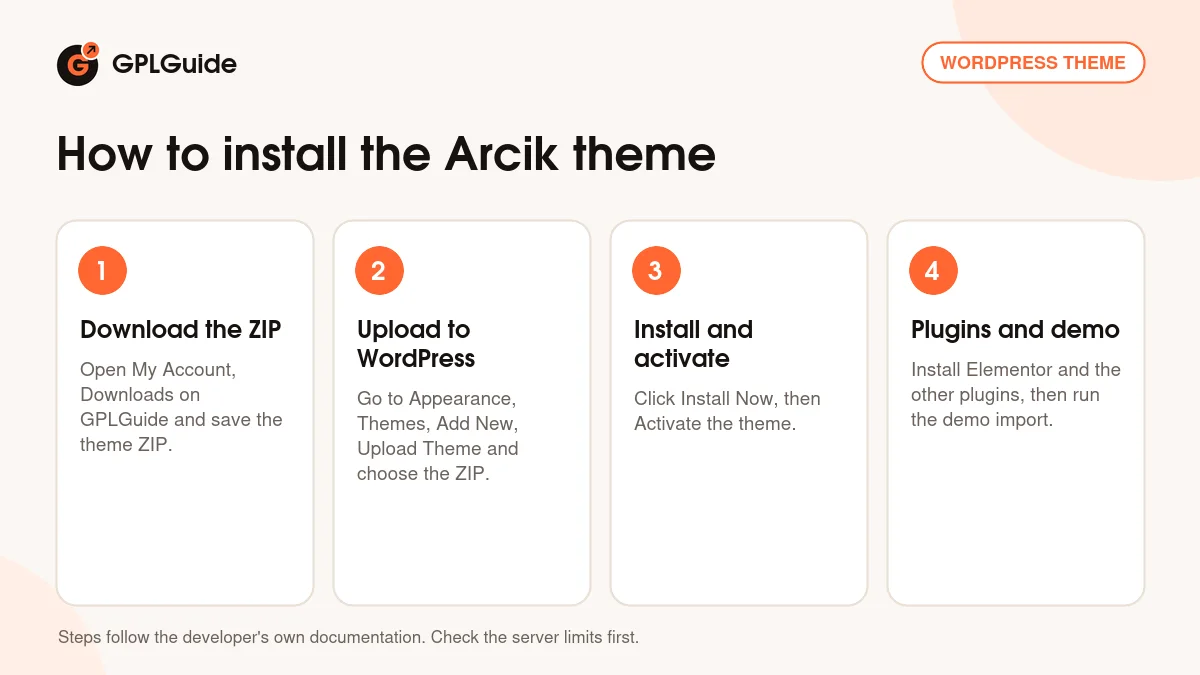
- Sign in to GPLGuide, open My Account, Downloads and save the Arcik theme ZIP.
- In WordPress go to Appearance, Themes, Add New, Upload Theme and choose the ZIP.
- Click Install Now, then Activate.
- Install the plugins the theme asks for, such as Elementor and Revolution Slider, then run the one-click demo import.
For a first setup, check your server limits before the import, then run the importer on a fresh site. Open the Arcik tab, Theme Options and set your logo, colours and fonts. After that, edit the home page in Elementor and use the Header & Footer Builder to match the header to your brand. Once the home page works, build the inner pages one by one, such as projects, about and contact, and test each on a phone. Keep a backup of the starting site, so you can repeat the import if something goes wrong.
Keeping it up to date
Updates from GPLGuide are manual. When a new version of the Arcik theme is listed here, download it from your account and upload it under Appearance, Themes, Add New, Upload Theme. WordPress offers to replace the installed copy. The developer's docs mention updating through the Envato WordPress Toolkit or manually, and only the manual way applies here. Make a backup first, and keep custom code outside the theme folder. If you see a newer version that we haven't added, let us know on the Request Item/Update page.
Questions about the Arcik theme
Which page builder does the Arcik theme use? Elementor, with more than 80 custom widgets.
Is Revolution Slider included? Yes, the listing says Revolution Slider is included with the theme.
Can I build my own header and footer? Yes, the listing names a Header & Footer Builder. The docs do not describe its steps.
Does it work with WooCommerce? Yes. The listing mentions multiple layouts for the shop page and for product display.
Is it translation ready? Yes, with WPML support, translation readiness and right-to-left language support.
Which PHP version do I need? The listing names none. The docs ask for PHP 7 or later for WordPress, so use a current version.
How do I import the demo by hand? Use Tools, Import for the two XML files, Theme Options, Import/Export for options.json and settings.json, Widget Importer & Exporter for widgets.wie and Slider Revolution for demo-slider.zip.
Are demo photos included? The listing does not say, so assume you need your own.
Where do I get help with the plugins? From their own makers. Item support for the theme itself comes from the developer, and the listing links to its support site.
Browse more WordPress themes on GPLGuide, or see what a GPLGuide membership includes if you build several sites. The Arcik theme is built around Elementor, which is free on WordPress.org.
Features & capabilities
- Elementor drag and drop pages with more than 80 custom widgets
- Header & Footer Builder with sticky header and sticky menu
- Revolution Slider included
- WooCommerce with several shop and product layouts
- Real-time Theme Options, unlimited colours and Google fonts
- Parallax and section video backgrounds
- WPML ready, with right-to-left language support
- One-click demo import plus a manual import option