
Ask Me – Responsive Questions & Answers WordPress Theme
100% Original fileUnmodified copy of the developer's release
Developer2codeThemes
Up to dateOriginal released Aug 15, 2024 · File last updated Oct 25, 2026
About this product
Ask Me Theme 7.0.1 is a WordPress theme for Q&A websites that allow users to post questions, respond to one another, and create profiles. It works well for knowledge-sharing or support websites, advice boards, and community Q&A sites that prefer something more akin to a Q&A platform than a blog. Each member has their own profile page, and you can control who can see, follow, and leave comments. It comes with online documentation, a WooCommerce shop demo, and importable demo content from the developer.
How to install Ask Me Theme
- Log in to GPLGuide, open this product and click Download under Your downloads.
- If the download holds more than one ZIP, unzip it on your computer first and upload the theme's own ZIP, ask-me.zip. Keep the demo content XML file for the import step.
- In your WordPress dashboard open Appearance, Themes, Add New Theme, then click Upload Theme, choose ask-me.zip and click Install Now. When the upload finishes, click Activate.
- To load the demo content, go to Tools, Import, WordPress and upload the demo XML file. Map the authors and tick the option to download and import file attachments. Install WooCommerce first under Plugins, Add New Plugin if you want the shop pages.
- The import brings in posts, pages, projects and menus, but not widgets. Assign the imported menu to a theme location under Appearance, Menus, then set up your widgets by hand.
- Work through the theme's options panel, whose tabs include General settings, Header settings, Home page, Questions, Register setting, Styling and Advertising.
Features & capabilities
- 46 page templates, including Ask Question, Add Post, Badges & Points, Tags, Search, FAQs and user activity pages.
- Points and badges for members, with paid questions and sticky questions that members pay for with points.
- Best answer marking, plus anonymous questions and anonymous answers.
- ChatGPT integration with an on/off switch, API key, model choice, response language and best-answer controls.
- Captcha and reCAPTCHA settings, with separate user, user group and register settings.
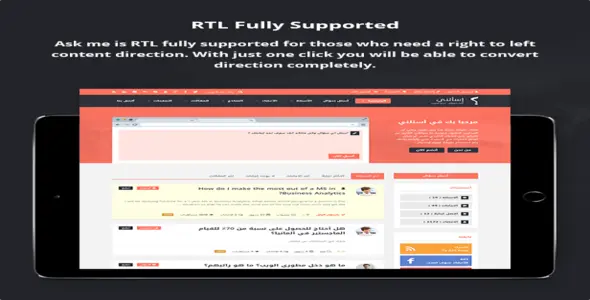
- Light and dark modes, three header styles, RTL support and retina-ready graphics.
- 21 widgets, including Questions, Comments, Tabs, Stats, Login and Signup, and unlimited sidebars.
- Advertising system with widgets in five ad sizes.
- Options to hide the header and footer, so a page builder such as Elementor can lay out a page.
- Post formats for standard, image, gallery and video posts, with medium image and big image blog layouts.
Frequently asked questions
Is this the original file?
Yes. Every product on GPLGuide is the developer’s own release, unchanged. The license key comes already activated. If a product does ask for a key, the activation steps appear on its page once you have it.
Is it legal to use a GPL plugin or theme from GPLGuide?
Yes. WordPress plugins and themes are released under the GPL, which lets anyone use, share and change the code. The developer’s support desk and the developer’s own update service are not part of the file; those stay with the developer.
How do I install it?
Log in, open the product page and click Download under Your downloads. For a plugin go to Plugins, Add New Plugin, Upload Plugin, choose the ZIP, then Install Now and Activate. For a theme go to Appearance, Themes, Add New Theme, Upload Theme.
How do updates work?
When a newer version is listed on GPLGuide, download it from the product page and upload it over the installed copy; WordPress offers to replace the old version. Updates are manual.
Can I use it on more than one site?
Yes. The GPL lets you use it on as many of your own sites as you like.
What if the file does not work or a newer version is out?
Tell us on the Request Item page or through Support. We check the file and add the newer version when we have it.