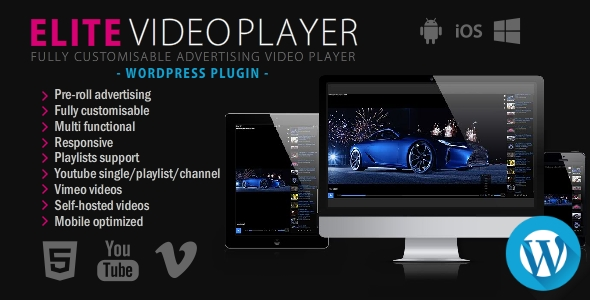
Elite Video Player – WordPress plugin
100% Original fileUnmodified copy of the developer's release
Developer_CreativeMedia_
Up to dateFile last updated Oct 16, 2026
About this product
Elite Video Player is a WordPress plugin that adds a responsive HTML5 video player, with playlists and video ads, to any page of your site. It is made by _CreativeMedia_, an Elite Author on CodeCanyon who also publishes the plugin's documentation and demos. One player can mix self-hosted MP4 files, YouTube, Vimeo, Google Drive, Dropbox and HLS streams, and you place it with a shortcode. This page is for Elite Video Player version 11.0.1. On GPLGuide you download the original plugin file to install on your own websites.
Good for: course creators, bloggers and agencies who want one branded player for videos stored in different places, sites that earn money from video ads, and anyone who wants YouTube videos inside a custom player.
Requirements: WordPress. The developer lists compatibility with WordPress 4.9.x to 6.9.x and with the block editor, Elementor, Elementor Pro, WPBakery Page Builder, Beaver Builder and BuddyPress. No minimum PHP version is stated. Your server needs mod_rewrite turned on so player settings save. YouTube playlists and channels need your own YouTube API key, and the documented Google Drive method uses your own Google Drive API key.
What Elite Video Player does
Each player you build is saved with its own settings and its own list of videos. In the WordPress admin you open Elite video player, click Create New Player and get two menus: Player settings for the look and behaviour, and Videos for the clips. Save it, copy the shortcode from the players list and paste it into a page or post. The shortcode looks like [Elite_video_player id="1"].
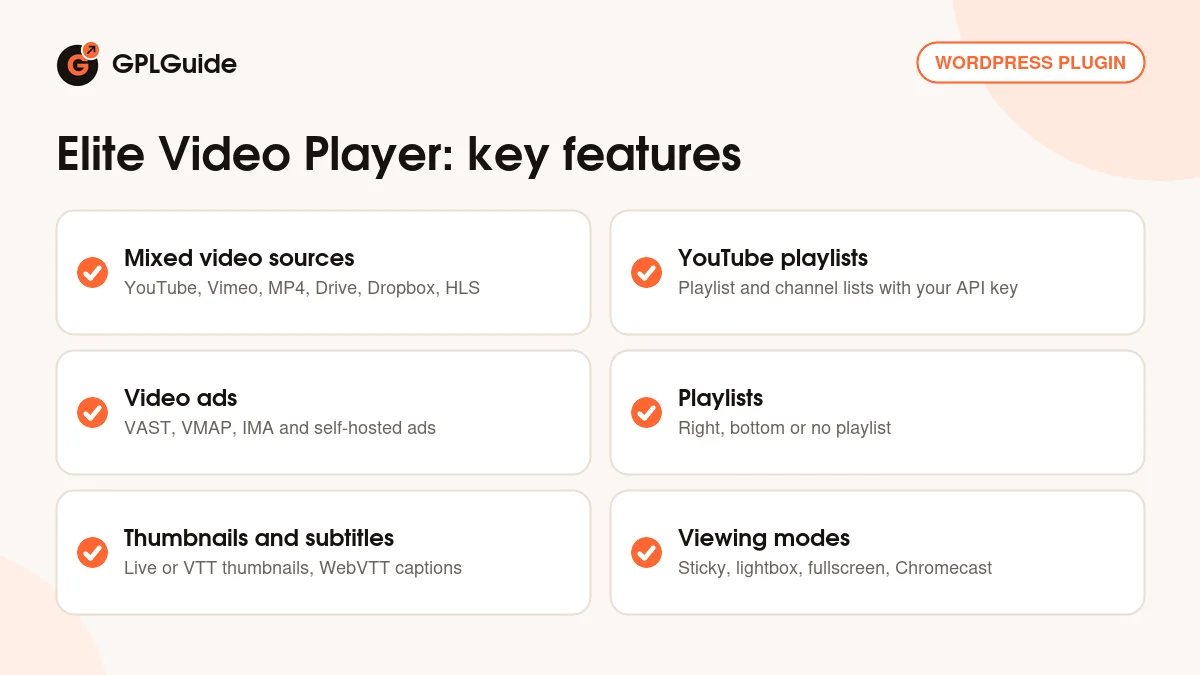
The playlist can sit on the right, at the bottom, or be switched off for a single video. Viewers get fullscreen, a quality menu, subtitles, preview thumbnails over the progress bar, and optional share, embed and download buttons. Chromecast lets them send mp4, YouTube, Vimeo, Google Drive, Dropbox and HLS videos to a TV.
Elite Video Player works through its shortcode rather than a special block or widget, so it fits any theme or page builder. Shortcode attributes override the saved settings, so one player can change page by page.
Video sources in Elite Video Player and the keys they need
You start by choosing a player type. The docs list five: HTML5 (self-hosted), YouTube, YouTube playlist, YouTube channel and Vimeo. One Elite Video Player playlist can still mix sources, so a self-hosted trailer can sit next to YouTube and Vimeo clips.
HTML5 (self-hosted). This type takes any direct video link: mp4 files on your server, Amazon S3, Dropbox, Google Drive, HLS .m3u8 streams and direct Vimeo mp4 links. Links must be absolute URLs. Test each link in a browser first: if it fails there, it fails in the player too.
YouTube. The YouTube type plays single videos by their ID. YouTube playlist and YouTube channel build the list from a playlist ID or channel ID, and a channel list picks up new uploads. These two types need a YouTube API key from your own Google account. Elite Video Player also handles YouTube 360 VR videos and livestreams, and you can choose custom controls, the default YouTube controls or a mode that hides the YouTube interface.
Google Drive and Dropbox. For Google Drive, the docs use your own Google Drive API key, which the developer calls the permanent solution. You create a project in Google Cloud Console, enable the Google Drive API, create and restrict a key, then paste a googleapis.com file link with that key into the mp4 field. One key works for every video. Dropbox is simpler: copy the share link and change www.dropbox.com to dl.dropboxusercontent.com.
Vimeo and HLS. Vimeo videos need only the video ID, but the player must run on a real web server. HLS streams use the HTML5 type and suit live video; version 11.0.0 made the player reconnect by itself when a stream drops. The developer also lists OneDrive and Amazon cloud drive videos, with no setup steps in the docs.
Video ads in Elite Video Player: VAST, VMAP, IMA and your own clips
Elite Video Player plays VAST, VPAID, VMAP and Google IMA ads. The developer's demos cover single and skippable ads, pods of three ads, bumpers and non-linear banner ads, on YouTube, Vimeo, self-hosted and HLS videos alike.
In a VAST file the timeOffset attribute sets when an ad plays: "start" for a pre-roll, "end" for a post-roll, or a time such as "00:05" or "50%" for a mid-roll. VAST ads cannot be skipped unless the file has a skipoffset value. A VMAP file is simply a playlist of VAST files.
You don't need an ad network to run ads. Self Hosted Ads use your own clips as pre-roll, mid-roll and post-roll ads, or show image popups, each with its own skip time and click link. A global pre-roll can play before every video. The plugin plays the ads you give it and comes with no ad inventory, so paid ads need tags from your own ad server or network.
Player settings, playlists and the look of the player
Under Player settings, the General Settings tab holds the Google Analytics tracking code. The player then reports when a video is watched to the end or downloaded, and when an ad is watched, clicked or skipped. The HTML5 Player tab has the HTML5 video progress thumbnails setting: live, vtt or none. The vtt choice uses a sprite image you add per video in the Video thumbnails .vtt and Video thumbnails .jpg fields.
Subtitles go in the Subtitles url field of each video. Pick a .vtt file from the Media Library or paste a link. Only WebVTT works, so convert SRT files first.
For the look, set an accent colour with any hex or rgb value or pick one of 20 pre-built colours. Choose a dark or light theme, one of six shadow effects and one of 12 playlist scrollbar styles. Add a logo with its own link, a poster image and share buttons. Sticky, lightbox and fullscreen modes change how Elite Video Player sits on the page, and every word in the player can be translated.
Setups you can copy with Elite Video Player
- Online course lessons: an HTML5 (self-hosted) player with HLS files, a bottom playlist, .vtt subtitles, the right-click menu off and the video source hidden.
- YouTube channel page: a YouTube channel player with your own API key, so new uploads appear in the playlist without any editing.
- Ad-funded video blog: self-hosted videos with a skippable VAST pre-roll from your ad server and an image popup ad halfway through.
- Old posts full of YouTube embeds: the automatic YouTube embed replacement, added in version 6.9.0, swaps them for Elite Video Player across your posts and pages.
To build similar players quickly, use the Duplicate button and change only the video URL or ID.
What's new in Elite Video Player 11.0.1
The developer's public changelog does not list version 11.0.1 on its own. Its newest entry is 11.0.0 from July 18, 2025, and the item page shows a last update on August 12, 2025. Version 11.0.1 comes after these recent releases:
- 11.0.0 (July 18, 2025): HLS stream improvements with automatic reconnect, and an option to show or hide the YouTube UI.
- 10.0.7 (July 10, 2025): a security fix.
- 10.0.5 (April 20, 2025): code improvements, better YouTube embed replacement and smarter handling of several players on one page.
- 10.0.4 (January 16, 2025): a new optional idle progress bar.
Good to know before you buy
No update has been listed since August 2025, and the online docs were last updated in May 2021, so some screens may differ. The item page lists compatibility up to WordPress 6.9.x and gives no PHP minimum, so test on a staging site if you run a newer WordPress.
Some sources need accounts of your own. YouTube playlists and channels, and the documented Google Drive method, need API keys from your own Google account, and ads need your own tags or clips. Videos stay on your hosting or the services you already use. We found no part of the plugin that runs on the developer's servers.
If clicking Save gives a 404 error, the developer says mod_rewrite is probably off or a ModSecurity rule is blocking it; your host can fix both. The Google Analytics example in the docs uses an older UA- style code, so check tracking with your current Analytics property.
Elite Video Player from GPLGuide vs the official subscription
From GPLGuide you get the original Elite Video Player 11.0.1 plugin file. Everything in the file works the same, from the video sources and ads to playlists and Chromecast. The file from GPLGuide comes with the license key already activated, so there is no key to enter. Under Envato's licence for this item, its PHP code is licensed under the GPL.
The plugin is sold by _CreativeMedia_ on CodeCanyon, where the Regular License costs $69. Buying there adds future updates through your Envato account and 6 months of support from the author, which you can extend to 12 months for $24. Support and refunds come only with that purchase. If you need the plugin itself, you can buy it here on its own or as part of a membership.
How to install Elite Video Player
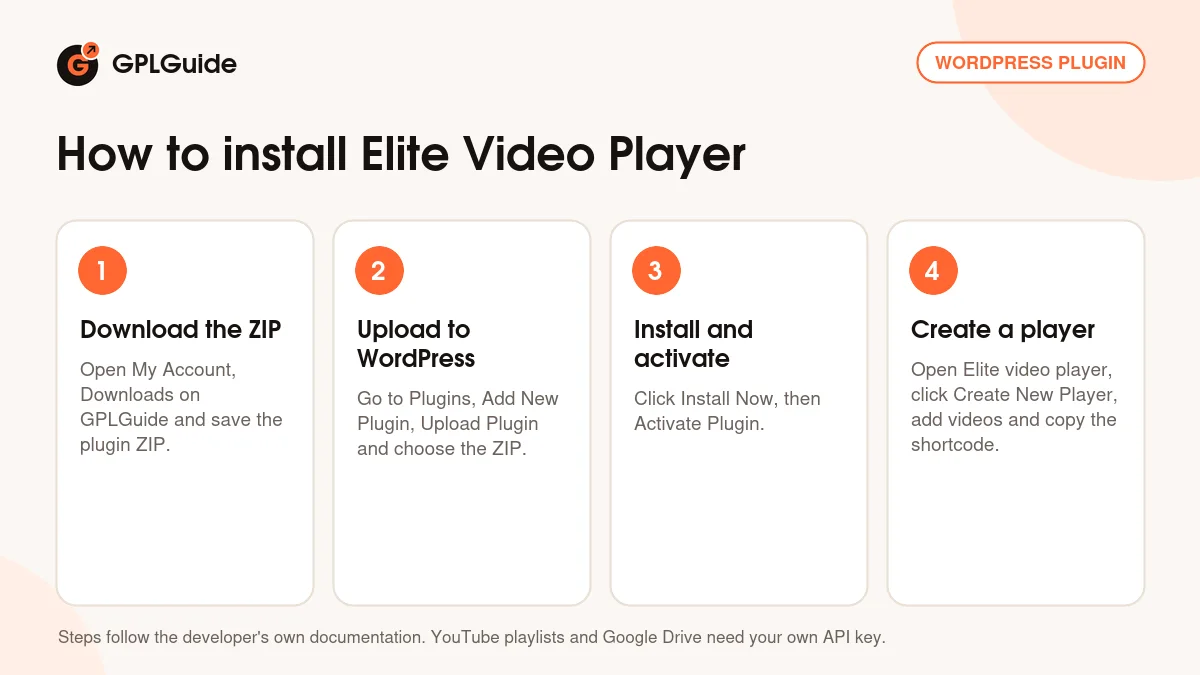
- Sign in to GPLGuide, open My Account, Downloads and save the Elite Video Player ZIP.
- In WordPress go to Plugins, Add New Plugin, Upload Plugin and choose the ZIP.
- Click Install Now, then Activate Plugin.
- Open Elite video player in the admin menu, click Create New Player, add your videos, save and copy the shortcode into a page.
A good first setup is one HTML5 (self-hosted) player with two mp4 files from your Media Library. It shows you the playlist, controls and live progress thumbnails without any API key. Set the accent colour to your brand, save and paste the shortcode into a test page. Then add a YouTube video by ID and try a self-hosted pre-roll ad.
Keeping it up to date
Updates from GPLGuide are manual. When a new version of Elite Video Player is listed here, download it from your account and upload it under Plugins, Add New Plugin, Upload Plugin. WordPress offers to replace the installed copy. If you see a newer version that we haven't added, let us know on the Request Item/Update page.
Questions about Elite Video Player
Can YouTube videos play without the YouTube branding? Yes. Elite Video Player can hide the YouTube interface, including the title, share and related videos. Version 11.0.0 added a setting to show or hide it.
Do I need a YouTube API key? Yes for the YouTube playlist and YouTube channel types, and when you set YouTube videos through shortcode parameters. For single YouTube videos added in the admin, the docs only ask for the video ID.
Can Elite Video Player play videos from Google Drive? Yes. The documented way is to create a Google Drive API key in your own Google Cloud project and use a Drive file link with that key in the mp4 field.
Can one playlist mix YouTube, Vimeo and self-hosted videos? Yes. Google Drive and Dropbox files can sit in the same list too.
Can I run ads without an ad network? Yes. Self Hosted Ads play your own clips as pre-roll, mid-roll or post-roll ads, or show image popups. For paid ads, add VAST, VMAP or IMA tags from your ad provider.
Does Elite Video Player work with Elementor and the block editor? Yes. Paste its shortcode into a Shortcode block or a builder's shortcode element. The developer lists Elementor, WPBakery Page Builder and Beaver Builder as compatible.
Can I stop people downloading my videos? You can turn off the right-click menu and hide the video source for self-hosted files. The developer recommends HLS for stronger protection.
Do I need to enter a license key? No. Your download comes with the license key already activated, so there is no key to enter.
Building a video site? Browse more WordPress plugins on GPLGuide, or see what a GPLGuide membership includes if you need several premium plugins. New to shortcodes? WordPress.org explains the Shortcode block you can use to place Elite Video Player in the block editor.
Features & capabilities
- Self-hosted mp4, YouTube, Vimeo, Google Drive, Dropbox, Amazon S3 and HLS in one player
- YouTube playlist and channel players, 360 VR, livestreams and a hidden YouTube UI option
- VAST, VPAID, VMAP and Google IMA ads plus self-hosted pre-roll, mid-roll, post-roll and popup ads
- Right or bottom playlist, or no playlist, with shuffle and random start options
- Live or VTT preview thumbnails on the progress bar and WebVTT subtitles
- Sticky, lightbox, responsive and fullscreen modes, plus Chromecast
- Accent colours, dark or light theme, logo, poster image and translatable text
- [Elite_video_player] shortcode that works in any theme or page builder


