
Betheme – Responsive Multipurpose WordPress & WooCommerce Theme
100% Original fileUnmodified copy of the developer's release
DeveloperMuffin Group
Up to dateOriginal released Oct 20, 2026 · File last updated Oct 23, 2026
About this product
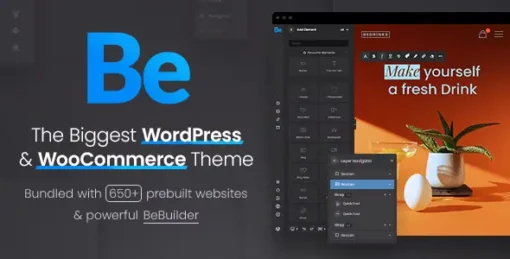
Betheme 29.0.4 is a multipurpose WordPress and WooCommerce theme for people who want a finished-looking site quickly and still want to change every part of it without code. It suits freelancers and agencies building client sites, small businesses, portfolios and online stores. You start from a ready design for your niche, from accountants and hotels to zoos, then rebuild pages your own way. Teams that already work in Elementor or WPBakery Page Builder can keep using them.
What's in the Betheme download
Our download is the original Betheme theme ZIP for version 29.0.4, with the license key already activated. The theme ships with BeBuilder, the Header Builder, the WooCommerce builder and its Theme Options. Bundled plugins such as Slider Revolution, LayerSlider and WPBakery Page Builder install from BeTheme, Plugins, and the pre-built websites import from the developer's server. WPML is not included, demo images and icons are not part of the theme, and the AI Creator tools need an active subscription and credits sold separately by the developer.
Good to know
The developer lists Betheme as compatible with WordPress 7.1 and WooCommerce 11.2, and version 29.0.2.1 refreshed its WooCommerce templates for 11.2. Install and update the bundled plugins only from BeTheme, Plugins, because the default WordPress plugin screen will not fetch them. The theme officially supports Slider Revolution up to version 6, since version 7 does not open sliders made in version 6. The database reset in the pre-built website importer removes your pages, posts and custom post types but keeps your theme options.
How to install Betheme
- Log in to GPLGuide, open this product and click Download under Your downloads.
- In WordPress, go to Appearance, Themes, Add New Theme, Upload Theme and choose the Betheme ZIP.
- Click Install Now, wait for WordPress to finish the upload, then click Activate.
- Open BeTheme, Plugins and install the bundled plugins you need, such as WPBakery Page Builder or Slider Revolution.
- Go to BeTheme, Pre-built websites to import a ready design, or open BeTheme, Dashboard to start from a blank site.
Features & capabilities
- BeBuilder, the theme's own visual page builder, with 40+ elements and responsive editing
- Header Builder and mega menu builder for separate desktop and mobile headers
- WooCommerce builder for shop and single product layouts, with attribute swatches and a wishlist
- Loop Builder, Popup Builder and footer builder included in the theme
- 700+ pre-built websites, imported in full or only the slider, theme options or content
- Over 2000 importable page designs for faster page building
- Theme Options panels for performance, accessibility, GDPR and cookies, and SEO
- Works with Elementor, Elementor Pro and WPBakery Page Builder
Frequently asked questions
Is this the original file?
Yes. Every product on GPLGuide is the developer’s own release, unchanged. The license key comes already activated. If a product does ask for a key, the activation steps appear on its page once you have it.
Is it legal to use a GPL plugin or theme from GPLGuide?
Yes. WordPress plugins and themes are released under the GPL, which lets anyone use, share and change the code. The developer’s support desk and the developer’s own update service are not part of the file; those stay with the developer.
How do I install it?
Log in, open the product page and click Download under Your downloads. For a plugin go to Plugins, Add New Plugin, Upload Plugin, choose the ZIP, then Install Now and Activate. For a theme go to Appearance, Themes, Add New Theme, Upload Theme.
How do updates work?
When a newer version is listed on GPLGuide, download it from the product page and upload it over the installed copy; WordPress offers to replace the old version. Updates are manual.
Can I use it on more than one site?
Yes. The GPL lets you use it on as many of your own sites as you like.
What if the file does not work or a newer version is out?
Tell us on the Request Item page or through Support. We check the file and add the newer version when we have it.