Technofy – IT Services & Solutions WordPress Theme

100% Original fileUnmodified copy of the developer's release
DeveloperDesigningMedia
Up to dateFile last updated Oct 17, 2026
About this product
The Technofy theme is an IT services and solutions WordPress theme by DesigningMedia, sold on ThemeForest as designingmedia. It is built with Elementor and Bootstrap 4 and comes with slider widgets for services, projects, case studies, testimonials and blog posts, plus Contact Form 7 support and WPML compatibility. This page is for Technofy version 1.0.1. On GPLGuide you download the original theme file to install on your own websites.
Good for: managed IT providers, software houses, cyber security and cloud consultancies, tech support companies and digital agencies that want to show their services and past projects in sliders and collect enquiries through a form.
Requirements: the developer's docs ask for WordPress 4.8 or newer, PHP 5.6 or newer (with PHP 7.2 suggested) and MySQL 5.6 or newer. The item page lists WordPress 6.4.x to 6.9.x and WooCommerce 5.x to 7.x as compatible. You need the free Elementor plugin for pages and Contact Form 7 for forms, both installed through the theme's plugin notice.
What the Technofy theme does
The Technofy theme is a company site for businesses that sell technical services. Its pages are made to answer three questions a buyer has: what do you do, who have you done it for, and how do I contact you. Services, projects and case studies appear in sliders, testimonials add trust, and a Contact Form 7 form collects the enquiry.
The Technofy theme fits best when your sales start with a conversation rather than a checkout. An IT provider rarely sells from a price list. Visitors want to see that you understand their problem, that you have solved it before, and that a real person will call back. The layout follows that order from top to bottom.
Global settings sit in the WordPress Customizer under a section called Technofy Customizer, where you set the header and logos. Pages are edited with Elementor, using the theme's own widgets. The item page also lists custom page templates, wide and boxed layouts, a full screen background slider, more than 600 Google Fonts and social links.
A child theme is included, the theme is WordPress Multisite tested and it ships with .pot files for translation. WPML support means you can run the site in several languages. The item page marks it as not Gutenberg optimized, so plan to build pages in Elementor.
The Elementor widgets in the Technofy theme
The docs show how to open a page with Edit With Elementor and add the theme's premade elements from the widget panel. Five widgets are named, and they cover most of what an IT company home page needs.
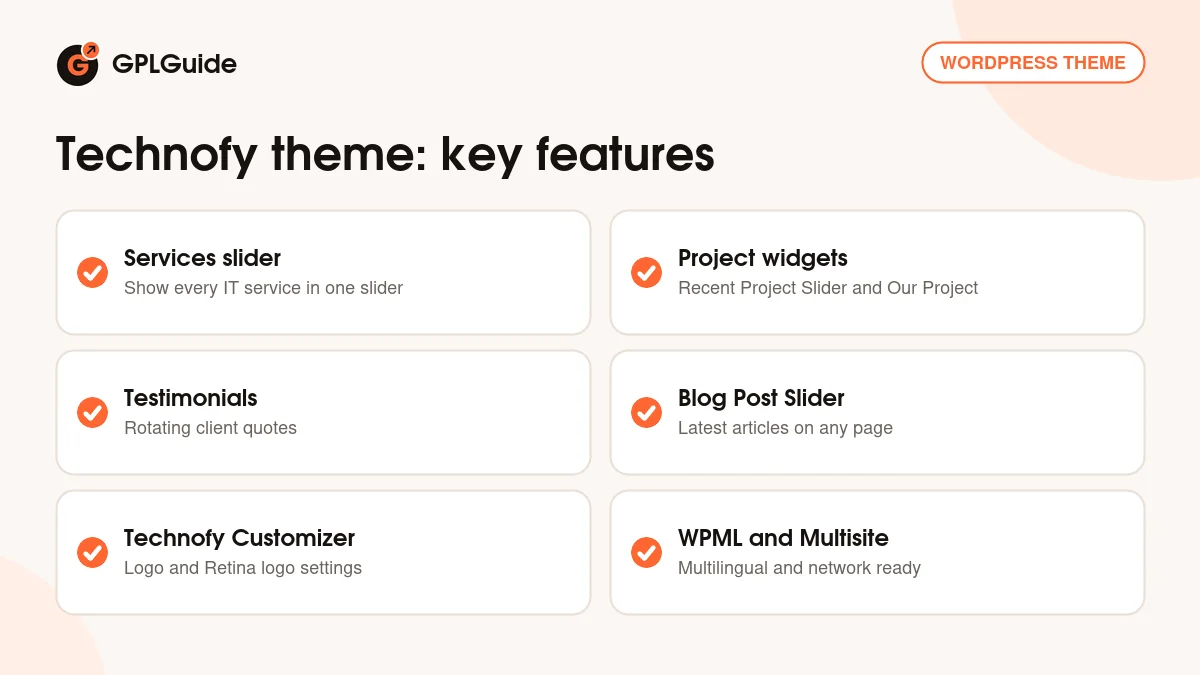
Our Services Slider shows your services in a slider. Recent Project Slider and Our Project show past work, either as a slider or as a fixed block. Testimonial Slider rotates client quotes, and Blog Post Slider brings your newest articles onto any page. The item page also names a Case Studies slider.
Because these are Elementor widgets, you change text, images and spacing in the left panel and see the result straight away. Put the Services slider high on the home page, projects in the middle and testimonials near the contact form, where trust matters most.
The Case Studies slider deserves the most care. Give each case study a short title that names the result, a picture of the finished work and two or three lines on the problem, what you did and what changed for the client. That format keeps the Technofy theme sliders easy to scan.
Technofy Customizer, banners and blog posts
Logos are set under Appearance, Customise, Technofy Customizer, Header Settings. Upload your normal logo and a Retina version at twice the size in the matching field, so it looks sharp on high resolution screens. The docs also show how to change the sub-banner, the strip at the top of inner pages, with its own background image and text.
Blog posts are created under Posts, Add New, with the usual title, post format, category, tags and featured image. The theme supports several post formats, and the Blog Post Slider widget can then show the latest posts on your home page or service pages.
Forms come from Contact Form 7. Create a form there, copy its shortcode and paste it into a page or a text widget. The docs show this with a standard contact form, and the same method works for a support request or quote form.
The item page also lists wide and boxed layouts and custom page templates. A boxed layout frames the content in a centred column, which suits a more traditional consulting brand. The wide layout runs sections edge to edge and suits a modern software look. Pick one early, because it changes how every Technofy theme page feels.
Site plans to copy with the Technofy theme
- Managed IT provider: put Our Services Slider under the hero with cards for help desk, network and backup services, then add a Contact Form 7 form titled "Request a callback".
- Software house: use Recent Project Slider for finished apps and Our Project on a separate Portfolio page.
- Cyber security consultancy: combine the Case Studies slider with the Testimonial Slider so every claim has a client story next to it.
- Cloud migration specialist: write a blog series on moving to the cloud and show it with Blog Post Slider on each service page.
- Multilingual IT company: translate pages with WPML so clients in two countries see the same site in their own language.
- Group of IT brands: the theme is Multisite tested, so one network can host a site per brand.
Start with one service page and build it fully: banner, short intro, the relevant project slider, a testimonial and the form. Once that page works, duplicate the layout for each service in the Technofy theme and change only the words and images.
Make a separate Contact Form 7 form for each kind of request. A short callback form on service pages, a longer project brief on the contact page and a support form for existing clients keep enquiries sorted from the start.
What's new in the Technofy theme 1.0.1
DesigningMedia does not publish a changelog for the Technofy theme. The item page shows no version number and lists a last update of July 28, 2026, and the docs still describe version 1.0. So we cannot say which changes arrived in version 1.0.1 or on what date it was released.
What the developer does state is the current compatibility. The item page lists WordPress 6.4.x to 6.9.x, WooCommerce 5.x to 7.x and Elementor, together with Contact Form 7 and WPML. A version by version list of changes has not been published by the developer.
Good to know before you buy
The item page has some text that seems to come from other themes. It mentions King Composer components, the Vafpress options framework and even another theme name, while the docs describe only Elementor and the WordPress Customizer. We follow the docs here: Elementor is the page builder for the Technofy theme.
The docs give two slightly different routes for the demo import, Appearance, Import and Appearance, Import demo data, so use whichever menu appears on your site. They do not say that the demo photos are part of the download, and they do not cover footer settings, WooCommerce setup or custom post types. Plan to add your own images.
The item page says demo content and sliders come with the one click import, but it does not say how many home page designs the Technofy theme has. Look through the live preview before you buy so you know which layouts you will start from.
The item page lists WordPress up to 6.9.x and does not yet list 7.0. Test on a staging copy first if your site runs a newer WordPress, and keep a backup before any theme change.
Technofy from GPLGuide vs the official subscription
The Technofy theme is sold by designingmedia on ThemeForest. The Regular licence costs $39 there. It includes future updates through the marketplace and six months of item support from the developer, which can be extended to 12 months. Under Envato's licence for this item, its PHP code is licensed under the GPL.
From GPLGuide you get the original Technofy theme file, version 1.0.1. This file comes with the license key already activated, so there is no key to enter. The Elementor widgets, Customizer options and demo import are the ones in the developer's package.
Only the developer gives you their support desk, refunds under Envato's rules and updates through your Envato account. Their docs say support does not cover custom code, hosting, server setup or third-party plugin issues. Developer support is not part of the file.
How to install the Technofy theme
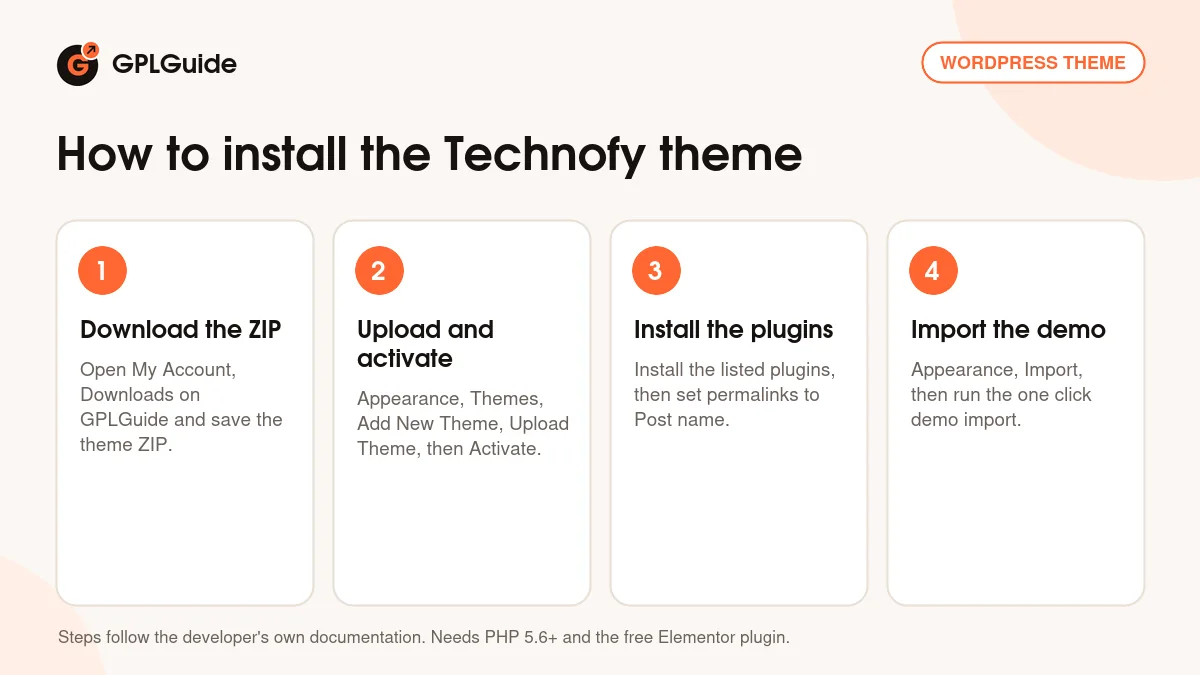
- Sign in to GPLGuide, open My Account, Downloads and save the Technofy ZIP.
- In WordPress go to Appearance, Themes, Add New Theme, Upload Theme, choose the ZIP, click Install Now and then Activate.
- In the plugin notice select the plugins, choose Install, click Apply, then set Settings, Permalinks to Post name and save.
- Go to Appearance, Import (or Import demo data) and run the one click demo import.
The docs recommend a max_execution_time of 300 and a memory_limit of 128M, so check those first. For a good first setup, run the import on a fresh site, upload your logo and Retina logo in the Technofy Customizer, then open the home page with Edit With Elementor and replace the services in Our Services Slider with your own.
Keeping it up to date
Updates from GPLGuide are manual. When a new version of the Technofy theme is listed here, download it from your account and upload it under Appearance, Themes, Add New Theme, Upload Theme. WordPress offers to replace the installed copy, and your Elementor pages and Customizer settings stay in the database. Use the included child theme for code edits. If you see a newer version that we have not added, tell us on the Request Item/Update page.
Questions about the Technofy theme
Which page builder does the Technofy theme use? Elementor. The docs show every page edited with Edit With Elementor and list the theme's own Elementor widgets.
Which widgets come with it? The docs name Recent Project Slider, Testimonial Slider, Blog Post Slider, Our Services Slider and Our Project. The item page also mentions a Case Studies slider.
Does the Technofy theme include a child theme? Yes. The item page says a child theme is included.
Can I run it on WordPress Multisite? Yes. The item page says the theme is WordPress Multisite tested.
Can I add a shop? The item page lists WooCommerce 5.x to 7.x as compatible, but the docs do not describe a shop setup, so treat it as a company site theme.
Why should I change the permalinks? The docs ask you to set them to Post name after installing the plugins, which gives clean page addresses.
Do I need to enter a purchase code? No. The license key is already activated in the file.
Is the Technofy theme translation ready? Yes. It ships with .pot files and the item page lists WPML support.
Can I use the Technofy theme for a single landing page? Yes. Build one long Elementor page with the services, project and testimonial sliders and a form at the bottom, and set it as your front page under Settings, Reading.
Looking at more company themes? Browse the WordPress themes on GPLGuide, or see what a GPLGuide membership includes if you build sites for clients. The Technofy theme's pages are built with the free Elementor plugin on WordPress.org.
Features & capabilities
- Elementor based IT services and solutions theme on Bootstrap 4
- Our Services Slider, Recent Project Slider and Our Project widgets
- Testimonial Slider, Blog Post Slider and a Case Studies slider
- Technofy Customizer with logo and Retina logo settings
- Contact Form 7 support and WPML compatibility
- Wide and boxed layouts with custom page templates
- Child theme included and WordPress Multisite tested
- One click demo import and more than 600 Google Fonts