
Blog Manager for WordPress
100% Original fileUnmodified copy of the developer's release
DeveloperOTWthemes
Up to dateFile last updated Oct 23, 2026
About this product
Blog Manager for WordPress 2.0.1 is a plugin for building lists of your blog posts and placing them wherever you need them. It is made for blogs, magazines and news sites that want category sections, home page blocks or archive-style pages with a layout other than the plain theme loop. You choose which posts a list pulls in, pick a template, and put the list on a page with its shortcode or a widget.
What's in the Blog Manager for WordPress download
Our download is the original Blog Manager for WordPress ZIP for version 2.0.1, with the license key already activated. The plugin lists the standard WordPress posts and categories, so lists come from your normal blog posts. Single post templates and sidebar management are separate plugins from the developer and are not in this file.
Good to know
The developer says the plugin works with the default WordPress posts only, so custom post types and WooCommerce products can't be listed. You pick a template when you create a list, and you can't switch between grid and list inside one template, so choose it first. The look follows your theme's styles unless you change it. The developer's page lists WordPress 4.9 through 6.0 and states no PHP minimum.
How to install Blog Manager for WordPress
- Log in to GPLGuide, open this product and click Download under Your downloads.
- In WordPress, go to Plugins, Add New Plugin, click Upload Plugin and choose the Blog Manager for WordPress ZIP from your computer.
- Click Install Now, then click Activate Plugin once the upload has finished.
- Open the Blog Manager menu in the WordPress admin, create your first list and pick its template.
- Copy the list's shortcode from the Blog Manager menu and paste it into a page or post, or add the list with a widget instead.
Features & capabilities
- Create as many blog post lists as you like, and duplicate a list to start a new one from it.
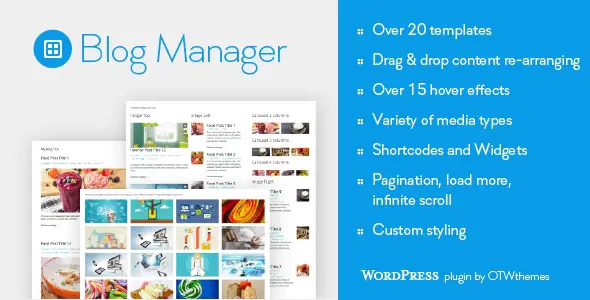
- Templates include grid, image left or right, newspaper, timeline, widget styles, slider and carousels, plus hover styles.
- Drag and drop what each entry shows: title, media, meta data, excerpt, continue reading link and social icons.
- Media types for entries are image, slider, YouTube, Vimeo and SoundCloud.
- Choose posts by category, tag or author, and exclude categories, tags, authors or the current post.
- Three pagination modes: regular pagination, a load more button and infinite scroll.
- Style each list through the plugin options or custom CSS, with a live preview while you edit.
- Translation ready, and the developer's changelog lists WPML compatibility.
Frequently asked questions
Is this the original file?
Yes. Every product on GPLGuide is the developer’s own release, unchanged. The license key comes already activated. If a product does ask for a key, the activation steps appear on its page once you have it.
Is it legal to use a GPL plugin or theme from GPLGuide?
Yes. WordPress plugins and themes are released under the GPL, which lets anyone use, share and change the code. The developer’s support desk and the developer’s own update service are not part of the file; those stay with the developer.
How do I install it?
Log in, open the product page and click Download under Your downloads. For a plugin go to Plugins, Add New Plugin, Upload Plugin, choose the ZIP, then Install Now and Activate. For a theme go to Appearance, Themes, Add New Theme, Upload Theme.
How do updates work?
When a newer version is listed on GPLGuide, download it from the product page and upload it over the installed copy; WordPress offers to replace the old version. Updates are manual.
Can I use it on more than one site?
Yes. The GPL lets you use it on as many of your own sites as you like.
What if the file does not work or a newer version is out?
Tell us on the Request Item page or through Support. We check the file and add the newer version when we have it.


