
Boxcoin Crypto Payment Plugin for WooCommerce
100% Original fileUnmodified copy of the developer's release
DeveloperSchiocco
Up to dateOriginal released May 28, 2025 · File last updated Oct 27, 2026
About this product
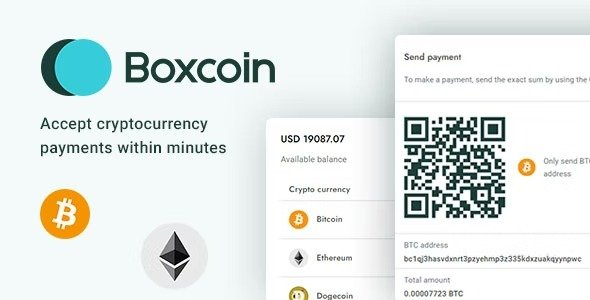
Boxcoin 1.2.9 is the WordPress version of a self-hosted crypto payment gateway that adds Bitcoin, Ethereum, USDT and other coins as a payment method at your WooCommerce checkout. It suits shops that want crypto payments to land in their own wallets without a payment processor, sign-up or KYC check in between, such as stores that sell digital goods, software or services to buyers in many countries. Everything runs on your own server, so the transaction records stay with you as well. After activation a Boxcoin menu appears in the WordPress sidebar with Transactions, Checkouts and Settings screens, and your customers finish paying on a page you create with the plugin's shortcode.
How to install Boxcoin
- If your site doesn't run WooCommerce yet, install and activate it under Plugins, Add New Plugin. The developer asks for PHP 7.4 or higher with the cURL, Zip and GD extensions, and MySQL with ONLY_FULL_GROUP_BY and ANSI_QUOTES turned off.
- Log in to GPLGuide, open this product and click Download under Your downloads.
- In WordPress go to Plugins, Add New Plugin, Upload Plugin, choose the ZIP, click Install Now, then Activate.
- Open Boxcoin, Settings in the WordPress sidebar and save the wallet address for each coin you accept under Cryptocurrency addresses.
- Create a WordPress page that holds the [boxcoin-pay] shortcode, then paste that page's address into Boxcoin, Settings, WordPress, Payment page URL.
- Go to WooCommerce, Settings, Payments and enable the Boxcoin gateway. If paid orders stay pending, check that no security plugin blocks the plugin's AJAX requests or the WordPress REST API.
Features & capabilities
- Takes Bitcoin, Lightning Network, Ethereum, USDT, USDC, Litecoin, Bitcoin Cash, XRP, BNB, Solana and Monero, plus your own ERC-20 and BEP-20 tokens.
- Payments go straight to wallet addresses you control, with no third-party service, account sign-up or KYC check.
- A fresh address for each payment, Bitcoin addresses from your xpub key, and a QR code that carries both the amount and the address.
- Optional card and Google Pay payments through your own Stripe account, and PayPal payments through your own PayPal account.
- Connect your own Bitcoin or Ethereum node, or your Coinbase account, for address generation, transfers, instant conversion and refunds.
- A Do not finalize order setting for shops that complete orders by hand, and the transaction ID added as a WooCommerce order note.
- A Transactions screen with filters by date, status and coin, status changes, a Mark as completed action and PDF invoices.
- Email alerts for new sales and for failed transfers or conversions, sent through your own SMTP server.
- Also works as a gateway for Easy Digital Downloads stores, and can add an extra fee to every payment.
Frequently asked questions
Is this the original file?
Yes. Every product on GPLGuide is the developer’s own release, unchanged. The license key comes already activated. If a product does ask for a key, the activation steps appear on its page once you have it.
Is it legal to use a GPL plugin or theme from GPLGuide?
Yes. WordPress plugins and themes are released under the GPL, which lets anyone use, share and change the code. The developer’s support desk and the developer’s own update service are not part of the file; those stay with the developer.
How do I install it?
Log in, open the product page and click Download under Your downloads. For a plugin go to Plugins, Add New Plugin, Upload Plugin, choose the ZIP, then Install Now and Activate. For a theme go to Appearance, Themes, Add New Theme, Upload Theme.
How do updates work?
When a newer version is listed on GPLGuide, download it from the product page and upload it over the installed copy; WordPress offers to replace the old version. Updates are manual.
Can I use it on more than one site?
Yes. The GPL lets you use it on as many of your own sites as you like.
What if the file does not work or a newer version is out?
Tell us on the Request Item page or through Support. We check the file and add the newer version when we have it.


