Brixton – A Responsive WordPress Blog Theme
100% Original fileUnmodified copy of the developer's release
DeveloperPremiumCoding
Up to dateFile last updated Oct 25, 2026
About this product
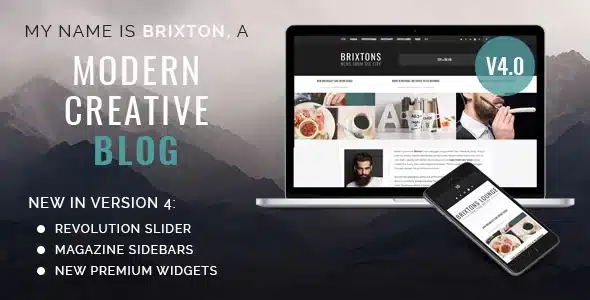
Brixton Theme 5.6 is a clean, minimal WordPress blog theme for personal blogs about lifestyle, fashion, food, travel and photography. It suits writers who publish mostly posts and pictures and want readable pages with a hipster-style look, plus social widgets, instead of heavy slideshows and animations. The developer ships it with a one-click demo importer, boxed and full width layouts, a magazine style for larger blogs, and an optional slider plugin that you can leave out. It also works with the WPML translation plugin.
How to install Brixton Theme
- Brixton needs no parent plugin. The developer lists no required plugin and no minimum PHP version, and calls Revolution Slider an optional extra, so you can skip it.
- Log in to GPLGuide, open this product and click Download under Your downloads.
- If the download holds more than one ZIP, unzip it on your computer first and upload the theme's own ZIP, not the outer package.
- In your WordPress dashboard go to Appearance, Themes, Add New Theme, Upload Theme, choose the theme's ZIP and click Install Now.
- When the installation finishes, click Activate. The theme then replaces your current one on the front of the site.
- Start from a finished design with the one-click demo importer the developer lists. The demos include boxed, full width, dark header and magazine layouts, so pick the one closest to your blog.
Features & capabilities
- Unlimited color choices through a color picker in the theme options.
- Boxed and full width layouts, plus a magazine style with extra sidebar positions.
- Post templates for standard, video, link, gallery, audio and quote posts, with SoundCloud audio.
- Instagram, Facebook and Twitter widgets, a video widget for YouTube, Vimeo and self-hosted video, and a post slideshow widget.
- Optional header background image.
- Top-bar search, sidebar social share icons and a 728x90 header ad, each of which you can switch off.
- Google Web Fonts, a custom logo and favicon, and SEO optimization.
- Responsive layout that is compatible with WPML for translated blogs.
- An optional Revolution Slider extra if you want a slider on your pages.
Frequently asked questions
Is this the original file?
Yes. Every product on GPLGuide is the developer’s own release, unchanged. The license key comes already activated. If a product does ask for a key, the activation steps appear on its page once you have it.
Is it legal to use a GPL plugin or theme from GPLGuide?
Yes. WordPress plugins and themes are released under the GPL, which lets anyone use, share and change the code. The developer’s support desk and the developer’s own update service are not part of the file; those stay with the developer.
How do I install it?
Log in, open the product page and click Download under Your downloads. For a plugin go to Plugins, Add New Plugin, Upload Plugin, choose the ZIP, then Install Now and Activate. For a theme go to Appearance, Themes, Add New Theme, Upload Theme.
How do updates work?
When a newer version is listed on GPLGuide, download it from the product page and upload it over the installed copy; WordPress offers to replace the old version. Updates are manual.
Can I use it on more than one site?
Yes. The GPL lets you use it on as many of your own sites as you like.
What if the file does not work or a newer version is out?
Tell us on the Request Item page or through Support. We check the file and add the newer version when we have it.