
BRW – Booking Rental Plugin WooCommerce
100% Original fileUnmodified copy of the developer's release
DeveloperCodecanyon
Up to dateOriginal released Sep 11, 2026 · File last updated Nov 27, 2026
About this product
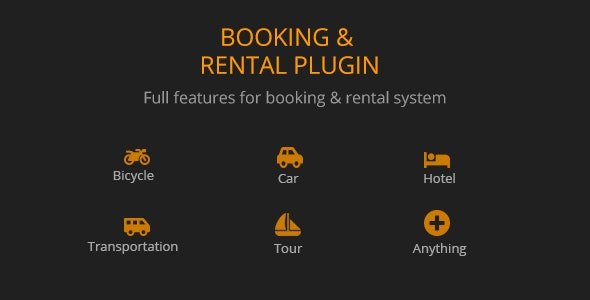
BRW WooCommerce Booking & Rental Plugin 2.0.9 turns WooCommerce products into rentals and bookings for cars, hotels, tours, taxis, airport transfers and appointments. It suits rental companies, tour operators and small lodging businesses that want visitors to pick dates or time slots, see the price calculated on the page, and pay in full or put down a deposit at the normal WooCommerce checkout. It needs WooCommerce, and Elementor is optional. You set it up product by product: a Rental Type field in the General Settings decides which configuration tabs appear.
How to install BRW WooCommerce Booking & Rental Plugin
- Install and activate WooCommerce first under Plugins, Add New Plugin. The developer asks for PHP 7.4 or newer (8.1 is recommended), and its compatibility list starts at WooCommerce 6.
- Optional: install and activate Elementor the same way if you want the plugin's search and booking widgets in your pages. The plugin works without it.
- Log in to GPLGuide, open this product and click Download under Your downloads.
- In your WordPress dashboard go to Plugins, Add New Plugin, Upload Plugin, choose the ZIP you downloaded, click Install Now, then click Activate.
- Create or edit a product in WooCommerce and open its General Settings. The first field is Rental Type (Day, Hour, Hotel, Tour, Taxi, Transportation, Mixed, Appointment or Period Time), and the other configuration tabs change with your choice.
Features & capabilities
- Nine rental types in one plugin: day, hour, hotel night, tour, taxi, transportation, mixed, appointment and period of time.
- Pricing rules for seasonal rates, quantity discounts, special-time discounts and surcharges by location.
- Full payment or a deposit (fixed amount or percentage), with the remaining balance created as its own order.
- Optional insurance fee and paid extra services that customers can add to a booking.
- Availability controls: blocked dates, custom time slots, buffer time, and minimum and maximum duration.
- iCal import and export, so your calendar can sync with Google Calendar and other iCal platforms.
- Instant booking or request-based booking, with custom fields and Google reCAPTCHA on the forms.
- Back-end tools: manual bookings, booking editing under Manage Bookings, invoices, cancellation policies and reminder emails.
- WhatsApp notifications for new orders, plus search shortcodes and Elementor widgets for products, hotels, taxis and packages.
Frequently asked questions
Is this the original file?
Yes. Every product on GPLGuide is the developer’s own release, unchanged. The license key comes already activated. If a product does ask for a key, the activation steps appear on its page once you have it.
Is it legal to use a GPL plugin or theme from GPLGuide?
Yes. WordPress plugins and themes are released under the GPL, which lets anyone use, share and change the code. The developer’s support desk and the developer’s own update service are not part of the file; those stay with the developer.
How do I install it?
Log in, open the product page and click Download under Your downloads. For a plugin go to Plugins, Add New Plugin, Upload Plugin, choose the ZIP, then Install Now and Activate. For a theme go to Appearance, Themes, Add New Theme, Upload Theme.
How do updates work?
When a newer version is listed on GPLGuide, download it from the product page and upload it over the installed copy; WordPress offers to replace the old version. Updates are manual.
Can I use it on more than one site?
Yes. The GPL lets you use it on as many of your own sites as you like.
What if the file does not work or a newer version is out?
Tell us on the Request Item page or through Support. We check the file and add the newer version when we have it.


