BWD Promo Box - Elementor Addons

100% Original fileUnmodified copy of the developer's release
DeveloperBest WP Developer
Up to dateFile last updated Oct 23, 2026
About this product
BWD Promo Box 1.4 is an Elementor add-on for building promo boxes: short, bold blocks that announce a sale, a discount such as 50% off or a limited-time offer. It's meant for online shops and service businesses that run seasonal campaigns and want the offer to stand out on the home page or a landing page, without designing the box from scratch in Elementor every time. After you upload it, the plugin is listed as Promo Box on your Plugins screen.
What's in the BWD Promo Box download
Our download is the original BWD Promo Box ZIP for version 1.4, with the license key already activated. It's a standalone plugin with just the promo box widget and its 30+ preset designs. The developer's other widgets and its larger addons bundle are sold separately and are not in this file.
Good to know
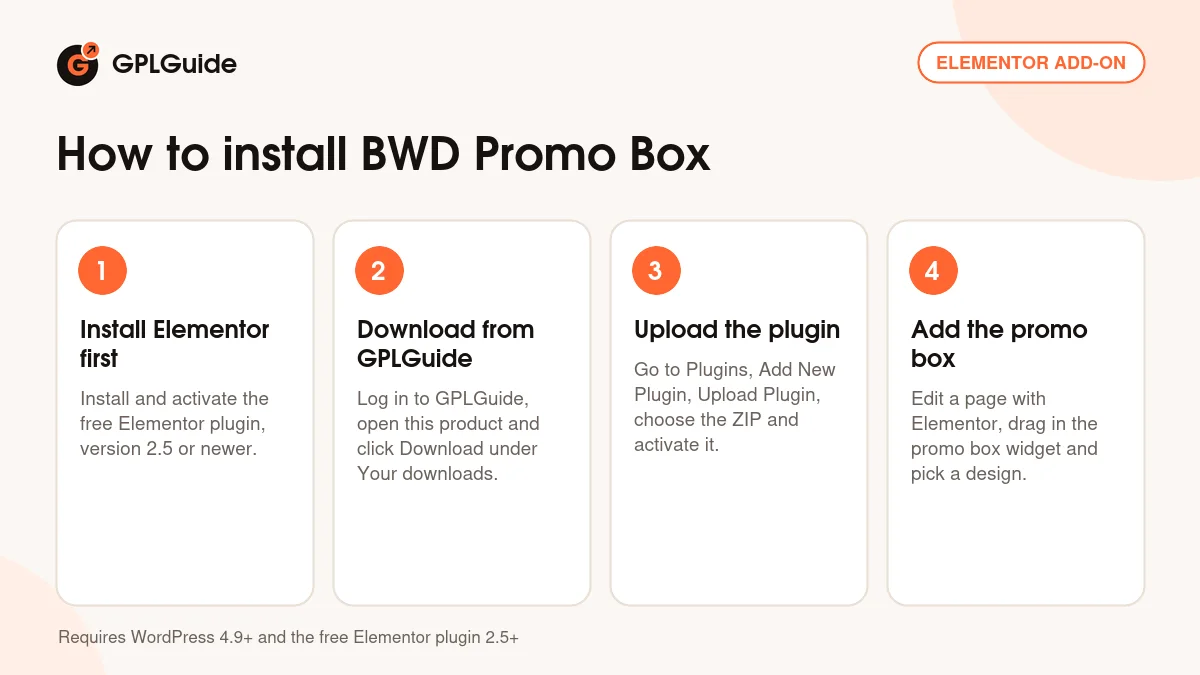
You need the free Elementor plugin, so install and activate it first. The developer lists Elementor 2.5 or newer and WordPress 4.9 or newer, and Elementor Pro isn't required. This ZIP installs as it is, with nothing to unzip. Once it's active, edit a page with Elementor, add the promo box widget and start from the preset closest to your campaign, then change the wording, discount figure and fonts to match your offer.
How to install BWD Promo Box
Features & capabilities
- More than 30 ready-made promo box designs to start from
- Made for sale, discount and seasonal offer messages, including a discount percentage badge
- Flexible style settings in the Elementor panel, so a preset can match your brand
- Works with every Google Font
- Responsive layout that stays readable on phones and tablets
- Translation ready with an included POT file
- Runs with any WordPress theme built on Elementor, no code needed
- Lightweight, W3C-valid code that the developer describes as SEO friendly
Frequently asked questions
Is this the original file?
Yes. Every product on GPLGuide is the developer’s own release, unchanged. The license key comes already activated. If a product does ask for a key, the activation steps appear on its page once you have it.
Is it legal to use a GPL plugin or theme from GPLGuide?
Yes. WordPress plugins and themes are released under the GPL, which lets anyone use, share and change the code. The developer’s support desk and the developer’s own update service are not part of the file; those stay with the developer.
How do I install it?
Log in, open the product page and click Download under Your downloads. For a plugin go to Plugins, Add New Plugin, Upload Plugin, choose the ZIP, then Install Now and Activate. For a theme go to Appearance, Themes, Add New Theme, Upload Theme.
How do updates work?
When a newer version is listed on GPLGuide, download it from the product page and upload it over the installed copy; WordPress offers to replace the old version. Updates are manual.
Can I use it on more than one site?
Yes. The GPL lets you use it on as many of your own sites as you like.
What if the file does not work or a newer version is out?
Tell us on the Request Item page or through Support. We check the file and add the newer version when we have it.