Classima – Classified Ads WordPress Theme
100% Original fileUnmodified copy of the developer's release
DeveloperThemeForest
Up to dateOriginal released Oct 19, 2026 · File last updated Nov 23, 2026
About this product
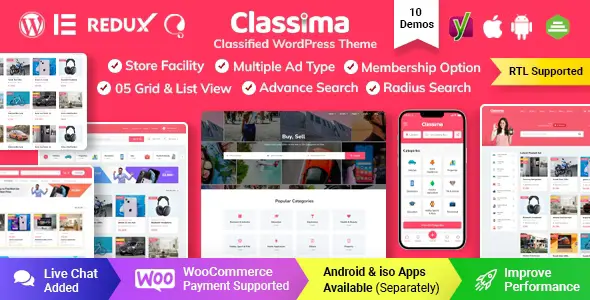
Classima Theme 3.1.1 is a classified ads theme for WordPress. It is made for sites where visitors register, post their own ads and answer other people's: an OLX or Craigslist style marketplace, a car portal, a real estate directory or a job board. It suits owners who want to earn from paid listings, promotions and memberships, and who build their pages in Elementor. The developer ships it with a child theme, a one-click demo importer with 12 homepage demos, and the classified listing plugin together with its store and mobile number verification add-ons.
How to install Classima Theme
- Install and activate the Elementor plugin under Plugins, Add New Plugin, because the theme's pages are built with it. The developer's docs for the classified listing plugin list WordPress 5.0 or later, with PHP 7.2 or newer recommended.
- Log in to GPLGuide, open this product and click Download under Your downloads.
- In WordPress go to Appearance, Themes, Add New Theme, Upload Theme and choose the theme ZIP from your computer.
- Click Install Now, wait for the upload to finish, then click Activate on the result page.
- Install and activate the plugins that come bundled with the theme: the classified listing plugin, its store add-on and the theme's core plugin. The Pro version of the classified listing plugin needs the free Classified Listing plugin active first.
- Run the one-click demo importer to load one of the 12 homepage demos; you can delete the importer plugin once the import is done. Change colours and layout in the theme options panel or the Customizer. Google Maps features need your own API key.
Features & capabilities
- Drag and drop form builder for the ad submission form, with conditional fields and a location field.
- Grid and list ad layouts with AJAX category, location and custom field filters, plus search autocomplete.
- Unlimited categories and custom fields, and up to three location levels such as state, city and town.
- Maps through Google Maps or OpenStreetMap, plus a map widget that shows where ads are placed.
- Top, bump up and featured ad promotions, membership plans and seller stores through the store add-on.
- Payments by offline methods, PayPal, Stripe, Authorize.net and WooCommerce gateways.
- Buyer and seller chat with file transfer, and a front-end dashboard for listings and favourites.
- AI semantic search and AI image enhancement for listings, run with your own API key.
- Listing export and import, including imports from Google Maps and RSS feeds.
- RTL support, WPML compatibility with a translation file, and reCAPTCHA on the registration, listing, contact and report forms.
Frequently asked questions
Is this the original file?
Yes. Every product on GPLGuide is the developer’s own release, unchanged. The license key comes already activated. If a product does ask for a key, the activation steps appear on its page once you have it.
Is it legal to use a GPL plugin or theme from GPLGuide?
Yes. WordPress plugins and themes are released under the GPL, which lets anyone use, share and change the code. The developer’s support desk and the developer’s own update service are not part of the file; those stay with the developer.
How do I install it?
Log in, open the product page and click Download under Your downloads. For a plugin go to Plugins, Add New Plugin, Upload Plugin, choose the ZIP, then Install Now and Activate. For a theme go to Appearance, Themes, Add New Theme, Upload Theme.
How do updates work?
When a newer version is listed on GPLGuide, download it from the product page and upload it over the installed copy; WordPress offers to replace the old version. Updates are manual.
Can I use it on more than one site?
Yes. The GPL lets you use it on as many of your own sites as you like.
What if the file does not work or a newer version is out?
Tell us on the Request Item page or through Support. We check the file and add the newer version when we have it.