Coeus – Cryptocurrency Landing Page WordPress Theme
100% Original fileUnmodified copy of the developer's release
DeveloperOceanThemes
Up to dateOriginal released Dec 10, 2024 · File last updated Oct 21, 2026
About this product
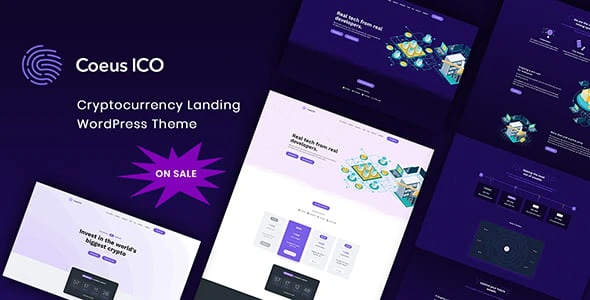
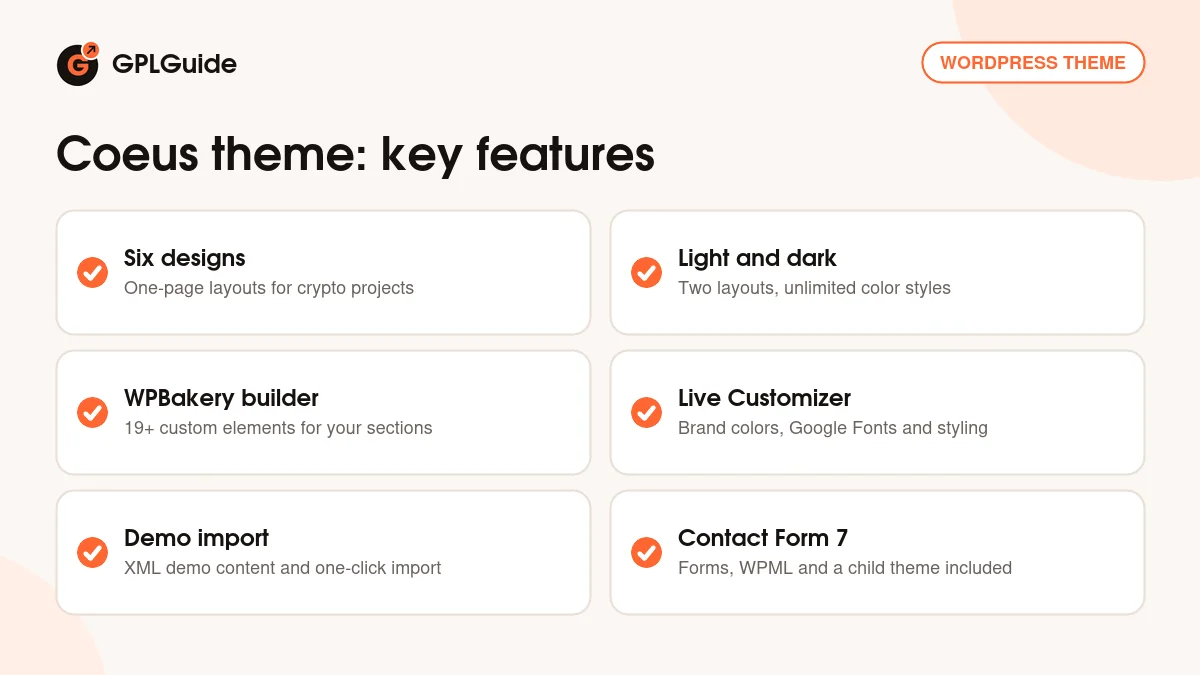
The Coeus theme is a one-page landing page theme for WordPress, made for cryptocurrency projects that need a clear site to present a coin, a token or a blockchain product. It comes with six different designs, light and dark layouts and the WPBakery Page Builder with more than 19 custom elements, so a project team, or the designer working for it, can build a launch page without writing code. This page is for Coeus 1.2.1, released on December 10, 2024. On GPLGuide you download the original theme file to install on your own websites.
Good for: blockchain startups presenting a new product, coin and token projects that need a single launch page, crypto consulting and education businesses, mining and hosting services, community projects with a whitepaper to share, and web designers who build one-page sites for crypto clients.
Requirements: WordPress, with WordPress 5.5.x to 6.7.x listed as the software versions on the item page. Version 1.2.1 was updated for WordPress 6.7.1 and WPBakery Page Builder 8.0.1. You need WPBakery Page Builder, the theme's companion plugin for it and Contact Form 7 for the contact form. No PHP version is published for the Coeus theme itself, though the developer's general demo import help suggests PHP 7.4 or higher.
What the Coeus theme does
The Coeus theme gives a crypto project one long, scrolling page instead of a full multi-page website. Visitors land at the top, read what the project is, scroll through how it works and who is behind it, and end at a contact form. The item page describes it as a landing page theme for cryptocurrency showcases and crowd sales.
You build that page in WPBakery Page Builder. The theme adds more than 19 custom web elements on top of the standard WPBakery ones, and the developer says they let you create unlimited layouts and pages. Colors come from unlimited color styles in the live Customizer, the grid is Bootstrap 4, and motion comes from scroll animations, CSS3 animation, parallax effects and smooth scrolling.
Underneath, it's widget ready and responsive, with a child theme and XML demo content in the package. One thing to know early: the item page marks the Coeus theme as not Gutenberg optimized. It's a WPBakery theme first.
Six designs, light and dark, on one page
The item page calls the six designs completely different, and you get both a light and a dark layout. Dark pages with bright accents are common in crypto. A light layout reads calmer, which suits a consulting firm or an education project better than a trading look.
Because the Coeus theme is a one-page design, the menu usually jumps to sections on the same page. In WPBakery each row has a Row ID field. Give your sections IDs such as about, roadmap and contact, then add Custom Links like #roadmap under Appearance, Menus. Smooth scrolling is on the theme's list, and the Scroll To Top helper element brings visitors back up after a long page.
The animations deserve a moment of thought. Scroll effects and parallax look good in a demo, but one buyer on the item's comments reported high CPU use from the background wave animation. The developer replied that background animations can be switched off in the backend. Test on an older phone. If it stutters, turn the background animation off and keep the scroll effects.
Building pages with WPBakery in the Coeus theme
Every section of the landing page is a WPBakery row with columns and elements inside. You can work in WPBakery's Backend Editor or switch to the Frontend Editor to see the real page as you edit. The 19+ custom elements carry the Coeus theme's own design, so try them before reaching for the plain WPBakery ones.
The changelog also tracks the theme's companion plugin for WPBakery. Version 1.2.0 updated it to 1.0.6 and fixed PHP bugs in it, and an early buyer found the theme asking for a newer copy than the package had at the time. Keep the theme and its companion plugin at matching versions. If a custom element suddenly looks broken after an update, check that first.
For content, the Coeus theme leans on icons and video. It includes more than 700 font icons, the entire Font Awesome library among them, which covers security, network, chart and wallet symbols for a "how it works" strip. Responsive video support means an explainer video scales on phones. Google Fonts support lets you match the brand type, and the 1.1.5 update fixed the default Google Fonts.
Styling sits in the Advanced WordPress Live Customizer under Appearance, Customize. Set your brand color there before you build. It's easier than fixing colors section by section afterwards.
Demo content, child theme and translation
The quickest start is the demo. The Coeus theme includes demo dummy content as XML data, and version 1.1.0 put those files in the package's data-export folder. A one-click importer loads it, and 1.2.1 fixed the demo content import, so start from this version rather than an older copy.
Demo imports tend to fail on small hosting plans. The developer's general advice for its themes is to ask your host for max_execution_time 3600, max_input_time 3600, memory_limit 256M, post_max_size 64M, upload_max_filesize 64M and max_input_vars 3000. If an import still stops, check the PHP error log. The same article mentions the WP Reset plugin, but that erases all WordPress data, so only use it on a fresh site.
The Coeus child theme has been in the package since version 1.1.1. Use it if you plan to change templates or add CSS, so parent theme updates leave your changes alone. Translation runs through the provided POT file, and WPML is listed as compatible, which helps projects that speak to an international audience.
Landing pages to copy with the Coeus theme
Before you open WPBakery, collect a one-line description of the project, three or four steps that explain how it works, short team bios and a timeline of milestones. Each idea below uses only what the item page lists for the Coeus theme.
- Token or coin project page: a dark design, a hero with the project name and one clear sentence, a "how it works" row with Font Awesome icons, a milestone timeline and a whitepaper download button.
- Blockchain software startup: the light layout, product sections with icons, a responsive explainer video and a Contact Form 7 form for demo requests.
- Crypto education or consulting business: a calm light design, your courses or services, short client quotes and a booking form.
- Mining or hosting service: sections for locations, hardware and support hours, plus a quote form. The developer notes there's no built-in way to sell mining plans.
- Community project in several languages: one page translated with WPML, with menu anchors to each section.
- Designer's starter for crypto clients: the child theme with your own base colors and fonts, ready for the next project.
A word on the copy. The Coeus theme only presents what you write, so stick to plain facts about what the project does and don't promise price gains or returns. Rules for promoting crypto assets differ from country to country, so have someone who knows them where you operate read the page before it goes live.
What's new in the Coeus theme 1.2.1
Version 1.2.1 came out on December 10, 2024. It updated the theme for WordPress 6.7.1, moved WPBakery Page Builder to 8.0.1 and fixed the demo content import.
Earlier releases are mostly compatibility updates. Version 1.2.0 (March 15, 2023) supported WordPress 6.1.1 and WPBakery 6.10.0 and updated the companion plugin to 1.0.6 with PHP fixes. Version 1.1.6 (August 17, 2022) moved to WordPress 6.0 and WPBakery 6.9.0. Version 1.1.5 (March 8, 2019) covered WordPress 5.x and WPBakery 5.7. Version 1.1.1 (August 17, 2018) added the child theme, 1.1.0 (August 7, 2018) added the demo files, and 1.0 arrived on July 31, 2018.
Good to know before you buy
The Coeus theme is a presentation theme, not a crypto platform. The item page lists no token sale module, wallet connection, payment gateway, live price ticker or countdown. If you need any of those, you'll add a separate plugin or service, and anything that touches money is yours to check.
It's also a smaller theme, with 90 sales on its item page. Releases have come about once a year since 2022, after a gap from 2019. The listed software versions stop at WordPress 6.7.x, so test it on a staging copy of your current WordPress first. The developer says it works with WooCommerce but has no WooCommerce design layout.
We couldn't open the online documentation when we checked, so this page doesn't name the 19 custom elements or the six designs one by one. Nothing says whether demo images are included, so plan to use your own. No service on the developer's servers, such as a cloud library or AI tool, is mentioned.
Coeus theme from GPLGuide vs the official subscription
The Coeus theme is sold on ThemeForest. The Regular licence costs $99 and includes future updates through the marketplace and six months of support from the developer. Extending support to 12 months was listed at $32.63 when we checked, and the Extended licence costs $1,950. Under Envato's licence for this item, its PHP code is licensed under the GPL.
From GPLGuide you get the original Coeus 1.2.1 theme file, with the same six designs, light and dark layouts, WPBakery setup, demo content and child theme. The file comes with the license key already activated, so there's nothing to enter before you start building.
Support through the developer's ticket desk, refunds under Envato's rules and updates through an Envato account come only with a ThemeForest purchase. If you expect to need that help, buy the licence there.
How to install the Coeus theme
- Sign in to GPLGuide, open My Account, Downloads and save the Coeus theme ZIP.
- Go to Appearance, Themes, Add New Theme, Upload Theme, choose the ZIP, click Install Now and activate it.
- Install and activate the plugins the theme asks for, including WPBakery Page Builder, its companion plugin and Contact Form 7.
- Run the one-click demo import, then check under Settings, Reading that the imported home page is your front page.

If WordPress says the theme is missing the style.css stylesheet, you uploaded the wrong ZIP. The developer's help notes that only the installable theme ZIP goes into the uploader. For a good first setup, import the demo on a fresh site, pick light or dark and set your brand color. Then replace the demo text section by section, give each row a Row ID, build the anchor menu and test the form.
Keeping it up to date
Updates from GPLGuide are manual. When a new version of the Coeus theme is listed here, download it from your account and upload it under Appearance, Themes, Add New Theme, Upload Theme. WordPress offers to replace the installed copy, and your WPBakery pages stay in the database. Update the companion plugin from the same package at the same time. If you spot a newer release we haven't added, tell us on the Request Item/Update page.
Questions about the Coeus theme
Does the Coeus theme use Elementor? No. It's built for WPBakery Page Builder, and its 19+ custom elements are WPBakery elements.
Can I sell tokens or take payments with it? No. The item page lists no token sale, wallet or payment features. It's a site that presents your project.
Does it show live crypto prices? Not by itself. No price ticker or chart is listed, so you'd add a separate widget for that.
Is there a dark version? Yes. You get a light and a dark layout, and colors are set in the live Customizer.
Which WordPress versions does Coeus 1.2.1 support? WordPress 5.5.x to 6.7.x are listed, and this version was updated for WordPress 6.7.1.
Is a child theme included? Yes. The Coeus child theme has been in the package since version 1.1.1.
Can I translate the site? Yes. It's translation ready with a POT file and listed as WPML compatible.
Can I run a shop with the Coeus theme? Only in a basic way. The developer says it's compatible with WooCommerce but has no WooCommerce design layout.
Do I need a purchase code? No. The license key is already activated in the file.
Looking for other landing page and business designs? Browse the WordPress themes on GPLGuide, or see what a GPLGuide membership includes if you build sites for several projects.
Features & capabilities
- One-page cryptocurrency landing page layout with six different designs
- Light and dark layouts with unlimited color styles
- WPBakery Page Builder with 19+ custom web elements
- Advanced live Customizer for colors and styling
- Demo content XML with a one-click importer
- Scroll animations, parallax, smooth scrolling and a scroll to top helper
- 700+ font icons including the full Font Awesome library, plus Google Fonts
- Contact Form 7, WPML, POT translation file and an included child theme