Arkio – Architecture & Interior WordPress Theme

100% Original fileUnmodified copy of the developer's release
DeveloperwpOcean
Up to dateOriginal released Jan 8, 2026 · File last updated Oct 21, 2026
About this product
The Arkio theme is an architecture and interior WordPress theme for architects, interior designers and small studios that want a calm, image-led site with services, projects, a team and a shop. It runs on Elementor with its own custom widgets, has five home styles and a one-click demo import, and keeps global settings in a Codestar-based Theme Options panel. This page is for Arkio 1.0.5, released on January 8, 2026. On GPLGuide you download the original theme file to install on your own websites.
Good for: architecture practices, interior design studios, exterior design and space planning consultants, furniture and decor makers who sell a few pieces online, and freelancers who build portfolio sites for design clients.
Requirements: WordPress 4.9 up to 7.0, as named on the item page, with the theme's style.css marked as tested up to 6.9. PHP 7.4 or greater, and MySQL 5 or MariaDB 10.0 and up. The docs recommend memory_limit 256M, max_execution_time 600, upload_max_filesize 128M and max_input_vars 3000. Arkio Core and Codestar Framework ship inside the Arkio theme and install from its plugin prompt, next to the free Elementor, WooCommerce, Contact Form 7, MailChimp for WordPress and One Click Demo Import. Elementor Pro is listed as compatible, not required.
What the Arkio theme does
The Arkio theme is small and focused: one design language across five home styles, plus the inner pages a design studio actually needs. The demo menu has About, Services with a Service Single, Projects with a Project Single, Shop, a Blog in three layouts, and a Pages menu with Contact, Pricing, Team and Testimonial. Version 1.0.0 came out on February 25, 2022.
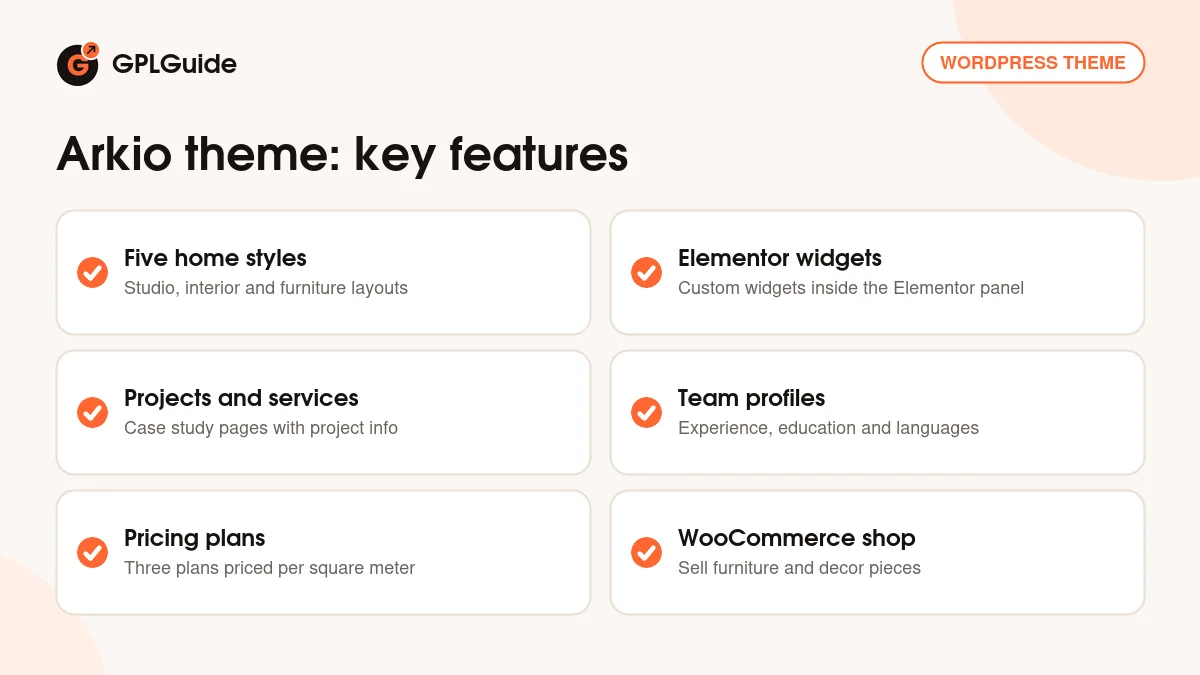
Everything visual is built in Elementor. The Arkio Core plugin adds the shortcodes and three custom post types, service, project and team, so your work and your people get real archives and single pages. The Arkio theme's own widgets sit under their own filter in the Elementor panel.
Colors live in Appearance, Customizer with a live preview. The demo pairs Roboto Slab with Mulish, uses Themify Icons and Flaticon and runs on the Bootstrap 5 grid. The item page marks the Arkio theme as Gutenberg optimized, so blog posts can go in the block editor.
The five Arkio theme home styles
Home Style 1 is the fullest. It opens on one large image with "Creating Your Future With Affection" and a Discover Project button, then an About Us block with a Watch Our Video popup, six service cards under What We Do and Featured Works. Further down come four counters (Years of Experience, Expert Specialists, Successful Projects, Happy Customers), Meet Our Team, testimonials and the latest news. It's the only home style with counters and a team block.
Home Style 2 has a two-slide hero, "Creating Your Dream", with a Get Started button to the contact page. It's also where the Pricing Plan block first shows up: Basic, Premium and Advanced at 120, 220 and 320 per square meter. Home Style 4 is close to it, with a "Best Interior Design" hero over a strip of six slide images, six project cards, pricing and testimonials.
Home Style 3 is leaner, with three image service cards (Room Decoration, Exterior Design, Interior Design), Featured Works, pricing and the blog. Home Style 5 drops the project grid and leads with "Best Furniture & Décor". Pair it with the shop if you sell furniture.
All five share one header: logo, menu and a mobile toggle, sticky while visitors scroll. There's no phone number or cart icon up there in the demo, so your contact details sit in the footer's Office Address column. If clients usually call, put the number in the hero text too.
Arkio theme service, project and team pages
The Arkio theme's Service Single demo page makes a good model. Below the breadcrumbs you get a featured image, an intro, Our Approach, Our Work Process in three steps (Strategy and Planning, Market Research, Perfect Planning) and a Benefits block with four points. The sidebar holds Search, a Services list and a "How We Can Help You" box with a Contact Us button.
Projects are where an architecture site wins or loses visitors. Each Project Single page has an info block with Location, Client, Architect, Project Type, Duration and Tags, then a gallery, Our Strategies with a client quote, Project goals and Project Results. Fill in every field. A project with a real location, a duration and three good photos reads like a case study. One gap: the demo project page has no next or previous links, so add a contact button at the bottom in Elementor.
Team profiles go past a photo and a job title. A Team Single page lists Position, Planner Service, Experience, Phone and Email, then Personal Experience, Education and Language sections. For a practice where clients pick a particular architect, that's useful.
Theme options, page settings and the shop
Theme Options sits under Appearance and applies site-wide: Logo, Layout Options, Header and Footer, plus Custom Sidebar for extra widget areas. Use the Backup tab to save your settings before a big change.
Each page gets its own Page Options too. Choose a different Header Template, change the banner image, hide the header and footer for a landing page, or add a topbar through a shortcode. The footer logo and description come from a shortcode under Appearance, Widgets, Add Shortcode.
Forms run on Contact Form 7, and the docs include the demo form's markup: Your Name, Your Email, Your Phone, a Subject dropdown and Message. Rename Subject 1 to 3 to your real job types, such as New build, Renovation and Interior only. The contact page also embeds a Google Map.
WooCommerce is supported up to 9.x, and the demo shop carries furniture such as an accent chair. The demo's Choose Plan buttons point to a shop product or to "#", so link them to your contact page before launch. MailChimp for WordPress, also on the plugin list, suits the footer newsletter. The item page names GiveWP too, but it isn't in the theme's plugin list and the demo has no donation page.
Site plans to copy with the Arkio theme
Before importing anything, gather eight or ten strong project photos, your services with one line each, and the where, for whom and how long of each project. The Arkio theme's layouts are built around exactly those pieces.
- Architecture practice: Home Style 1 for the counters and team, one Project Single page per finished building and the Subject list set to your project types.
- Interior design studio: Home Style 2 with your per square meter rates in Pricing Plan, Room Decoration and Interior Design service pages, and real client quotes.
- Furniture and decor maker: Home Style 5, WooCommerce for a small catalog and a Furniture Design service page for custom orders.
- Planning consultant: Home Style 3 with three service cards, Featured Works and a short advice blog.
- Studio with several partners: Team Single pages showing each partner's Experience and Language.
- Campaign landing page: header and footer hidden in Page Options, one hero, the pricing block and a form.
Keep the hero line short. "Best Interior Design" is fine as a placeholder, but your city or speciality there tells visitors far more.
What's new in the Arkio theme 1.0.5
Arkio 1.0.5 came out on January 8, 2026. It's a maintenance release that adds WordPress 6.9.x compatibility, fixes PHP deprecated notices and fixes an issue that broke comments. If you saw deprecation warnings on a recent PHP version, this update deals with them.
Before that, 1.0.4 (May 15, 2024) added PHP 8.1, 8.2 and WordPress 6.5.2 compatibility, fixed WooCommerce deprecation issues and a post type select error, and updated the core plugin. 1.0.3 (August 17, 2023) added PHP 8, WordPress 6.3 and WooCommerce 8.0.1 compatibility plus a demo import fix. 1.0.2 (February 5, 2023) fixed an Elementor deprecated function and improved the custom widgets.
Good to know before you buy
Releases are months apart, and the item page shows 70 sales. This isn't a big multipurpose product, which is fine for a studio site. The item page lists WordPress up to 7.0 while the last changelog entry names 6.9, so try the Arkio theme on a staging copy first.
The documentation is short. It covers install, plugins, demo import and a few settings, but not menus, WooCommerce setup or a full widget list. Neither the item page nor the docs mention translation or WPML, so check that if you need a second language.
On ThemeForest the full download is a package with a child theme ZIP and a Demo Data folder for manual import. The download here has neither, so create a small child theme before editing any PHP or CSS. Plan on your own photos too. No service on the developer's servers, such as a cloud library or AI tool, is mentioned anywhere.
Arkio theme from GPLGuide vs the official subscription
The Arkio theme is sold on ThemeForest, where the Regular License costs $49 including the buyer fee. That covers future updates through your Envato account and six months of item support from the developer, extendable to 12 months ($13.88 when we checked). Under Envato's licence for this item, its PHP code is licensed under the GPL.
From GPLGuide you get the original Arkio 1.0.5 theme file, with the Arkio Core and Codestar Framework plugins inside it. It comes with the license key already activated, so there's nothing to enter before you start building.
Item support from the developer, refunds under Envato's rules and updates in your Envato account come only with a ThemeForest purchase. If you want the developer to look at a problem on your site, buy the licence there.
How to install the Arkio theme
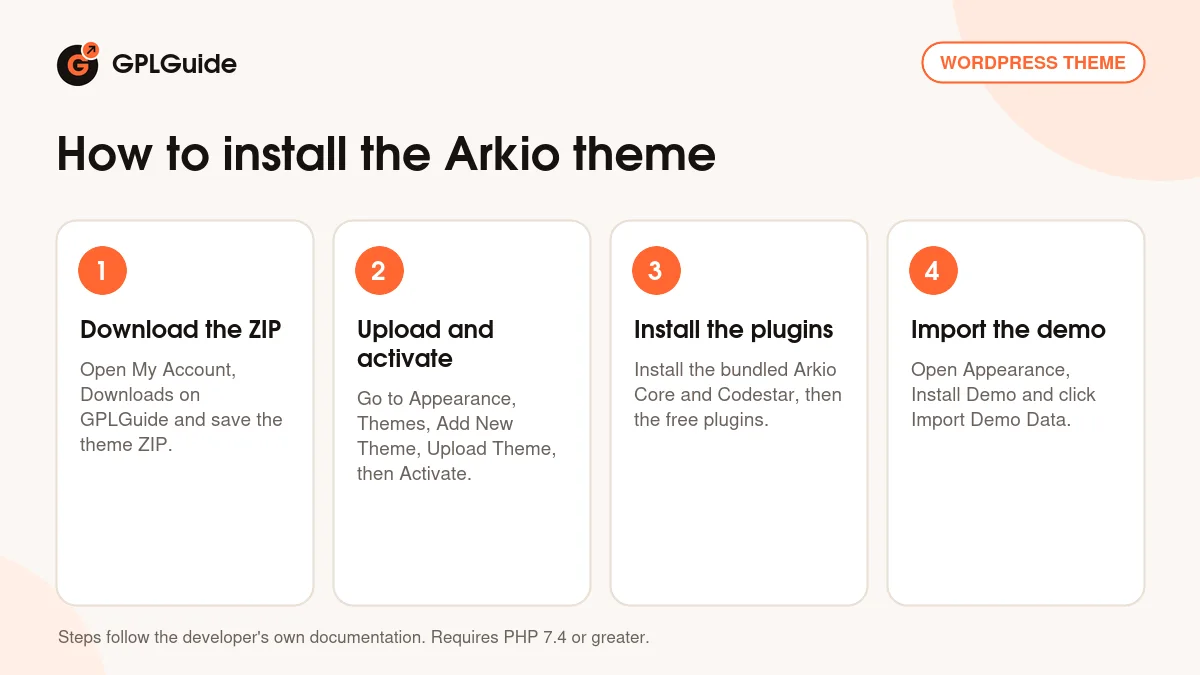
- Sign in to GPLGuide, open My Account, Downloads and save the Arkio theme ZIP.
- Go to Appearance, Themes, Add New Theme, Upload Theme, choose the ZIP and click Activate.
- Install and activate the plugins from the theme's prompt: the bundled Arkio Core and Codestar Framework, then the free ones.
- Open Appearance, Install Demo and click Import Demo Data.
A good first setup starts in Elementor, Settings, right after the import. Tick Disable Default Colors and Disable Default Fonts, and select the service, project and team post types so Elementor can edit them. Skip this and Elementor's defaults can override the Arkio theme's look. Then upload your logo in Theme Options, set colors in the Customizer and swap the five demo services for yours. Add three real projects before you touch the home page, then send yourself a test enquiry.
Keeping it up to date
Updates from GPLGuide are manual. When a new version of the Arkio theme is listed here, download it from your account and upload it under Appearance, Themes, Add New Theme, Upload Theme. WordPress offers to replace the installed copy, and your pages, projects and Theme Options stay in the database. Arkio Core ships inside the theme and past releases updated it, so check the plugin prompt for a newer Arkio Core. Spotted a newer release we haven't added? Tell us on the Request Item/Update page.
Questions about the Arkio theme
Which page builder does the Arkio theme use? Elementor. The theme adds its own custom widgets, and Elementor Pro is compatible but not required.
How many home pages are there? Five. Home Style 1 to 5 each have their own hero and section mix, and the demo import brings them all in.
Can I sell furniture or decor with it? Yes. WooCommerce 9.x is supported, and the demo shop pairs well with Home Style 5.
Does it have pricing tables? Yes. A Pricing Plan block with three per square meter plans appears on four home styles and on its own Pricing page.
Is a child theme included? No. This ZIP has no child theme, so make a small one before you edit any code.
Which PHP version do I need? PHP 7.4 or greater, the minimum set in the theme's style.css. 1.0.4 added PHP 8.1 and 8.2 compatibility, and 1.0.5 fixed more deprecation notices.
What if the one-click import fails? Raise your PHP limits first. The docs ask for max_execution_time 600 and memory_limit 256M, and their manual route needs the Demo Data folder, which isn't in this download.
Do I need a purchase code? No. The license key is already activated in the GPLGuide file.
Comparing design themes? Browse the WordPress themes on GPLGuide, or see what a GPLGuide membership includes if you build sites for several studios. The Arkio theme is also listed as compatible with Elementor Pro.
Features & capabilities
- Architecture and interior design with five home styles
- Elementor page builder with the theme's own custom widgets
- One-click demo import of all five home styles
- Service, project and team post types with single page layouts
- Pricing Plan block with per square meter plans
- Theme Options on the Codestar framework and per-page Page Options
- WooCommerce 9.x and Contact Form 7 support
- Bootstrap 5 grid, Google Maps and a sticky menu