Content Egg – all in one plugin for Affiliate, Price Comparison, Deal sites
100% Original fileUnmodified copy of the developer's release
DeveloperKeywordRush
Up to dateFile last updated Oct 16, 2026
About this product
Content Egg Pro is the paid edition of Content Egg, a WordPress plugin by KeywordRush that brings products, prices, offers and coupons from affiliate networks, online shops and product feeds into your posts. It keeps that data fresh on a schedule and shows it as product boxes, price comparison lists, price history charts and editorial blocks for reviews and buying guides. This page is for Content Egg Pro version 22.2.0. On GPLGuide you download the original plugin file to install on your own websites.
Good for: affiliate bloggers, review and buying guide sites, price comparison sites, deal and coupon sites, and WooCommerce stores that list products from other shops and earn a commission on each sale.
Requirements: WordPress 6.9 or newer and PHP 8.0 or newer, according to the developer's install guide. Content Egg Pro does not need the free Content Egg plugin; you can install it on its own or over the free version, and your products and settings stay in place. WooCommerce is optional. Most networks need your own affiliate account and API keys.
What Content Egg Pro does
The plugin is built around modules. Each module connects to one source, such as an affiliate network, a marketplace, a product feed or an image site. From the post editor you search a module by keyword, product URL or EAN and add the results to the post. Content Egg Pro stores that product data with the post and refreshes prices and stock on a schedule you choose.
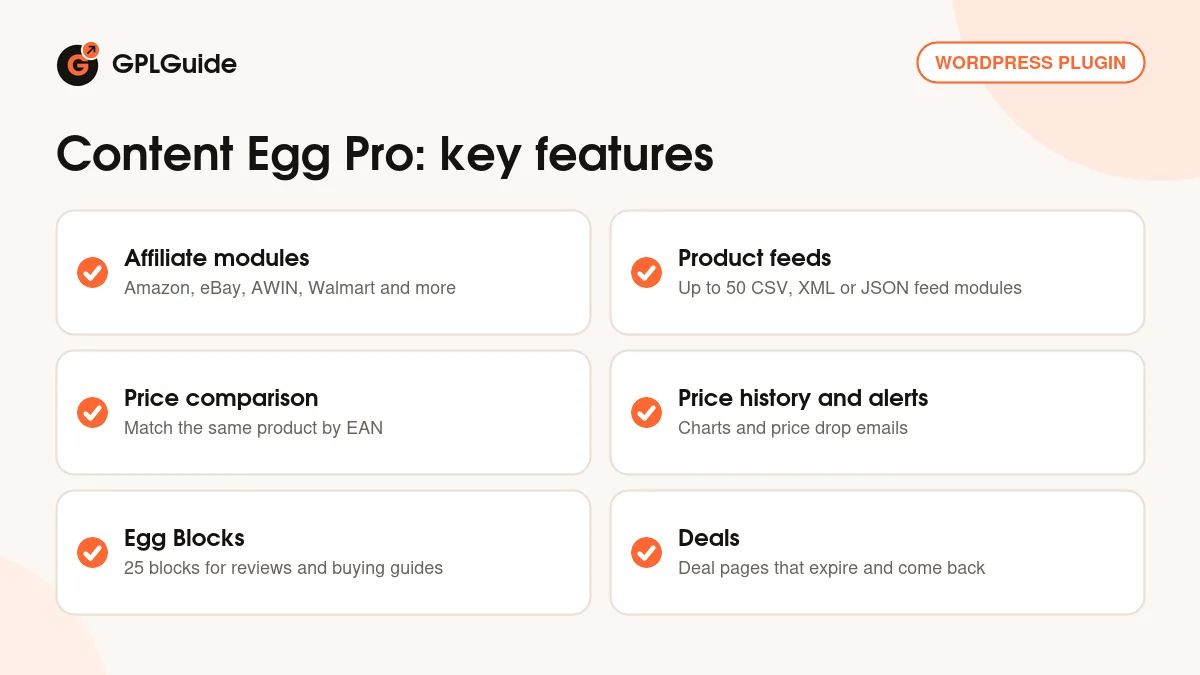
On the front end you show the products with the CE Products block or the [content-egg-block] shortcode, using a list, grid, comparison table or price history template. It also adds 25 Egg Blocks for the written parts of an article, deal pages that expire on their own, price alerts and WooCommerce sync.
The free Content Egg already has the core tools. KeywordRush says Content Egg Pro widens the reach: it adds the larger network modules such as Amazon, eBay, AliExpress and Walmart, raises the limit from 3 to 50 feed modules, lets AI assistants make changes through Agent Access, and adds a fully automatic AI mode for adding products to existing posts.
Modules in Content Egg Pro: where the data comes from
All sources live under Content Egg, Modules. To switch one on, fill in its required fields, marked with an asterisk, and tick Enable module. Product modules connect to networks and shops, feed modules read a merchant's CSV, XML or JSON feed, coupon modules bring in voucher codes, and media modules fetch images and videos from Pexels, Pixabay, Unsplash, YouTube and others.
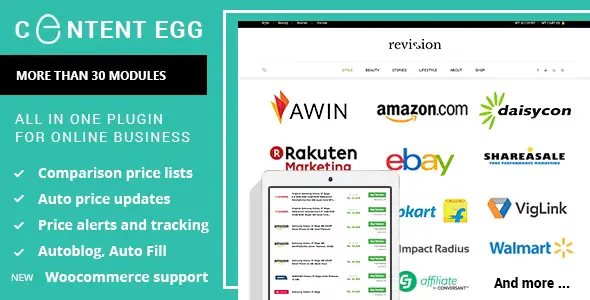
The product modules in Content Egg Pro include Amazon, Amazon No API, AliExpress, AllKeyShop, AWIN, Best Buy, Bol.com, CJ Products, Daisycon, eBay, Envato, Flipkart, Impact Radius, Kelkoo, Rakuten LinkShare, Shopee, Walmart, Webgains, Billiger.de, Geizhals.de and Coupang.
Feeds use a wizard. Click Add a Feed and paste the feed URL; the plugin reads a sample and detects the format, encoding and currency. You map the fields by hand or with Map with AI, then choose a Feed sync interval, 12 hours by default. Each module also has a Price update value in seconds, such as 86400 for once a day, run on Page view or by Cron. Link Cloaking turns long affiliate URLs into short links on your domain with the go prefix.
Showing products with blocks, shortcodes and Egg Blocks
In the block editor, the egg icon at the top right opens the Content Egg panel. Click Search & add products, search and click Add on the results you want. The Added tab lets you reorder items, group them, refresh prices and write AI titles once AI is set up. Then insert the CE Products block and pick a template.
The [content-egg-block] shortcode gives the same output with more control. Templates include offers_list, offers_grid, offers_logo, top_listing, price_comparison and price_history, and parameters such as limit, sort, groups, currency and btn_text shape each box. For example: [content-egg-block template=offers_list limit=5 sort=price].
Egg Blocks are 25 Gutenberg blocks such as intro, table of contents, FAQ, pros and cons, verdict, specifications, comparison table and where to buy. The product blocks pull the live price, stock, merchant logo and link from your offers, while your own text stays as written. The FAQ block outputs FAQPage structured data. Bridge Pages can also sit between your article and the merchant, set with Link destination preference or link_target=bridge.
Price comparison, price history and deals
A comparison list is the same product added from several modules, and searching by EAN is the reliable way to match them. Amazon, eBay, AWIN, Walmart, Bol.com, Kelkoo, Webgains and feed modules support it. Under Content Egg, Shops you give each shop a display name, logo and coupons.
Version 22.2.0 adds a VAT basis and rate per shop, and Normalize Shop Prices converts every price to Excluding VAT or Including VAT before it is saved, so offers, history and alerts compare like with like. Each shop can also get a default shipping cost by price range when its source sends none.
With Price history on, [content-egg-block template=price_history] draws a chart, and the price_alert template adds a sign-up form for price drop emails. The developer advises against price history for Amazon, because Amazon's rules don't allow it.
Deals arrived in 22.0.0 and stay off until you tick Enable deals under Content Egg, Settings, Deals. You get deal pages, a deals archive, a Deals block, voting and a Hot badge at a score of 50. A deal expires when the product sells out or the price rises more than 5 percent, and can return when it drops. For WooCommerce, Woo sync or Modules for synchronization copies price, image, short description and merchant URL into External/Affiliate products.
Site setups you can copy with Content Egg Pro
- Amazon review blog: add your Creators API credentials, add products by ASIN and build each review with the product-card, pros-cons and verdict Egg Blocks.
- European price comparison site: add merchant feeds, search by EAN, set each shop's VAT under Shops and use the price_comparison template.
- Deal site: enable Deals and create an Auto Import rule with a Deal preset, a Minimum discount (%) such as 20 and In-stock products only.
- WooCommerce affiliate store: import products with Search and Import or Auto Import and sync them as External/Affiliate items.
- Buying guide: combine the quick-picks and comparison-table Egg Blocks with a price_alert form for readers waiting for a sale.
What's new in Content Egg Pro 22.2.0
KeywordRush's changelog does not list release dates, so we can't give an exact date for version 22.2.0. It adds VAT-aware prices per shop with Normalize Shop Prices, default shipping costs by price range, and an optional shipping line (visible=shipping_cost) in the Price comparison widget, Price comparison card and Sorted offers list with product images templates. Action Scheduler is now bundled, so background jobs run without another plugin.
Two fixes: Feed, Daisycon and Webgains offers stuck out of stock after a merchant re-listed a product under a new ID now reconnect by EAN in the same shop, and price history charts now show in blocks loaded by AJAX.
Earlier, 22.1.3 fixed the chart on some sites and stopped search engines indexing filtered deal archives. 22.1.2 added a Clickwise price filter and phone-friendly comparison templates, 22.1.0 added Clickwise, and 22.0.0 added Deals, which KeywordRush presented on its blog on September 26, 2026.
Good to know before you buy
Content Egg Pro brings no product data of its own. Most product modules need your own account and API access with that network. Amazon uses the Creators API with a Credential ID, Credential Secret and Associate Tag, and only accounts with 10 qualified sales in the last 30 days get access. eBay needs an App ID and Cert ID from the eBay Developer Program and an eBay Partner Network Campaign ID.
The Amazon No API module is a scraper, and the developer recommends pairing it with a scraping service such as ScraperAPI or Bright Data, each with its own key. The AI tools use your own OpenAI, Claude or OpenRouter API key, and that provider bills you. The docs mention no AI credits from KeywordRush.
The [content-egg] shortcode, automatic embedding and autoblogging are marked deprecated. Affiliate Egg integration needs the separate Affiliate Egg plugin. KeywordRush's later 22.3.0 fixes WooCommerce attribute re-sync, PHP 8.4 notices and a cleared price returning on save, so those fixes are not in 22.2.0.
Content Egg Pro from GPLGuide vs the official subscription
From GPLGuide you get the original Content Egg Pro 22.2.0 plugin file, released under the GPL. Every module, template, Egg Block and setting in the file works the same way, the license key is already activated, and your own API keys for networks and AI providers work as they would with a direct purchase.
Only KeywordRush gives one year of developer support and updates, and its 14-day refund policy for a product that doesn't work. The official price starts at $59 per year for the Content Egg Pro 1 Site plan, with $99 for 5 sites and $179 for 25 sites, or lifetime prices of $149, $249 and $449. If you want developer help, buy there. If you need the plugin file, GPLGuide sells it alone or in a membership.
How to install Content Egg Pro
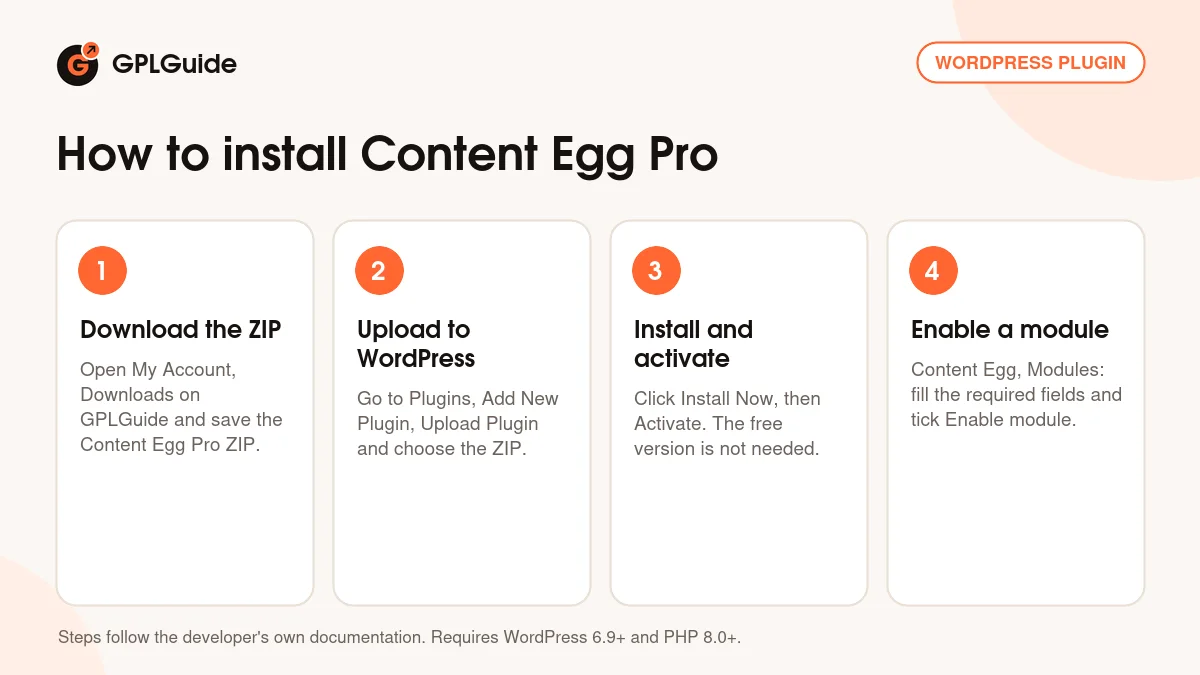
- Sign in to GPLGuide, open My Account, Downloads and save the Content Egg Pro ZIP.
- In WordPress go to Plugins, Add New Plugin, Upload Plugin and choose the ZIP. Keep it zipped.
- Click Install Now, then Activate. If the free Content Egg is installed, remove it first or install Pro over it.
- Go to Content Egg, Modules, open a module, fill in the fields marked with an asterisk and tick Enable module.
A good first setup in Content Egg Pro is one source you already have an account with, such as an AWIN merchant or a shop's CSV feed. Set its Price update to 86400, open a post, click the egg icon, search for a product and add it. Insert a CE Products block with the offers_list template and preview it. Then add the same product from a second source by EAN and switch to price_comparison.
Keeping it up to date
Updates from GPLGuide are manual. When a new version of Content Egg Pro is listed, download it from your account and upload it under Plugins, Add New Plugin, Upload Plugin. WordPress offers to replace the installed copy, and your products, modules and settings stay in your database. If KeywordRush has released a version we haven't added yet, tell us on the Request Item/Update page.
Questions about Content Egg Pro
Do I need the free Content Egg plugin? No. Content Egg Pro is a complete plugin. If the free version is installed, you can install Pro over it and keep your products and settings.
Do I need to enter a license key? No. The file comes with the license key already activated, so there is no key to enter. You only add API keys for the networks and AI providers you use.
Can I use Amazon without API access? Partly. The Amazon No API module scrapes Amazon and works best with a scraping service key, which suits new sites that don't yet have the sales Amazon needs.
Can Content Egg Pro compare prices from several shops? Yes. Add the same product from several modules, ideally by EAN, and use the price_comparison or price_comparison_card template.
Do the AI tools cost extra? They use your own API key from OpenAI, Anthropic or OpenRouter, so that provider bills you for what you use.
Can ChatGPT or Claude work on my site? Yes. Tick Enable Agent Access under Content Egg, AI Agents and create a WordPress application password. In Content Egg Pro the assistant can add products, insert blocks and change settings, and every action is logged.
Are Deals only in Content Egg Pro? No. All deal tools are in the free version too. Pro adds sources such as Amazon, Walmart, eBay and Best Buy that can supply deals.
Building an affiliate or comparison site? Browse more WordPress plugins on GPLGuide, or see what a GPLGuide membership includes if you use several premium plugins. To try the basics first, the free Content Egg is on WordPress.org.
Features & capabilities
- Product modules for Amazon, eBay, AliExpress, Walmart, AWIN, CJ Products and more
- Up to 50 feed modules for CSV, XML and JSON merchant feeds
- Price comparison lists with EAN matching across shops
- VAT-aware prices and default shipping costs per shop, new in 22.2.0
- Price history charts and price drop email alerts
- 25 Egg Blocks for reviews and buying guides, with FAQ structured data
- Deal pages that expire and return with the price, plus voting and coupons
- WooCommerce sync, Bridge Pages, link cloaking and AI tools with your own API key