Duplicator Pro
100% Original fileUnmodified copy of the developer's release
DeveloperSnap Creek
Up to dateFile last updated Oct 16, 2026
About this product
Duplicator Pro is a WordPress backup and migration plugin made and sold by Snap Creek, the company that runs duplicator.com. It packs your files and database into an archive with its own installer, so you can roll back after a bad update, keep copies in cloud storage, or move the site to a new host. This page is for Duplicator Pro 5.0.5. On GPLGuide you download the original plugin file to install on your own websites.
Good for: site owners who want regular off-site backups, freelancers and agencies who move client sites between hosts or from staging to live, and anyone who wants a tested way back if an update breaks the site.
Requirements: WordPress 5.3 or newer and PHP 7.4 or newer, on a 64-bit system with a 64-bit build of PHP. The minimum database is MySQL 5.6 or MariaDB 10.1, and the developer recommends MySQL 8.0 or MariaDB 10.6. The PHP ZipArchive extension and shell_exec are optional but helpful. No other plugin or theme is listed.
What Duplicator Pro does
Every job in Duplicator Pro starts with a Backup: an archive holding your files and database, plus an installer that unpacks it on any server. You create one under Duplicator Pro, Backups, Add New. Name it, choose the storage, let the plugin scan the site and click Create Backup. Since version 5.0 the scan stops a build early and lists real problems, such as a missing PHP extension, a folder that can't be written to, or old installer files.
One Backup can be a recovery point, a copy in cloud storage or the source for a site move. Archives can be encrypted with AES-256 and the installer can be password protected.
Snap Creek says that since 5.0, Duplicator Pro and the free Duplicator share one backup engine and ship as one release. Each build runs in steps that can resume after an interruption. Pro adds scheduled backups, more cloud destinations, drag and drop migration and staging sites.
Archive engines, database modes and AutoTune in Duplicator Pro
Most failed backups come down to server limits. The options under Settings, Backups help you work around them.
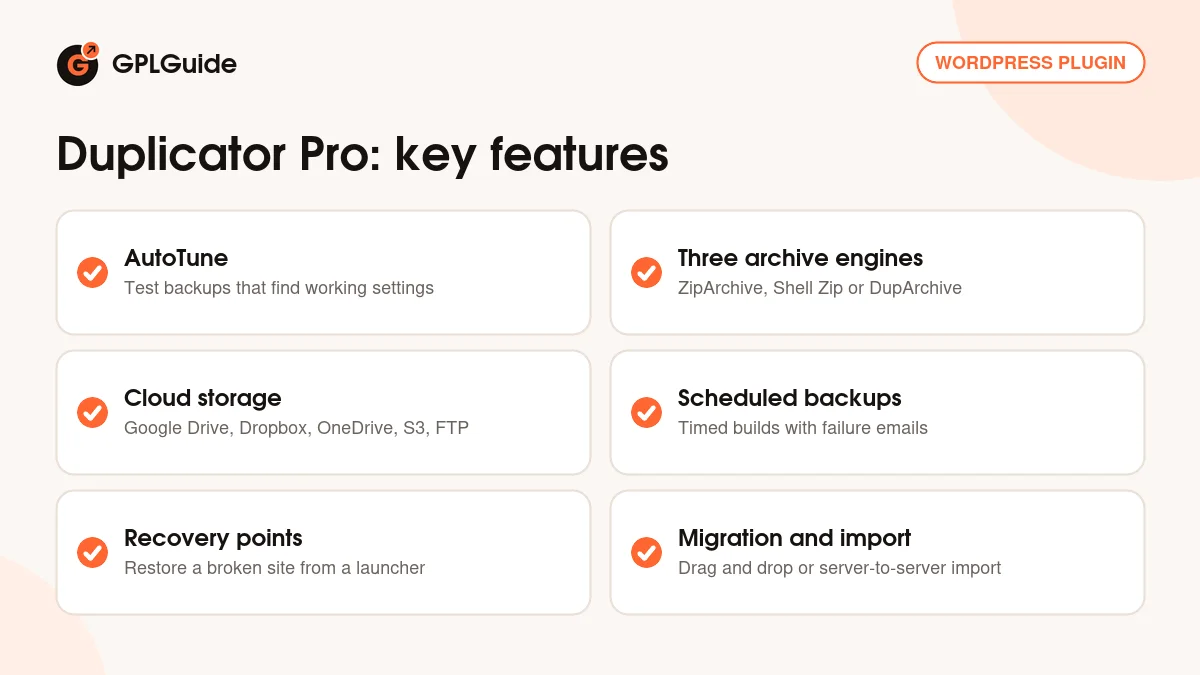
Archive Engine. ZipArchive builds a normal .zip file and needs the ZipArchive PHP extension, with its own Process Mode and Buffer Size options. Shell Zip also makes a .zip, but only on Linux, and needs popen() and pclose(). DupArchive builds a multi-threaded .daf file and is the engine the developer recommends for large sites.
SQL Mode. Mysqldump runs in one process and needs memory at least as large as the database. PHP Code builds the SQL file inside PHP, single-threaded or multi-threaded, and Query Size trades speed for memory. Processing options include Server Throttle (Off, Low, Medium or High) and Max Build Time.
AutoTune. New in 5.0, AutoTune makes these choices for you. Open it from the Backups page or Tools, AutoTune. It runs real test backups, starting with the fastest setup, and when a test fails it changes only the failing setting and tries again. A Server Overview panel checks loopback requests, HTTP authentication, process locks and PHP time and memory limits, with a pass or fail for each. Scheduled backups pause while it runs.
Storage, schedules and recovery points
Storage locations live under Duplicator Pro, Storage, Add New. Give the location a Name, pick a Type and connect it. Local Storage is the default. Remote types include SFTP/FTP, Dropbox, Google Drive, Microsoft OneDrive, Amazon S3, Google Cloud, Cloudflare R2, Wasabi, DigitalOcean Spaces, DreamObjects, Vultr and Backblaze B2, plus Snap Creek's own Duplicator Cloud. Maximum Backups sets how many copies to keep, and a Validation test checks the connection.
Schedules run Backups for you and send them to the storage you picked. Send Build Email can be Never, On Failure or Always. On quiet sites the Client-side Kickoff option helps scheduled builds start, and an Email Summary under Settings, General can go out daily, weekly or monthly.
Recovery points are your quick way back. Under Tools, Recovery, pick a full Backup with no file or table filters that is stored locally, and click its blue Disaster Recovery icon. Download Launcher saves a small .html file to your computer, and Copy Link gives you a recovery URL. If an update breaks the site, open either one, agree to the terms and click Restore, and the Recovery Wizard puts the site back.
Moving sites, imports and multisite with Duplicator Pro
To move a site, build a Backup on the old one and import it on the new one. Duplicator Pro offers drag and drop import, where you drop the archive into the target site, and server-to-server import from a URL, so the file never passes through your computer. Custom search and replace handles changed URLs and paths.
In the Import settings you can lower the Upload Chunk Size if uploads fail, or add an Import Custom Path for the plugin to scan. Installer Settings can use a hashed installer file name, which the developer recommends, and Installer Cleanup can email reminders or remove leftover installer files on a timer. Installer Branding puts your own name and logo in the installer.
On a multisite network, Duplicator Pro can back up the whole network or one subsite, turn a subsite into a standalone site, or install a standalone site into a network. Templates save a theme, plugins and content as a starting point. Roles and Permissions lets you give other users capabilities such as Backup Create. Only administrators have access by default.
Backup setups you can copy
- Small blog on shared hosting: run AutoTune first, then add one schedule that sends a full Backup to Google Drive or Dropbox. Set Maximum Backups to 4 and Send Build Email to On Failure.
- Before every big update: build a full Backup with no filters on local storage, make it the recovery point and download the launcher. Then run the update.
- Moving to a new host: build the Backup on the old host, then use server-to-server import on the new one. Set Installer Cleanup to Auto Cleanup so no installer files stay behind.
- Large site that keeps timing out: let AutoTune test the engines, or switch to DupArchive yourself, set SQL Mode to PHP Code and raise Max Build Time.
- Agency starter site: save a template with your usual theme and plugins, add Installer Branding with your logo, and install it for each new client.
Whatever you choose, test a restore once on a spare site or subdomain.
What's new in Duplicator Pro 5.0.5
We couldn't match the entries in Snap Creek's changelog to version numbers or dates, so we can't give a release date for 5.0.5. Here is what we can say.
Version 5.0.0 started the series, and Snap Creek announced Duplicator 5.0 on September 22, 2026. It added AutoTune, the pre-backup checks, clearer failure notices, resumable gzip for database dumps and the AI Backups abilities, and redesigned the Backups screens. For Pro it improved multisite import mapping and fixed staging table filtering and schedule creation.
Going by the order of the changelog, the fix releases below the newest entry came before or with 5.0.5. They stopped Duplicator's scripts loading on other admin pages and kept OneDrive credentials out of logs. One made 64-bit PHP a requirement and fixed activation on WordPress.com and other restricted hosts. A later one decrypts settings saved with the old mcrypt extension instead of resetting them after the upgrade to 5.0.3.
The newest changelog entry fixes Backups that did not start when the loopback test fails, keeps schedules active after an AutoTune Backup is installed, and stops staging Backups from including the production database. We can't confirm whether that entry is 5.0.5 or the newer 5.0.6 that the free Duplicator already shows.
Good to know before you buy
Cloud storage uses your own accounts. Google Drive, Dropbox, OneDrive, Amazon S3 and the other remote types are services you sign up and pay for yourself. Duplicator Cloud is different: it is Snap Creek's own storage service, sold as a separate subscription from 2GB for $29 a year up to 150GB for $199 a year. You connect it with a token from duplicator.com, and restoring from the Cloud dashboard needs FTP or SFTP details for your site.
AI Backups use the WordPress Abilities API, so they need WordPress 6.9 or newer, the separate free WPVibe plugin and an AI client that supports MCP, such as Claude or ChatGPT. AutoTune, schedules and recovery points run on your own server.
A few limits to plan around. 32-bit PHP can't handle files over 2GB, which is why 64-bit PHP is required. A recovery point must be a full, unfiltered Backup stored locally, so a copy that only lives in the cloud can't be one. The free Duplicator is already at 5.0.6, so a newer Pro version is likely out.
Duplicator Pro from GPLGuide vs the official subscription
From GPLGuide you get the original Duplicator Pro 5.0.5 plugin file, which Snap Creek's terms say is licensed under the GNU General Public License version 2.0 or later. The file from GPLGuide comes with the license key already activated, so there is no key to enter. The plugin code is the same one Snap Creek ships to its customers.
Some things only come with a subscription from duplicator.com: help from Snap Creek's support team, their 14-day refund, updates through your duplicator.com account and any Duplicator Cloud plan, which runs on their servers. The official price is $79 a year for the Basic plan on 2 sites, $199 for Plus on 5 sites, $399 for Pro on 20 sites and $599 for the Elite Bundle on 100 sites. The developer offers introductory pricing, and renewals are at full price.
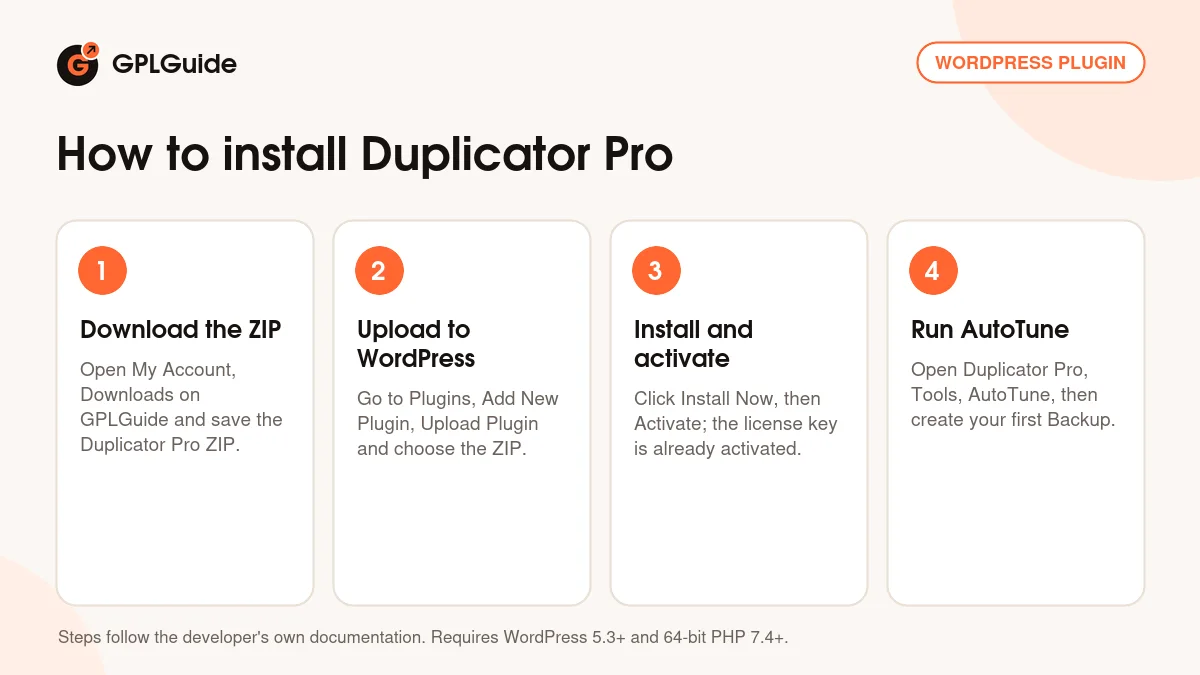
How to install Duplicator Pro
- Sign in to GPLGuide, open My Account, Downloads and save the Duplicator Pro ZIP.
- In WordPress go to Plugins, Add New Plugin, Upload Plugin and choose the ZIP.
- Click Install Now, then Activate. The license key is already activated, so you can go straight to the plugin.
- Open Duplicator Pro, Tools, AutoTune to find settings that work on your server, then create your first Backup under Backups, Add New.
For a good first setup, let AutoTune finish, then add one remote storage location you already pay for and run Validation. Build a full Backup on local storage, make it your recovery point and download the launcher. Then add a schedule that sends Backups to the remote location with Send Build Email set to On Failure. Duplicator Pro then only emails you when a build fails.
Keeping it up to date
Updates from GPLGuide are manual. When a new version of Duplicator Pro is listed here, download it from your account and upload it under Plugins, Add New Plugin, Upload Plugin. WordPress offers to replace the installed copy. Build a fresh Backup first. If you see a newer version that we haven't added yet, tell us on the Request Item/Update page.
Questions about Duplicator Pro
Is Duplicator Pro GPL licensed? Yes. Snap Creek's terms say the Duplicator WordPress plugin is licensed under the GNU General Public License version 2.0 or later.
Does it include cloud storage space? No. It sends backups to storage you already have, such as Google Drive or Amazon S3. Space on Duplicator Cloud is a separate yearly plan from the developer.
Which archive engine should I pick? Let AutoTune decide on your server. If you choose yourself, Shell Zip only works on Linux, and the developer recommends DupArchive for large sites.
Can I restore a site I can't log in to? Yes, if you set a recovery point beforehand. Open the downloaded launcher or the recovery link and the Recovery Wizard restores the site.
Does it work on multisite? Yes. It can back up a full network or one subsite, and turn a subsite into a standalone site.
Can other users run backups? Yes. Roles and Permissions lets you give single capabilities, such as Backup Create, to chosen roles or users.
Does it work on managed WordPress hosts? The developer lists WordPress.com, WP Engine, GoDaddy Managed and Liquid Web Managed among supported hosts.
Looking for more site tools? Browse the WordPress plugins on GPLGuide, or see what a GPLGuide membership includes if you run several sites. The free version, Duplicator, is on WordPress.org if you want to try the basics first.
Features & capabilities
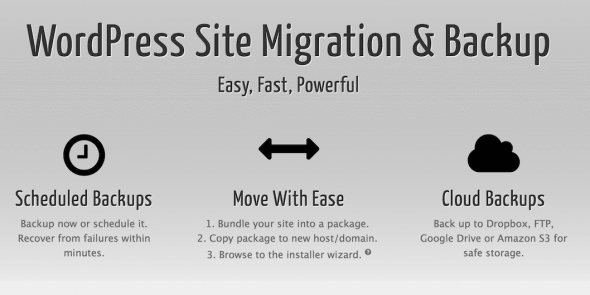
- Full site Backups of files and database, with their own installer
- AutoTune test backups that find settings that work on your server
- Three archive engines: ZipArchive, Shell Zip and DupArchive
- Storage on Google Drive, Dropbox, OneDrive, Amazon S3, FTP/SFTP and S3-compatible services
- Scheduled Backups with build emails on failure or always
- Recovery points with a downloadable launcher or recovery link
- Drag and drop and server-to-server import for site moves
- Multisite support, AES-256 encryption, installer branding and user permissions