Custom Facebook Feed Pro By Smash Balloon
100% Original fileUnmodified copy of the developer's release
DeveloperSmash Balloon
Up to dateOriginal released Sep 30, 2026 · File last updated Oct 16, 2026
About this product
Custom Facebook Feed Pro is the premium WordPress plugin from Smash Balloon that shows the posts, photos, videos, albums and events from your Facebook Page on your own website. Smash Balloon now sells it as Facebook Feed Pro, the paid version of the free Smash Balloon Social Post Feed plugin. Feeds load as part of your page and keep showing posts from a backup cache when Facebook has an outage. This page is for Custom Facebook Feed Pro 4.14.0, released on September 30, 2026. On GPLGuide you download the original plugin file to install on your own websites.
Good for: businesses, restaurants, venues, clubs, schools and charities that post on a Facebook Page and want that activity on their website, agencies building client sites, and anyone moving up from the free version for photos, videos, comments or events.
Requirements: a WordPress site and a Facebook account with a role on the public Facebook Page you want to show. Smash Balloon's Pro pages don't list separate minimum versions. The free Smash Balloon Social Post Feed on WordPress.org asks for WordPress 4.1 or newer and PHP 7.4 or newer, and version 4.12.0 of the Pro plugin confirmed WordPress 7.1 compatibility. If the free plugin is active, deactivate it before you install Pro.
What Custom Facebook Feed Pro does
You connect a Facebook Page once, then build feeds in a visual editor inside WordPress. Each feed has a source, a feed type and its own look. A Timeline feed shows the posts from your Page, including statuses, links, photos, videos and Reels. Other feed types focus on one kind of content, such as photos, albums, videos or events. You can create as many feeds as you like and place several on one page, each with its own settings.
Custom Facebook Feed Pro fetches posts through Facebook's API, saves them in your WordPress database and prints them as normal page content instead of an iframe. Search engines can read the post and comment text, and the feed sits inside your page like the rest of your content. A backup cache keeps the latest posts on screen if Facebook is down, and admin alerts tell you when something needs attention.
Compared with the free version, Custom Facebook Feed Pro adds photos and videos inside posts, a popup lightbox, like, share and reaction counts, comments and replies, more layouts, a Load More button, post filters, feed templates and feed themes. The free plugin shows the text and links of Page posts only.
Building a feed in Custom Facebook Feed Pro
Everything sits under the Facebook Feed menu. Open All Feeds, click Add new and pick a feed type, usually Timeline. The first time, click Add Source, then Add New and Connect to Facebook. You log in on Facebook, pick the Pages to share and approve the permissions. The plugin receives a read-only access token, so it can show your Page content but cannot post to it or manage it. Smash Balloon warns that switching permissions off at this step can break the feed.
Once a source is connected, the editor shows a live preview while you customize. Under Feed Layout you decide how posts sit on the page, with grid and masonry among the options, and other settings show or hide individual parts of each post. Smash Balloon includes more than a dozen ready-made feed templates and a set of feed themes that change the layout, buttons, post style and header together.
Filters live under Settings, Filters. Include or exclude posts by a word or hashtag, or limit a feed to certain kinds of post, such as only photos or only albums. To change a feed later, open it from All Feeds, click Edit and switch the type under Settings, Feed Type. When it looks right, click Save, then Embed to copy the shortcode for any page, post or widget area. Smash Balloon also lists a block for the WordPress editor and an Elementor widget, and says the plugin works with Divi.
Photos, videos, Reels and events
There are two ways to show photos. A Photos feed pulls from the Photos section of your Page, while a Timeline feed filtered to photos shows the images you posted on your timeline. Album feeds show your albums. Photos open in the lightbox on your site, and videos play inline or in the popup, and Smash Balloon lists support for HD, 360 and live video.
Reels get their own player in Custom Facebook Feed Pro 4.14.0. With Swipe View for Reels switched on, a Reel opens full screen. On a phone it plays with sound, and visitors swipe up for the next one or down to go back. On a desktop it plays in the middle of a dark background, and visitors move with the arrows, the scroll wheel or the keyboard. Photos, links and ordinary videos still open in the normal lightbox.
Events feeds list the events from your Page. Facebook restricts access to event data, so these feeds connect through a Facebook app that you create in your own developer account. The app can stay in Development mode, and Smash Balloon's guide walks you through the five permissions it needs. Since version 4.13.0 the plugin can also copy Facebook events into The Events Calendar or Sugar Calendar.
Setups you can copy with Custom Facebook Feed Pro
- Restaurant or cafe: a Timeline feed in a grid on the home page, with Swipe View for Reels on so videos of today's dishes play full screen.
- Venue or club: an Events feed on the What's On page. If the site already uses The Events Calendar, sync the events so they also appear there.
- Photographer or shop: a Photos or album feed in the masonry layout with the lightbox, so visitors browse your pictures without leaving your site.
- Busy Page with mixed posts: a Timeline feed on a deals page that includes only posts with a word such as "offer", next to an unfiltered feed on the news page.
- Privacy-minded site: turn on the GDPR option, which works with popular consent plugins and can show a version of the feed that makes no third-party requests.
Start with one Custom Facebook Feed Pro feed, check it on a phone, then add more.
What's new in Custom Facebook Feed Pro 4.14.0
Version 4.14.0 came out on September 30, 2026, and it was the newest release on Smash Balloon's changelog when we checked in October 2026. The headline change is the optional Swipe View for Reels. It also adds an admin notice when the Facebook content in a feed is out of date, a new Data Sharing tab in the settings and clearer error messages from Facebook. Smash Balloon fixed problems with license activation, the settings header logo, dismissing notifications and GDPR handling, and added security hardening.
Before that, 4.13.0 (September 10, 2026) added event sync with The Events Calendar and Sugar Calendar. 4.12.0 (August 20, 2026) confirmed WordPress 7.1 support and improved keyboard and screen reader use toward WCAG 2.1 AA. 4.11.0 (August 11, 2026) let Events feeds connect through your own Facebook app and removed the iCal URL option, while existing iCal feeds keep working. 4.10.0 (August 10, 2026) fixed a feed builder loading error.
Good to know before you buy
Facebook Pages only. Feeds come from a publicly accessible Facebook Page, and a person with a role on that Page has to make the connection. Personal profiles generally can't be shown. Group feeds stopped working for every user on April 23, 2024, when Meta removed the Groups API, and Smash Balloon says there is no workaround.
The connection depends on Meta and Smash Balloon. The login step runs through Smash Balloon's own Facebook app, and Meta issues the access token. Meta can expire tokens, for example after a password or admin change. Smash Balloon's health checks then send a warning email, giving you seven days to reconnect while the feed shows its cached copy. On day eight the cache is cleared and the feed stays blank until you reconnect. Smash Balloon says it does not collect or store your Facebook data; the posts are kept, encrypted, in your own site's database.
Reviews and the extensions are a separate plugin. Smash Balloon's six extensions (Reviews, Multifeed, Carousel, Album Embed, Date Range and Featured Post) come in a separate Facebook Feed Extensions plugin, not in this Pro file. Facebook's API also doesn't give out your Page's total star rating.
Events need your own Facebook app. Registering as a Facebook developer requires a personal Facebook profile, because businesses can't register.
Custom Facebook Feed Pro from GPLGuide vs the official subscription
Here you get the original Custom Facebook Feed Pro 4.14.0 plugin file. Smash Balloon's own terms state that its WordPress plugin is licensed under the GNU GPL, version 2.0 or later. Everything in the file works the same way: the feed builder, the customizer, templates, themes, the lightbox, filters, the Reels swipe view and the backup cache. The file from GPLGuide comes with the license key already activated, so there is no key to enter.
A plan bought from Smash Balloon adds things we can't pass on: help from their support team, their money-back guarantee, the Facebook Feed Extensions plugin and updates through your Smash Balloon account. Prices start at $49 a year for the Basic plan on one site (regular price $98). Plus costs $99 for five sites and Elite $149 for ten, with renewals at the full price. If you need vendor support, buy there. For the plugin itself, we offer the same file on its own or as part of a membership.
How to install Custom Facebook Feed Pro
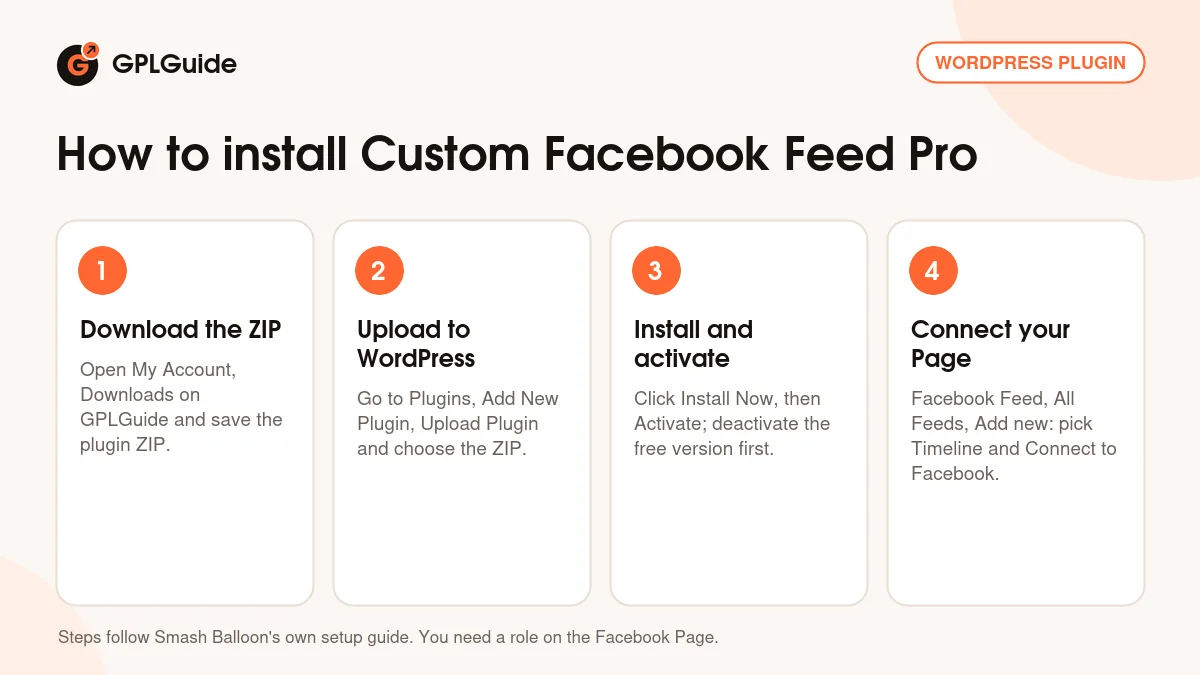
- Sign in to GPLGuide, open My Account, Downloads and save the Custom Facebook Feed Pro ZIP.
- If the free Smash Balloon Social Post Feed is active, tick Preserve Settings if plugin is removed under Facebook Feed, Settings, then deactivate it.
- In WordPress go to Plugins, Add New Plugin, Upload Plugin, choose the ZIP, click Install Now and then Activate.
- Open Facebook Feed, All Feeds, click Add new, choose Timeline and connect your Page with Connect to Facebook.
A good first setup in Custom Facebook Feed Pro is a single Timeline feed for your main Page. Pick a template close to your site's style, then turn on Swipe View for Reels under Facebook Feed, Settings, Advanced if your Page posts Reels. Save, click Embed, paste the shortcode into a test page and look at it on a phone before it goes on your home page.
Keeping it up to date
Updates from GPLGuide are manual. When a new version of Custom Facebook Feed Pro is listed here, download it from your account and upload it under Plugins, Add New Plugin, Upload Plugin. WordPress offers to replace the installed copy, and your feeds and connected sources stay in place because they are saved in your database. Spot a newer version we haven't added? Tell us on the Request Item/Update page.
Questions about Custom Facebook Feed Pro
Can Custom Facebook Feed Pro show a Facebook group? No. Meta removed group access from its API on April 23, 2024, and Smash Balloon says there is no workaround.
Can the plugin post to my Page? No. It gets a read-only access token, so it can only read and display content.
Can I enter an access token by hand? No. Smash Balloon removed manual token entry, so the connection always goes through Connect to Facebook.
What happens if Facebook breaks the connection? The feed keeps showing its cached posts for seven days. Reconnect the source in that window and it carries on. After that it goes blank until you reconnect.
Does Custom Facebook Feed Pro include Facebook reviews? Reviews come from the separate Reviews extension in the Facebook Feed Extensions plugin, which is not part of this file.
Do my free version settings carry over? Yes, if you tick Preserve Settings if plugin is removed before you deactivate the free plugin.
Does Custom Facebook Feed Pro work with page builders? Yes. The shortcode works anywhere, and Smash Balloon lists a block for the WordPress editor, an Elementor widget and Divi compatibility.
Browse more WordPress plugins on GPLGuide, or see what a GPLGuide membership includes if you use several premium plugins. The free Smash Balloon Social Post Feed is on WordPress.org.
Features & capabilities
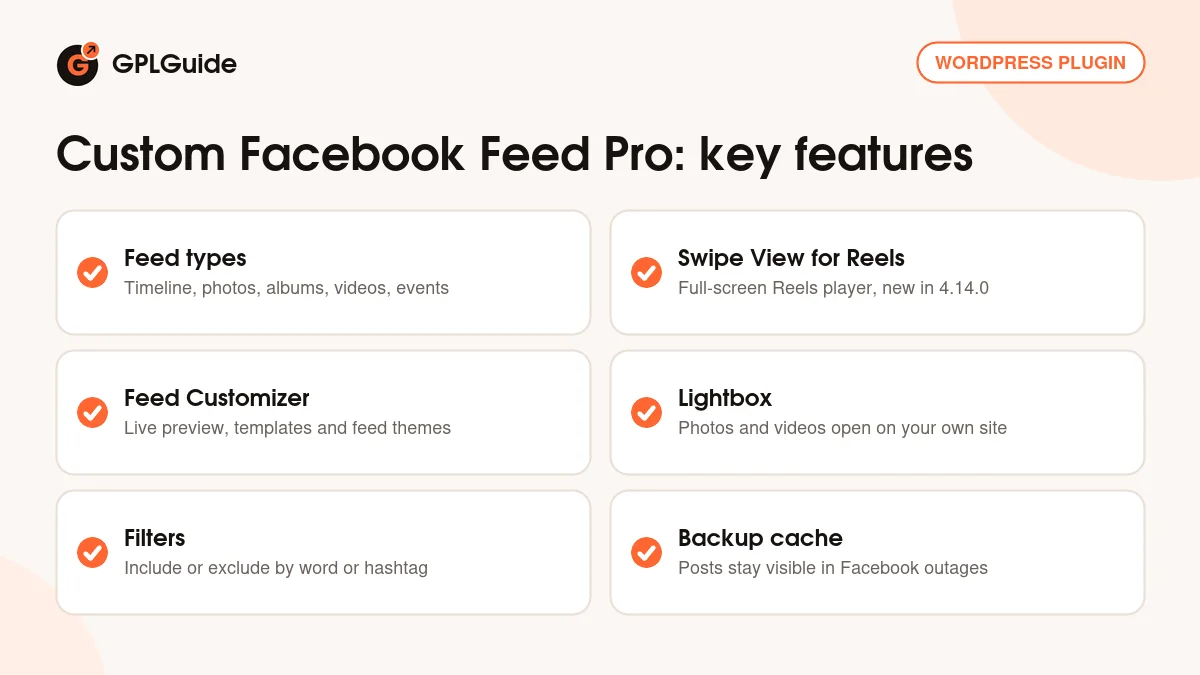
- Timeline, photo, album, video and event feeds from your Facebook Page
- Swipe View for Reels: full-screen, swipeable Reels player, new in 4.14.0
- Visual feed editor with live preview, feed templates and feed themes
- Popup lightbox for photos and videos, with HD, 360 and live video
- Like, share and reaction counts, plus comments and replies
- Include or exclude posts by word or hashtag, and a Load More button
- Backup cache that keeps posts visible during Facebook outages
- Shortcode, editor block and Elementor widget, with GDPR consent support