
WooCommerce Customer Email Verification
100% Original fileUnmodified copy of the developer's release
DeveloperWoocommerce
Up to dateOriginal released Oct 8, 2026 · File last updated Nov 21, 2026
About this product
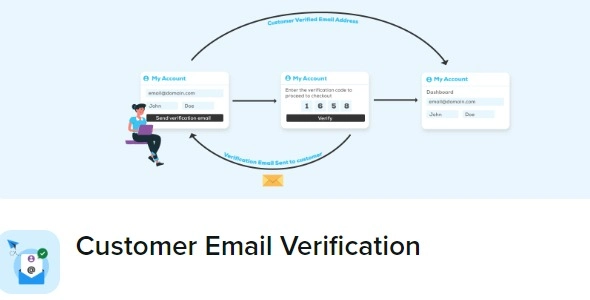
Customer Email Verification Pro 3.0.7 makes WooCommerce customers prove they own their email address with a one-time code before an account, a checkout or a login goes through. It suits shops troubled by fake registrations, spam orders and people opening throwaway accounts to reuse coupons or free products, and B2B stores that only want to sell to known company domains. Verification runs on your own server without a third-party validation service. Codes are entered in a popup or inline on the My Account and checkout pages, and you manage everything under WooCommerce, Email Verification in the WordPress dashboard, where the Unverified Users screen and the analytics dashboard also sit.
How to install Customer Email Verification Pro
- Install and activate WooCommerce under Plugins, Add New Plugin if your site doesn't run it yet. The developer asks for WordPress 6.0, WooCommerce 4.8 and PHP 7.4 or newer.
- Log in to GPLGuide, open this product and click Download under Your downloads.
- Go to Plugins, Add New Plugin, Upload Plugin, choose the ZIP, click Install Now, then Activate.
- Open WooCommerce, Email Verification and, on the Settings tab, switch on Signup Verification, Checkout Verification or Login Authentication as your shop needs.
- Work through the setup checklist on the Settings tab, then adjust the popup and the verification email design before real customers see them.
- If you want codes by SMS, set up the SMS gateway in the Smart Form settings with MSG91, Twilio, Vonage or WhatsApp.
Features & capabilities
- Email codes at signup, checkout and login, 4 or 6 digits, valid from 10 minutes up to 72 hours.
- Guest and registered checkout verification by popup or inline code entry.
- Smart Form, a branded login and registration form for My Account or any page, placed by shortcode.
- Phone verification by SMS through MSG91, Twilio, Vonage or WhatsApp, with email as fallback.
- Two-factor login with authenticator apps such as Google Authenticator, with role-based enforcement and backup codes.
- Disposable email blocking, MX record checks, custom blocklists and a B2B domain allowlist.
- AI risk scoring for registrations and guest checkout, plus bot-cluster detection on the Unverified Users screen.
- Paid-order gatekeeping keeps new accounts restricted until their first order is completed.
- Daily cleanup of abandoned unverified accounts, plus reminder emails after 1 hour, 24 hours, 3 days or 7 days.
- Verification Analytics dashboard with signups, verification rate and blocked spam.
Frequently asked questions
Is this the original file?
Yes. Every product on GPLGuide is the developer’s own release, unchanged. The license key comes already activated. If a product does ask for a key, the activation steps appear on its page once you have it.
Is it legal to use a GPL plugin or theme from GPLGuide?
Yes. WordPress plugins and themes are released under the GPL, which lets anyone use, share and change the code. The developer’s support desk and the developer’s own update service are not part of the file; those stay with the developer.
How do I install it?
Log in, open the product page and click Download under Your downloads. For a plugin go to Plugins, Add New Plugin, Upload Plugin, choose the ZIP, then Install Now and Activate. For a theme go to Appearance, Themes, Add New Theme, Upload Theme.
How do updates work?
When a newer version is listed on GPLGuide, download it from the product page and upload it over the installed copy; WordPress offers to replace the old version. Updates are manual.
Can I use it on more than one site?
Yes. The GPL lets you use it on as many of your own sites as you like.
What if the file does not work or a newer version is out?
Tell us on the Request Item page or through Support. We check the file and add the newer version when we have it.


