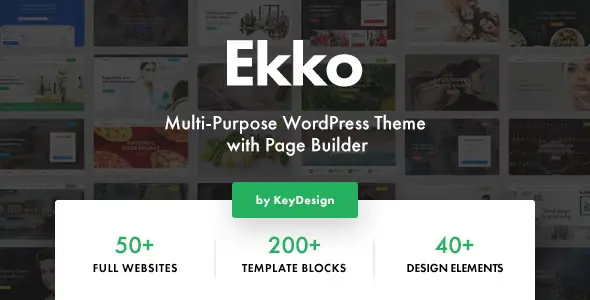
Ekko – Multi-Purpose WordPress Theme with Page Builder
100% Original fileUnmodified copy of the developer's release
DeveloperThemeForest
Up to dateOriginal released Aug 12, 2026 · File last updated Nov 21, 2026
About this product
Ekko Theme 5.8 is a multipurpose WordPress theme for company and business websites that need service pages, a portfolio, a blog and, if wanted, a WooCommerce shop on one site. It is built around WPBakery Page Builder, so it suits people who prefer to assemble pages from ready blocks in a visual editor instead of writing code, and who want to start from a finished homepage design and then swap in their own text, images and colours. Settings sit in one theme options panel rather than scattered across plugins. The developer ships it with a child theme, one-click demo content, bundled copies of WPBakery Page Builder and Slider Revolution, an icon pack and the theme's own addon plugin for its custom page elements.
How to install Ekko Theme
- Log in to GPLGuide, open this product and click Download under Your downloads.
- If the download holds more than one ZIP, unzip it on your computer first and upload the theme's own ZIP, not the whole package; the child theme comes in the same download.
- In your dashboard go to Appearance, Themes, Add New Theme, Upload Theme, choose the theme's ZIP, click Install Now and then Activate.
- Install and activate WPBakery Page Builder, Slider Revolution and the theme's addon plugin, and add WooCommerce too if you plan to run a shop.
- Open the theme's dashboard in the admin menu, check its System Requirements panel and run the one-click demo import. Keep Slider Revolution on version 6, as the theme is not built for version 7.
Features & capabilities
- WPBakery Page Builder with front-end and back-end editing and over 200 template blocks
- More than 40 custom content elements, including Timeline, Image Comparison and Price Switcher
- Theme options panel for header, footer, blog, shop, portfolio, 404 page and custom CSS
- Over 800 Google Fonts, Typekit support and custom font uploads
- Nine portfolio layouts with a lightbox for images
- Sticky header, one-page scrolling, parallax sections and menu badges
- WooCommerce shop templates kept in step with recent WooCommerce releases
- Works with Contact Form 7, Gravity Forms, Ninja Forms, bbPress and WPML
- Coming Soon mode for sites still being built
- Bundled icon pack with 2,080 icons
Frequently asked questions
Is this the original file?
Yes. Every product on GPLGuide is the developer’s own release, unchanged. The license key comes already activated. If a product does ask for a key, the activation steps appear on its page once you have it.
Is it legal to use a GPL plugin or theme from GPLGuide?
Yes. WordPress plugins and themes are released under the GPL, which lets anyone use, share and change the code. The developer’s support desk and the developer’s own update service are not part of the file; those stay with the developer.
How do I install it?
Log in, open the product page and click Download under Your downloads. For a plugin go to Plugins, Add New Plugin, Upload Plugin, choose the ZIP, then Install Now and Activate. For a theme go to Appearance, Themes, Add New Theme, Upload Theme.
How do updates work?
When a newer version is listed on GPLGuide, download it from the product page and upload it over the installed copy; WordPress offers to replace the old version. Updates are manual.
Can I use it on more than one site?
Yes. The GPL lets you use it on as many of your own sites as you like.
What if the file does not work or a newer version is out?
Tell us on the Request Item page or through Support. We check the file and add the newer version when we have it.