
Elegant Themes Extra WordPress Theme
100% Original fileUnmodified copy of the developer's release
DeveloperElegant Themes
Up to dateOriginal released Sep 18, 2026 · File last updated Oct 27, 2026
About this product
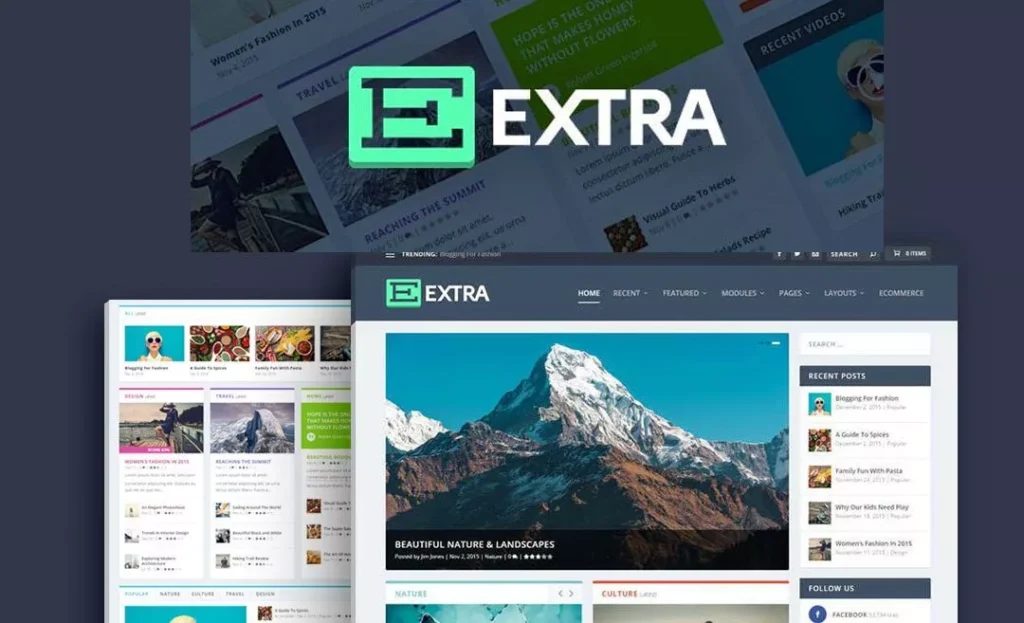
Extra Theme 4.27.9 is a magazine theme for news sites, blogs and online publications that publish a steady stream of posts across many categories. Where the developer's Divi theme centers on single pages, Extra centers on the post feed: the home page and each category page are built from post modules, so every section of the site can have its own look. It suits editors and bloggers who also want product reviews, reader ratings and portfolio projects without adding separate plugins. The developer builds it on the Divi Builder, so you design posts and pages with the same drag and drop builder that ships inside the theme.
How to install Extra Theme
- Log in to GPLGuide, open this product and click Download under Your downloads.
- In WordPress go to Appearance, Themes, Add New Theme, Upload Theme, choose the ZIP, click Install Now and then Activate.
- If Safari on a Mac unzips the download by itself, right click the unzipped Extra item, choose Compress and upload that new ZIP instead.
- Install and activate WooCommerce under Plugins, Add New Plugin only if you want to sell products; the theme adds its own shop styling.
- After activation an Extra menu appears in the dashboard. Site settings sit under Extra, Theme Options, and home and category layouts are made in the Category Builder.
Features & capabilities
- A Category Builder for designing the home page and each category page with its own layout
- Feed style post modules such as a blog feed and a masonry feed
- Widget style post modules: posts, posts carousel, posts slider and tabbed posts
- A built in review system for scoring products, plus star ratings from readers
- Seven post formats: video, gallery, map, quote, link, audio and text
- Mega menus that show recent or favorite posts inside a category dropdown
- A Projects post type for portfolio work
- Custom WooCommerce styling for selling to your readers
- Header layout choices, fixed navigation and extra menu locations
- Font, size, color and spacing controls plus a place for custom CSS
Frequently asked questions
Is this the original file?
Yes. Every product on GPLGuide is the developer’s own release, unchanged. The license key comes already activated. If a product does ask for a key, the activation steps appear on its page once you have it.
Is it legal to use a GPL plugin or theme from GPLGuide?
Yes. WordPress plugins and themes are released under the GPL, which lets anyone use, share and change the code. The developer’s support desk and the developer’s own update service are not part of the file; those stay with the developer.
How do I install it?
Log in, open the product page and click Download under Your downloads. For a plugin go to Plugins, Add New Plugin, Upload Plugin, choose the ZIP, then Install Now and Activate. For a theme go to Appearance, Themes, Add New Theme, Upload Theme.
How do updates work?
When a newer version is listed on GPLGuide, download it from the product page and upload it over the installed copy; WordPress offers to replace the old version. Updates are manual.
Can I use it on more than one site?
Yes. The GPL lets you use it on as many of your own sites as you like.
What if the file does not work or a newer version is out?
Tell us on the Request Item page or through Support. We check the file and add the newer version when we have it.


