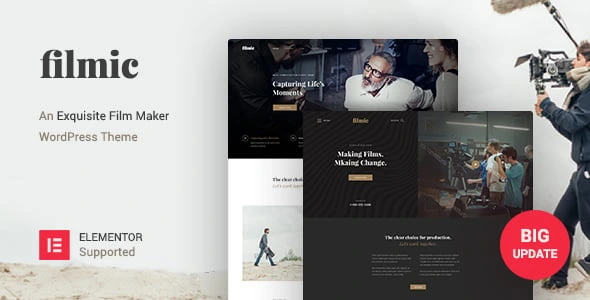
Filmic – Movie Studio & Film Maker WordPress Theme
100% Original fileUnmodified copy of the developer's release
DeveloperBoostifyThemes
Up to dateFile last updated Oct 17, 2026
About this product
The Filmic theme is a WordPress theme by BoostifyThemes for movie studios, film makers, video bloggers and production companies. It comes with ready-made home pages, a bundled page builder and full Elementor compatibility. This page is for Filmic theme version 2.4.9. On GPLGuide you download the original theme file to install on your own websites. The file from GPLGuide comes with the license key already activated, so there is no key to enter.
Good for: Independent film makers, production companies, videographers, video bloggers and studios that need a showreel, a trailer page, a team page and a blog.
Requirements: WordPress. The ThemeForest listing shows compatibility with WordPress 5.5.x through 6.0.x and gives no PHP version. Visual Composer and Slider Revolution come bundled with the theme. The developer's docs say the theme shows a notice after activation that lists the required plugins to install, and the changelog added Elementor to that required list in version 2.4.1.
What the Filmic theme does
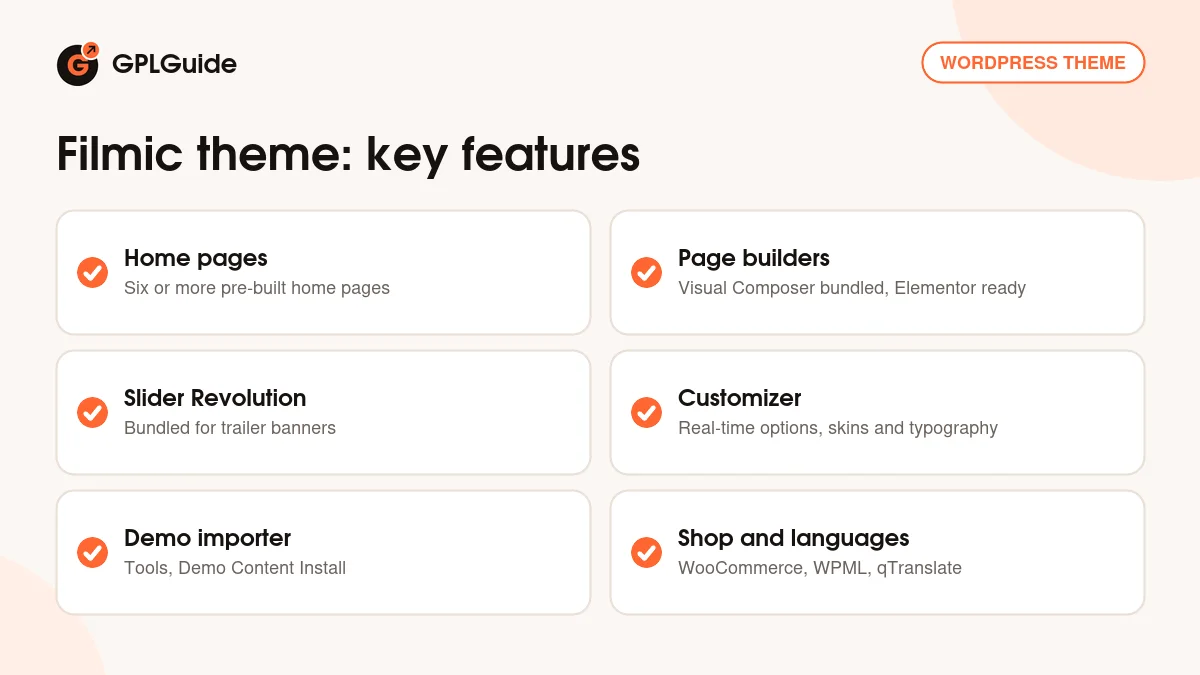
The Filmic theme gives a film business a website with a cinema feel. The listing describes six or more pre-built home pages, two or more header layouts with an optional sticky header, and two or more blog layouts. The tags on the item point at film studios, filmmakers, trailers, video bloggers and Vimeo and YouTube sites.
You can change the design without code. The Customizer updates in real time, the listing offers unlimited options for fonts, pattern backgrounds and effects, and a feature called Unlimited Skins covers colours, gradients, images, patterns, galleries and video backgrounds. FontAwesome icons are available through shortcodes in three sizes, which suits content boxes.
The theme is responsive, translation-ready and built with SEO in mind, according to the listing. It works with common SEO plugins such as Yoast, and it has performance options. A child theme is included.
Home pages, header and Customizer settings in the Filmic theme
Settings live in Appearance, Customizer. The developer's docs list the typography controls by name: Mainmenu Transparent Typography, Mainmenu Typography, Submenu Mainmenu Typography, Megamenu Heading Typography, Submenu Megamenu Typography, Body Typography and the Heading controls for H1 to H6. Together they let you restyle the menu, mega menu and text separately.
The docs also describe areas for theme colours, the page header, general options and the logo. In the page header area you can switch the header and the breadcrumb on or off for all pages, add pattern images and a header background, place code in the topbar and add a header description. The general options area changes the header layout, and the footer area sets the copyright text and social links.
To choose a front page, create two pages, for example Homepage and Blog, open Settings, Reading, choose a static page, and select them as the front page and the posts page. The docs say you can skip this when you import the demo, because those pages already exist.
Menus and widgets follow the usual WordPress routine. Under Appearance, Menus you add items, reorder them, nest a child item by dragging it slightly to the right under its parent, tick the display location at the bottom and click Save Menu. By default, widgets can go in the right sidebar and the footer. Drag a widget from the Available Widgets block to the place where you want it, and press Delete to remove it.
Visual Composer, Elementor and sliders in the Filmic theme
Visual Composer is the page builder that comes bundled with the Filmic theme, and the listing says it works on the front end and the back end. Slider Revolution is bundled too, and the docs have a section on it. Use it for a full-screen trailer banner or a rotating set of film posters.
Elementor support arrived in version 2.4.0, which the changelog describes as full Elementor compatibility together with support for the Boostify Header Builder. Version 2.4.1 then added Elementor to the required plugin list. That means you can build with the bundled builder or move to Elementor, whichever you prefer.
The changelog hints at a few theme-specific parts. A Member post type was restored in 2.4.3, and a team member shortcode was updated in 2.0, so a page for your team fits the design. A Visual Composer fix was re-added in 2.4.2, and WooCommerce support came in version 2.3, with a mini cart fix in 2.4.2.
Demo content and plugins for the Filmic theme
The docs say to install all plugins and compatible extensions before importing. After activation, click Begin installing plugins in the admin notice, check the required plugins (the recommended ones are optional), choose Install in Bulk Actions and click Apply. When the message All installations have been completed appears, choose Activate and Apply, then select Yes, Install these extensions.
Then go to Tools, Demo Content Install and click Install. The docs estimate two to five minutes and say the import includes sample images, posts, pages, products, categories, menus, sliders and plugin configurations. Finish with Settings, Permalinks and click Save, as the docs advise. Check that you may use the sample images before you publish them, as they belong to the demo.
Setups you can copy with the Filmic theme
- Showreel site for a director: a Slider Revolution banner with your trailer, the sticky header option and a blog for news.
- Production company: the Member post type and team shortcode for your people, a blog for news and a footer with social links.
- Trailer and review blog: one of the two blog layouts, the Heading and Body typography controls for a poster-style look, and FontAwesome icons in content boxes.
- Blog with a sidebar: one of the two blog layouts, with widgets placed in the right sidebar and the footer.
- Elementor build: use the Boostify header and footer support from version 2.4.0 to design your own header, then fill pages with Elementor.
- Two-language film site: the listing names WPML and qTranslate support, and ships translation files in .po and .mo format.
Every one of these setups starts the same way with the Filmic theme: pick the home page closest to your plan, import the demo on a test site, remove the sections you do not need and swap in your own trailers and pictures. With six or more pre-built home pages, there is usually a starting point close to what you want, and the Customizer handles the rest.
What's new in the Filmic theme 2.4.9
We could not find version 2.4.9 in the developer's public changelog, so we cannot give a date or a list of changes for it. The newest entry on the ThemeForest page is version 2.4.4 (June 7, 2020), which fixed a demo import problem. The listing shows a last update date of March 12, 2025, but does not say which version that was.
The published history before that: version 2.4.3 (April 13, 2020) restored a missing Member post type. Version 2.4.2 (April 2, 2020) re-added a Visual Composer fix and fixed the WooCommerce mini cart. Version 2.4.1 (March 16, 2020) added Elementor to the required plugin list and added Revolution Slider 6.2. Version 2.4.0 (March 11, 2020) added full Elementor compatibility and Boostify Header Builder support.
Older milestones: version 2.3 (April 17, 2019) updated Visual Composer to 5.7 and Revolution Slider to 4.5.8.3 and added WooCommerce support. Version 2.0 (June 16, 2018) updated the three home page designs and the team member shortcode. Version 1.1 (May 7, 2018) fixed the logo height and added a child theme and documentation updates.
Good to know before you buy
The listing says the Filmic theme was created nine years ago, and its changelog goes back to 2018. The listing's compatibility list stops at WordPress 6.0.x, and the developer's docs were last updated in July 2025. Try the theme on a copy of your site first, especially if you run a very recent WordPress. The changelog also shows the bundled plugin versions as they were in 2019 and 2020, and we can't confirm which versions are inside 2.4.9.
The docs say the demo importer downloads the demo content while it runs. If that download comes from the developer's servers, it is their service, and we can't promise it stays available. The docs name no PHP version, and no required plugin list beyond the install notice, so expect some exploring. The docs' Revolution Slider page is a short pointer to the plugin's own documentation, so slider help comes from there.
Filmic theme from GPLGuide vs the official subscription
From GPLGuide you get the original Filmic theme 2.4.9 file, with the bundled plugins and the demo importer inside. The file comes with the license key already activated. The Filmic theme is sold by BoostifyThemes on ThemeForest, where the Regular licence costs $59. The item page says: "This item is licensed 100% GPL."
Buying on ThemeForest adds six months of item support from BoostifyThemes, which you can extend to twelve months for an extra fee, plus future updates through the marketplace and the marketplace's refund rules. Support and refunds come only from the developer. If you only need the theme files, that is what you get here.
How to install the Filmic theme
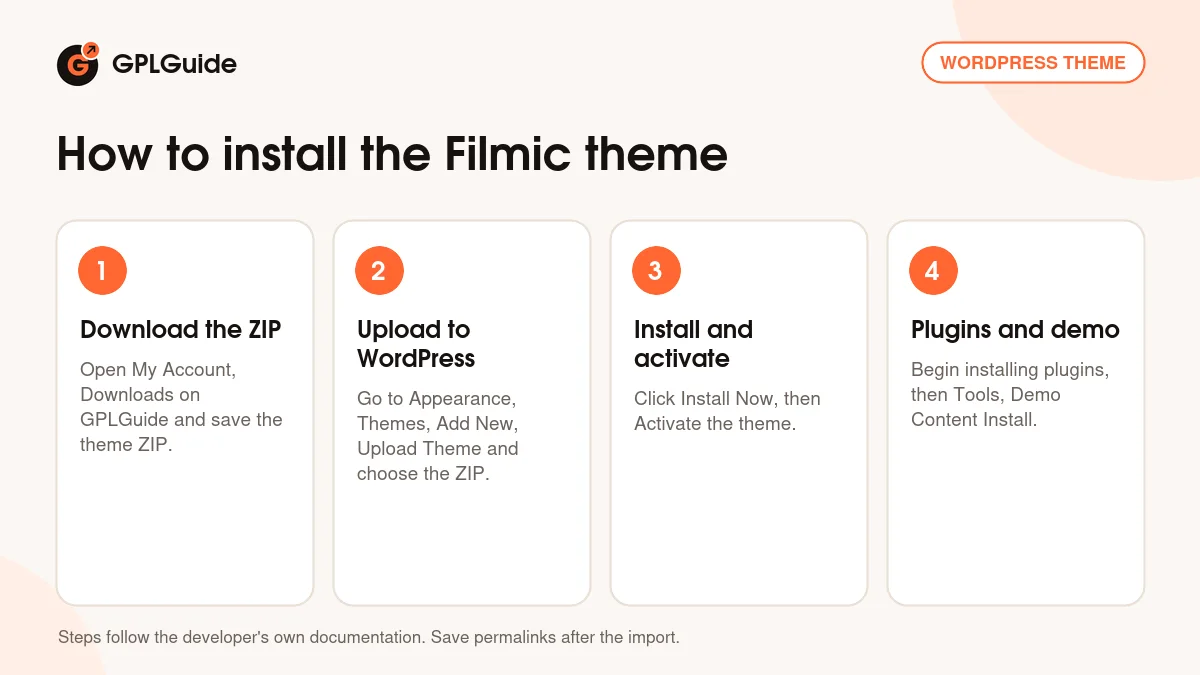
- Sign in to GPLGuide, open My Account, Downloads and save the Filmic theme ZIP.
- In WordPress go to Appearance, Themes, Add New, Upload Theme and choose the ZIP.
- Click Install Now, then Activate.
- Click Begin installing plugins in the admin notice, install and activate the required plugins, then open Tools, Demo Content Install and click Install.
A good first setup is a fresh WordPress site with the demo imported. Save the permalinks, open Appearance, Customizer and set your logo and colours first. Then edit the home page, replace the sample film pictures and check your menus before you change them.
Keeping it up to date
Updates from GPLGuide are manual. When a new version of the Filmic theme is listed here, download it from your account and upload it under Appearance, Themes, Add New, Upload Theme. WordPress offers to replace the installed copy. The developer's own update method uses the Envato WordPress Toolkit and a marketplace API key, which does not apply here. Keep custom code in the included child theme.
Make a backup first, and test any new file on a copy of your site before you upload it to the live one, then save your permalinks again. If you see a newer version that we haven't added, let us know on the Request Item/Update page.
Questions about the Filmic theme
Which page builder does the Filmic theme use? Visual Composer comes bundled. Elementor is fully supported since version 2.4.0.
How do I import the demo? Install the plugins first, then open Tools, Demo Content Install and click Install. Afterwards save your permalinks.
How many home pages are there? The listing says six or more pre-built home pages.
Does it support WooCommerce? Yes. WooCommerce support was added in version 2.3, and a mini cart fix followed in 2.4.2.
Is it translation ready? Yes. The listing names .po and .mo files, WPML, qTranslate and the Codestyling Localization plugin.
Can I change the header layout? Yes, in the general options area of the Customizer. The listing also offers an optional sticky header.
Where can I place widgets? By default in the right sidebar and the footer. Drag them from the Available Widgets block to the place you want.
Is there a child theme? Yes, the listing says a child theme is included.
Which WordPress versions are listed? The listing shows 5.5.x through 6.0.x. Newer versions are not listed, so test first.
Browse more WordPress themes on GPLGuide, or see what a GPLGuide membership includes if you build several sites. If you prefer building with Elementor, it is free on WordPress.org.
Features & capabilities
- Six or more pre-built home pages for film and video sites
- Visual Composer bundled and Elementor fully supported
- Slider Revolution bundled for trailer banners
- Real-time Customizer with typography controls for menu, headings and body
- Unlimited Skins with colours, gradients, patterns and video backgrounds
- One-click demo importer under Tools, Demo Content Install
- WooCommerce, WPML and qTranslate support
- Child theme and translation files included