
Invadex – Business Consulting WordPress Theme

100% Original fileUnmodified copy of the developer's release
DeveloperCase-Themes
Up to dateFile last updated Oct 17, 2026
About this product
The Invadex theme is an Elementor-based WordPress theme for business consulting and professional service firms, made by Case-Themes and sold on ThemeForest. It comes with ten or more demo websites, a header and footer builder, a mega menu and a child theme, and it targets consultants, advisers and finance companies. This page is for Invadex version 1.0.1. The developer does not publish a dated changelog for each version, so we do not give a release date. On GPLGuide you download the original theme file to install on your own websites.
Good for: business consultants, accountants, financial advisers, insurance brokers, legal and HR firms, marketing advisers and similar service companies. The tags on the item page include consulting, consultant, finance, financial advisor, accountant, insurance, legal, human resources and marketing, so the demos speak to firms that sell expertise and trust.
Requirements: the developer's documentation asks for WordPress 5.0 or newer, PHP 7.0 or newer and MySQL 5 or newer, and recommends max_input_vars 5000, max_execution_time 600, memory_limit 512M, post_max_size 64M and upload_max_filesize 256M. The item page lists compatibility from WordPress 4.9 up to 7.0 and with WooCommerce 9. Elementor must be active.
What the Invadex theme does
The Invadex theme gives a consulting business a full site kit built in Elementor. The listing counts more than thirty inner pages, so you can assemble a services section, an about page, a team page and a contact page from ready layouts instead of drawing each one yourself.
Everything is edited visually. Page content, but also the header, footer, page title and mega menu, are Elementor templates that you can open and change. The item page lists sticky headers for desktop and mobile, parallax and video backgrounds, unlimited color options, right-to-left language support and one-page navigation with smooth scrolling.
One-page navigation deserves a mention for solo advisers. The documentation has a short guide on making a one-page site, where the menu links to sections of the same page and the page scrolls smoothly to each one. Five of the ten demos are built this way, so you do not have to convert a multi-page design yourself.
The listing marks the theme as not optimised for Gutenberg, and WPBakery is not part of it. If your team prefers blocks, look elsewhere. If you already use Elementor, the Invadex theme fits straight into that way of working.
Ten demos for the Invadex theme: five multi-page, five one-page
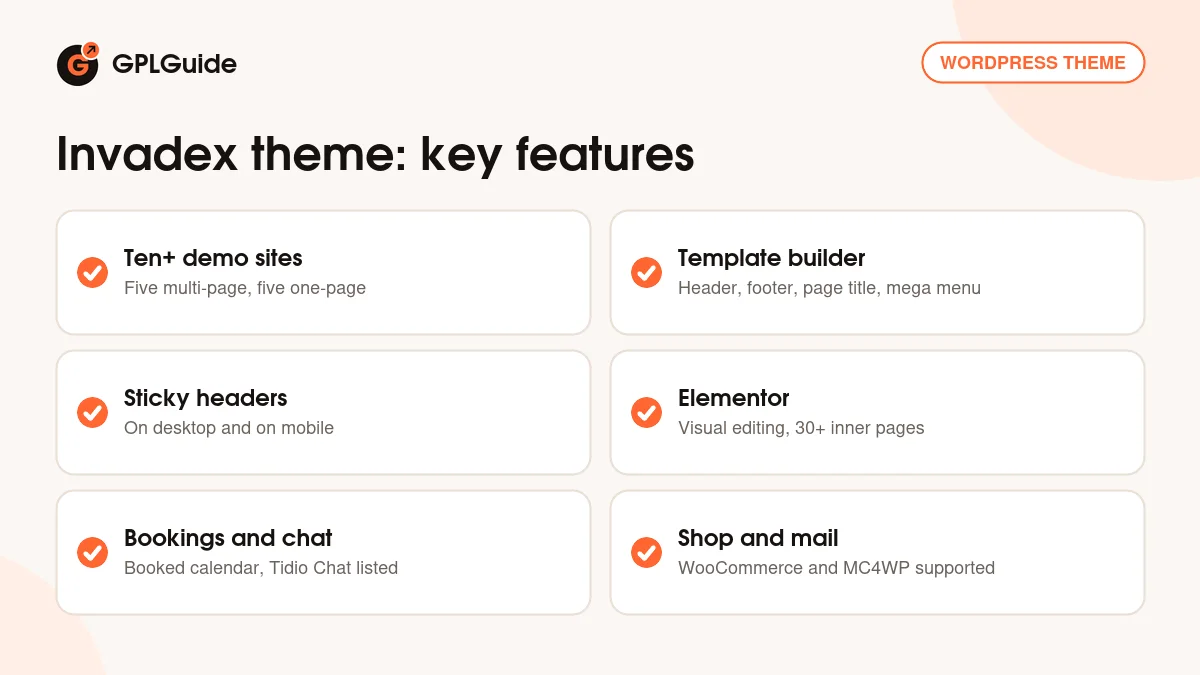
The item page lists ten or more prebuilt websites, split into five multi-page and five one-page designs. That is a wide starting range for a theme about consulting. A multi-page demo suits a firm with several services, a team and case work. A one-page demo suits a solo adviser who wants visitors to read a short story and then make contact.
Along with the demos come five or more header templates and five or more footer templates, and the listing counts more than sixty Elementor elements, although it also mentions more than fifty widgets in another line. Either way, there are plenty of building blocks, and you add them to any page by dragging them in.
The tags on the item page also list marketing, advertising and corporate, so the same designs can serve a small agency or a general company site. Adapting a demo to accounting, insurance, legal or HR work mostly means changing text, icons and photos.
Templates, mega menu and logos in the Invadex theme
Layouts live under Invadex, Template. Create a template and choose Header, Page Title, Footer or Mega Menu, then open it with Edit with Elementor. Templates can be chosen for the whole site in Theme Options, or for one page in Page Options. Page Options default to inherit, so a page follows the site setting unless you change it.
Headers follow the same pattern. The documentation has separate short sections for creating a header layout and for changing the one in use. You build a new Header template in Elementor, then choose it in Theme Options, where the Header group has a Mobile subsection for the mobile logo. That lets you keep an older header while you test a new one, and switch back if it does not suit the Invadex theme site.
The mega menu works in two steps. First build the Mega Menu template, then attach it to a parent item under Appearance, Menus. The documentation says each parent menu item can have only one mega menu, so plan your large dropdown for the one section that needs it, such as Services.
The documentation also explains how to change the logo and a separate logo for mobile, how to create a one-page site, and how to adjust colors, fonts, the subscribe block, the loader, the mouse effect and the favicon.
Plugins and integrations around the Invadex theme
The item page lists Slider Revolution and Booked as bundled, together with Case Addons and Case User, which it calls exclusive plugins. Booked is an appointment calendar, which suits advisers who sell time slots. Case-Themes also says on its own site that its themes need three plugins: Case Addons, Elementor and the free Redux Framework.
Other listed integrations are Contact Form 7, MC4WP for Mailchimp, Tidio Chat, WPML, Polylang and WooCommerce with wishlist, quick view, compare and Variation Swatches. Installation is guided: a popup appears after activation and walks you through the plugins and a one-click demo import.
Ideas you can copy with the Invadex theme
- Accounting practice: pick a multi-page demo, list services such as bookkeeping and tax, and add a Booked calendar for consultation slots.
- Insurance broker: use the mega menu for product lines, and a Contact Form 7 form for quote requests.
- HR consultancy: build a team page and a vacancies page from the inner page layouts.
- Legal practice: use the one-page style for a small firm, with practice areas as sections.
- Marketing adviser: connect MC4WP to a Mailchimp list, offer a short guide in exchange for an email, and add Tidio Chat for quick questions.
- Training or reports shop: add WooCommerce to sell workshops or downloadable reports.
One more tip for any of these: write the page titles and service names first, on paper or in a document, before you touch the demo. The Invadex theme gives you many layouts, and a clear list of services makes it quicker to choose among them.
Start with a demo whose sections match your own services, since you save more time by deleting a block than by building one. Then replace the sample text with plain claims you can prove.
What's new in the Invadex theme 1.0.1
This download is Invadex version 1.0.1. Case-Themes does not publish a version-by-version changelog on the ThemeForest page, and the documentation lists no version numbers or release dates. We cannot say what changed in 1.0.1 or when it came out.
The item page shows a last update on September 7, 2026, says the theme was created about two years ago, and states that future updates are included. It lists WordPress compatibility up to 7.0. We have not confirmed whether a newer version than 1.0.1 exists.
Good to know before you buy
The documentation does not name the required plugins. It says they must be installed for the theme to work, so use the setup popup and install whatever it asks for. It mentions Case Addons and tells you to check its version after an update.
The documentation has some leftovers from other themes, such as a different ZIP name in the update steps and a path with another theme's name, plus a few typos. Follow the meaning of the steps. Demo photos are not supplied, since the developer's terms say placeholders replace the original demo images.
Slider Revolution and Booked are paid plugins that we do not sell separately. Help with your own setup comes only from the developer.
Check your hosting against the recommended limits before you import. The documentation lists values such as memory_limit 512M and upload_max_filesize 256M, which you can read under Tools, Site Health, Info, Server. A host that sits below them may stop a large demo import halfway, and the Invadex theme import will then look incomplete.
Invadex theme from GPLGuide vs the official subscription
Case-Themes states that its WordPress themes are licensed under the GNU GPL. The Invadex theme is sold by Case-Themes on ThemeForest, where a Regular license costs $49. That includes six months of item support, you can extend support to twelve months for $13.88, and the page says future updates are included.
From GPLGuide you get the same original theme file, with the same demos, templates and options. The file from GPLGuide comes with the license key already activated, so there is no key to enter. The developer's item support and refunds come only from the developer. Choose the marketplace for those, or this copy if the theme is what you need.
How to install the Invadex theme
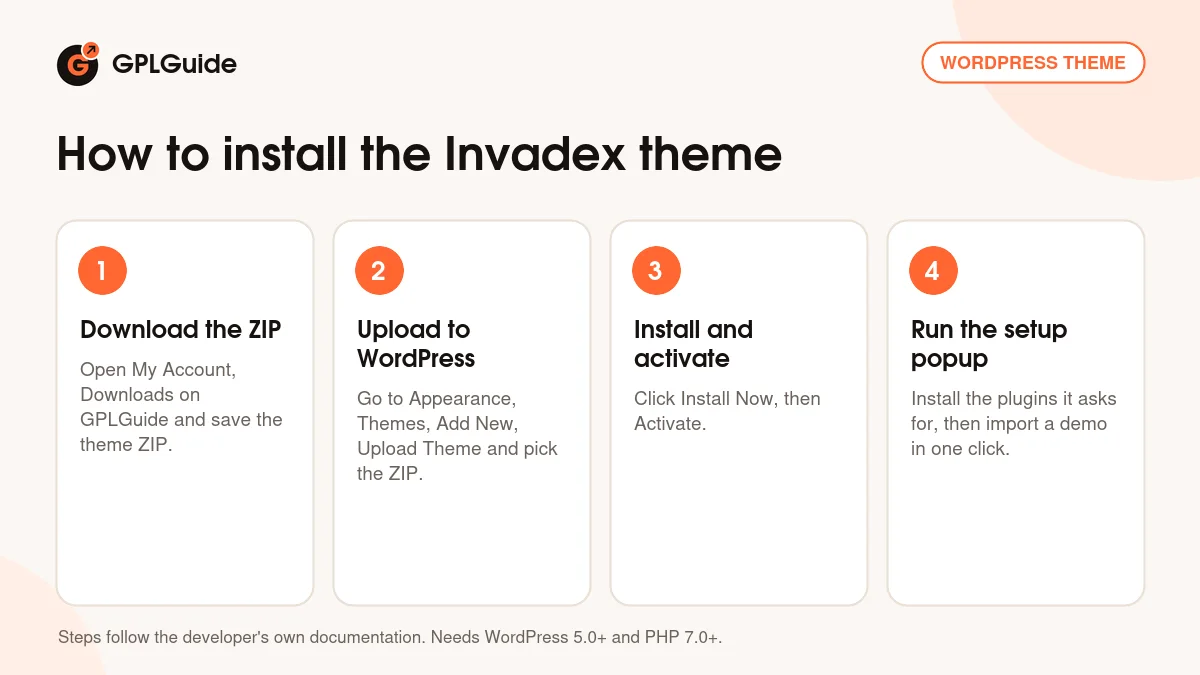
- Sign in to GPLGuide, open My Account, Downloads and save the Invadex ZIP.
- In WordPress go to Appearance, Themes, Add New, Upload Theme and choose the ZIP.
- Click Install Now, then Activate.
- Follow the setup popup to install the plugins it asks for, then import a demo with one click.
If WordPress reports a missing style.css, unzip your download and upload the inner theme ZIP. For a good first setup, import one demo, then open Invadex, Template and check the header and footer. Set colors and fonts, then edit the homepage. The Invadex theme is easiest to judge once the global look is settled.
Keeping it up to date
Updates from GPLGuide are manual. When a new version of the Invadex theme is listed here, download it from your account and upload it under Appearance, Themes, Add New, Upload Theme. WordPress offers to replace the installed copy.
The developer's documentation advises a backup first, for example with the Duplicator plugin, and says to remove old theme folders instead of renaming them, since menus and widget settings are stored by folder path. Clear your caches afterwards and update any templates you copied into a child theme. If you see a newer version that we have not added, tell us on the Request Item/Update page.
Questions about the Invadex theme
Does the Invadex theme need Elementor? Yes. It is built on Elementor, and the templates open with Edit with Elementor.
How many demos does it have? The listing says ten or more, five multi-page and five one-page.
Can I use more than one mega menu on a menu item? No. The documentation says one mega menu is allowed per parent menu item.
Where do I switch the loader or the mouse effect off? The documentation has short how-tos for hiding or changing the loader, hiding the mouse effect and hiding the subscribe block.
Should I use Theme Options or Page Options? Use Theme Options for site-wide settings and Page Options only for pages that need something different. Page Options inherit by default.
Are the headers sticky on mobile? The item page lists sticky headers for both desktop and mobile.
Is a child theme included? Yes, the item page says so.
Can I translate it? WPML and Polylang are listed, and right-to-left languages are supported.
Does it include tutorials? The item page says the theme is well documented and includes video tutorials.
Which WordPress versions work? The item page lists 4.9 up to 7.0, while the documentation asks for 5.0 or newer, so use 5.0 or newer.
Can I sell things? Yes, with WooCommerce, which is listed with wishlist, quick view, compare and Variation Swatches.
Browse more WordPress themes on GPLGuide, or see what a GPLGuide membership includes. The free Elementor builder is on WordPress.org.
Features & capabilities
- Ten or more demo websites, five multi-page and five one-page
- Elementor page building with more than fifty elements
- Header, Page Title, Footer and Mega Menu templates under Invadex, Template
- Sticky headers for desktop and mobile
- Theme Options with per-page Page Options that inherit by default
- Slider Revolution and Booked listed as bundled, with Case Addons and Case User
- WooCommerce, Contact Form 7, MC4WP, Tidio Chat, WPML and Polylang support
- One-click demo import, child theme and video tutorials