
FluentAffiliate Pro
100% Original fileUnmodified copy of the developer's release
DeveloperWPManageNinja
Up to dateOriginal released Oct 28, 2026 · File last updated Nov 22, 2026
About this product
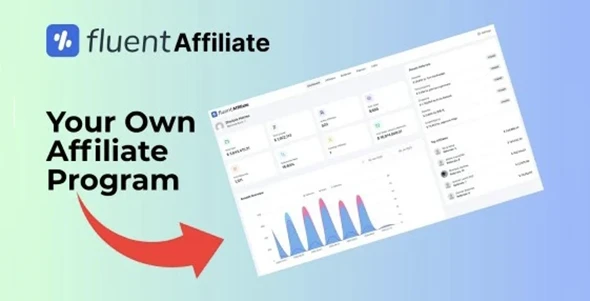
FluentAffiliate Pro 1.8.0 is the paid add-on for the free version, which lets you run your own affiliate program on your WordPress site, with affiliates, referrals and payouts kept on your own server instead of an outside affiliate network. It suits WooCommerce shops, digital download stores, membership and course sites that want partners, influencers or loyal customers to promote their products for a commission, and Pro is the part that connects the program to your shop, since WooCommerce tracking is a Pro feature. You run it from the FluentAffiliate menu in the WordPress sidebar, where Settings, Integration Settings switches on each shop or membership plugin, while affiliates sign up and find their links and earnings in their own portal on your site.
How to install FluentAffiliate Pro
- If your shop doesn't run WooCommerce yet, install and activate it under Plugins, Add New Plugin, because the developer's docs ask for WooCommerce to be active before you connect it.
- Install and activate the free version from the WordPress plugin directory under Plugins, Add New Plugin. The developer's docs say it must be active before you add Pro, and it needs WordPress 6.0 or higher and PHP 7.4 or higher.
- Log in to GPLGuide, open this product and click Download under Your downloads.
- In WordPress go to Plugins, Add New Plugin, Upload Plugin, choose the ZIP, click Install Now and then Activate.
- Open FluentAffiliate in the WordPress sidebar, click Settings, then Integration Settings, turn on the WooCommerce toggle and click Manage to set up coupons and product or category rates.
Features & capabilities
- WooCommerce orders count as referrals once the integration is on, so affiliates earn commission on the sales they send you.
- Custom commission rates per product or per product category, as a percentage of the sale or a fixed amount.
- Branded coupon codes: pick an approved affiliate in the WooCommerce coupon editor and every order with that code credits them, no referral link needed.
- Commission on WooCommerce subscription renewals, with separate renewal rates per product or category.
- Lifetime commissions alongside one-time and recurring commission rules.
- PayPal Payouts sends a whole payout to your affiliates' PayPal emails in one step; you need your own PayPal Business account with Payouts turned on.
- A commission holding period for new referrals, with an option to ignore it on a single payout.
- Pro tracking for Easy Digital Downloads, SureCart, MemberPress, Paid Memberships Pro, LearnDash, LifterLMS, Tutor LMS, GiveWP and Voxel too.
- Migration tools that bring affiliates, referrals, payouts and visits over from AffiliateWP, plus importers for SliceWP, Solid Affiliate and others.
Frequently asked questions
Is this the original file?
Yes. Every product on GPLGuide is the developer’s own release, unchanged. The license key comes already activated. If a product does ask for a key, the activation steps appear on its page once you have it.
Is it legal to use a GPL plugin or theme from GPLGuide?
Yes. WordPress plugins and themes are released under the GPL, which lets anyone use, share and change the code. The developer’s support desk and the developer’s own update service are not part of the file; those stay with the developer.
How do I install it?
Log in, open the product page and click Download under Your downloads. For a plugin go to Plugins, Add New Plugin, Upload Plugin, choose the ZIP, then Install Now and Activate. For a theme go to Appearance, Themes, Add New Theme, Upload Theme.
How do updates work?
When a newer version is listed on GPLGuide, download it from the product page and upload it over the installed copy; WordPress offers to replace the old version. Updates are manual.
Can I use it on more than one site?
Yes. The GPL lets you use it on as many of your own sites as you like.
What if the file does not work or a newer version is out?
Tell us on the Request Item page or through Support. We check the file and add the newer version when we have it.


