
FormCraft – Premium WordPress Form Builder
100% Original fileUnmodified copy of the developer's release
DeveloperCode Canyon
Up to dateOriginal released Jun 15, 2026 · File last updated Oct 23, 2026
About this product
FormCraft is a premium drag and drop form builder for WordPress, sold on CodeCanyon. You build contact forms, surveys, quote calculators and popups by dragging fields onto the form, then add conditional logic, math formulas and email notifications without writing code. This page is for FormCraft 3.9.16. On GPLGuide you download the original plugin file to install on your own WordPress websites.
Good for: site owners, freelancers and agencies who need more than a basic contact form, such as a live price estimate, a survey with star ratings, a newsletter popup, or an enquiry form that reaches the right person.
Requirements: WordPress 4.9.x to 6.9.x, as listed on the CodeCanyon item page. The developer doesn't state a minimum PHP version. No other plugin is needed for the core form builder. Payments, multi-page forms and some integrations need add-ons that the developer sells separately.
What FormCraft does
After you activate FormCraft, it adds its own menu and dashboard to WordPress. The dashboard lists your forms, which you can search or sort by ID, name or the time they were last changed. From there you open the Entries page, the analytics and the License tab.
The editor is where most of the work happens. You drag fields from a menu onto the form and see the result straight away. The Options and Styling tabs slide in from the side, and a Help link in the top right corner opens the developer's guides without leaving the editor. Forms submit with AJAX, so the page doesn't reload, and the layout is responsive on phones and desktops.
Each form can appear inline in a page, as a popup that opens from a button or link, or as a slide-in. That makes it useful well beyond the contact page, for example for a sign-up popup that opens a few seconds after a visitor arrives.
Building forms in the FormCraft editor
The One Line Input field supports icons, regex validation and input masks, which help with phone numbers and similar formats. The Textarea can show a letter count, enforce a limit and grow as the visitor types. Sliders take a prefix and suffix, checkbox options can carry images, and there are Dropdown, Datepicker, Timepicker and file upload fields. For surveys there are thumb rating, star rating and choice matrix fields.
Dropdown and checkbox options are typed one per line. Write an option as value==label, for example 10==Apple, and visitors see the label while the form works with the value. That small detail makes price calculations and conditional rules possible.
Under Styling you can change fonts, layout and form width, pick a base colour or a full Color Scheme, add a logo or background image and write Custom CSS. In the Options panel you can close a form after a set number of submissions, send all form data to a custom URL after each submission and set your own thousands and decimal separators. Enable Auto-Save Form Progress, under Settings, General, keeps what a visitor has typed so they can finish later.

Conditional logic and math formulas in FormCraft
Conditional logic lives in the Logic section of the editor. Click Add New Logic, set a condition such as a field being equal to a value or to another field, and join conditions with AND or OR. For a field that should appear later, tick Hide Field on Page Load and let a rule show it. Datepicker values are compared in YYYY-MM-DD format, and dropdown or checkbox rules check the option value, not the label.
A rule can also send the notification email to different addresses depending on an answer, redirect the visitor to a different thank-you page, set the value of another field, or trigger an integration. The developer's own example adds someone to a MailChimp list only when they tick a newsletter box.
Math formulas go into a Custom Text field, in its Text Content or Field Value. You refer to fields by their Field ID and wrap the sum in square brackets, for example [ field1 + field2 ]. Formulas handle addition, subtraction, multiplication, division and brackets, and the result updates as the visitor types. Two Datepickers give the difference between their dates. With the paid Stripe add-on, the same kind of formula goes into the Amount column of the Stripe field.
Email, entries and reports in FormCraft
Email setup sits under Options, Email, Email Setup. Choose WP Mail, which uses your server's settings, or the SMTP Method with Sender Name, Sender Email, Username, Password, SMTP Host and Port. The developer calls WP Mail easy but unreliable and recommends SMTP. For Gmail the host is smtp.gmail.com on port 465 with SSL or 587 with TLS.
Email Notifications has three fields: Send Email To (several addresses separated by commas), Email Subject and Email Body. To thank the visitor, edit their email field, tick Send Autoresponder and use the configure link. Both kinds of email accept tags such as [Form Content] for all answers, a field label such as [Name], [Form Name], [Entry ID], [Date] and [URL].
Every submission is saved on the Entries page, where it opens in a pane laid out like your form and can be edited. The Export button downloads a CSV of a chosen form's entries. The analytics show views, submissions and conversion rates by week, month, year or a custom period. Insights, added in FormCraft 3.3, sums up answers from dropdown, rating, checkbox, date and slider fields, so you can read poll results without exporting anything.
Form ideas you can build with FormCraft
These setups only use settings from the developer's documentation. Swap the field IDs for the ones in your own form.
- Enquiry form that routes itself: a Department dropdown with Sales and Billing, plus one logic rule per option that sends the notification to that team's inbox.
- Quote calculator: a Dropdown with prices written as value==label, a quantity field and a Custom Text field with [ ( field1 + field2 ) * field3 ] for a live estimate.
- Newsletter popup: [fc id='3' type='popup' auto='5']Join our list[/fc] opens the form five seconds after the page loads.
- Feedback slide-in: [fc id='4' type='slide' placement='bottom-right' button_color='grey']Feedback[/fc] adds a grey Feedback button that opens a slide-in form.
- Confirm email: two email fields, Hide Field on Page Load on the Submit button, and a rule that shows Submit only when both emails match.
- Booking nights: two Datepickers and a Custom Text field with [ field5 - field2 ] to count the nights.
- Privacy-minded form: a required consent checkbox, auto-save switched off and Delete Entries 0 Days Later under Settings, Advanced if you prefer email only.
What's new in FormCraft 3.9.16
FormCraft 3.9.16 came out on June 15, 2026. It is a security release that fixes an XSS bug and adds nonce checks to more endpoints, which help WordPress confirm that a request really came from your own site.
It follows 3.9.15 (June 2, 2026), which fixed a cross-site scripting vulnerability, and 3.9.14 (April 5, 2026), listed as bug fixes. The changelog has no 3.9.13 entry. Before that, 3.9.12 (January 30, 2025) fixed a file upload type vulnerability and an export permissions vulnerability, and 3.9.11 (December 20, 2024) fixed a text domain issue.
Three of the last four releases were security fixes, so anyone on an older copy should update. On the developer's changelog page, 3.9.16 is the newest version as of October 2026. The changelog box on CodeCanyon still shows 3.9.6, so it is out of date.
Good to know before you buy
This product is the core form builder. The developer sells several add-ons separately on its own website, and they are not part of this product: Multi Page Forms, Stripe, PayPal Standard, PDF, Signature Pad, Booking, User Registration, Form To Post, Pre Populate Fields, Tabular Input Field, Zapier and Multi Site. Add-ons are downloaded through the plugin's Add-Ons, Add New screen, so they depend on the developer's own service. MailChimp, Campaign Monitor, GetResponse, MailPoet, Mailster and reCaptcha are listed as free add-ons.
So payments need an add-on. The developer's home page says payments are currently available with the Stripe add-on, which also handles coupon codes, and there is a PayPal Standard add-on too. On a multisite network FormCraft works on one site, and using it across all sub-sites needs the Multi Site add-on.
The CodeCanyon page lists compatibility with WordPress 4.9.x to 6.9.x and the developer doesn't publish a minimum PHP version, so test on a staging copy first if you run a newer WordPress release. If you use the block editor, paste the shortcode into a Shortcode block.
FormCraft from GPLGuide vs the official subscription
From GPLGuide you get the original FormCraft 3.9.16 plugin file to use on your own websites. Everything in that file works the same way, from the editor and logic to entries and Insights. The file from GPLGuide comes with the license key already activated, so there is no key to enter.
The plugin is sold on CodeCanyon, where the Regular licence costs $25. The item page says this includes future updates and 6 months of support from the author, with an option to extend support to 12 months. The developer also offers a 10-day refund and sells support renewals and add-ons on its own site. Under Envato's licence for this item, its PHP code is licensed under the GPL.
Support, refunds and add-on purchases come only from the developer, and we don't offer its support. If you want that help or plan to use paid add-ons, buy from the developer. If you need the core form builder for your own sites, you can get the same file here on its own or with a membership.
How to install FormCraft
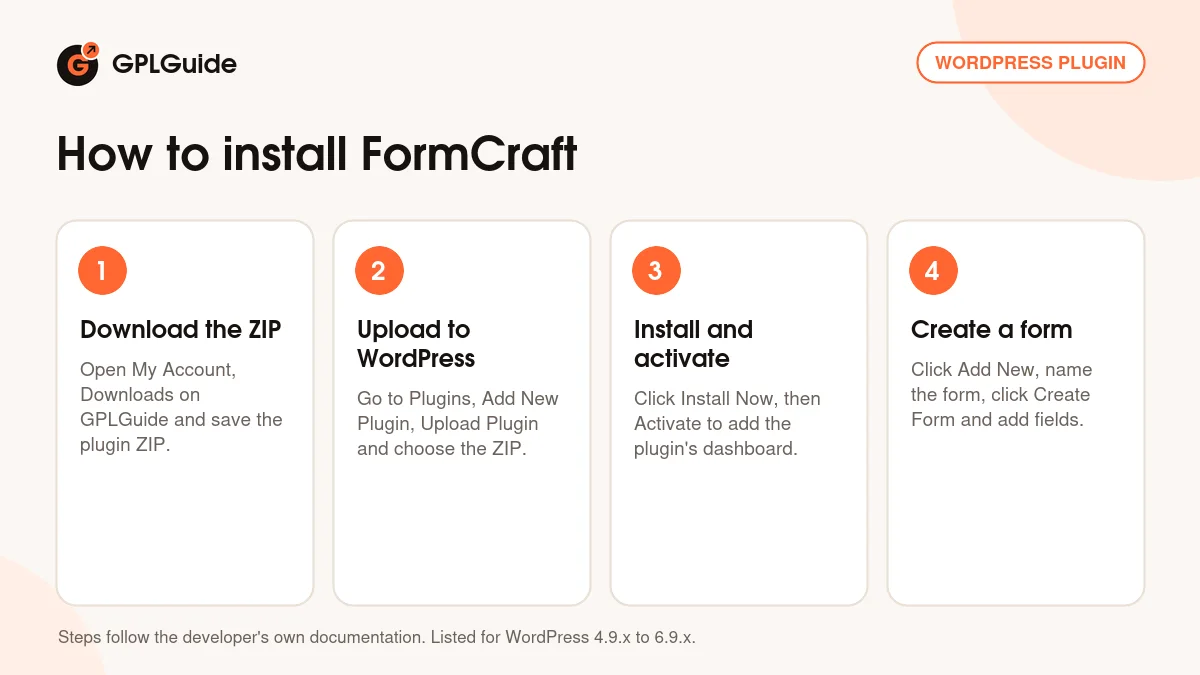
- Sign in to GPLGuide, open My Account, Downloads and save the FormCraft ZIP.
- In WordPress go to Plugins, Add New Plugin, Upload Plugin and choose the ZIP.
- Click Install Now, then Activate. A new menu item opens the plugin's dashboard.
- In that dashboard click Add New, type a name for your form, click Create Form and drag your first fields onto it.
A good first setup starts with email. Open Options, Email, Email Setup, choose the SMTP Method and send a test email. Then build a short contact form, put your address in Send Email To and add [Form Content] to the Email Body so every answer reaches your inbox. Place the form with [fc id='1' align='center'][/fc], using your own form ID, and send a test entry before you add logic or a popup.
Keeping it up to date
Updates from GPLGuide are manual. When a new version of FormCraft is listed here, download it from your account and upload it under Plugins, Add New Plugin, Upload Plugin. WordPress offers to replace the installed copy, and your forms and entries stay in place because they are saved in your database. If you see a newer version that we haven't added, let us know on the Request Item/Update page.
Questions about FormCraft
Do I need another plugin to use FormCraft? No. The core form builder works on its own. Add-ons are only needed for extras such as payments or multi-page forms.
How do I add a form to a page? Use the shortcode, for example [fc id='1'][/fc], or the Add Form button in the classic editor and choose Inline Form under Select Embed Type.
Can FormCraft take payments? Only with a payment add-on. The developer sells Stripe and PayPal Standard add-ons separately, and the Stripe field can charge an amount worked out by a math formula.
Can I move a form to another site? Yes. Export Form File under Settings, Advanced gives you a text file. On the other site click Add New, Import, Upload Template File, name the form and click Create Form.
Can I download my entries? Yes. Open the Entries page, click Export, choose the form and you get a CSV file for any spreadsheet program.
How is it different from FormCraft Basic? The free Basic version has 8 field types and no file uploads. The premium plugin adds conditional logic, math formulas, popups, autoresponders, analytics and add-ons.
Do I have to enter a license key? No. The file comes with the license key already activated, so there is no key to enter.
Need more than forms? Browse more WordPress plugins on GPLGuide, or see what a GPLGuide membership includes if you use several premium plugins. If a simple form is all you need, the free FormCraft Basic is on WordPress.org.
Features & capabilities
- Drag and drop WYSIWYG form editor, no code needed
- Inline, popup and slide-in forms placed with the [fc] shortcode
- Conditional logic that shows fields, routes emails, redirects and sets values
- Math formulas for live totals, quotes and date differences
- Email notifications and autoresponders with SMTP setup and form value tags
- Entries page with editing and CSV export
- Analytics and Insights for views, conversions and survey answers
- Input masks, regex validation, live validation and survey rating fields


