
Formidable Forms Pro – WordPress Form Builder Plugin
100% Original fileUnmodified copy of the developer's release
DeveloperFormidable Forms
Up to dateOriginal released Sep 9, 2026 · File last updated Oct 23, 2026
About this product
Formidable Forms Pro is the premium plugin that adds calculations, conditional logic, multi-page forms, repeaters, file uploads and linked data fields to the free Formidable Forms builder for WordPress. It runs on top of the free plugin instead of replacing it. This page is for Formidable Forms Pro 7.0.1. On GPLGuide you download the original Pro plugin file to install on your own WordPress websites.
Good for: site owners and developers who need more than a contact form, such as quote calculators, job applications with file uploads, long signup forms split into steps, order forms with repeating rows, and member data where one form pulls entries from another.
Requirements: the free Formidable Forms plugin from WordPress.org, installed and active. The developer's docs say Pro needs it and both run side by side. The free plugin lists WordPress 6.3 or newer and PHP 7.0 or newer. The developer doesn't publish separate minimums for the Pro file.
What Formidable Forms Pro does
The free Formidable Forms plugin gives you a drag and drop builder, unlimited forms, entries saved in your database, email notifications, spam protection and basic payment fields. Formidable Forms Pro adds the Advanced field group: File Upload, Rich Text, Date, Time, Scale, Star Rating, Slider, Toggle, Dynamic, Lookup, Repeater, Section, Page Break, Embed Form, Password, Tags, Summary and Virtual Field.
You build forms the same way as before. Go to Formidable, Forms, Add New, choose Create a blank form or a template, drag fields in and save. Place a form with the [formidable id=x] shortcode, the Formidable Forms block or the Embed button. Formidable Forms Pro also adds front-end editing under Form Permissions, a Create Post action and a Date Format option in Global Settings. Bigger extras such as Views, quizzes and the AI tools are separate add-ons, covered further down.
Calculations and conditional logic in Formidable Forms Pro
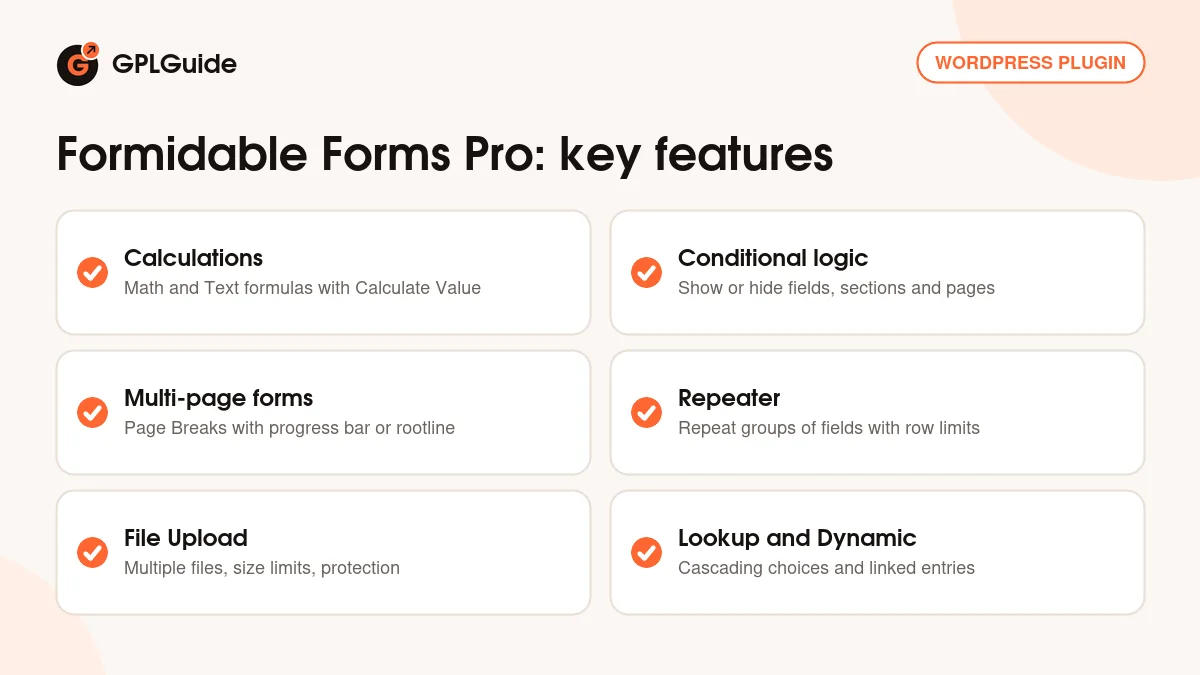
Calculations turn a form into a quote tool. Open a Number field, switch on Calculate Value and type the formula in the Default Value box, choosing Math for numbers or Text for joined text. The Field List search helps you insert other fields. Set Number format to Custom or Currency, choose the Decimal places and tick Read Only so visitors see the result but can't change it. Dropdown, Radio Buttons and Checkboxes can feed a price when you enable Use separate values.
Date fields work in formulas too, for an age or the days between two dates. To keep a formula private, the Virtual Field calculates on the server during validation, so neither the formula nor the result shows in the browser. Formidable Forms Pro 7.0.1 also lets you use Address subfields in text calculations, as you already could with Name subfields.
Conditional logic decides what each visitor sees. In a field's Field Options, open Conditional Logic and build rules with equals, does not equal, contains, starts with or ends with. Put a rule on a Section Heading to hide a whole group of fields, or on a Page Break to skip a page. A hidden field has its value cleared and a hidden calculation is set to zero, so totals stay correct.
Multi-page forms, repeaters and file uploads
Long forms are easier to finish in steps. Add a Page Break field where a new page should start, then use the link at the top of the builder to set up the progress indicator. Choose Show Progress bar, Show Rootline or hide both, pick a position and add page titles. Page turn transitions can slide horizontally or vertically, and the Button label and Previous label settings change the navigation text.
The Repeater field lets visitors add as many copies of a group as they need, such as one row per attendee. Set the Repeat Layout to Inline or Grid, rename the Add New Label and Remove Label under Repeat Buttons, and use Minimum Repeater Rows and Maximum Repeater Rows as limits. A repeater can't hold a page break, a section or another repeater.
File Upload in Formidable Forms Pro takes files from visitors. Tick Allow multiple files to be uploaded, then set Max files per entry, a Min and Max file size in MB and the allowed types. Other options attach the file to the email notification, resize large images before upload and delete old files when an entry is deleted. In the form settings you can protect all uploaded files and stop search engines from indexing them.
Linking forms with Lookup and Dynamic fields
Lookup fields pull values from entries in another form. Set Get options from to a form and field, choose a Display type and use Watch a Lookup Field to build cascading choices. The developer's own examples are country, state and city, or year, make and model. You can limit options to entries made by the current user and turn on Autocomplete for long lists.
Dynamic fields keep a live link to the original entry. Load options from Form Entries or from post categories and taxonomies, and later changes to the source entry carry through. For example, an order form can use a Dynamic dropdown to pick a product entry and a Dynamic List field to show another value from it.
The Create Post action under Settings, Actions & Notifications turns an entry into a post, page or custom post type, with fields mapped to the title, content, status, categories and custom fields. Allow front-end editing of entries under Form Permissions lets chosen roles edit submissions. Listing entries with edit links is usually done with a View, which comes from a separate add-on.
Setups you can copy with Formidable Forms Pro
These ideas only use tools inside the Formidable Forms Pro file, so they work without extra add-ons.
- Quote calculator: a Dropdown of services with Use separate values holding prices, a Number field for quantity and a Read Only total in the Currency format.
- Job application: a File Upload field limited to PDF and Word files, with Protect all files uploaded in this form switched on and the file attached to the email notification.
- Event registration: a Repeater with name and email for each attendee, Maximum Repeater Rows set to your group limit and the Add New Label changed to "Add another guest".
- Step by step signup: Page Breaks with Show Rootline and page titles, plus conditional logic on one Page Break so private customers skip the company details page.
- Location picker: three Lookup fields for country, state and city, each watching the one before it.
- Guest posts: a Create Post action with Post Status set to Pending, so you read every submission before it goes live.
What's new in Formidable Forms Pro 7.0.1
Formidable Forms Pro 7.0.1 came out on September 9, 2026. Range sliders now have separate Start Value and End Value defaults, Address subfields work in text calculations, a form can hold more than one Square action with conditional logic choosing which runs, and CSV imports read many more date formats. Forms with heavy conditional logic open faster in the builder. Fixes cover form imports, duplicated lookup fields, datepicker styling on WordPress 7.1, the phone calendar and nested conditional shortcodes with [else] tags.
Version 6.34 (August 12, 2026) added repeater and embedded form data to entry search and tightened permissions on temporary uploads. Version 6.33 (July 14, 2026) was a security release that blocks lookup and dynamic data requests from users without access to the form and sanitises uploaded SVG files, and 6.33.1 (July 16, 2026) fixed lookup validation. The developer has since released version 7.0, and its changes are not part of this file.
Good to know before you buy
Formidable Forms Pro does not work on its own. You need the free Formidable Forms plugin active at the same time, and the developer's docs don't say whether the two version numbers must match.
This file is the Pro plugin only. Views need the Visual Views add-on (Plus plan). Quizzes, surveys (Ranking, Likert and NPS fields), user registration, signatures, Forms to PDF, form abandonment, Stripe Pro, PayPal Classic, Zapier and the Form AI add-on are on the Business plan. Authorize.net AIM, WooCommerce, HubSpot and Salesforce are on Elite. None of these add-ons are inside this file.
The developer says the license key, entered under Formidable, Global Settings, activates the premium features. It also unlocks the Formidable, Add-Ons page, premium template downloads and the Connect An Account installer. The Pro file from GPLGuide comes with the license key already activated, so you don't need to enter one.
The pricing page also lists a 3% transaction fee on the built-in Stripe, PayPal and Square payments, removed with a valid Business or Elite license.
Formidable Forms Pro from GPLGuide vs the official subscription
From GPLGuide you get the original Formidable Forms Pro 7.0.1 plugin file, released under the GPL, to use on your own websites. It is the same file the developer ships, with the same Pro fields, calculations, conditional logic, repeaters, file uploads, Lookup and Dynamic fields and Create Post action.
A license from the developer adds what we can't pass on: updates through your license, their support team, a 14-day money-back guarantee, the add-ons in your plan, premium templates and AI credits on Business and Elite. Plans start at $39.50 for the first year for Basic on one site, renewing at $79, up to $299.50 for Elite on unlimited sites. If you need vendor support or add-ons, buy there. If you need the Pro plugin itself, GPLGuide has the original file on its own or with a membership.
How to install Formidable Forms Pro
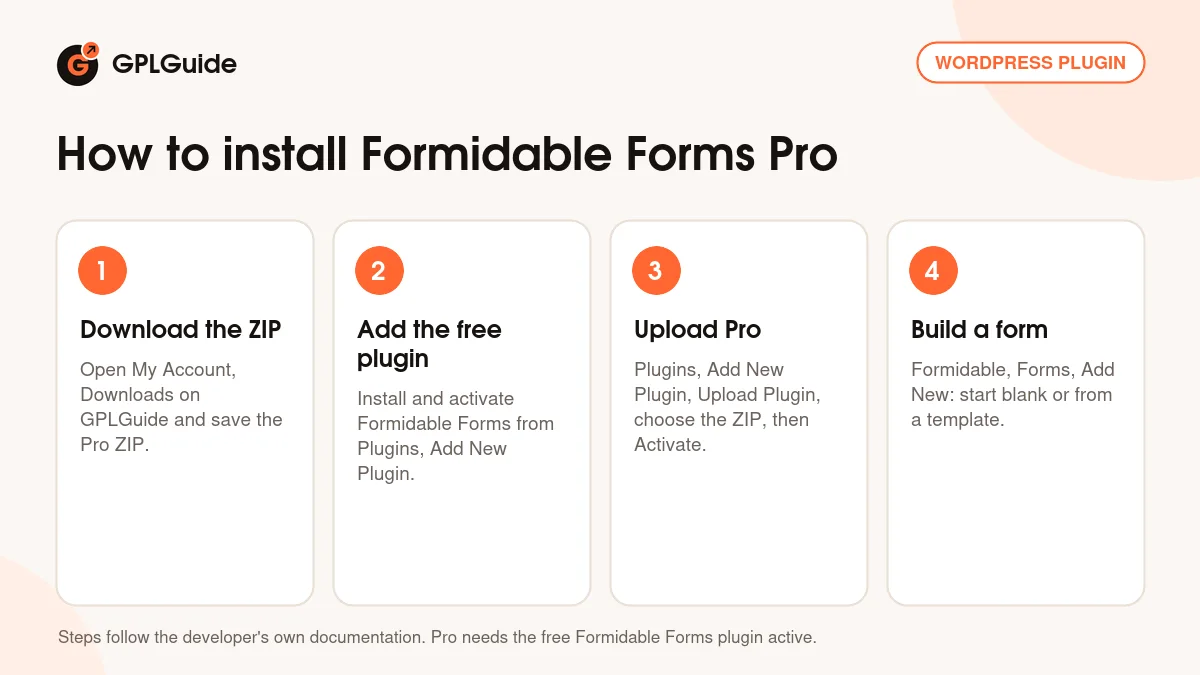
- Sign in to GPLGuide, open My Account, Downloads and save the Formidable Forms Pro ZIP.
- In WordPress, go to Plugins, Add New Plugin, search for Formidable Forms and install and activate the free plugin.
- Go to Plugins, Add New Plugin, Upload Plugin, choose the Pro ZIP, click Install Now and then Activate.
- Go to Formidable, Forms, Add New, pick Create a blank form or a template and add fields from the Advanced group.
A good first form is a small quote calculator. Add a Dropdown with Use separate values, a Number field for quantity and a Number field with Calculate Value that multiplies the two. Make it Read Only with the Currency format, save, place it on a test page with the [formidable id=x] shortcode and try a few choices.
Keeping it up to date
Updates from GPLGuide are manual. When a new version of Formidable Forms Pro is listed here, download it from your account and upload it under Plugins, Add New Plugin, Upload Plugin. WordPress offers to replace the installed copy. The developer's docs say forms, entries and styles live in the database, so they stay in place. The free plugin keeps updating from WordPress.org. If you see a newer version that we haven't added, let us know on the Request Item/Update page.
Questions about Formidable Forms Pro
Do I still need the free plugin? Yes. Formidable Forms Pro needs the free Formidable Forms plugin installed and active, and both run side by side.
Are Views included? No. Views come from the Visual Views add-on, a separate plugin on the developer's Plus plan and above.
Can it calculate prices and totals? Yes. Switch on Calculate Value in a Number field, write a Math formula and use the Currency format with Read Only.
Can visitors upload several files? Yes. Tick Allow multiple files to be uploaded, then set Max files per entry, size limits and allowed types.
Can I split a long form into pages? Yes. Add Page Break fields and choose a progress bar or rootline, with conditional logic to skip pages.
Does it include quizzes, signatures or user registration? No. Those are separate add-ons on the developer's Business plan.
Can submissions become WordPress posts? Yes. The Create Post action maps fields to the post title, content, status, categories and custom fields, including custom post types.
What happens to my forms when I update? The developer says forms, entries and styles are stored in the database, so replacing the plugin file doesn't remove them.
Looking for more site tools? Browse more WordPress plugins on GPLGuide, or see what a GPLGuide membership includes if you use several premium plugins. The free Formidable Forms plugin that Formidable Forms Pro needs is on WordPress.org.
Features & capabilities
- Calculations with Calculate Value, Math and Text formulas and Currency format
- Conditional logic on fields, sections and page breaks
- Multi-page forms with a progress bar or rootline and slide transitions
- Repeater field with Inline or Grid layout and row limits
- File Upload with multiple files, size limits, allowed types and file protection
- Cascading Lookup fields and Dynamic fields that link entries between forms
- Create Post action for posts, pages and custom post types
- Front-end editing of entries and server side Virtual Field calculations


