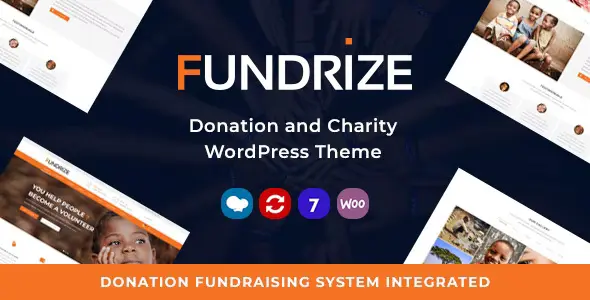
Fundrize Responsive Donation & Charity WordPress Theme
100% Original fileUnmodified copy of the developer's release
DeveloperNinzio
Up to dateFile last updated Oct 27, 2026
About this product
Fundrize Theme 1.43 is a WordPress theme for charities, nonprofits, foundations and fundraising campaigns that need to tell their story and collect donations online. It suits small organisations and volunteer groups that want campaign pages, a blog, a gallery and a small shop without hiring a developer. Donations run through the free WP Charitable plugin, which the theme integrates with, and pages are built with WPBakery Page Builder. The developer ships the theme with its own addons plugin, bundled copies of WPBakery Page Builder and a premium slider plugin, Contact Form 7, a one-click demo importer and child theme support.
How to install Fundrize Theme
- Log in to GPLGuide, open this product and click Download under Your downloads.
- If the download holds more than one ZIP, unzip it on your computer first and upload the theme's own installable ZIP, not the full pack with documentation and demo data.
- Go to Appearance, Themes, Add New Theme, Upload Theme, choose the ZIP, click Install Now, then Activate.
- On the prompt after activation, select all required plugins, then install and activate them; if the batch install fails, install them one at a time.
- Before the demo import, ask your host to raise max_execution_time and max_input_time to 180 and max_input_vars to 3000, as the developer recommends.
- Run the demo under Appearance, Import Demo Data, import the slider files under Revolution Slider, Import, and set colors and layout under Appearance, Customize.
Features & capabilities
- WP Charitable integration for donation campaigns
- One-click importer that brings in all homepages and inner pages
- Custom post types for gallery, portfolio, team, testimonials and partners
- Blog, portfolio, gallery and shop layouts, with WooCommerce support
- Sticky header, mobile header options and an advanced mega menu
- Boxed or wide layouts on a 1200px grid with unlimited colors and Google Fonts
- WPML and Polylang support for multilingual sites
- Mailchimp and social media widgets
- PHP 8 support and WordPress 7.1 compatibility listed in this version
Frequently asked questions
Is this the original file?
Yes. Every product on GPLGuide is the developer’s own release, unchanged. The license key comes already activated. If a product does ask for a key, the activation steps appear on its page once you have it.
Is it legal to use a GPL plugin or theme from GPLGuide?
Yes. WordPress plugins and themes are released under the GPL, which lets anyone use, share and change the code. The developer’s support desk and the developer’s own update service are not part of the file; those stay with the developer.
How do I install it?
Log in, open the product page and click Download under Your downloads. For a plugin go to Plugins, Add New Plugin, Upload Plugin, choose the ZIP, then Install Now and Activate. For a theme go to Appearance, Themes, Add New Theme, Upload Theme.
How do updates work?
When a newer version is listed on GPLGuide, download it from the product page and upload it over the installed copy; WordPress offers to replace the old version. Updates are manual.
Can I use it on more than one site?
Yes. The GPL lets you use it on as many of your own sites as you like.
What if the file does not work or a newer version is out?
Tell us on the Request Item page or through Support. We check the file and add the newer version when we have it.