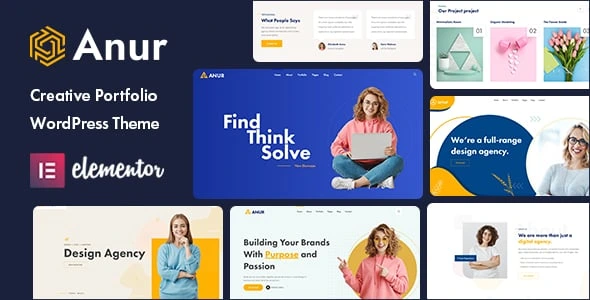
Anur – Portfolio WordPress Theme
100% Original fileUnmodified copy of the developer's release
Developerwpoceans
Up to dateOriginal released May 15, 2024 · File last updated Oct 21, 2026
About this product
The Anur theme is a portfolio WordPress theme for designers, creative agencies and small studios that want to show projects, list services and collect enquiries on one site. It's built for Elementor, keeps its settings in a Codestar options panel and comes with three home page styles, service and project pages, a shop page and several blog layouts in its demo. This page is for Anur 1.0.5, released on May 15, 2024. On GPLGuide you download the original theme file to install on your own websites.
Good for: freelance designers and illustrators, small branding agencies, digital marketing studios, photographers who also sell services, and creative teams that want a project gallery, a services list and a contact form without building every page from scratch.
Requirements: PHP 7.4 or greater, as set in the theme's stylesheet, and MySQL 5 or MariaDB 10.0 or greater. The Anur 1.0.5 file is tested up to WordPress 6.9, and this release added support for PHP 8.1 and 8.2. Two plugins, Anur Core and Codestar Framework, ship inside the theme and install through its plugin prompt. The rest are free: Elementor, Contact Form 7, WooCommerce, MailChimp for WordPress and One Click Demo Import. The docs recommend memory_limit 256M and max_execution_time 600.
What the Anur theme does
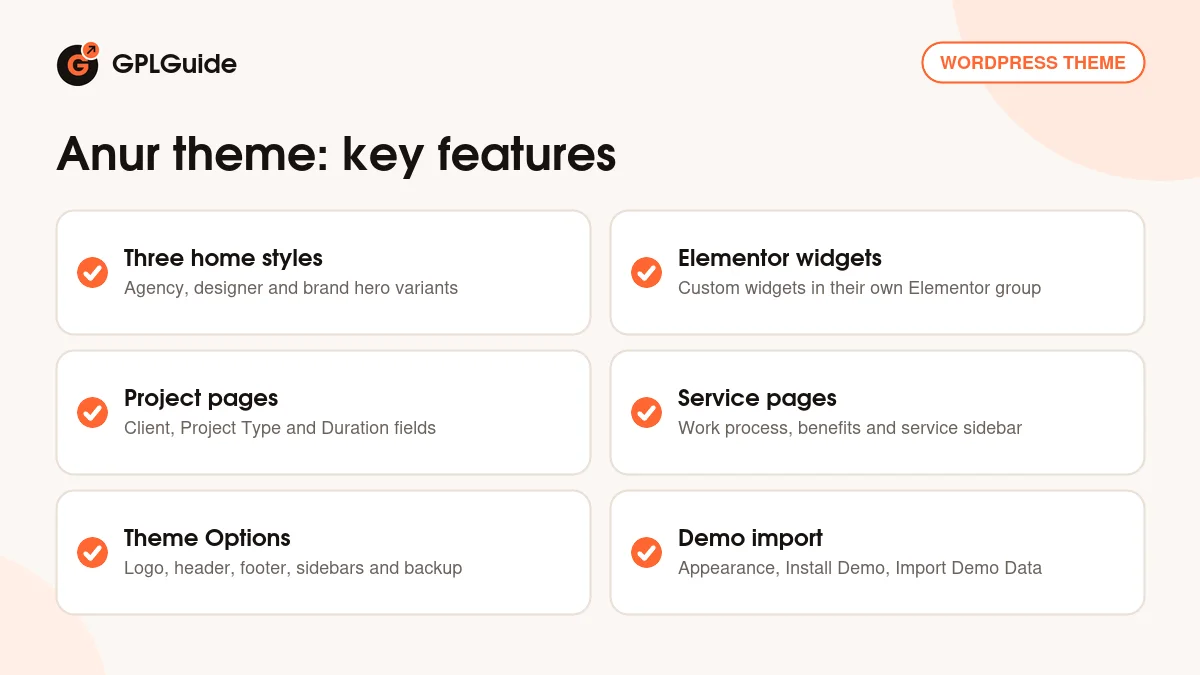
Anur is a small, focused portfolio theme. Its demo reads like a design agency site, with three takes on the home page and inner pages for services, single services, a portfolio grid, a masonry portfolio, single projects, a shop, a blog and contact.
Everything you see is built in Elementor. The theme's custom widgets sit in their own group in the Elementor panel, and the Anur Core plugin, which ships inside the theme, adds the shortcodes and the custom post types behind them: service, project and team. Global settings such as the logo, header and footer live under Appearance, Theme Options. Colors are set in the Customizer.
Under the design, the Anur theme uses the Bootstrap 5 grid, the Jost and Mulish Google Fonts and Themify and Flaticon icons. The item page also lists a sticky menu, smooth animations and Google Maps with multiple locations. It's marked Gutenberg optimized, so blog posts can be written in the block editor.
Three home styles and the Anur theme's inner pages
The three home pages share most of their sections and differ mainly in the hero. Home Style 1 opens with "Find Think Solve", a View Showcase button and Facebook, Twitter and Instagram links. Home Style 2 swaps in rotating taglines (Unique, Cool, Awesome) over a "Design Agency" heading, with Dribbble and Behance links, which suits a designer whose work already lives there. Home Style 3 is the most corporate: a longer brand headline, a Watch Our Video link to a YouTube video and a LinkedIn icon.
Below the hero, each home runs the same story. "Our Work Plan" walks through four steps, from Creating a Concept to Building Your Dream. Then come the about block, a six-card services grid, four counters, two testimonials, a support box with a Submit a Ticket button and three Latest News posts. Home Style 1 also shows three projects on the front page.
A Project Single page in the Anur theme carries an info list with Location, Client, Developer, Project Type, Duration and Tags, two images side by side, an "Our Strategies" block and a short FAQ. Service Single pages add an "Our Work Process" strip, a Benefits list and a sidebar listing every service above a Contact Us box.
Theme Options, page settings and the Customizer
Site-wide choices sit under Appearance, Theme Options, a panel built on the Codestar Framework. The docs name the Logo, Layout Options, Header and Footer areas, a Custom Sidebar tool for extra widget areas and a Backup tab. That tab matters more than it looks: it's where you paste a theme-options.txt string and click Import a Backup, and where you copy your own settings out before a big change.
Each page gets its own options too. You can pick a header template per page, set a banner image, hide the header and footer, and use a topbar shortcode. Hiding both is handy for a one-off landing page. Colors live in Appearance, Customizer rather than the options panel, so if a color won't change, check the other screen.
Widget areas cover the footer, the blog, services and projects. One quirk of the Anur theme: the footer logo and description come from a shortcode builder under Appearance, Widget, Add Shortcode, not from the Theme Options logo field. It catches most people out once.
Demo import, contact forms and the shop
The quickest start is the one-click route. Once the plugins are active, go to Appearance, Install Demo and click Import Demo Data. Then open Elementor, Settings, tick Disable Default Colors and Disable Default Fonts, and select the service, project and team post types. Skip that last step and Elementor won't offer to edit your single service and project pages.
The docs also describe a manual import: contents.xml through Tools, Import, widgets.wie through the Widget Importer & Exporter plugin and theme-options.txt through the Backup tab. That only works if you have those files. Raise your PHP limits before either route. A host with short time limits is the usual way to end up with half a demo.
Contact forms run on Contact Form 7. The demo's Get In Touch form has a Subject dropdown with the placeholder options Subject 1, Subject 2 and Subject 3, so rename those to real choices like "New project" or "Quote request" before launch. The footer's Newsletter sign-up pairs with MailChimp for WordPress, and WooCommerce covers selling. The item page mentions GiveWP for donations, but it isn't in the Anur theme's plugin installer, so treat donations as an extra you add yourself.
Site plans to copy with the Anur theme
Gather your material before you import anything: six services or fewer, four to six projects with a client and duration for each, two client quotes and a short about text.
- Freelance designer: Home Style 2 with your Dribbble and Behance profiles in the hero, Portfolio Masonry for your work and one Project Single page per case study.
- Small branding agency: Home Style 1, the work plan rewritten as your own process, and six service cards linked to Service Single pages.
- Digital marketing studio: Home Style 3 with a showreel behind Watch Our Video and a Service Single page for each package.
- Photographer who sells prints: Portfolio Grid for galleries and a small WooCommerce Shop page.
- Studio that publishes articles: Blog Left Sidebar for posts, with Latest News on the home page.
- Campaign landing page: one Elementor page with the header and footer hidden in its page options.
Fill the counters with real numbers or delete them. An Award Winning counter that stops at zero does more harm than no counter at all. If you don't run a ticket system, point Submit a Ticket at your contact page.
What's new in the Anur theme 1.0.5
The Anur theme 1.0.5 came out on May 15, 2024, and it's a compatibility release. It added support for PHP 8.1 and 8.2 and WordPress 6.5.2 compatibility, fixed WooCommerce deprecation issues, updated the core plugin and fixed a post type select error.
Version 1.0.3 (August 20, 2023) added PHP 8, WordPress 6.3 and WooCommerce 8.0.1 compatibility, improved the theme options and fixed a demo import issue. Version 1.0.2 (February 5, 2023) fixed a deprecated Elementor function and improved the custom Elementor widget. The docs date version 1.0.0 to March 3, 2022.
A newer version exists. The developer released 1.0.6 on January 10, 2026, with more PHP and WooCommerce deprecation fixes and a fix for broken comments.
Good to know before you buy
The Anur theme is a small item. Its item page showed 44 sales when this page was written, and the docs are short, lean on screenshots and skip menus, translation and updates. Nothing on the developer's pages mentions WPML or RTL support, so test translations on a staging site before you promise a client a second language.
No paid plugin is needed. Elementor Pro is listed as compatible, not required, and GiveWP only matters if you add donations yourself.
The demo text has rough edges, such as two repeated service cards and a heading that reads "Our Project project". The docs also describe a child theme and manual demo files in the developer's full package. Don't count on those unless you see them in your download. Nothing on the item page or in the docs points to a service on the developer's servers, such as a cloud library or AI tool.
Anur theme from GPLGuide vs the official subscription
On ThemeForest the Anur theme costs $49 for the Regular licence, which includes future updates through Envato and six months of support from the developer. Support can be extended to 12 months for $13.88, and an Extended licence is $2,600. Under Envato's licence for this item, its PHP code is licensed under the GPL.
From GPLGuide you get the original Anur 1.0.5 theme file, with the same three home styles, Elementor widgets and Theme Options panel. It comes with the license key already activated, so there's nothing to enter before you start building.
A ThemeForest purchase adds the developer's side: help through their ticket desk, which asks for a purchase code, refunds under Envato's rules and updates in your Envato account. If you want the developer to look at your site, buy the licence there.
How to install the Anur theme
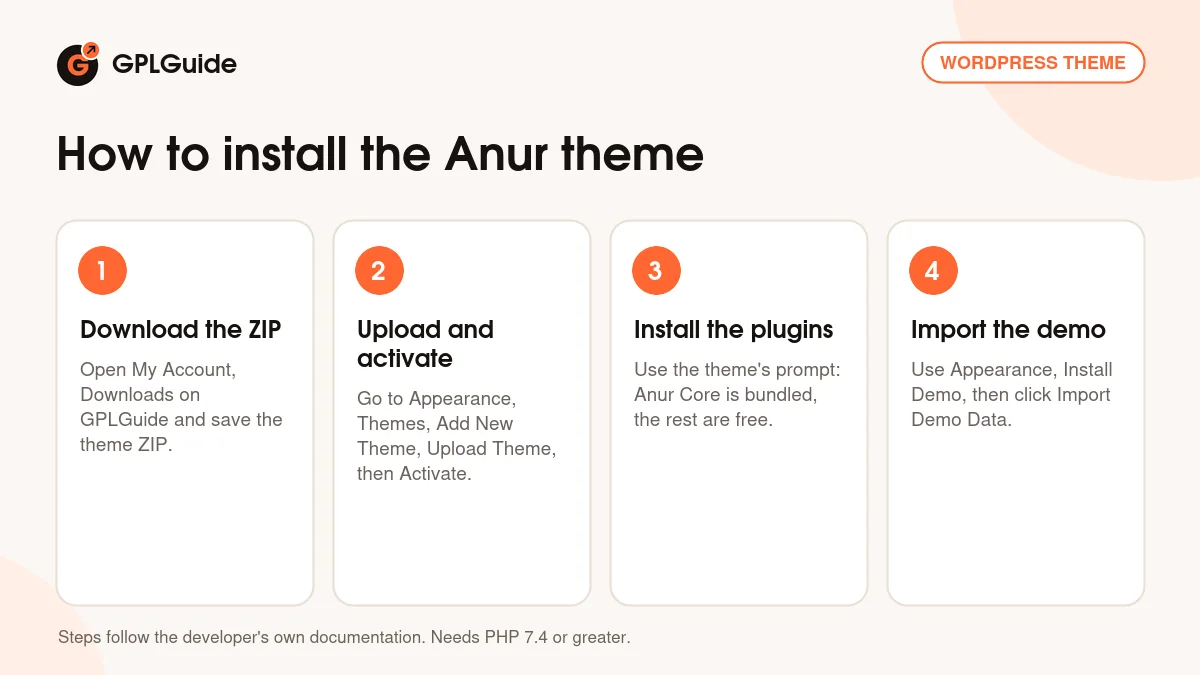
- Sign in to GPLGuide, open My Account, Downloads and save the Anur theme ZIP.
- Go to Appearance, Themes, Add New Theme, Upload Theme, choose the ZIP and click Activate.
- Install the plugins from the theme's prompt. Anur Core and Codestar Framework come inside the theme, and the rest are free.
- Go to Appearance, Install Demo, click Import Demo Data and let it finish.
A good first setup starts with the Elementor settings above. Next, set your logo and header in Appearance, Theme Options, pick your colors in the Customizer and swap the footer logo through the shortcode builder. Replace the six service cards with what you really sell, add your projects with the Client and Duration fields filled in, then send yourself a test message through the contact form.
Keeping it up to date
Updates from GPLGuide are manual. When a new version of the Anur theme is listed here, download it from your account and upload it under Appearance, Themes, Add New Theme, Upload Theme. WordPress offers to replace the installed copy, and your Elementor pages and theme options stay in the database. Both 1.0.3 and 1.0.5 also updated the core plugin, so check the plugin prompt for a newer Anur Core after each theme update. Keep code edits in a child theme. If a newer release isn't listed yet, ask for it on the Request Item/Update page.
Questions about the Anur theme
Which page builder does the Anur theme use? Elementor. The theme adds its own Elementor widgets, and Elementor Pro is listed as compatible but isn't required.
How many home pages are there? Three. Home Style 1, 2 and 3 share their sections and differ mainly in the hero.
Does the portfolio have a category filter? No. The Portfolio Grid and Portfolio Masonry demo pages show projects without filter buttons or pagination.
Can I run a shop with the Anur theme? Yes. WooCommerce is in its plugin list, the item page names WooCommerce 8.x and 9.x as compatible, and the demo has a Shop page.
Which PHP version do I need? PHP 7.4 or greater. That's the minimum in the theme's stylesheet, and version 1.0.5 added support for PHP 8.1 and 8.2.
Do I have to find Anur Core and Codestar Framework myself? No. Both ship inside the theme and install through its plugin prompt.
Is 1.0.5 the newest version of the Anur theme? No. Version 1.0.6 came out on January 10, 2026, with a comments fix. The 1.0.5 file already lists WordPress 6.9 as tested.
Where do I change the footer logo? In Appearance, Widgets. It comes from the theme's shortcode builder, not from Theme Options.
Do I need a purchase code? No. The license key is already activated in the file, so the theme is ready after upload.
Want to compare other creative and agency designs? Browse the WordPress themes on GPLGuide, or see what a GPLGuide membership includes. For more design control inside Elementor, Elementor Pro works with the Anur theme too.
Features & capabilities
- Portfolio and agency design with three home page styles
- Built for Elementor, with the theme's own custom widgets
- Bundled Anur Core plugin with service, project and team post types
- Project pages with Location, Client, Project Type and Duration fields
- Portfolio Grid, Portfolio Masonry and three blog layouts
- Codestar Theme Options with per-page header and banner settings
- Contact Form 7, MailChimp for WordPress, WooCommerce and demo import
- Bootstrap 5 grid, Jost and Mulish fonts, Themify and Flaticon icons


