
GeneratePress Premium WordPress Plugin
100% Original fileUnmodified copy of the developer's release
DeveloperCode Canyon
Up to dateOriginal released May 29, 2026 · File last updated Oct 23, 2026
About this product
GeneratePress Premium is the add-on plugin that unlocks the paid modules of the GeneratePress theme. The developer usually calls it GP Premium. It adds Elements for custom headers, hooks and layouts, the Site Library of starter sites, a local Font Library, extra navigation and mobile header options, blog layouts and WooCommerce controls. This page is for GeneratePress Premium 2.5.6. On GPLGuide you download the original plugin file to install on your own websites.
Good for: bloggers, small businesses, agencies and store owners who like the free GeneratePress theme and want more control over headers, layouts, menus and archives without moving to a page builder.
Requirements: the free GeneratePress theme, installed and active. The theme's WordPress.org listing gives WordPress 6.5 and PHP 7.4 as its minimums. The developer does not publish separate minimums for GP Premium. The WooCommerce module needs WooCommerce, and the Site Library needs your server to reach the developer's Site Library server.
What GeneratePress Premium does
The free GeneratePress theme is a light, fast base with a Customizer full of color, typography and layout settings. GeneratePress Premium sits on top of it as a separate plugin. It doesn't replace the theme. It adds modules, and each module brings new Customizer panels or new dashboard screens.
You switch modules on under Appearance, GeneratePress, and only active modules add their options. A simple blog can run with two or three, while a shop also turns on WooCommerce and the navigation extras. The two biggest parts are Elements, for hooks, layouts and block templates, and the Site Library, which imports complete starter sites.
The modules you switch on in Appearance, GeneratePress
Menu Plus. Adds a separate Mobile Header under Appearance, Customize, Layout, Header, with its own Branding Type, Logo and a Sticky option that can hide the header when visitors scroll down. It also adds Use Navigation as Header, a Mobile Menu Label, a Mobile Menu Breakpoint (0 to 2000 pixels, 768 by default) and the off-canvas panel with its Off Canvas Menu location.
Secondary Navigation and Sticky Navigation. Add a second menu, such as a top bar with contact links, and keep your menu in view while visitors scroll.
Spacing and Backgrounds. Spacing adds controls such as header padding, with separate mobile values. Backgrounds is needed for the Background Images panel.
Blog layouts. The product page lists Masonry for multi-column archives and Infinite Scroll, in plain JavaScript, for blog archives.
Font Library. Added in version 2.5.0, it installs Google Fonts on your own server, so pages serve local copies instead of calling Google. It asks permission the first time you open the Google Fonts tab and only contacts Google when you install a font. An Upload Custom Fonts tab takes your own files, and each font has settings for variants, font-display, an alias and a fallback. Installed fonts show up in the Customizer's Font Manager.
WooCommerce and Import / Export. The WooCommerce module only appears when WooCommerce is active. Import / Export is a module of its own.
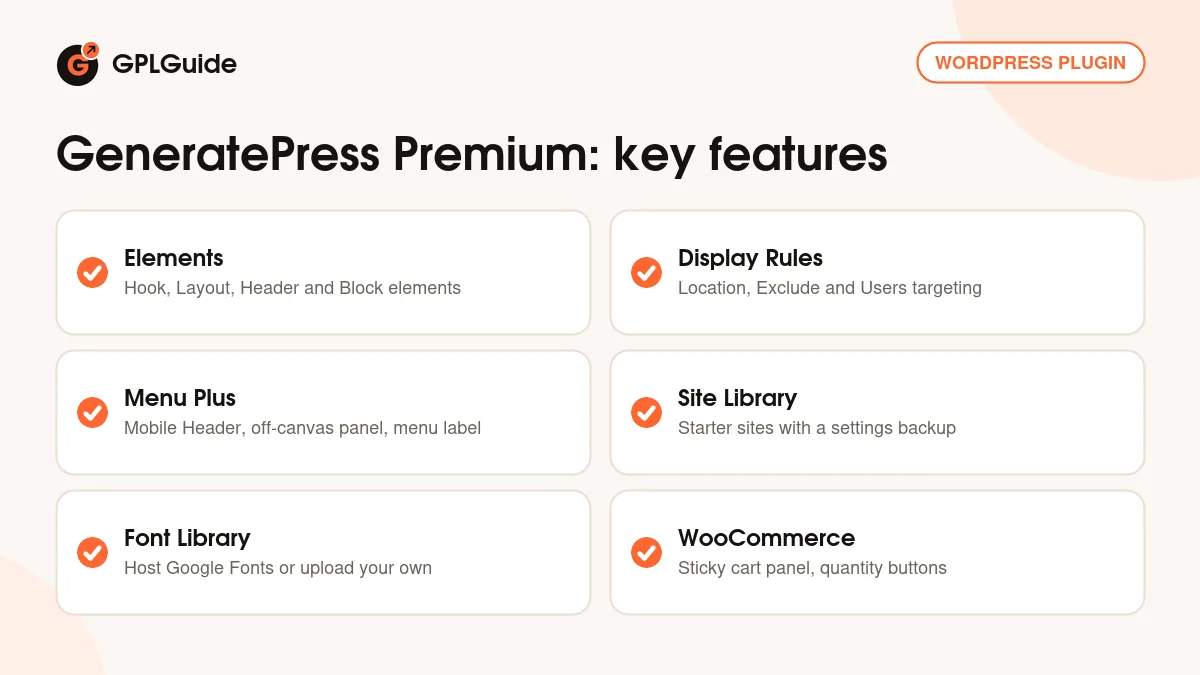
Elements in GeneratePress Premium: hooks, layouts and block templates
Elements live under Appearance, Elements, Add New, in four types: Hook, Layout, Header and Block. Every element needs Display Rules or it shows nowhere. Location sets where it applies, such as the entire site, all posts, one page or a category archive. Exclude removes places, and Users limits it to logged-in visitors, logged-out visitors or chosen roles.
Hook elements insert HTML, text or shortcodes at a theme hook such as generate_header or generate_footer, or at a Custom Hook you type in. Execute Shortcodes and Execute PHP are switches, and PHP is unavailable when DISALLOW_FILE_EDIT is set. Priority sets the order when elements share a hook, and Disable Site Header or Disable Site Footer lets a hook replace those areas.
Layout elements apply layout settings to many pages at once: the Sidebar layout, the number of Footer widget columns, Disable Elements (header, navigation, featured image, title or footer) and Content, with Default, Full Width or Contained and an optional Content Width.
Header elements build a page hero with the featured image or a custom Background Image, Parallax, a Background Overlay and template tags such as {{post_title}}. The Site Header tab offers Merge with Content for a transparent header over the hero.
Block elements let you design theme parts in the block editor: Site Header, Site Footer, Right Sidebar and Left Sidebar, Page Hero, Content Template, Loop Template, Post Meta Template, Post Navigation, Archive Navigation and Hook. The docs recommend the free GenerateBlocks plugin for these, though core blocks also work. With GenerateBlocks, dynamic tags pull in titles, dates, featured images and post meta.
The Site Library and WooCommerce options
The Site Library sits under Appearance, GeneratePress, Site Library. Filter starter sites by category (Business, Blog, e-Commerce) or plan (GP One or GP Premium) and preview each one with the plugins it uses. Click Get Started, switch on I understand and click Begin Import. An import brings in the site's Customizer settings plus its pages, posts and images. GeneratePress Premium backs up your current settings first, and an option at the top of the Site Library removes an imported site and restores them.
The WooCommerce module adds a Layout, WooCommerce panel. Shop has Product Columns, Products Per Page, Display cart panel on add to cart and Display secondary image on hover. Single Product adds Display add to cart panel on scroll and Display quantity buttons. General offers Display cart in menu, and Checkout has a Distraction-free mode.
Setups you can copy with GeneratePress Premium
These setups only use options the developer documents. Test each on one page with a narrow Location rule, then widen it.
- Announcement bar: a Hook element on generate_before_header with a short message, Location set to Entire Site, plus a Users rule if only logged-out visitors should see it.
- Analytics or verification code: a Hook element on wp_head with the snippet your service gives you, shown on the entire site.
- Blog hero on every post: a Header element using the featured image, {{post_title}} and {{post_date}}, with Location set to all posts. Turn on Disable Featured Image so the photo doesn't appear twice.
- Clean landing pages: a Layout element with no sidebar, Content Container set to Full Width and the title hidden under Disable Elements.
- Custom footer: a Site Footer Block Element with your links and the {{current_year}} tag in the copyright line.
- Shop extras: turn on Display add to cart panel on scroll, Display quantity buttons and Distraction-free mode.
What's new in GeneratePress Premium 2.5.6
Version 2.5.6 came out on May 29, 2026 and is a security release. Its one changelog entry hardens the Font Library's REST API permissions and the checks on remote font installation. The same day, the developer explained why: versions 2.5.0 to 2.5.5 had an arbitrary file upload flaw in the Font Library module. Using it needed at least a Contributor account, so logged-out visitors could not. The developer knew of no attacks at the time and credited researcher Austin Ginder and Patchstack. They also suggest a security scan if you used the Font Library on a site with Contributor, Author or Editor accounts.
Earlier releases were small. Version 2.5.5 (July 22, 2025) added plan filters to the Site Library, 2.5.4 (July 1, 2025) smoothed device switching in the Elements editor, 2.5.3 (May 13, 2025) fixed the Layout Element full width editor and 2.5.2 (April 8, 2025) fixed Customizer notice placement in WordPress 6.8.
Good to know before you buy
GeneratePress Premium only works with the GeneratePress theme and does nothing on any other theme. It is a plugin, so upload it under Plugins. Uploading it as a theme fails with a "Missing style.css" message.
The Site Library is in the plugin. The docs list it as needing a GP Premium or GeneratePress One licence, and the file from GPLGuide comes with the licence key already activated. It loads starter sites and their content from the developer's server. Some sites are tied to the GP One plan, and the 20+ GenerateBlocks Pro starter sites need GenerateBlocks Pro.
GenerateBlocks Pro and GenerateCloud are separate products and are not part of this file. The docs also ask you to set WP_DEBUG to false before importing a starter site. Basic typography and Google Fonts are free in the theme; GeneratePress Premium adds local font hosting.
GeneratePress Premium from GPLGuide vs the official subscription
From GPLGuide you get the original GeneratePress Premium 2.5.6 plugin file, released under the GPL, for your own websites. The modules in the file work the same way, from Elements and Menu Plus to the Font Library and WooCommerce options.
The official GP Premium plan costs $59 a year with 60+ Starter Sites, one year of updates and premium forum support. The developer's FAQ allows up to 500 sites and offers a refund within 30 days. GeneratePress One costs $149 a year and adds GenerateBlocks Pro, GenerateCloud and priority email support. Only the developer's licence gives you their support and their refund. If you need the plugin file itself, you can get it here on its own or with a GPLGuide membership.
How to install GeneratePress Premium
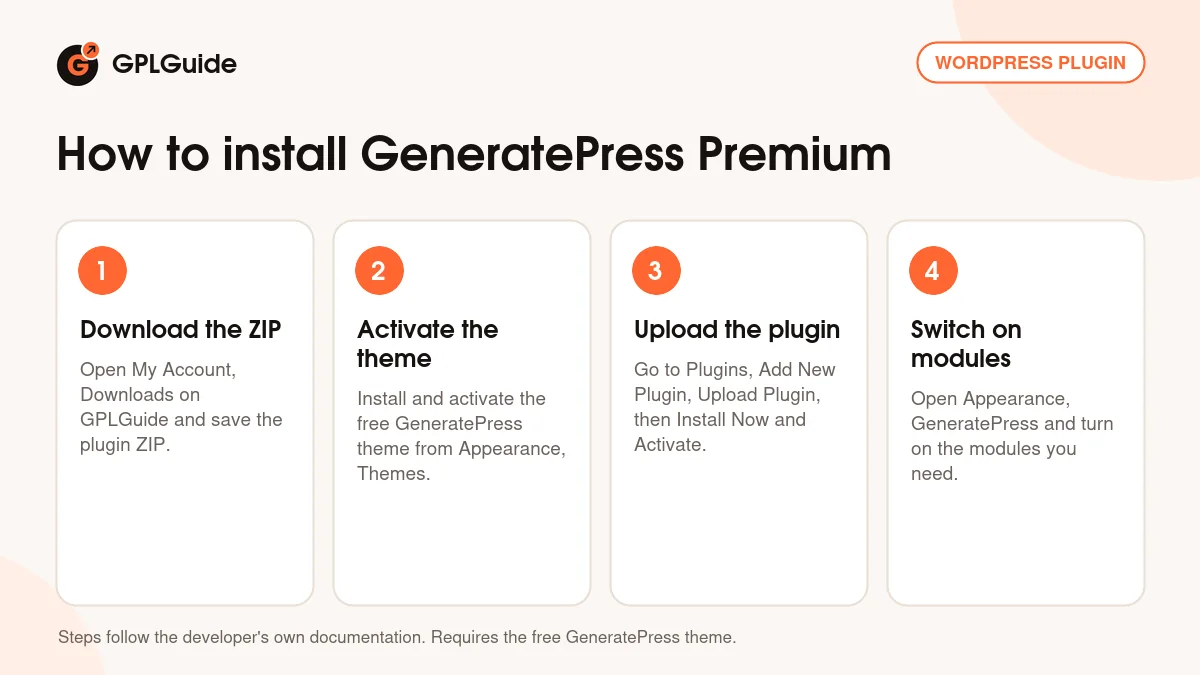
- Sign in to GPLGuide, open My Account, Downloads and save the GeneratePress Premium ZIP.
- Install the free GeneratePress theme: Appearance, Themes, Add New Theme, search for GeneratePress, click Install and then Activate.
- Go to Plugins, Add New Plugin, Upload Plugin, choose the ZIP (keep it zipped), click Install Now and then Activate.
- Open Appearance, GeneratePress and switch on the modules you want to use.
For a good first setup of GeneratePress Premium, switch on Elements, Menu Plus and Spacing only. Set up the Mobile Header with your logo, then create one Layout element and one Hook element to see how Display Rules work. Add the Font Library next if you use Google Fonts, and install only the weights you need, since each variant is a separate file.
Keeping it up to date
Updates from GPLGuide are manual. When a new version of GeneratePress Premium is listed here, download it from your account and upload it under Plugins, Add New Plugin, Upload Plugin. WordPress offers to replace the installed copy, and the developer's docs confirm your settings are kept. The free theme updates from WordPress.org as normal. If you see a newer version that we haven't added, tell us on the Request Item/Update page.
Questions about GeneratePress Premium
Does GeneratePress Premium work without the GeneratePress theme? No. It needs the free GeneratePress theme installed and active, and does nothing on other themes.
Is GP Premium a theme or a plugin? A plugin. Upload the ZIP under Plugins. Uploaded as a theme, WordPress reports a missing style.css.
Does this file include GenerateBlocks Pro? No. GenerateBlocks Pro is a separate product. Block Elements work with the free GenerateBlocks plugin or core blocks.
Can I import the starter sites? The Site Library is in the plugin and the licence key comes already activated. It loads the sites from the developer's server, and some of them also need GP One or GenerateBlocks Pro.
Do I need to enter a licence key? No. The file from GPLGuide comes with the licence key already activated. New versions come through your GPLGuide account.
Why move to version 2.5.6? It fixes a file upload flaw in the Font Library that affected versions 2.5.0 to 2.5.5.
Can I host Google Fonts on my own server? Yes. The Font Library downloads them to your site and accepts your own font files too.
Does GeneratePress Premium work with WooCommerce? Yes. With WooCommerce active, its module adds shop, product, checkout and color options.
Will I lose my settings when I update? No. The developer's docs say settings are kept when you replace the plugin with a newer ZIP.
Building with GeneratePress? Browse more WordPress plugins, or see what a GPLGuide membership includes if you need several premium tools. The GeneratePress theme itself is free on WordPress.org.
Features & capabilities
- Hook, Layout, Header and Block elements with Location, Exclude and Users rules
- Block Elements for the site header, footer, sidebars, page hero and templates
- Mobile Header, Use Navigation as Header and mobile menu options
- Secondary Navigation, Sticky Navigation and an Off-Canvas Panel
- Site Library of starter sites with a settings backup before each import
- Local Font Library for Google Fonts and your own font uploads
- WooCommerce add to cart panel, quantity buttons and distraction-free checkout
- Masonry and Infinite Scroll for blogs, plus Spacing and Backgrounds


