GEO Optimizer – AI-Powered Generative Engine Optimization & SEO WordPress Plugin

100% Original fileUnmodified copy of the developer's release
DeveloperPixalab.ai (item author kamleshyadav)
Up to dateFile last updated Oct 23, 2026
About this product
GEO Optimizer 4.3.4 is a WordPress plugin for generative engine optimization: it gets your posts and pages ready to be read, understood and quoted by AI search tools and chat assistants. It suits bloggers, content sites and small businesses that already do classic SEO and now want answers in AI results to point back to them. The developer is clear that it structures content and can't promise citations, rankings or traffic, since each AI platform decides what it shows.
What's in the GEO Optimizer download
Our download is the original GEO Optimizer package for version 4.3.4, with the license key already activated. It contains the plugin itself, ready to unzip. Access to an AI provider can't ship inside a plugin, though: the AI Writer, Create New Post and AutoPilot connect to your own Anthropic or OpenAI account, so you create that account and its API key yourself.
Good to know
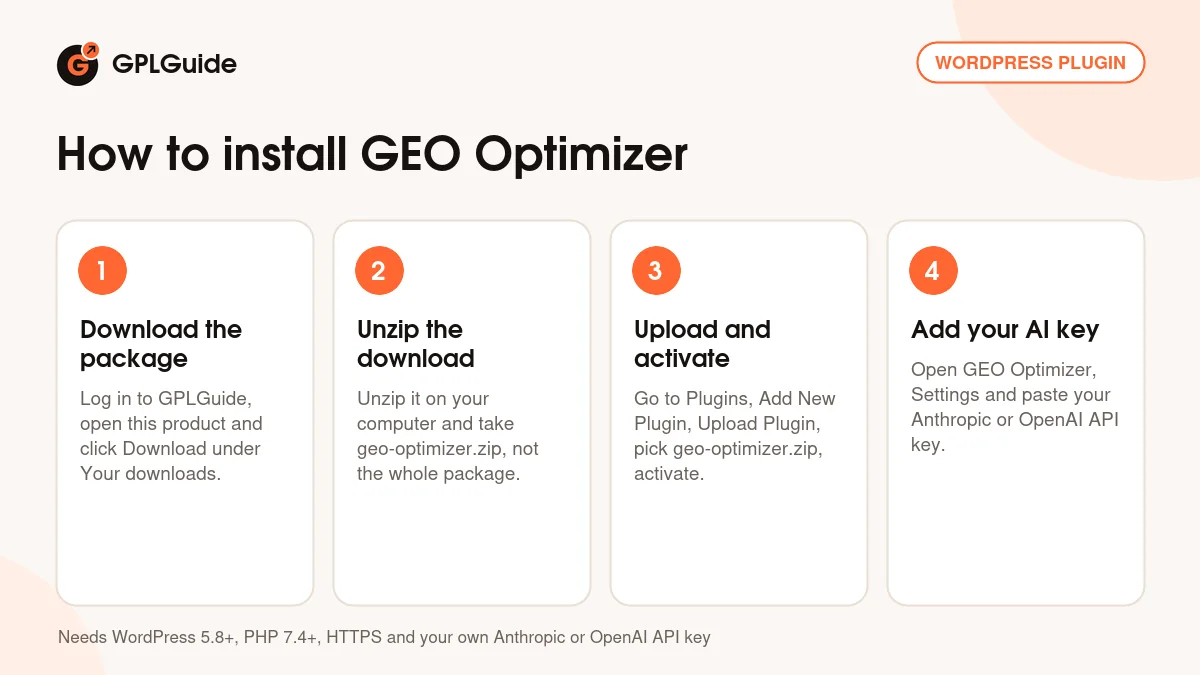
Unzip the download on your computer first and upload geo-optimizer.zip, not the whole package. The developer's docs ask for WordPress 5.8 or newer, PHP 7.4 or newer (8.1 recommended) and HTTPS, which the AI calls need. Paste your key under GEO Optimizer, Settings, in the AI Writer API Key section; you only need one for the provider you pick. AutoPilot relies on WP Cron, so a real server cron keeps its runs on time. With Yoast SEO or Rank Math active, the plugin leaves meta descriptions to them.
How to install GEO Optimizer
Features & capabilities
- AI Crawler Access writes allow rules into robots.txt for GPTBot, ClaudeBot, PerplexityBot, Google-Extended and other AI bots.
- Generates an llms.txt file listing your homepage, newest pages and posts, and a link to your sitemap.
- Adds JSON-LD schema for Organization, Person, Article, FAQPage and BreadcrumbList.
- Turns headings that end in a question mark into FAQ schema, up to 10 pairs per post.
- The [geo_answer] shortcode puts a short Quick Answer box on the page for AI tools to pick up.
- Auto AI-Ready Writer reworks a post with a stronger intro, an FAQ and better headings, keeps the original and can revert it.
- AutoPilot enhances 1 to 50 older posts per scheduled run and can email you a weekly report.
- GEO Audit runs seven technical checks and scores your 15 newest posts from 0 to 100.
Frequently asked questions
Is this the original file?
Yes. Every product on GPLGuide is the developer’s own release, unchanged. The license key comes already activated. If a product does ask for a key, the activation steps appear on its page once you have it.
Is it legal to use a GPL plugin or theme from GPLGuide?
Yes. WordPress plugins and themes are released under the GPL, which lets anyone use, share and change the code. The developer’s support desk and the developer’s own update service are not part of the file; those stay with the developer.
How do I install it?
Log in, open the product page and click Download under Your downloads. For a plugin go to Plugins, Add New Plugin, Upload Plugin, choose the ZIP, then Install Now and Activate. For a theme go to Appearance, Themes, Add New Theme, Upload Theme.
How do updates work?
When a newer version is listed on GPLGuide, download it from the product page and upload it over the installed copy; WordPress offers to replace the old version. Updates are manual.
Can I use it on more than one site?
Yes. The GPL lets you use it on as many of your own sites as you like.
What if the file does not work or a newer version is out?
Tell us on the Request Item page or through Support. We check the file and add the newer version when we have it.