
Global Gallery WordPress Responsive Gallery
100% Original fileUnmodified copy of the developer's release
DeveloperCode Canyon
Up to dateOriginal released Sep 30, 2026 · File last updated Oct 23, 2026
About this product
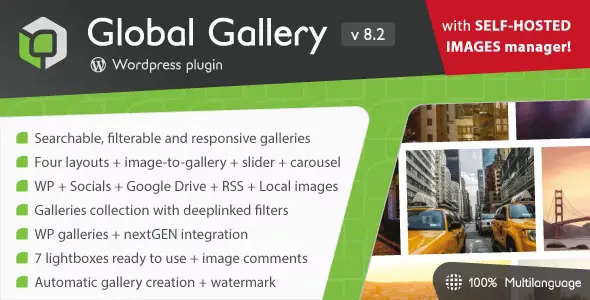
Global Gallery is a premium WordPress gallery plugin that builds filterable, responsive photo galleries, gallery collections, sliders and carousels. You can fill them from your media library, from folders on your own server, or from outside sources such as Flickr, Pinterest, Dropbox, Google Drive and Amazon S3. This page is for Global Gallery 11.4.0. On GPLGuide you download the original plugin file to install on your own WordPress sites.
Good for: photographers and studios with large portfolios, agencies building client sites, travel and event sites, WooCommerce stores that want a gallery built from product categories, and anyone who keeps images on Dropbox, Google Drive or Amazon S3.
Requirements: WordPress 5.5 or newer, and the developer marks the plugin as supported on the WordPress 7 line. No general PHP minimum is published, but the Google Drive source needs PHP 8.0.2 or newer. The server must allow the getimagesize() function for image data, and watermarking needs write access to the uploads folder. No other plugin is required.
What Global Gallery does
The plugin gives you five display types. A gallery is the main one: a grid of images from one source, with filters, search and pagination. A collection groups several galleries on one page. The slider and the carousel show the images of a gallery in motion, and the image-to-gallery block turns one image area into a small preview of a gallery, with six layouts that show one, two or four images and your own overlay text.
Each type has a shortcode: [g-gallery], [g-collection], [g-slider], [g-carousel] and [g-itg]. Global Gallery adds native blocks for the WordPress block editor and native elements for Elementor, WPBakery Page Builder and Divi, including Divi 5. There is no limit on the number of galleries, and the developer says a gallery can hold thousands of images.
When a visitor clicks an image, it opens in a lightbox. You choose from seven: the developer's own LC Lightbox, PhotoSwipe, Simple Lightbox, Magnific Popup, Lightcase, Photobox and imageLightbox. LC Lightbox adds zoom, fullscreen, deeplinks and comments through Disqus or Facebook Comments, and you can switch it on for every linked image on your site, not only for galleries.
Image sources in Global Gallery and what each one needs
In Global Gallery, every gallery starts with a source. None of them asks for an API key in the developer's docs, but several need a connection, a public folder or another plugin.
- WordPress media library: the default. Don't delete library images that a gallery still uses.
- Posts categories and custom post type taxonomies: build a gallery from a taxonomy, for example WooCommerce product categories.
- Self-hosted folders: the GG Albums manager reads images straight from a folder on your server. An admin sets the base folder, and folder names may only use letters, numbers, hyphens and underscores.
- Flickr: paste a set, photostream or tag URL. Only public photos can be shown.
- Pinterest and Tumblr: paste a board URL or a blog URL. Pinterest returns only the last 50 images.
- Dropbox: needs your own Dropbox account and a root folder named globalgallery. Add a connection in Manage connections and paste the token the plugin asks for.
- Google Drive: needs your own Google account, a public globalgallery folder, a connection token and PHP 8.0.2 or newer.
- Amazon S3: needs your own AWS account and a public bucket with the bucket policy from the docs, plus the bucket name and region.
- RSS, NextGEN Gallery and Real Media Library: any valid feed, or galleries and folders from those two plugins if they are installed.
Instagram and Facebook have no direct connection. The developer's route is an RSS feed made with Zapier, a separate service with its own account and plans. Google Photos is not on the list of sources at all.
Layouts, filters and the gallery builder
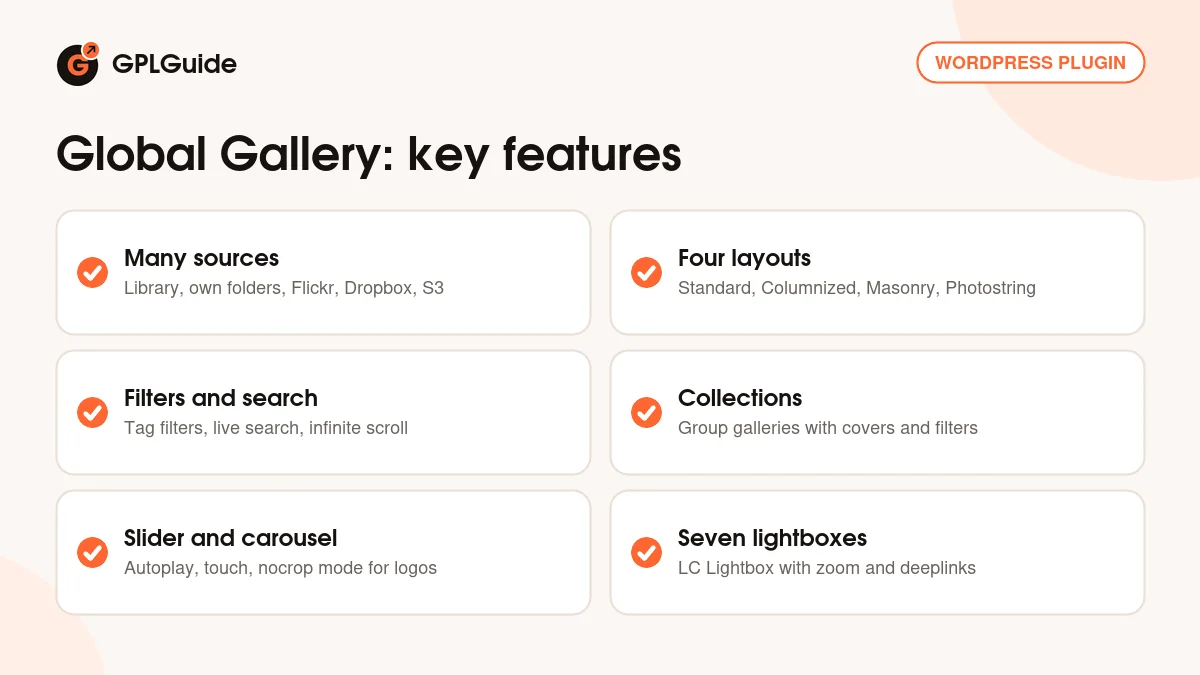
Global Gallery offers four layouts: Standard with fixed sizes, Columnized, Masonry and Photostring, which is a justified row layout. The Layouts section of the settings sets the default shapes, and each gallery can change its own image sizes. A setting called Elements maximum width, 1200 pixels by default, tells the plugin how large thumbnails need to be.
Long galleries can page with arrows, numbered buttons, dots or infinite scroll. Visitors can filter by tag and use a live search, with the number of images next to each filter. Galleries can also fill themselves from a source and refresh their cache at an interval you choose. Images sort by title, author or date, though date sorting only works with WordPress sources.
The gallery builder holds the per-gallery choices: Easy sorting mode for putting images in order, Thumbnails center, Images link for pointing images to a page or custom URL, Images frontend sorting, Gallery preview and a Page URL for Sitemap. Version 11.4.0 adds a bulk update for image tags here.
For looks and protection, the Styling section has eight preset styles plus overlay settings, and images can get grayscale, blur, sepia, saturation or contrast effects. The Watermark tab places your logo with its own opacity and position, and right-click protection is available too. Global Gallery also builds an images sitemap, supports WEBP and AVIF through LC Lightbox, and has been tested with WPML and Polylang.
Global Gallery collections, sliders and carousels
A collection shows a set of galleries as a grid of covers, each with a short excerpt, a custom cover image and an optional custom link. Visitors can filter them by category or page through them. The [g-collection] shortcode takes options such as filter, def_filter for the category shown first, hide_all_filter and per_page.
The slider is responsive and touch friendly, with your choice of transitions, thumbnails, navigation, timing, autoplay, random order and zoom on hover. The carousel can run several columns and rows, scroll more than one image at a time and use a centered mode. Its nocrop option shows each image whole, which the developer demonstrates with a row of client logos.
Setup ideas for Global Gallery
These Global Gallery setups use only options from the developer's docs, so you can copy them and change the details.
- Photographer portfolio: one GG Albums folder per shoot, Photostring layout, LC Lightbox in fullscreen and a light watermark.
- Portfolio hub: a collection of those galleries with category filters such as Weddings, Portraits and Travel, each gallery with its own cover.
- Shop lookbook: a gallery built from a WooCommerce product category, with Images link pointing each photo to its product.
- Event recap: a public Flickr album in Masonry with infinite scroll, set to refresh so new uploads appear on their own.
- Client logos: a carousel with nocrop and autoplay on the home page.
- Team folder on Dropbox: connect the account once, turn on auto-population and let staff drop images into the globalgallery folder.
- Large archive: a media library gallery with tag filters plus live search.
What's new in Global Gallery 11.4.0
Version 11.4.0 came out on September 30, 2026. The GG Albums manager now reads IPTC data from PNG, WEBP and AVIF files and can write it to PNG and WEBP. The gallery builder gains bulk updates for image tags, and a new option decides what happens when you upload an image whose name already exists. Easy WP Thumbs was updated, and a fix makes the image-to-gallery and carousel blocks work when you build a new page in the block editor.
The releases before it were mostly fixes. Version 11.3.2 (September 16, 2026) locked the search box while a search runs and fixed stale results after clearing a search. Version 11.3.1 (September 11, 2026) added a longer delay before search starts and fixed search with infinite scroll. Version 11.3.0 (September 8, 2026) updated the Google Drive integration and fixed PHP 8.4 warnings. Version 11.2.0 (August 25, 2026) fixed styles and scripts in the block editor on WordPress 7.1 and previews in Elementor.
Good to know before you buy
Before you buy Global Gallery, be clear about sources. Instagram and Facebook only work through an RSS feed you make with Zapier, and Google Photos is not supported. Dropbox, Google Drive and Amazon S3 all need your own accounts, and the images end up public. Drive folders and S3 buckets must be set to public, and Dropbox's first connection creates a public link for every image, which can take a while.
If you used Google Drive galleries before 11.3.0, the developer says those images must be added to the galleries again after updating. Image tags can't be used on galleries that fill themselves from a source, and the images sitemap only lists self-hosted images. Watermarking is heavy on the server, so test it on a big gallery before you switch it on everywhere.
Global Gallery runs on your own site. The outside sources run on Dropbox, Google, Amazon, Flickr, Pinterest and Tumblr, and any limits they set apply. If you translate the plugin yourself, keep a copy of your files, because the developer warns that custom translations can be lost on updates.
Global Gallery from GPLGuide vs the official subscription
From GPLGuide you get the original Global Gallery 11.4.0 plugin file. The developer's shop policy says the software it sells is licensed under GPLv3. Everything in the file works the same way: all sources, layouts, collections, sliders, carousels, lightboxes and builder blocks. The file from GPLGuide comes with the license key already activated, so there is no key to enter.
The developer sells a single-site license for $53 per year. It includes a year of ticket support, which they say is usually answered within 12 hours, plus a year of in-dashboard updates and a 15-day refund window. Those three things come only from the developer. If you want help straight from them, buy there. If you need the plugin itself, we offer the same file on its own or as part of a membership.
How to install Global Gallery
- Sign in to GPLGuide, open My Account, Downloads and save the Global Gallery ZIP.
- In WordPress go to Plugins, Add New Plugin, Upload Plugin, choose the ZIP and click Install Now.
- Click Activate. The license key is already activated, so you can start straight away.
- Open the plugin settings, check the Easy WP Thumbs status at the end of the first tab, then create your first gallery and pick its source.

For a good first setup, leave Elements maximum width at 1200 unless your theme is wider, and pick LC Lightbox in the Lightbox tab. Then make one gallery from the media library in the Masonry layout, add a few tags and place it with the block. Once that looks right, try a second source such as a public Flickr album, and group both into a collection.
Keeping it up to date
Updates from GPLGuide are manual. When a new version of Global Gallery is listed here, download it from your account and upload it under Plugins, Add New Plugin, Upload Plugin. WordPress offers to replace the installed copy, and your galleries and settings stay in place. Read the changelog first, as some releases ask for extra steps, like the Google Drive change in 11.3.0. If you spot a newer version we haven't added, tell us on the Request Item/Update page.
Questions about Global Gallery
Can Global Gallery show my Instagram photos? Not directly. The developer suggests creating an RSS feed of your account with Zapier and using the RSS source, which needs a Zapier account.
Does Global Gallery need API keys for Flickr or Pinterest? No. You paste a public album, photostream, tag or board URL. Only public Flickr photos show, and Pinterest returns the last 50 images.
Does Global Gallery work with Google Photos? No. Google Drive is supported, but Google Photos is not listed as a source.
Which page builders does it support? The block editor, Elementor, WPBakery Page Builder and Divi, including Divi 5. Shortcodes work anywhere else.
Can I protect my photos? Yes. Add a logo watermark with your own opacity and position, and turn on right-click protection.
Can I show WooCommerce product images? Yes. Build a gallery from the product categories taxonomy and link each image to its product.
Does it work on multilingual sites? The developer has tested it with WPML and Polylang.
Do I need to enter a license key? No. The file you download here comes with the license key already activated.
Building a site around Global Gallery? Browse all WordPress plugins in our shop, or see what a GPLGuide membership includes if you use several premium plugins and themes.
Features & capabilities
- Galleries, collections, sliders, carousels and image-to-gallery blocks
- Four layouts: Standard, Columnized, Masonry and Photostring
- Sources include the media library, own folders, Flickr, Dropbox, Google Drive and S3
- Tag filters, live search and pagination with infinite scroll
- Seven lightboxes, including LC Lightbox with zoom and deeplinks
- Logo watermark, right-click protection and image effects
- Native blocks for the block editor, Elementor, WPBakery and Divi
- Images sitemap, WEBP and AVIF support, tested with WPML and Polylang


