
Gravity Perks WordPress Plugin
100% Original fileUnmodified copy of the developer's release
DeveloperCode Canyon
Up to dateOriginal released May 23, 2025 · File last updated Oct 23, 2026
About this product
Gravity Perks is the platform plugin that installs, registers and updates the Gravity Perks suite, a family of separate add-ons for Gravity Forms. The plugin itself is the manager. It gives you a Perks page in the Forms menu, while each perk you add is its own plugin with its own folder. This page is for Gravity Perks 2.3.16. On GPLGuide you download the original plugin file to install on your own websites.
Good for: site owners and agencies who already run perks on sites built around the Gravity Perks platform, who want the same manager file for a staging copy or a rebuild, or who want to plan a calm move to Spellbook, the free plugin the developer now uses in its place.
Requirements: Gravity Forms must be installed and active. It is a paid plugin, sold separately and not included here. The developer does not publish separate WordPress or PHP minimums for version 2.3.16 on its current pages. For comparison, its successor Spellbook 3.0 asks for WordPress 6.0 or newer, Gravity Forms 2.5 or newer and PHP 7.4 or newer, with PHP 8.0 recommended.
What Gravity Perks does
The developer uses the name for two things. Gravity Perks the suite is a set of add-ons for Gravity Forms, such as Populate Anything, Nested Forms, Advanced Calculations and Limit Submissions. Gravity Perks the plugin, the file on this page, is the platform that delivered that suite to your site. The developer keeps every perk as a separate plugin because they range from small tweaks to large tools, and putting them all in one package would only cause confusion.
That means the file does not contain any perks. What it adds is the perk manager in your dashboard. A release post from the developer in 2021 says new perks were available under Forms, Perks, Install Perks in the admin menu, or as a download from the Downloads page of a customer account. Both of those routes run on the developer's own servers and account system, not inside the file.
The plugin also carries shared code that perks build on. Version 2.0 added the GP_Plugin and GP_Feed_Plugin classes, which connect perks to the Gravity Forms Add-On Framework, and support for short announcement banners with news about the suite. The developer says the plugin has no settings of its own other than the license, and its old settings page was removed back in version 2.0.
The perk manager inside Gravity Perks
The Perks page under the Forms menu is where the plugin does its work. The developer's changelogs and FAQ refer to a Manage Perks page and an Install Perks list. Version 2.0 added a license toolbar to that manager page, along with support for the three license levels the developer still sells today: Basic, Advanced and Pro. Version 2.3.14 added perk icons and banners to the WordPress updates list, so each perk is easier to recognise there.
Once a perk is active, its options show up inside the form editor rather than on the Perks page. The developer explains that many perks add their settings to a Perks tab in each field's settings, while others place their options inline next to the standard Gravity Forms settings. A few perks also have global settings that are not tied to one form. Under the old platform, GP Better User Activation was one of those, with its settings managed through the Gravity Perks interface.
Version 2.3 brought support for update channels, including legacy version channels. The developer tied that release to Populate Anything 2.0 and asked anyone planning to use that perk to update the platform plugin at the same time. It shows how the manager and the perks were meant to be kept in step, and why it helps to know which version of each one a site is running.
How the plugin relates to Spellbook
In May 2025 the developer launched Spellbook, a free plugin that now handles licensing, installation and updates for all of its products, including Gravity Connect, Gravity Shop and its free plugins. The developer's docs say plainly that Gravity Perks the plugin is fully replaced by Spellbook, while Gravity Perks the suite carries on as before.
Version 2.3.16 is the release that prepared for that change. Its changelog adds a mechanism to handle the migration or upgrade to Spellbook when it is available. According to the Spellbook FAQ, once Spellbook is installed and activated, Gravity Perks is deactivated automatically, the license moves across, and Spellbook takes over updates for the perks already on the site. The two cannot run at the same time.
In the same weeks, the developer updated many perks with the changelog note "Removed redundant check for Gravity Perks in preparation for Spellbook". Spellbook itself is a separate plugin from the same developer. It is not part of this file, and nothing on this page includes it.
Practical setups for this version
The file suits a few specific jobs. Here are setups where it makes sense, based on how the developer describes the platform and the move to Spellbook.
- Staging copy of an older site: if a client site was built while this plugin was the platform, a matching copy of 2.3.16 on staging lets you test form changes before anything else moves.
- Rebuild or restore: when you rebuild a site from a backup that listed the plugin among its active plugins, having the original 2.3.16 file saves digging through old archives.
- Planned move to Spellbook: list every perk on the site with its version, note which ones have global settings, then install Spellbook when you are ready. The developer says perks stay installed and settings carry over.
- Tidy Plugins screen: The developer offers a snippet called Hide Perks from Plugins Page if a long list of perks clutters the screen.
- Spanish dashboards: 2.3.16 added Spanish translations, handy for Spanish-speaking clients who manage their own forms.
Whatever the setup, keep a simple record for each site: the Gravity Forms version, the platform plugin version and every perk with its own version. That short list makes later updates, support questions and any move to Spellbook much easier to check, and it shows at a glance which sites still depend on the old manager.
What's new in Gravity Perks 2.3.16
The developer listed version 2.3.16 in its weekly release notes on May 23, 2025, the same week Spellbook launched. It has two changes. It added a mechanism to handle the migration or upgrade to Spellbook when it is available, and it added Spanish translations, credited to Rafael Soler.
The releases before it were small. Version 2.3.15 (March 7, 2025) updated the plugin description. Version 2.3.14 (December 20, 2024) added perk icons and banners to the updates list. Version 2.3.13 (December 6, 2024) made the requirement checks simpler and stopped translations from loading too early.
The developer has since released 2.3.17 (June 13, 2025). It fixed an issue where Spellbook was not activated network-wide during the migration process. That fix is not in 2.3.16, so keep it in mind if you run a WordPress network.
Good to know before you buy
Be clear about what you are buying. This file is the manager plugin only. It contains no perks, and it does not add new fields or form tools by itself. Each perk is its own plugin. Installing perks from the Install Perks list, or downloading them from a customer account, runs on the developer's own servers and account system. That is their service, and it is not something we provide or control.
The developer now treats this plugin as replaced. Its docs say Spellbook is the only way it delivers plugin updates, and that Gravity Perks is deactivated as soon as Spellbook is activated. If a site already runs Spellbook, you don't need this file, and the two should not be active together.
Version 2.3.16 is not the newest release, as covered above, and the developer does not list WordPress or PHP minimums for it on its current pages. Gravity Forms is required and is sold separately.
Gravity Perks from GPLGuide vs the official subscription
From us you get the original Gravity Perks 2.3.16 plugin file, released under the GPL, to use on your own websites. It is the same file the developer shipped, with the perk manager, the shared perk classes, the announcement code and the new Spanish translations. The file from GPLGuide comes with the license key already activated, so there is no key to enter.
A subscription from the developer covers the parts that run on its side: perk downloads from its servers through Spellbook or your account, new perks, updates, help from its support team and a 30-day money-back guarantee. Its pricing page lists Basic at $59 a year for one perk on one site, Advanced at $169 a year for three perks on up to three sites, and Pro at $299 a year for every perk on unlimited sites. Support from the developer is only available through that subscription.
How to install Gravity Perks
- Sign in to GPLGuide, open My Account, Downloads and save the Gravity Perks ZIP.
- In WordPress go to Plugins, Add New Plugin, Upload Plugin and choose the ZIP.
- Click Install Now, then Activate. Gravity Forms must already be active.
- Open the Forms menu and choose Perks to see the perk manager.

A good first setup is a check, not a change. First make sure Spellbook is not active on the same site. Open the Perks page and look through the perks it lists, then note each perk's version from your Plugins screen. Open a form that uses perks and look at the Perks tab in a field's settings to confirm the options are where you expect. Once that all matches, take a fresh backup before you add or update any perk.
Keeping it up to date
Updates from GPLGuide are manual. When a new version of the plugin is listed here, download it from your account and upload it under Plugins, Add New Plugin, Upload Plugin. WordPress offers to replace the installed copy. Your perks are separate plugins in their own folders, so replacing the manager file does not remove them. If you see a newer version that we haven't added yet, such as 2.3.17, let us know on the Request Item/Update page.
Questions about Gravity Perks
Does this file include the perks? No. It is the platform plugin. Each perk, such as Populate Anything or Nested Forms, is a separate plugin with its own file.
Where do perks come from? The developer delivers them from its own servers, through the Install Perks list, through Spellbook, or as ZIP files on the Downloads page of a customer account. That delivery is a service from the developer.
Do I need Gravity Forms? Yes. The plugin works on top of Gravity Forms, which is a paid plugin sold separately.
Can I run it and Spellbook together? No. The developer says activating Spellbook deactivates Gravity Perks automatically, to prevent conflicts.
Will I lose perk settings if I move to Spellbook later? The developer says no. Perks stay installed, settings carry over, the license moves across and Spellbook takes over updates.
Is there a license key to enter? No. The file from GPLGuide comes with the license key already activated.
Where do perk settings appear? Many perks add a Perks tab to the field settings in the form editor. Some perks also have global settings that are not tied to one form.
Is 2.3.16 the newest version? No. The developer released 2.3.17 on June 13, 2025, with a fix for network-wide activation of Spellbook during the migration.
Can I hide perks from the Plugins page? Yes, with the developer's Hide Perks from Plugins Page snippet.
Building forms on WordPress? Browse more premium WordPress plugins in our shop, or see what a GPLGuide membership includes if you need several premium plugins for your sites.
Features & capabilities
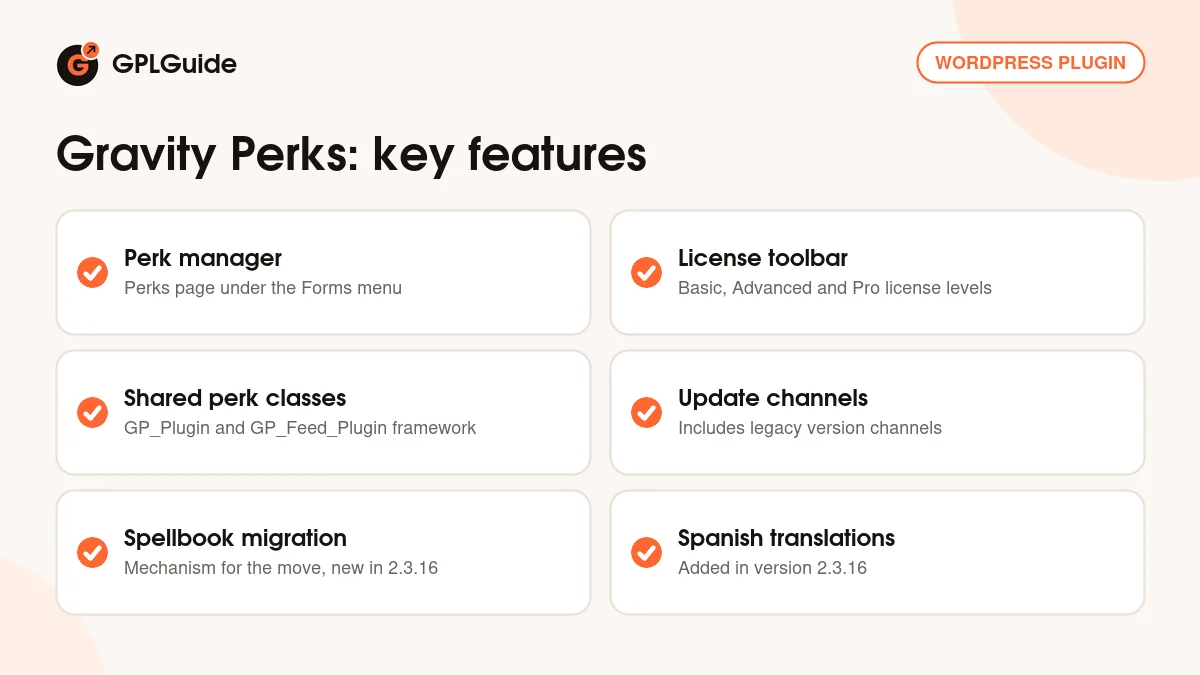
- Platform plugin for the Gravity Perks suite of Gravity Forms add-ons
- Perks page under the Forms menu with the Manage Perks and Install Perks views
- Shared GP_Plugin and GP_Feed_Plugin classes for the Add-On Framework
- Support for the Basic, Advanced and Pro license levels, with a license toolbar
- Announcement banners with news about the suite
- Update channel support, including legacy version channels
- Built-in mechanism for the move to Spellbook, new in 2.3.16
- Spanish translations, added in 2.3.16


