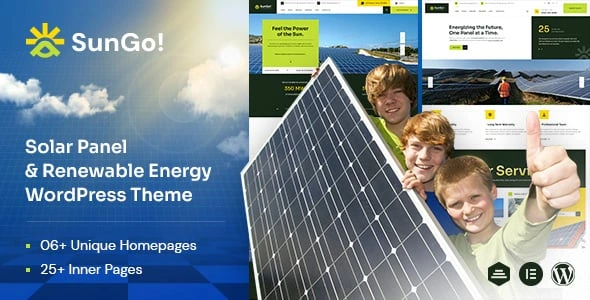
Sungo – Ecology & Solar Energy WordPress Theme
100% Original fileUnmodified copy of the developer's release
DeveloperCase-Themes
Up to dateFile last updated Oct 17, 2026
About this product
The Sungo theme is an Elementor-based WordPress theme for solar, wind and other green energy companies, made by Case-Themes and sold on ThemeForest. It comes with six or more ready demo websites, a header and footer builder, a mega menu and a large set of Elementor elements for ecology and energy sites. This page is for Sungo version 1.0.1. The developer does not publish a dated changelog for each version, so we do not give a release date. On GPLGuide you download the original theme file to install on your own websites.
Good for: solar installers, renewable energy and power companies, recycling and eco-friendly businesses, environmental consultants and green technology startups. The tags on the item page include solar energy, solar panels, wind energy, green energy, recycling and renewable, so the theme was clearly designed with this sector in mind.
Requirements: the developer's documentation asks for WordPress 5.0 or newer, PHP 7.0 or newer and MySQL 5 or newer, and recommends max_input_vars 5000, max_execution_time 600, memory_limit 512M, post_max_size 64M and upload_max_filesize 256M. The item page lists compatibility with WordPress 6.0 up to 7.0 and WooCommerce 5 up to 9. Elementor is the page builder and must be active.
What the Sungo theme does
The Sungo theme turns Elementor into a site kit for an energy business. You get full demo sites rather than loose blocks, so a first draft of your homepage, services, projects, team and contact pages exists within minutes of the import. The item page counts more than thirty inner pages and more than fifty Elementor elements.
Because it uses Elementor, you edit every page visually and see changes as you make them. The headers, footers, page titles and mega menus are also built that way, which means you can change the look of your whole site without touching theme files. The listing adds parallax and video backgrounds, unlimited color options, one-page navigation and a child theme.
The theme is not marked as Gutenberg optimised, so the block editor is not the intended way to build pages. If you already use Elementor, the Sungo theme will feel familiar from the first minute.
The Sungo theme demos: three homes, two forms each
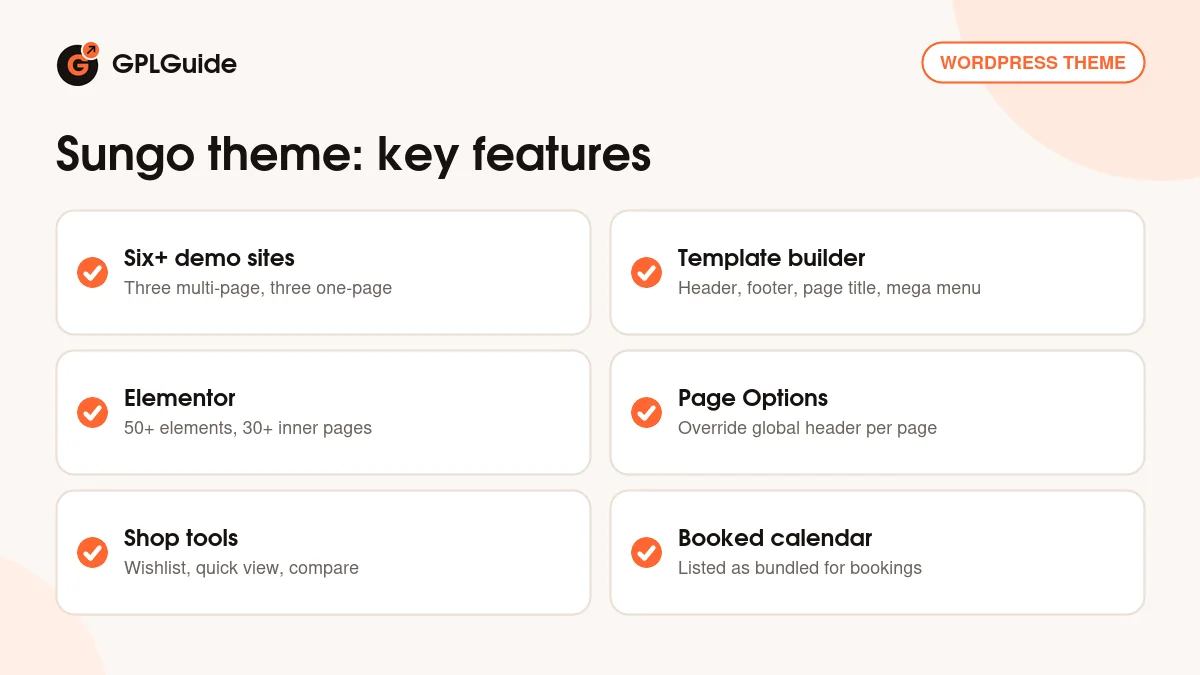
The listing talks about six or more prebuilt websites, three multi-page and three one-page. The demo menu matches this: Home 01, 02 and 03 each come as a Multi Page and a One Page version. The menu also shows a Home 04 marked as coming soon, so plan around three designs for now.
The main demo is written for a solar company. It has a hero slider with buttons for solar at home and solar for business, a services grid, a call to action, a four-step process (explore options, talk savings, installation, enjoy), a free consulting form, testimonials, counters, projects, news and a newsletter signup. Inner pages include About Us, Our Team, Working Process, Careers, Solar Energy Incentives, Gallery, FAQs, Testimonial and a shop.
Projects come in three grid styles and a carousel, and services come as a grid or a carousel, each with a single page. The demo header even shows a language switch for English, French and Russian, which gives you a ready model for a multilingual site.
Choosing between the forms is simple. A multi-page demo suits a company with several services, a projects section and a careers page, because each topic gets its own page. A one-page demo suits a small installer or a campaign, where visitors should scroll through the story and end at one contact form. With the Sungo theme you can start from either and still add pages later.
Headers, footers and mega menus in the Sungo theme
The documentation shows how layouts work. After activation you will find a Template item under Sungo in the admin menu. Add a new template and choose its type: Header, Page Title, Footer or Mega Menu. Each opens in Elementor through Edit with Elementor, where you drop in widgets and style them.
To use a template, open Theme Options and pick it for the whole site, or open Page Options on a single page and override it there. Page Options default to inherit, so pages follow the global choice unless you change them. That makes it easy to give a landing page a slim header while the rest of the site keeps the full one.
For a mega menu, create a Mega Menu template, then attach it to a top-level item under Appearance, Menus. The documentation also covers a separate logo for mobile, a one-page setup, and short how-tos for changing colors, fonts, the subscribe block, the loader, the mouse effect and the favicon.
Plugins and integrations that come with the Sungo theme
The item page lists Slider Revolution and Booked as bundled, plus two plugins it calls exclusive: Case Addons and Case User. We do not sell the paid ones on their own, so check the setup popup in your copy to see what installs. Booked is an appointment calendar, which suits a solar installer who wants customers to book a site visit.
For shops, the theme supports WooCommerce with wishlist, quick view, compare and variation swatches. Other listed integrations are Contact Form 7, MC4WP for Mailchimp, Tidio Chat, and WPML or Polylang for translation. If you sell products, the Sungo theme gives each product card the extras shoppers expect, such as a quick look at the details without leaving the shop page and a side-by-side compare. After activating the theme, a setup popup guides you through activating, installing the required plugins and importing a demo in one click.
Setups you can copy with the Sungo theme
These ideas use only parts that the listing and the demo show.
- Home solar installer: use a Home 01 style demo, keep the four-step process, and put the free consulting form high on the page.
- Commercial energy firm: keep the business button in the hero, use the projects grid for case studies and add a careers page.
- Booking a site survey: add the Booked calendar to a contact page so visitors choose a time slot.
- Multilingual installer: use Polylang or WPML with the language switch idea from the demo header.
- Solar panel shop: turn on WooCommerce, then use quick view and compare for panels, batteries and inverters.
- Recycling or eco charity: use the one-page version with the newsletter block and a simple donation or contact page.
Whichever you choose, change the logo early. The documentation covers a separate logo for mobile, so check the small-screen header as well as the desktop one. The Sungo theme also shows a page loader and a mouse effect in the demo, and the documentation explains how to hide or change both if you prefer a quieter site.
Replace the demo's local details first. The sample text names a specific region, a licence number and a warranty, and none of those belong on your own site.
What's new in the Sungo theme 1.0.1
This download is Sungo version 1.0.1. Case-Themes does not publish a version-by-version changelog on the ThemeForest page, and the documentation lists no version numbers or dates. We cannot say what changed in 1.0.1 or when it came out.
The item page shows a last update on September 7, 2026, says the theme was created about two years ago, and lists WordPress compatibility up to 7.0. We have not confirmed whether a newer version than 1.0.1 exists.
Good to know before you buy
Elementor must be active, and the documentation says the required plugins must be installed for the theme's features to work. The item page names Case Addons, which the developer describes as holding the core theme functions. If WordPress reports a missing style.css when you upload, unzip your download and upload the inner theme ZIP instead.
The documentation has a few leftover names from other themes, such as a different ZIP name in its update steps, so follow it by meaning and not by file name. The demo counters show placeholder values, and the sample copy describes one company. Demo photos are not supplied, since the developer's terms say placeholders replace the original demo images. Slider Revolution and Booked are paid plugins we do not sell separately. Help with your own setup comes only from the developer.
Sungo theme from GPLGuide vs the official subscription
Case-Themes states that its WordPress themes are licensed under the GNU GPL. The Sungo theme is sold by Case-Themes on ThemeForest, where a Regular license costs $49. It includes six months of item support, you can extend support to twelve months for $13.88, and the page says future updates are included.
From GPLGuide you get the same original theme file, with the same demos, templates and options. The file from GPLGuide comes with the license key already activated, so there is no key to enter. The developer's item support and refunds come only from the developer. Choose the marketplace if you want those, or this copy if you mainly need the theme.
How to install the Sungo theme
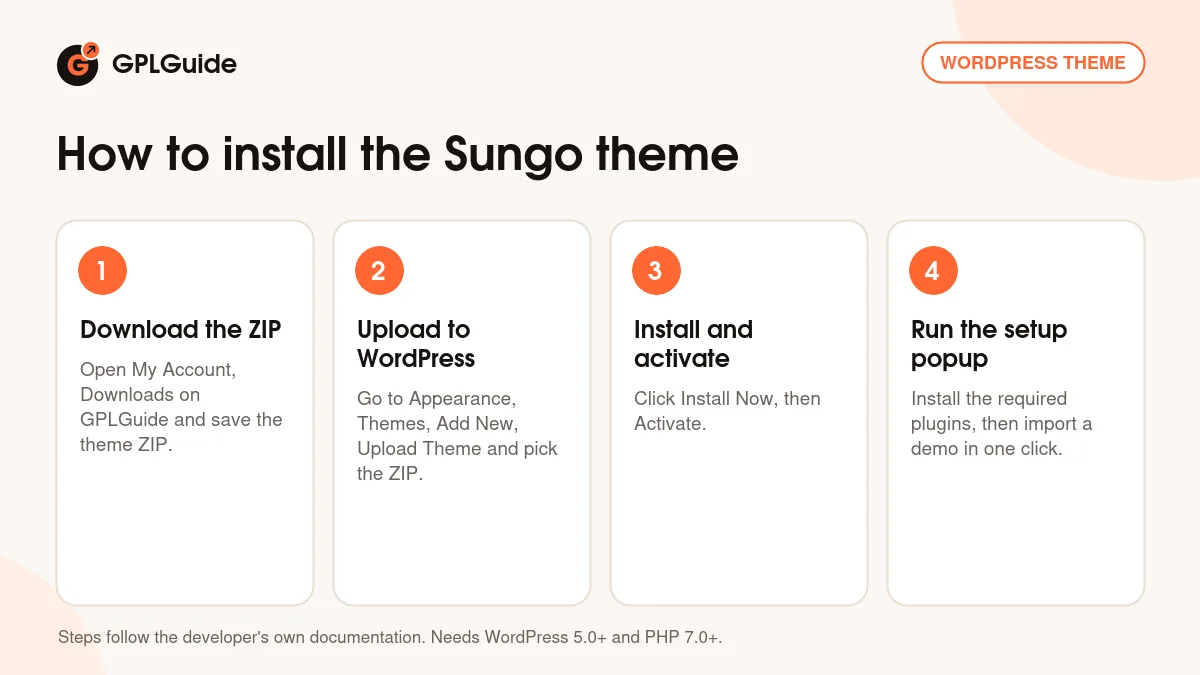
- Sign in to GPLGuide, open My Account, Downloads and save the Sungo ZIP.
- In WordPress go to Appearance, Themes, Add New, Upload Theme and choose the ZIP.
- Click Install Now, then Activate.
- Follow the setup popup to install the required plugins, then import a demo with one click.
For a good first setup, import a single demo, check Tools, Site Health, Info, Server against the recommended limits, and then open Sungo, Template to adjust the header and footer. Set colors and fonts next, and leave the page content for last, because the Sungo theme layouts are easier to judge once the global look is in place.
Keeping it up to date
Updates from GPLGuide are manual. When a new version of the Sungo theme is listed here, download it from your account and upload it under Appearance, Themes, Add New, Upload Theme. WordPress offers to replace the installed copy. The documentation advises a backup first and says to remove old theme folders instead of renaming them, since menus and widgets are stored by folder path.
If you use the child theme, update any templates you copied from the parent, and clear your browser, plugin and server caches afterwards so the new files load. If you see a newer version that we have not added, tell us on the Request Item/Update page.
Questions about the Sungo theme
Does the Sungo theme need Elementor? Yes. Templates, headers and footers are all edited with Edit with Elementor.
How many demos are there? The listing says six or more, three multi-page and three one-page. The demo menu shows Home 01 to 03 in both forms.
Can I build my own header? Yes, under Sungo, Template. Choose Header, then assign it in Theme Options or per page in Page Options.
Is there a child theme? The item page says the package includes one.
Can I send newsletters? The listing names Mailchimp integration through MC4WP, and the demo has a newsletter signup.
Can I add live chat? Tidio Chat is listed as a compatible plugin.
Can I turn off the loader or the mouse effect? Yes. The documentation has short how-tos for hiding or changing the loader and for hiding the mouse effect.
Which languages does it handle? WPML and Polylang are listed, and the item page also lists right-to-left language support.
Which server settings does it want? The documentation recommends max_input_vars 5000, max_execution_time 600, memory_limit 512M, post_max_size 64M and upload_max_filesize 256M, which you can check under Tools, Site Health, Info, Server.
Browse more WordPress themes on GPLGuide, or see what a GPLGuide membership includes. The free Elementor builder is available on WordPress.org.
Features & capabilities
- Six or more demo websites, three multi-page and three one-page
- Elementor page building with more than fifty elements
- Header, Page Title, Footer and Mega Menu templates under Sungo, Template
- Theme Options plus per-page Page Options that override them
- Slider Revolution and Booked listed as bundled, with Case Addons and Case User
- WooCommerce with wishlist, quick view, compare and variation swatches
- Mailchimp, Contact Form 7, Tidio Chat, WPML and Polylang support
- One-click demo import, child theme and detailed documentation