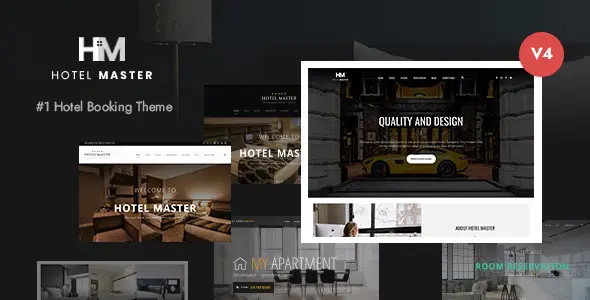
Hotel Master Booking WordPress Theme
100% Original fileUnmodified copy of the developer's release
DeveloperThemeForest
Up to dateOriginal released Oct 12, 2026 · File last updated Nov 25, 2026
About this product
Hotel Master Theme 4.3.6 is a WordPress theme for hotels, hostels, guest houses and apartment rentals that want to take room bookings on their own site. It suits owners who would rather manage reservations in the WordPress dashboard than send every guest to an outside booking service, and hostels that sell single beds in shared dorms as well as private rooms. Guests search for available rooms, pick dates and pay online, while you keep the prices and rules in one place. The developer ships it with five demos (Classic, MyApartment, Modern, Dark and Hostel), its own hotel booking plugin, a demo importer plugin, a portfolio plugin, Master Slider and a built-in page builder.
How to install Hotel Master Theme
- Log in to GPLGuide, open this product and click Download under Your downloads.
- If the download holds more than one ZIP, unzip it on the computer first and upload the theme's own hotelmaster ZIP, not the whole package.
- In WordPress go to Appearance, Themes, Add New Theme, Upload Theme, choose the ZIP, click Install Now, then Activate.
- Install and activate the plugins the demo needs: the theme's importer, portfolio and hotel booking plugins. WooCommerce and Contact Form 7 are optional.
- Import a demo under Tools, Import by choosing the theme's importer, then set booking pages, payment methods and room styles under Hotel Option and site styling under Theme option.
Features & capabilities
- Room search and booking, with every reservation managed from the WordPress dashboard.
- Hostel mode that books dorm rooms per bed as well as whole rooms.
- Unlimited seasonal pricing, so rates can change by date range.
- Coupon codes with a percentage or a fixed amount off.
- Additional services that guests can add to a booking.
- Block a single room on chosen dates, and give special discounts for consecutive nights.
- Online payment through PayPal, Stripe or Authorize.net, switched on under Hotel Option.
- Three room list styles and four blog styles.
- Mega menu, parallax sections and a theme customizer.
- WooCommerce support for a shop, kept separate from room payments.
Frequently asked questions
Is this the original file?
Yes. Every product on GPLGuide is the developer’s own release, unchanged. The license key comes already activated. If a product does ask for a key, the activation steps appear on its page once you have it.
Is it legal to use a GPL plugin or theme from GPLGuide?
Yes. WordPress plugins and themes are released under the GPL, which lets anyone use, share and change the code. The developer’s support desk and the developer’s own update service are not part of the file; those stay with the developer.
How do I install it?
Log in, open the product page and click Download under Your downloads. For a plugin go to Plugins, Add New Plugin, Upload Plugin, choose the ZIP, then Install Now and Activate. For a theme go to Appearance, Themes, Add New Theme, Upload Theme.
How do updates work?
When a newer version is listed on GPLGuide, download it from the product page and upload it over the installed copy; WordPress offers to replace the old version. Updates are manual.
Can I use it on more than one site?
Yes. The GPL lets you use it on as many of your own sites as you like.
What if the file does not work or a newer version is out?
Tell us on the Request Item page or through Support. We check the file and add the newer version when we have it.