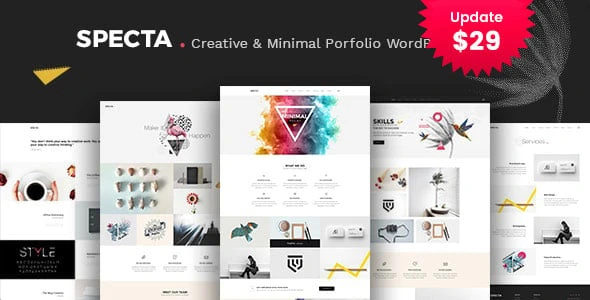
Specta – Multipurpose Portfolio WordPress Theme
100% Original fileUnmodified copy of the developer's release
DeveloperTemplate Path
Up to dateOriginal released Jun 4, 2024 · File last updated Oct 17, 2026
About this product
The Specta theme is a multipurpose portfolio WordPress theme by Template Path, sold on ThemeForest under the author name template_path. The developer pitches it at SEO and digital agencies, with eight landing pages, blog layouts, galleries, service blocks and pricing tables, all built with the King Composer page builder. This page is for Specta 2.7, released on June 4, 2024, the newest version in the developer's changelog. On GPLGuide you download the original theme file to install on your own websites.
Good for: creative and digital agencies, SEO consultants, freelancers and studios that want a portfolio style site with galleries, a services page, a team page and pricing tables, and who are happy to build with King Composer rather than Elementor.
Requirements: the item page lists WordPress 6.0.x up to 7.0.x. The docs give no minimum PHP version, but the changelog says the theme has been compatible with PHP 8.0 and higher since version 2.3. The docs name King Composer and Slider Revolution as plugins that come with the theme, and Contact Form 7 for forms.
What the Specta theme does
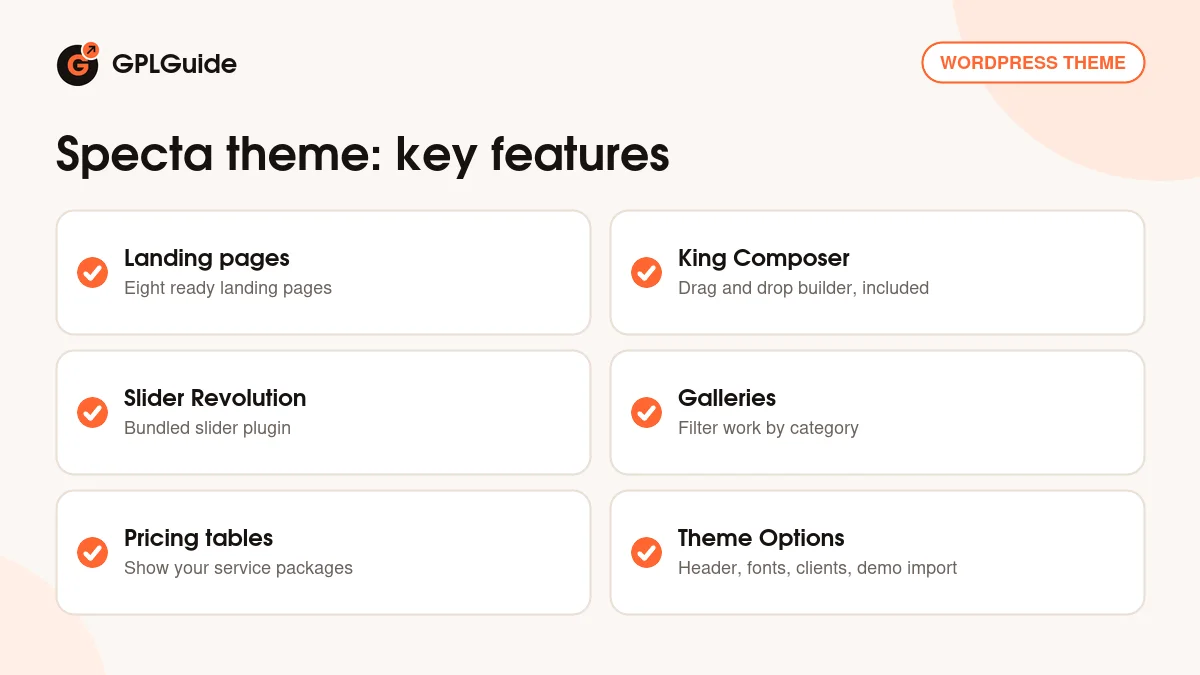
The Specta theme gives an agency or freelancer a ready site to show work and sell services. The item page lists eight landing pages, several blog layouts, galleries, service sections and pricing tables. Demo content, sliders and a one-click import are part of the package, so you can start from a finished layout and replace the text and pictures.
Design settings sit in a Theme Options panel built on the Vafpress framework. It covers the logo, header, footer, page layouts, sidebars, social links, fonts and client logos. Typography offers more than 600 Google Fonts and custom font support. The theme is WPML compatible, translation ready with .pot files and child theme compatible.
The front end uses Bootstrap 3 with scripts such as owl.carousel, isotope for filtering and flexslider for slides. The item page marks it as not Gutenberg optimized, so pages are built in King Composer.
Blog posts support several post formats, and the Page tab lets you set separate layouts for search, archive and author pages. A full screen background slider, bottom footer widgets and social links round off the design. Together they cover most of what an agency site needs on day one with the Specta theme.
Building pages in the Specta theme with King Composer
King Composer is a drag and drop page builder that the docs say comes free with the theme. Every page is a set of rows and columns, and inside them you place the theme's own elements. In the docs these appear as shortcodes such as [bunch_what_we_do] for a services overview, [bunch_projects_three_col] for a three column project grid, [bunch_our_team], [bunch_our_testimonials] and [bunch_latest_blog].
Each element has a short list of settings. Heading and title set the text above the block, num sets how many items appear, cat picks a category, sort and order control the order, text_limit trims long text and bg_img adds a background picture. A gallery element can be limited to one category, such as branding, which is how you show only one kind of work on a page.
The content behind those elements comes from custom post types. The docs cover Services, Team and Testimonials. Add an entry once, and it shows up wherever you place the matching element.
A practical order of work in the Specta theme is content first, layout second. Create your services, team members and testimonials, give each one a featured image, and only then build the page. The elements fill themselves from what you have added, and you can change num or order later without retyping anything.
The Specta theme options panel, tab by tab
The docs list eleven sections under Appearance, Theme Options. General has the preloader switch. Map Api Key takes a Google Maps key for map sections. Logo holds the favicon and logo uploads.
Header is where most of the look is decided. Pick a header style from a list, enter the phone number and address shown in the header, switch the social icons on or off and choose whether to show a search form and button. Footer holds the copyright text and a box for analytics or other scripts.
Page sets default layouts and sidebars, plus the layouts for search, archive, author and 404 pages. Sidebar lets you create unlimited widget areas. Social Media holds your profile links and icons, and Font sets body and heading fonts and sizes.
Client stores client logos with links, ready for a logo strip on the home page. Utility handles import and export of settings, and it is also where the demo import lives.
Portfolio site ideas for the Specta theme
- Branding studio: sort projects into categories such as branding and web, then give each category its own page with a gallery limited to that category.
- SEO consultant: start from a landing page, add [bunch_what_we_do] for your services and a pricing table with three monthly packages.
- Freelance designer: use the three column project grid on the home page with num set to 6, and link it to a full portfolio page.
- Small agency: add each person under Team and place [bunch_our_team] on the About page, with testimonials below it.
- Trust strip: upload client logos in the Client tab and show them under the slider.
- Local office: enter your Google Maps key under Map Api Key and add a map to the contact page.
Pick one of the eight landing pages as your home page and keep it simple at first. The Specta theme's elements share the same few settings, so once you have tuned one block, the others follow the same pattern.
If you run campaigns, use a separate landing page for each one. With eight landing page designs in the Specta theme, a paid ads page and a newsletter page can each have their own look while sharing the same header and footer.
What's new in the Specta theme 2.7
Specta 2.7 is dated June 4, 2024 in the changelog. It updates all bundled plugins to their latest versions and brings WooCommerce up to date. There are no new layouts or settings in this release.
The versions before it were similar. Version 2.6 (September 9, 2023) and 2.5 (January 8, 2023) updated the plugins. Version 2.4 (October 26, 2022) fixed an issue where King Composer data did not show. Version 2.3 (October 10, 2022) made the theme compatible with PHP 8.0 and higher and updated the plugins. If you are moving from an older copy, those PHP 8 and King Composer fixes are the main reason to update.
The item page shows a last update of November 26, 2025, but the changelog has no entry after 2.7. This page describes version 2.7.
Good to know before you buy
The Specta theme depends on King Composer. Its layouts, elements and demo are made for it, and the developer does not mention Elementor or WPBakery. If you already work in Elementor every day, this is a different workflow. The changelog shows two King Composer fixes, in 2.0 and 2.4, so keep the bundled version that the theme installs.
The docs describe Slider Revolution as a premium plugin included with the theme, installed through the plugin notice. Its maker sells its own separate licence; the theme docs do not say you need one. Map sections need a Google Maps API key, which is a Google service with its own account.
The docs credit the demo photos to Photodune and Nothing to Change and do not say they are part of the download, so plan to use your own images. The docs are version 1 from 2018 and still mention IE9. WooCommerce appears only in the changelog, not in the feature list.
Specta from GPLGuide vs the official subscription
The Specta theme is sold by template_path on ThemeForest. The Regular licence costs $29 there. It includes future updates through the marketplace and six months of item support from the author, which can be extended to 12 months. Under Envato's licence for this item, its PHP code is licensed under the GPL.
From GPLGuide you get the original Specta theme file, version 2.7. This file comes with the license key already activated, so there is no key to enter. The landing pages, King Composer elements, theme options and demo import are the ones in the developer's package.
Only the developer gives you their help desk at templatepath.ticksy.com, refunds under Envato's rules and updates through your own Envato account. If you want template_path to help with your setup, buy the licence on ThemeForest.
How to install the Specta theme
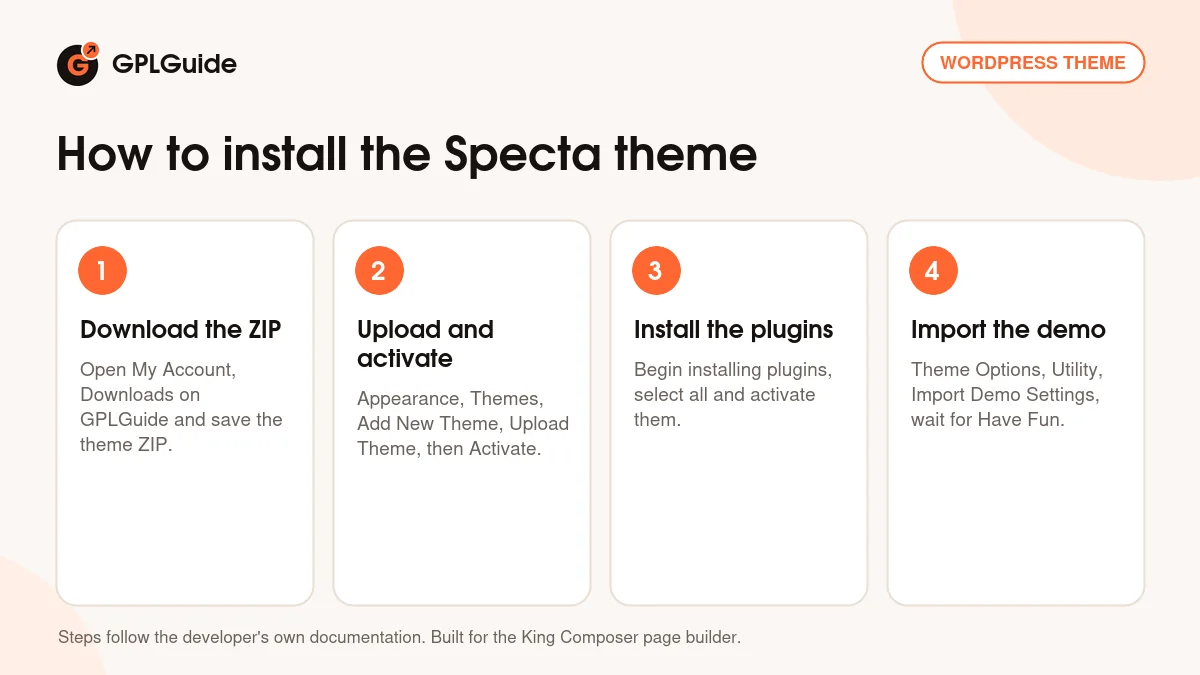
- Sign in to GPLGuide, open My Account, Downloads and save the Specta ZIP.
- In WordPress go to Appearance, Themes, Add New Theme, Upload Theme, choose the ZIP, click Install Now and then Activate.
- Click Begin installing plugins in the notice, select all the plugins and activate them, including King Composer and Slider Revolution.
- Go to Appearance, Theme Options, Utility, click Import Demo Settings and wait for the Have Fun message.
After the import, go to Appearance, Menus and assign your main menu to its theme location, as the docs advise. For a good first setup, upload your logo in the Logo tab, choose a header style and enter your phone and address in the Header tab, then open the home page in King Composer and swap the demo text for your own. The layout is responsive and retina ready, but check each finished page on a phone before you launch.
Keeping it up to date
Updates from GPLGuide are manual. When a new version of the Specta theme is listed here, download it from your account and upload it under Appearance, Themes, Add New Theme, Upload Theme. WordPress offers to replace the installed copy, and your pages, posts and theme options stay in the database. Use a child theme for code changes. If a newer version is out and we have not added it, tell us on the Request Item/Update page.
Questions about the Specta theme
Does the Specta theme work with Elementor? The developer does not list Elementor or WPBakery. The theme is built for King Composer, which comes with it.
How many demos are there? The item page lists eight different landing pages, along with blog, gallery, services and pricing layouts.
How do I import the demo? Go to Appearance, Theme Options, Utility and click Import Demo Settings. When the Have Fun message appears, assign your menu.
Is the Specta theme ready for PHP 8? Yes. Version 2.3 added compatibility with PHP 8.0 and higher.
Can I show only one type of project? Yes. Gallery and project elements take a category setting, so a page can show only branding work, for example.
Is it translation ready? Yes. It includes .pot files and the item page lists WPML support for multilingual sites.
Do I need to enter a purchase code? No. The license key is already activated in the file.
Where do I add team members and testimonials? In their own post types, Team and Testimonials. Add each entry once and show them with the matching elements.
Can I sell services online with the Specta theme? The changelog keeps WooCommerce up to date, but the feature list does not present a shop. For paid packages, the pricing tables can link to a contact form or to a checkout you set up separately.
Want to compare other designs? Browse the WordPress themes on GPLGuide, or see what a GPLGuide membership includes if you build sites for clients. The Specta theme's contact forms use the free Contact Form 7 plugin on WordPress.org.
Features & capabilities
- Eight landing pages plus blog, gallery, services and pricing layouts
- King Composer page builder with the theme's own elements
- Slider Revolution and a full screen background slider
- Theme Options with header styles, phone, address and search settings
- Services, Team and Testimonials post types
- Client logo section with links
- More than 600 Google Fonts, custom fonts and unlimited sidebars
- WPML support, .pot files and PHP 8 compatibility