
Jobhunt – Job Board WordPress theme for WP Job Manager
100% Original fileUnmodified copy of the developer's release
DeveloperMadrasThemes
Up to dateOriginal released Oct 2, 2026 · File last updated Oct 28, 2026
About this product
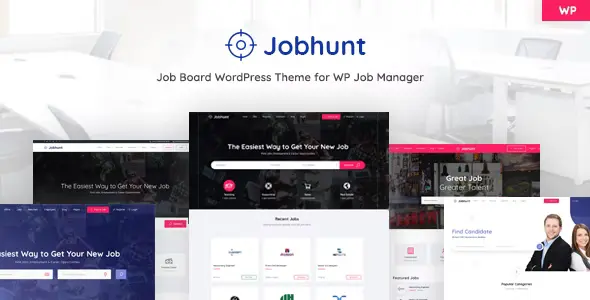
Jobhunt Theme 2.2.3 is a WordPress job board theme built around the free WP Job Manager plugin. It is made for recruitment agencies, niche job boards and company career sites where employers post vacancies, candidates search and apply, and both sides manage their own entries from a dashboard. Since its 2.0 rebuild the layouts are made with Elementor, so you change the home page and listing pages in a visual editor. The developer ships it with a one-click demo import, companion plugins for Elementor blocks, company pages and static content, plus documentation and video tutorials; paid listing add-ons for WP Job Manager are sold separately.
How to install Jobhunt Theme
- Log in to GPLGuide, open this product and click Download under Your downloads.
- In WordPress go to Appearance, Themes, Add New Theme, Upload Theme, choose the theme ZIP, click Install Now, then Activate.
- Go to Appearance, Install Plugins and install the recommended plugins, including WP Job Manager, Elementor and the developer's Elementor add-on, companies and templates importer plugins.
- Make sure WP Job Manager and Elementor are both active before you import anything; this release is made for WP Job Manager 2.4.
- Go to Appearance, Import Demo Data, choose the Jobhunt Elementor demo and click Import Demo Data. Image import time depends on your connection and your PHP memory limit, so a low limit slows it down.
Features & capabilities
- Five home page layouts built from more than 15 content blocks
- Five header and five footer styles
- Three job listing styles and three single job layouts
- Employer and candidate listing pages with their own dashboards
- Advanced filters and sorting for job searches through widgets
- Location autocomplete for job addresses using Google GeoLocate
- Company overview pages for each employer
- Works with WooCommerce for paid job listings
- Refreshed demo content with sample employers, FAQs and testimonials, and demo jobs that do not expire on import
Frequently asked questions
Is this the original file?
Yes. Every product on GPLGuide is the developer’s own release, unchanged. The license key comes already activated. If a product does ask for a key, the activation steps appear on its page once you have it.
Is it legal to use a GPL plugin or theme from GPLGuide?
Yes. WordPress plugins and themes are released under the GPL, which lets anyone use, share and change the code. The developer’s support desk and the developer’s own update service are not part of the file; those stay with the developer.
How do I install it?
Log in, open the product page and click Download under Your downloads. For a plugin go to Plugins, Add New Plugin, Upload Plugin, choose the ZIP, then Install Now and Activate. For a theme go to Appearance, Themes, Add New Theme, Upload Theme.
How do updates work?
When a newer version is listed on GPLGuide, download it from the product page and upload it over the installed copy; WordPress offers to replace the old version. Updates are manual.
Can I use it on more than one site?
Yes. The GPL lets you use it on as many of your own sites as you like.
What if the file does not work or a newer version is out?
Tell us on the Request Item page or through Support. We check the file and add the newer version when we have it.