
Junno – Multipurpose WooCommerce WordPress Theme

100% Original fileUnmodified copy of the developer's release
DeveloperPlaza-Themes
Up to dateOriginal released Feb 23, 2025 · File last updated Oct 17, 2026
About this product
The Junno theme is a bright, colourful multipurpose WordPress theme by Plaza-Themes, made for online stores that run on WooCommerce. It comes with four home page layouts, a products slider with discount timers, a wishlist, quick view and an Ajax cart, and it is built around the WPBakery page builder. This page is for Junno 1.0.6, released on February 23, 2025. On GPLGuide you download the original theme file to install on your own websites.
Good for: shops selling fashion, shoes, cosmetics, electronics, organic goods or a mix of products, and anyone who wants a lively storefront with sliders, product tabs and a blog for promotions.
Requirements: WordPress 6.7 is the newest version the developer lists as compatible, and its table starts at 5.0. WooCommerce 9 is the newest it lists, from a range that starts at 5.x. The item page gives no PHP version, but the changelog says PHP 8 compatibility was fixed in 1.0.6. The shop needs the free WooCommerce plugin, and the page lists several extra plugins that we name below.
What the Junno theme does
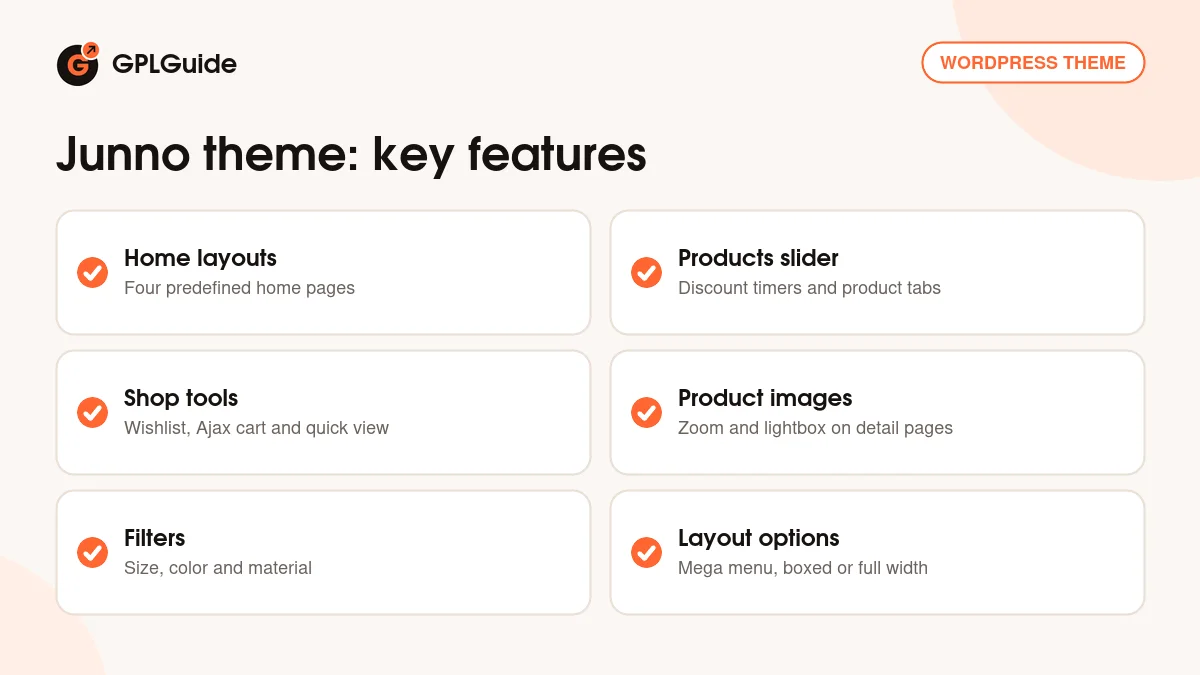
Plaza-Themes describes Junno as a multipurpose theme in bright colours, with four predefined home page layouts. The idea is a shop that looks busy in a good way: slideshows that work on large and small screens, a products slider that shows discounted items with a countdown timer, tabs for featured, bestselling, recent and per-category products, and text blocks that mix pictures and words.
It also treats the blog as a sales tool. The developer says the blog is for promotions, so you can announce offers and link straight to products. Every product in a listing can be added to the wishlist or the cart, or opened in a quick view window, without leaving the page.
Under the surface the theme uses the Redux options framework, which gives unlimited colour choices and a Google Fonts selection. The package also offers colour presets, sample background images and a choice of boxed or full-width layouts. Social icon links, an error 404 page and WPML support are on the list as well.
The ThemeForest tags for the Junno theme include clean, cosmetic, electronic, fashion, food, organic and shoes. That shows the range of shops the demo is meant to suit, and it is a fair hint that the design is general rather than built for one niche.
The shop side of the Junno theme
The WooCommerce part is the reason to pick this theme. The item page lists wishlists and an Ajax shopping cart, product quick view, product image zoom and a lightbox on the product detail page. The shop page can switch between a grid view and a list view, and the theme includes a product carousel and a latest posts carousel.
Shoppers can filter by size, color and material. In a WooCommerce store such options are normally set up as product attributes, so plan your attributes before you add many products. Wishlist and product compare are described as optional features, and the page lists them among the extra plugins, so you switch them on only if you want them.
The changelog gives a hint about the zoom and gallery. Version 1.0.4 updated the YITH WooCommerce Product Gallery and Image Zoom plugin, and 1.0.5 fixed image zoom and the testimonial element. If product pictures matter to you, as they do for fashion or shoes, check the zoom and lightbox on your own images early.
Building pages and menus with the Junno theme
The attribute table on the item page names WPBakery Page Builder, and the description calls it Visual Composer. The description adds that header and footer layouts are built with it, and that a drag-and-drop Layout Composer builds page layouts and content. In practice you arrange blocks on a page instead of editing code.
Navigation uses a mega menu, and the page lists the Mega Main Menu plugin. For sliders it lists Revolution Slider, for grids Essential Grid and for saved layouts Templatera. For email sign-ups it lists MailPoet and Mailchimp for WordPress, and for forms Contact Form 7. The theme also has unlimited custom sidebars, each with a left or right position.
The item page lists the Layout Composer for pages, Revolution Slider for slideshows, Essential Grid and Templatera as add-ons, and the changelog names a Roadtheme helper plugin and Roadtheme import data that the changelog ties to the theme. Treat these as the building blocks of the demo, and install only the ones you plan to use.
The page set includes Contact, About and Services pages. The blog has three layouts and supports audio, video, gallery and image post formats. The item page also says sample content is included to help you build a site that looks like the demo.
Ways to set up the Junno theme
- General store: use one of the four home layouts, show discounted items with the countdown timer and fill the tabs with bestsellers and new arrivals.
- Fashion or shoe shop: set up size, color and material filters, and use the zoom and lightbox for close-up pictures.
- Seasonal sale: write a promotion in the blog and send readers to a category through the per-category products tab.
- Multi-language shop: add WPML, which the item page lists as supported, to translate pages and products.
- Newsletter growth: connect Mailchimp for WordPress or MailPoet to a sign-up form in the footer.
- Food or organic store: the food and organic tags on the item page make the bright layouts a fit for grocers and delis.
- Customer quotes: the 1.0.5 notes mention a testimonial element, so you can show reviews from happy buyers on the home page.
- Wishlist-led shop: switch on the optional wishlist and compare plugins for stores where people browse before buying.
Keep the first version of your store simple. Pick one home layout, add a handful of products with clean photos, and check the cart on a phone. When the basics work, add the sliders and tabs one by one. Before launch, place a test order, check the cart and quick view on a phone, and look at how each product image behaves with zoom and the lightbox.
What's new in the Junno theme 1.0.6
Junno 1.0.6 came out on February 23, 2025. It fixed PHP 8 compatibility and updated the theme for the latest WooCommerce and WordPress at that time. That is the whole entry, so it is a maintenance release that keeps the shop running on current versions.
Earlier releases were also small. Version 1.0.5 (April 20, 2023) fixed image zoom and testimonials and updated for WooCommerce 7.x. Version 1.0.4 (January 27, 2022) updated the YITH WooCommerce Product Gallery and Image Zoom plugin. Version 1.0.3 (July 15, 2021) updated the Roadtheme import data and fixed a bug in the Roadtheme helper plugin. Version 1.0.2 (March 15, 2021) updated for WooCommerce 5.1.x and the YITH WooCommerce Zoom Magnifier plugin. The first release in the list, 1.0.1 (October 27, 2020), also updated the zoom plugin, so image zoom has been the most frequently touched part of the theme.
Good to know before you buy
The item page tags the Junno theme as well documented but does not link to a documentation page, and the author website has no guide. For that reason this page only repeats what the item page and changelog say, and we could not read a setup guide. The item page also does not say whether a one-click demo import exists. It says sample content is included, and the changelog mentions Roadtheme import data and a Roadtheme helper plugin.
The extra plugins on the list include Visual Composer, Mega Main Menu, Revolution Slider, Essential Grid and Templatera. Those are commercial plugins that we do not sell, so if the theme cannot install them for you they have to come from you. WooCommerce is free. The item page marks the theme as not Gutenberg optimized. It lists the browsers IE10, IE11, Firefox, Safari, Opera, Chrome and Edge, and it also names Bootstrap 4.x and the Events Calendar as compatible.
Support from the developer comes with the Regular licence for six months. It is the developer's service, so GPLGuide cannot pass it on.
Junno from GPLGuide vs the official subscription
The Junno theme is sold by Plaza-Themes on ThemeForest. The Regular licence costs $38 there and includes future updates through the marketplace and six months of item support from the developer, which can be extended to 12 months. Under Envato's licence for this item, its PHP code is licensed under the GPL.
From GPLGuide you get the original Junno theme file. The file from GPLGuide comes with the license key already activated, so there is no key to enter. The layouts, shop tools and options work as in the developer's package.
What only the developer provides is the support desk, refunds under Envato's rules and updates through your own Envato account. If you want Plaza-Themes to help with a setup problem, buy the licence on ThemeForest.
How to install the Junno theme
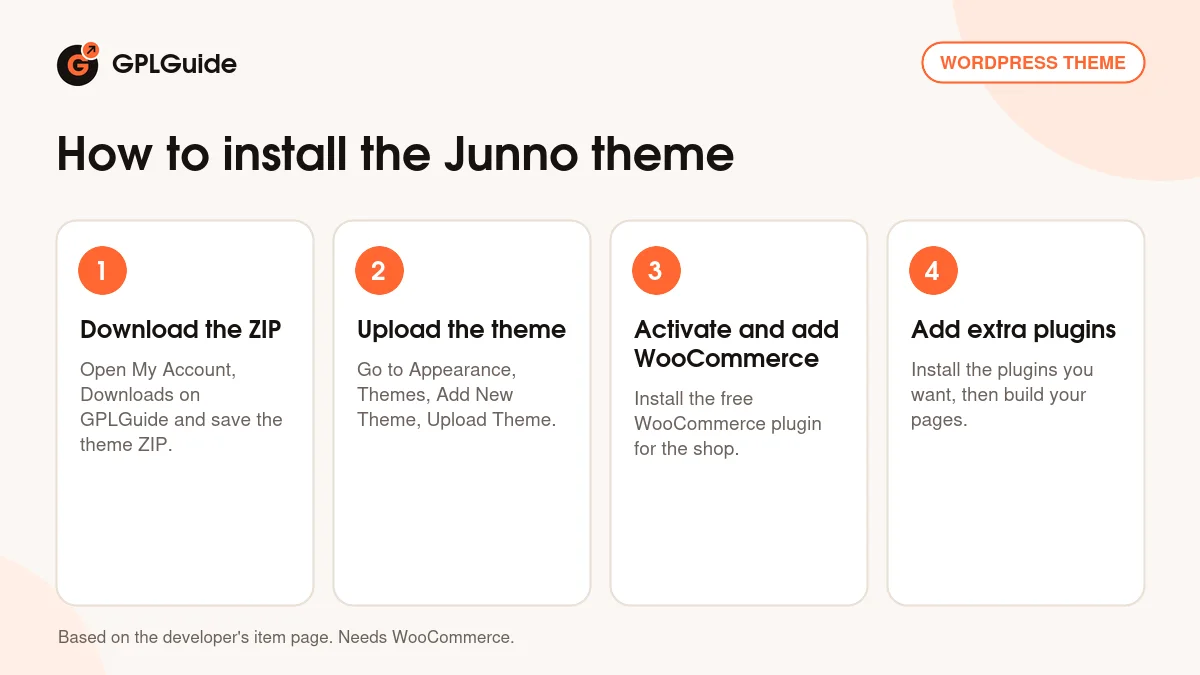
- Sign in to GPLGuide, open My Account, Downloads and save the Junno theme ZIP.
- In WordPress go to Appearance, Themes, Add New Theme, Upload Theme and choose the ZIP, then click Install Now.
- Activate the theme and install WooCommerce, which the shop needs.
- Add the extra plugins you want, such as Contact Form 7, then build your pages.
For a good first setup, install the theme on a test site, add WooCommerce and a handful of products, then try the home layouts one at a time. Because the item page links no setup guide, change one thing at a time so you can see what each plugin adds. Currency, shipping and payment settings belong to WooCommerce rather than the theme, so set them up in WooCommerce first, and only then judge how the cart and checkout look.
Keeping it up to date
Updates from GPLGuide are manual. When a new version of the Junno theme is listed here, download it from your account and upload it under Appearance, Themes, Add New Theme, Upload Theme. WordPress offers to replace the installed copy, and your products, pages and settings stay in the database. If you see a newer version that we have not added, tell us on the Request Item/Update page.
Questions about the Junno theme
Does the Junno theme need WooCommerce? Yes for the shop. It is a WooCommerce theme, and the item page lists WooCommerce 5.x to 9.x as compatible.
Which page builder does it use? WPBakery Page Builder, which the item description also calls Visual Composer.
How many home page layouts does the Junno theme have? Four predefined layouts, plus multiple blog layouts and boxed or full-width options.
Can I add a wishlist and product compare? Yes, both are listed as optional features among the extra plugins.
Does it support other languages? The item page lists WPML support.
Do I need to enter a purchase code? No. The license key is already activated in the file.
Does the Junno theme work with PHP 8? The changelog says PHP 8 compatibility was fixed in version 1.0.6.
Which browsers does the Junno theme support? The item page lists IE10, IE11, Firefox, Safari, Opera, Chrome and Edge.
Can shoppers filter products? The item page lists filtering by size, color and material, and grid and list views on the shop page.
Looking for more themes? Browse the WordPress themes in our shop, or see what a GPLGuide membership includes. The Junno theme's shop runs on the free WooCommerce plugin on WordPress.org.
Features & capabilities
- Four predefined home page layouts in bright colours
- Products slider with discount timers and tabs for featured, bestselling and recent items
- Wishlist, Ajax cart, quick view, image zoom and lightbox
- Filters by size, color and material, with grid and list shop views
- Drag-and-drop page building with WPBakery and a Layout Composer
- Mega menu, unlimited custom sidebars and boxed or full-width layouts
- Redux options with unlimited colours, Google Fonts and colour presets
- Three blog layouts with audio, video, gallery and image formats, plus WPML support