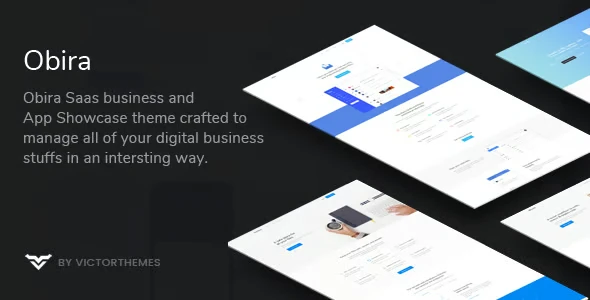
Obira – SaaS Business & App Showcase WordPress Theme
100% Original fileUnmodified copy of the developer's release
DeveloperVictorThemes
Up to dateOriginal released Apr 10, 2025 · File last updated Oct 17, 2026
About this product
The Obira theme is a WordPress theme by VictorThemes for showing off software, apps and digital business services. It comes with eight home page demos, four header styles, portfolio and blog layouts and a WooCommerce shop, and it is built around the WPBakery page builder. This page is for Obira 1.9.9, the newest version on its ThemeForest page, which shows a last update of April 10, 2025. On GPLGuide you download the original theme file to install on your own websites.
Good for: software companies, app and SaaS startups, IT and technology firms and digital agencies that want a ready-made showcase site with a portfolio, team and testimonial sections, a blog and an optional shop.
Requirements: WordPress 6.7 is the newest version the developer lists as tested, and its compatibility table starts at 6.0. The item page gives no minimum PHP version, but the changelog mentions PHP 7.3 and later and PHP 8 fixes. The docs list the Obira Core plugin, WPBakery, Contact Form 7, One Click Demo Import and WP-PageNavi, plus WooCommerce if you want the shop. The docs do not state WordPress or PHP minimums.
What the Obira theme does
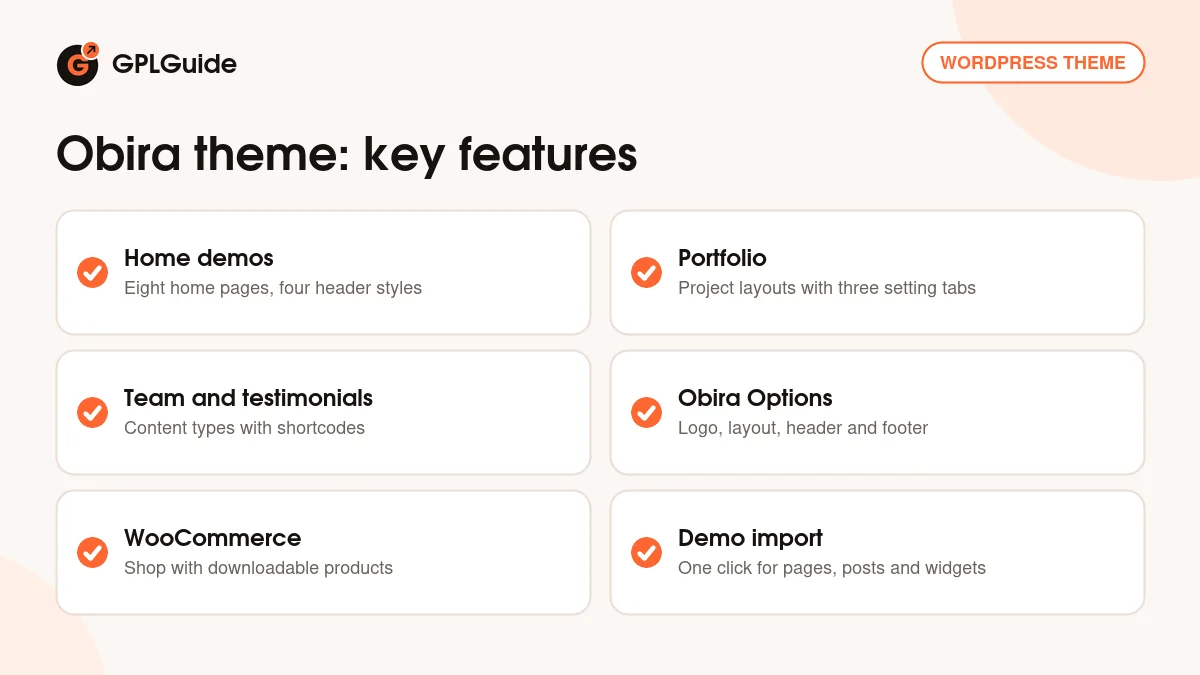
VictorThemes describes the Obira theme as a modern theme for presenting digital business services, with a focus on software and app showcases. The demo content gives you eight different home pages, four header variations, ready-made inner pages and several portfolio layouts. The blog comes in two layouts, grid and list. There is also WooCommerce support, so the same site can sell products.
Most of the look is controlled from the Obira Options panel in the WordPress sidebar. The docs name its main areas as Logo, Fav Icon, Layout Options, Header and Footer, and everything is saved with the Save All Changes button. Colours are changed with a live preview in the Customizer. Fonts come from a list of more than 790 Google Fonts, and you can upload your own font files too. Font Awesome and Line Icons are built in, and Google Maps can be styled.
The download comes as two ZIP files in the developer's package: the theme itself and a child theme. The docs tell you to upload the theme ZIP, not the whole package, and to use the child theme for any code edits so that a theme update does not overwrite your changes.
How the Obira theme builds pages
The docs describe the Obira theme as a WPBakery theme. Its own shortcodes and custom post types live in the Obira Core plugin, and once that plugin is active the theme's elements appear in the WPBakery element picker under a filter called VictorThemes. Some shortcodes can also be inserted with the Add Shortcode button in the content editors. If the Obira Core plugin is switched off, these options disappear.
The item page also lists Elementor and Elementor Pro as compatible. The changelog says custom Elementor widgets and one-click Elementor pages arrived in version 1.6, and version 1.9.6 fixed Elementor colour scheme issues. So you can use either builder, but the written docs only walk through WPBakery, and that is the route to follow for the demo import.
Each page has a Page Custom Options box with three parts: Menu Bar, Title Area and Content Area. For the menu bar and title area you choose Theme Options Default, Custom or Hide. The content area lets you change spacing, backgrounds and overlay colours, and switch the header and footer on or off for that page. Page Layout can be 100% Width or Full Width, and Show Sidebar adds a left or right sidebar.
Portfolio, team and testimonials in the Obira theme
Showcase sites live on proof, and the Obira theme has content types for it. Portfolio items are added under Portfolio, Add New, with three tabs of settings called Layouts, Images and Portfolio Informations. You then show them on a page with the Portfolio shortcode.
Team members are added under Company, Team. The title is the person's name, the content should be about two lines, and there is a Job Position field that can carry a custom link. Testimonials sit under Company, Testimonials. Each one has a title for your own reference, about three lines of content, the client's name, profession and links, and a featured image. Both types have a matching WPBakery shortcode.
The theme also adds its own widgets: Get A Quote, Navigation, Recent Posts, Testimonial and Text Widget. A Get A Quote widget in a sidebar or footer is a handy way to invite visitors to ask about your product. For forms, the docs include a sample Contact Form 7 template with name, email, subject and message fields, laid out in a row and column style.
Demo import and the shop in the Obira theme
The developer's package has a Demo Data folder with the slider files, a content.xml file for pages, posts and portfolio items, a theme-options.json file and a widget.wie file for sidebar widgets. The easiest route is the One Click Demo Import plugin, which brings in the demo pages, posts, portfolio, sliders, theme options and widgets. The docs warn you to install and activate the listed plugins first, otherwise plugin-related content and settings are left out.
Demo images are a separate point. The item page says the demo photos come from Unsplash and Shutterstock and are not included in the package, and the docs do not say the import adds images. Plan to add your own pictures.
WooCommerce support is built in. In the docs, product images are set to a Main Image Width of 600 and a Thumbnail Width of 300 under WooCommerce, Settings, Products, Display, and the Regenerate Thumbnails plugin is suggested after you change them. The product types are Simple, Variable, Grouped and External, and Virtual and Downloadable are available, which suits software add-ons or guides. Matching widgets cover the cart, price filter, product categories and product search.
Setups to copy with the Obira theme
- Software product site: start from one of the eight home demos, replace the text and pictures with your own, and use the Portfolio type for product screenshots or case studies.
- App landing page: pick a header variation, hide the title area on the home page with the Hide option and put the main message straight into a WPBakery row.
- Agency site: add each client project under Portfolio, Add New, and show your people with the Team and Testimonial shortcodes.
- Demo requests: build a Contact Form 7 form from the docs sample and place a Get A Quote widget in the footer.
- Digital downloads: turn on WooCommerce and add a Virtual, Downloadable product for an add-on, template or ebook.
- Long single page: the one-page menu, added in version 1.4, helps you link menu items to sections of one page.
Whichever route you take, build one page fully before copying the pattern. The Obira theme lets you set menu bar, title area and layout per page, so a landing page can look quite different from your blog without touching the global settings.
What's new in the Obira theme 1.9.9
The Obira theme 1.9.9 is the newest version on the ThemeForest page. The developer's changelog says it updates the WooCommerce file and the translation files. The changelog has no dates, so the only date on the page is the item's last update, April 10, 2025.
Earlier entries show where the theme has been working. Version 1.9.7 added PHP 8 support, with fixes, improvements and translation updates, and 1.9.6 repeated the PHP 8 work and fixed Elementor scheme issues. Version 1.9.5 added a widget editor and minor improvements. Version 1.9.4 added WordPress 5.6 and WooCommerce 4.8 support, an option to disable the image resizer, a Google Fonts update, Bootstrap 4.x and a Twitter link update.
Good to know before you buy
The Obira theme needs the Obira Core plugin for its shortcodes and custom post types. The developer's package also includes WPBakery and other bundled plugins that the docs say you install and activate before the demo import. Some of these are commercial plugins we do not sell. If the theme cannot install one of them for you, it has to come from you.
The theme version is 1.9.9 and the Obira Core plugin on the item page is 1.9.8, so the two numbers do not match. That is how the developer lists them. The page builder story is mixed: the docs describe WPBakery, while the item page also names Elementor. The item page marks the theme as not Gutenberg optimized.
Demo pictures are not included, and the docs do not give a WordPress or PHP minimum. The Envato Account section in Obira Options is the developer's own update route. Updates are manual, as explained below.
Obira from GPLGuide vs the official subscription
The Obira theme is sold by VictorThemes on ThemeForest. The Regular licence costs $49 there, and it includes future updates through the marketplace and six months of item support from the developer, which can be extended to 12 months. Under Envato's licence for this item, its PHP code is licensed under the GPL.
From GPLGuide you get the original Obira theme file. The file from GPLGuide comes with the license key already activated, so there is no key to enter. The theme's options, layouts, shortcodes and demo structure work as they do in the developer's package.
What only the developer provides is the support desk, refunds under Envato's rules and updates delivered through your own Envato account. If you want help from VictorThemes with setup problems, buy the licence there. Developer support is not part of the file.
How to install the Obira theme
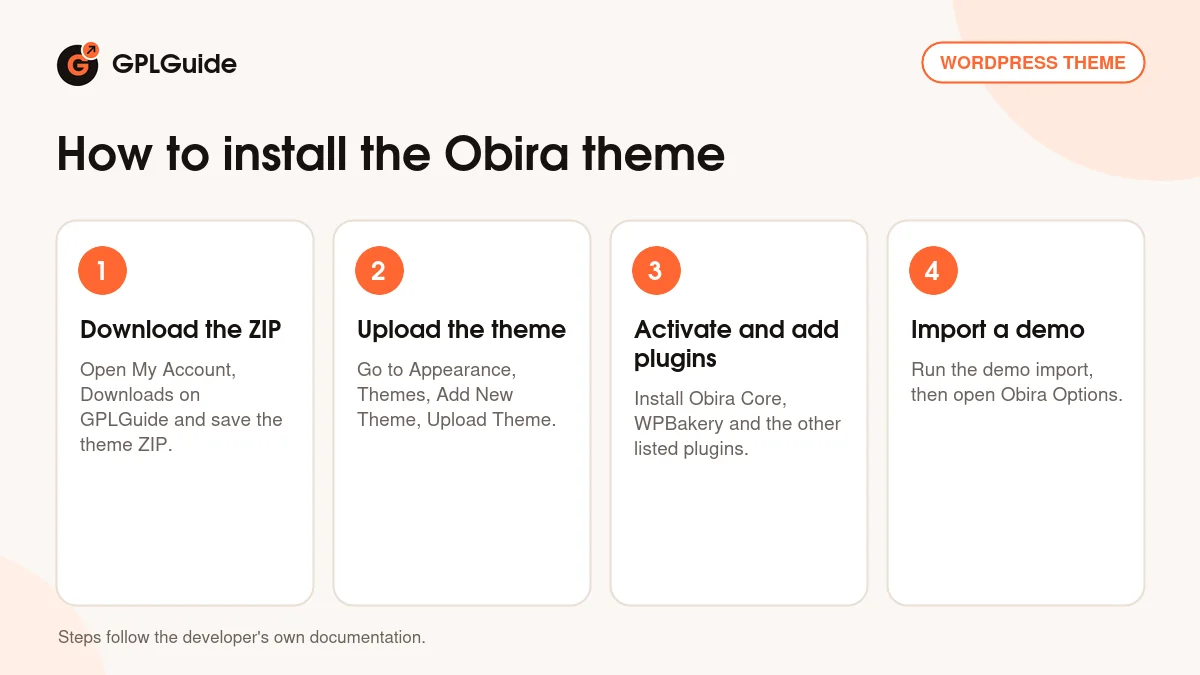
- Sign in to GPLGuide, open My Account, Downloads and save the Obira theme ZIP.
- In WordPress go to Appearance, Themes, Add New Theme, Upload Theme and choose the ZIP, then click Install Now.
- Activate the theme and follow the prompt to install the Obira Core plugin, WPBakery, Contact Form 7, One Click Demo Import and the other listed plugins.
- Run the demo import, or open Obira Options and set your logo, layout, header and footer.
If WordPress says the stylesheet is missing, the file you picked is not the theme ZIP itself. The developer's docs name this as the usual cause. For a good first setup, import one home demo on a fresh site, then change the logo, colours and fonts, and replace the demo pictures. That order lets you see how each page is built before you change it.
Keeping it up to date
Updates from GPLGuide are manual. When a new version of the Obira theme is listed here, download it from your account and upload it under Appearance, Themes, Add New Theme, Upload Theme. WordPress offers to replace the installed copy, and your pages and settings stay in the database. Use the child theme for code edits so an update never overwrites them. If you see a newer version that we have not added, tell us on the Request Item/Update page.
Questions about the Obira theme
Which page builder does the Obira theme use? The docs are written for WPBakery. The item page also lists Elementor and Elementor Pro as compatible, and the changelog mentions custom Elementor widgets.
Does the Obira theme have a demo import? Yes. The docs describe a one-click import through the One Click Demo Import plugin for pages, posts, portfolio, sliders, theme options and widgets.
Are the demo images included? No. The item page says the demo images come from Unsplash and Shutterstock and are not in the package.
Can I sell products with the Obira theme? Yes, WooCommerce is supported. Product types include Simple, Variable, Grouped and External, with Virtual and Downloadable options.
Does the Obira theme come with a child theme? Yes. The developer's package includes one, and the docs recommend it for code edits.
Do I need to enter a purchase code? No. The license key is already activated in the file.
What is the Obira Core plugin? It adds the theme's shortcodes and custom post types, such as Team, Testimonials and Portfolio. Keep it active.
Does the Obira theme support PHP 8? The changelog says PHP 8 support was added in versions 1.9.6 and 1.9.7. The item page gives no minimum PHP version.
Looking for more themes? Browse the WordPress themes on GPLGuide, or see what a GPLGuide membership includes. The theme's forms use the free Contact Form 7 plugin on WordPress.org.
Features & capabilities
- Eight home page demos and four header variations
- WPBakery shortcodes from the Obira Core plugin, with Elementor widgets as well
- Portfolio, Team and Testimonial content types with matching shortcodes
- Obira Options panel with live Customizer colours and over 790 Google Fonts
- Per-page control of menu bar, title area, layout and sidebar
- WooCommerce shop support with Simple, Variable, Grouped, External and downloadable products
- One-click demo import for pages, posts, portfolio, sliders, options and widgets
- Child theme in the package, plus a one-page menu and a widget editor