Lyngva – Translation Agency WordPress Theme
100% Original fileUnmodified copy of the developer's release
Developerfox-themes
Up to dateOriginal released Sep 25, 2024 · File last updated Oct 17, 2026
About this product
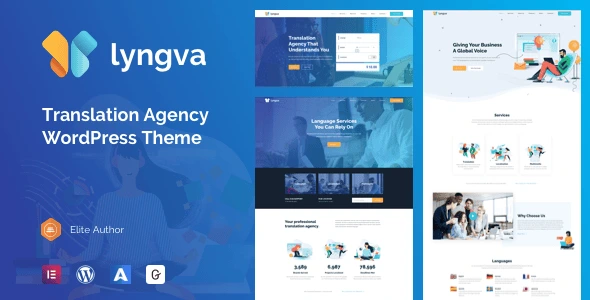
The Lyngva theme is a WordPress theme by fox-themes for translation agencies, localization studios and language service companies. It runs on Elementor together with the developer's Aheto plugin, and it comes with three home pages and a full set of agency pages for services, leadership, careers, certificates and locations. This page is for Lyngva 1.1.5, the newest version in the developer's changelog. On GPLGuide you download the original theme file to install on your own websites.
Good for: translation and interpreting agencies, freelance translators who want an agency-style site, software and video localization studios, and other service businesses that need pricing plans, case studies and a quote form on one site.
Requirements: WordPress, with the item page listing compatibility from 5.0 to 6.4, and PHP 7.2 or greater with MySQL 5.6 or MariaDB 10.0 or newer, according to the developer's docs. The docs recommend a 128M memory limit, a max execution time of 360 and an upload size of 8M. You also need the free Elementor plugin and the plugins the theme's installer asks for, including Aheto.
What the Lyngva theme does
Most business themes leave you to invent the pages a language company needs. Lyngva ships them ready. The demo has service pages for document translation, software localization, multilingual surveys, translation with editing, eLearning translation and video translation, and an About Us menu with a company profile, leadership, careers with a career details page, certificates, partners, mission and client success stories.
The first home page shows how the parts fit together: a hero with quote buttons, a services block with a video, a section that profiles the languages you cover, three pricing tiers, testimonials and an enquiry form. Two more home pages give you different starting points. Inner pages include pricing plans, a cost calculator, case studies in two, three or four columns, appointments, an FAQ, a coming soon page and a 404 page.
The developer notes that the Lyngva theme can be adapted to other kinds of business, and nothing about the layouts ties you to translation. It is responsive, Retina ready, works with WPML for multilingual sites and supports a child theme.
Aheto and Elementor in the Lyngva theme
The special blocks in the Lyngva theme come from Aheto, a plugin made by the same developer. The docs list more than thirty Aheto elements, which they call shortcodes. Among them are Banner Slider, Call To Action, Clients, Contact Info, Features Single, Features Timeline, Google Map, Heading, Pricing Tables, Progressbar, Recent Posts, Team, Testimonials, Time schedule, Video Button, Features Tab and Portfolio Navigation. You add them from the developer's shortcode manager, on an empty page or on a page you imported from the demo.
Elementor is the page builder you work in. The item page lists Elementor as compatible, and the demo import wizard asks you to pick a builder, with Elementor available now and WPBakery marked as coming in a later Aheto update. The theme is also marked Gutenberg optimized, so normal posts can be written in the block editor.
The item page adds layouts for pricing lists, portfolios, product lists, blog posts, process steps, link showcases, client carousels or grids, split sections, full-screen sections and an elements holder. Google Maps can be styled to match your colors, and pages can use transitions between them. The docs give each Aheto element its own article, and there are short guides on creating and editing pages, so you can look up an element's settings when you need them.
Headers, skins and page layouts
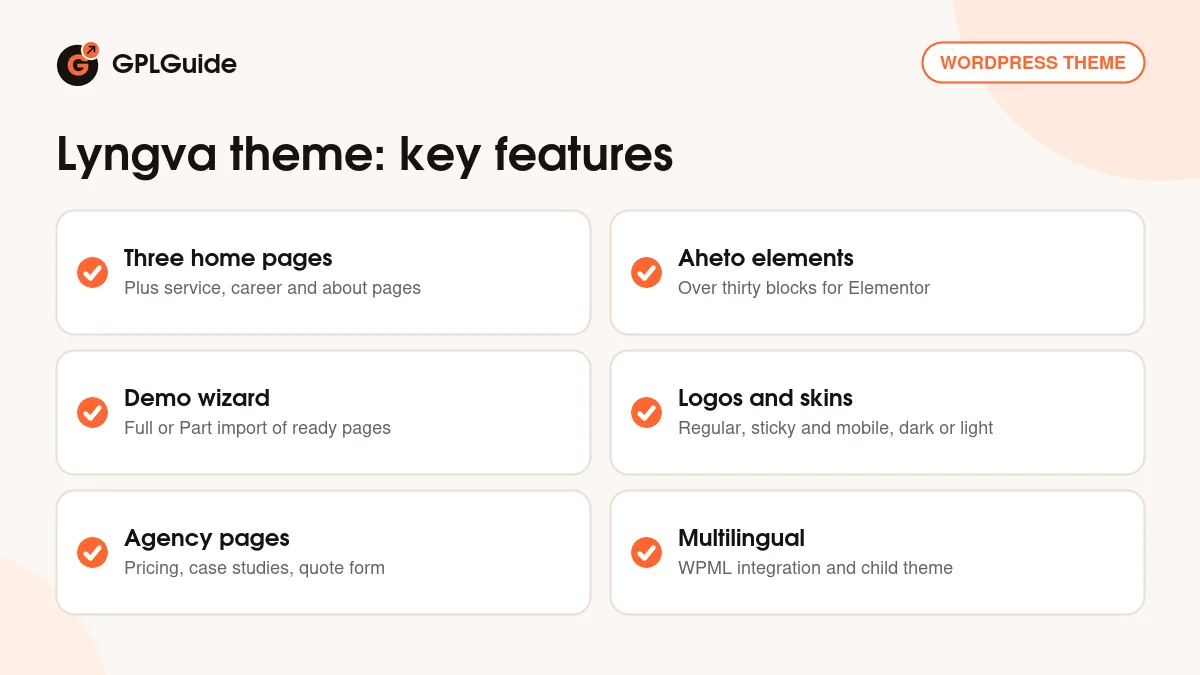
The Lyngva theme offers several header types and header behaviors, and you can set separate logos for the regular header, the sticky header and the mobile header. Each logo can have a dark and a light version, which matters when one page has a dark hero and another a white one. There is a mega menu for larger service lists and integrated search.
You also get three types of side area, a title area you can customize per page and one-page anchor links, so a single long page can work as a landing page with a menu that scrolls to each section. The footer has up to four columns. Blogs, portfolios and product lists come in several layouts, and posts support post formats and social sharing.
Importing the Lyngva demo
The demo import runs through Aheto. In the dashboard click the Aheto icon, open Setting Up and choose Go to Wizard. After the welcome screen you pick Elementor as the builder, confirm the required plugins, then choose a Full or a Part import and click Import. Once the settings are in, open Ready Demos, select the pages you want, give each a name, click Create and then Import Template.
The docs list a few clean-up steps afterwards. Open each imported page and click Update. In Aheto, General Settings, switch the Default Page Builder to Visual Composer, save, switch back to Elementor and save again, and do the same in the skin settings. Re-save each header and footer in Elementor, and remove pages that don't exist from the menu.
Site plans to copy with the Lyngva theme
These setups use the pages and elements that come with the demo, so most of the work is changing text and images.
- Small translation agency: Home 1, the six service pages, the languages section with your own language pairs and the Get a Quote page.
- Freelance translator: one long page with one-page anchor links for services, pricing, testimonials and contact, plus the certificates page.
- Software localization studio: case studies in three columns, the Features Timeline element for your process and a pricing table per project size.
- Interpreting service: the appointments page for bookings, the location page with a styled Google Map and the FAQ.
- Growing agency that hires: careers with career details, the leadership page and the partners page.
- Market research firm: the multilingual survey service page, the Progressbar element for project stats and client success stories as proof.
- Agency in two languages: translate the whole site with WPML, which the theme lists as supported.
Keep your quote form short. Name, email, language pair and a file upload or word count usually tell you enough to reply with a price.
What's new in the Lyngva theme 1.1.5
The developer's changelog has no dates. Version 1.1.5 is at the top with one line: a plugin version update. The ThemeForest page shows a last update of September 25, 2024.
The versions before it were mostly about compatibility and plugins. Version 1.1.4 replaced the Qodeblock plugin with Quikblock. Version 1.1.3 added WordPress 6.4.3 compatibility and fixed issues with the Features Single widget. Version 1.1.2 replaced the Booked plugin with the Scheduled plugin and added WordPress 6.4.2 compatibility, and 1.1.1 added WordPress 6.3.1 and PHP 8 compatibility, fixed sliders and removed PHP notices and warnings.
Good to know before you buy
The item page lists WordPress compatibility up to 6.4, and the last update was in September 2024. We haven't tested the Lyngva theme on newer WordPress releases, so build your site on a staging copy first.
The developer states that all images in the demo can be used only on the demo version. Images are not included for your live site, so plan your own photos of your team, office and clients. The demo import guide uses screenshots from another fox-themes theme, Acacia, and imported pages may not look right until you re-save them as described above.
WPBakery isn't an option in the wizard yet, so the Lyngva theme is effectively an Elementor theme. If you updated from an old version that used Booked for appointments, note that 1.1.2 moved to the Scheduled plugin. The demo also has a cost calculator page, but the docs we read don't explain how it works out prices, so test it with your own rates before you rely on it. We found no cloud library, AI tool or other service on the developer's servers in the docs or on the item page.
Lyngva theme from GPLGuide vs the official subscription
The Lyngva theme is sold by fox-themes on ThemeForest. The Regular licence costs $29 and includes future updates through the marketplace and six months of item support from fox-themes. Support can be extended to 12 months, shown for $6.38 when we checked. Under Envato's licence for this item, its PHP code is licensed under the GPL.
From GPLGuide you get the original Lyngva 1.1.5 theme file, with the same layouts, Aheto setup and demo import as the developer's package. The file from GPLGuide comes with the license key already activated, so there is no key to enter.
Help from the fox-themes support team, refunds under Envato's rules and updates through your Envato account are only part of a ThemeForest purchase. If you want the developer to help you set up, buy the licence there.
How to install the Lyngva theme
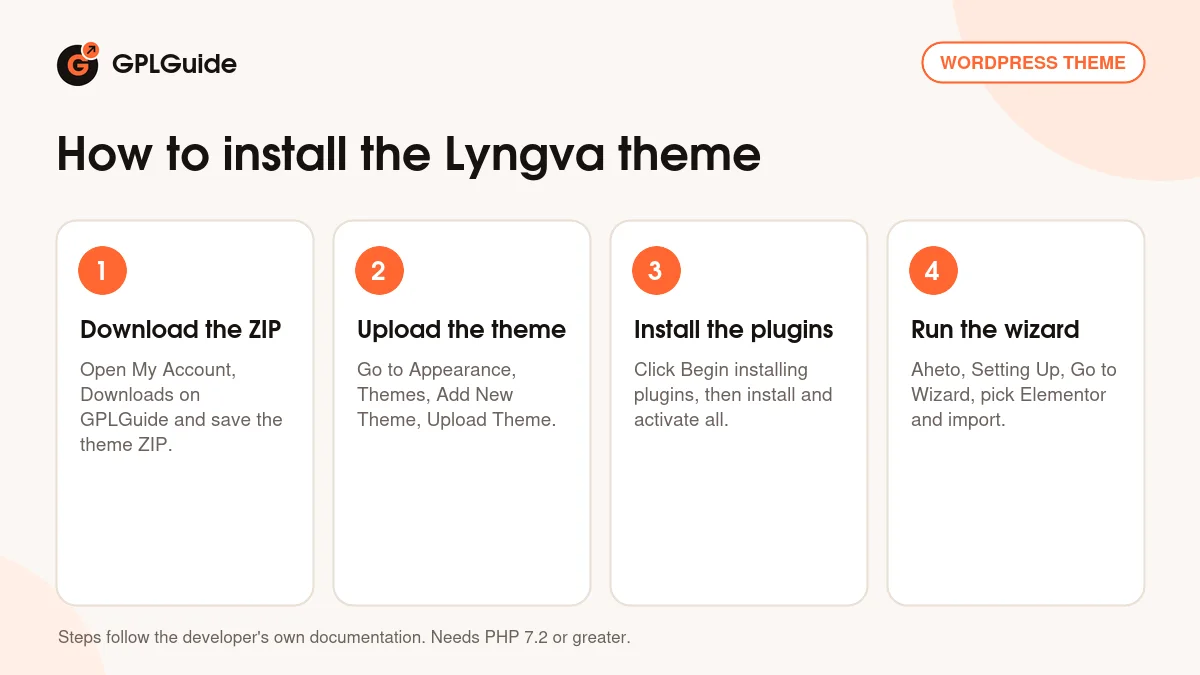
- Sign in to GPLGuide, open My Account, Downloads and save the Lyngva theme ZIP.
- Go to Appearance, Themes, Add New Theme, Upload Theme, choose the ZIP and activate it.
- Click Begin installing plugins in the notice, select all, choose Install, then return and activate them all.
- Open Aheto, Setting Up, Go to Wizard, pick Elementor and import the demo pages you want.
Before you start, check that your host meets the recommended settings from the docs, especially the memory limit and the max execution time. A good first setup is a Part import of Home 1, one service page, the pricing page and Get a Quote. Re-save those pages, replace the demo images with your own, set your light and dark logos and then add more pages as you need them. Install the child theme from the docs if you plan to change code.
Keeping it up to date
Updates from GPLGuide are manual. When a new version of the Lyngva theme appears here, download it from your account and upload it under Appearance, Themes, Add New Theme, Upload Theme. WordPress offers to replace the installed copy, and your pages, Aheto settings and menus stay in the database. Check the plugin notice afterwards, since theme releases such as 1.1.5 also update the plugins. If we haven't added a newer release yet, ask for it on the Request Item/Update page.
Questions about the Lyngva theme
Which page builder does the Lyngva theme use? Elementor, together with the Aheto plugin for the theme's own elements. WPBakery is marked as coming later.
Is it only for translation agencies? No. The demo is built for a translation company, but the developer says it can be adapted to other business types.
How many home pages are there? Three, plus many inner pages for services, about, careers, pricing, case studies and contact.
Are the demo images included? No. The developer says they can be used only on the demo, so you need your own images.
What PHP version do I need? The docs ask for PHP 7.2 or greater, and version 1.1.1 added PHP 8 compatibility.
Can I take appointments? The demo has an appointments page. Since 1.1.2 it uses the Scheduled plugin instead of Booked.
Does it support multilingual sites? Yes. WPML integration is listed on the item page.
Can I sell products with the Lyngva theme? The item page mentions product list layouts but doesn't list WooCommerce compatibility. If an online shop is central to your plans, a shop theme is the safer choice.
Do I need a purchase code? No. The license key is already activated in the file.
Looking for other business designs? Browse the WordPress themes on GPLGuide, or see what a GPLGuide membership includes. The Lyngva theme is built for the free Elementor page builder on WordPress.org.
Features & capabilities
- Translation agency design with three home pages and many inner pages
- Ready service, leadership, careers, certificates and locations pages
- Elementor page builder with more than thirty Aheto elements
- Demo import wizard with Full or Part import
- Separate regular, sticky and mobile logos in dark and light skins
- Mega menu, three side-area types and one-page anchor links
- Pricing tables, case studies, cost calculator and appointments page
- WPML integration, child theme and Retina ready layouts