
Mediora – Doctor & Medical Clinic Elementor WordPress Theme
100% Original fileUnmodified copy of the developer's release
DeveloperRometheme
Up to dateOriginal released May 18, 2026 · File last updated Oct 23, 2026
About this product
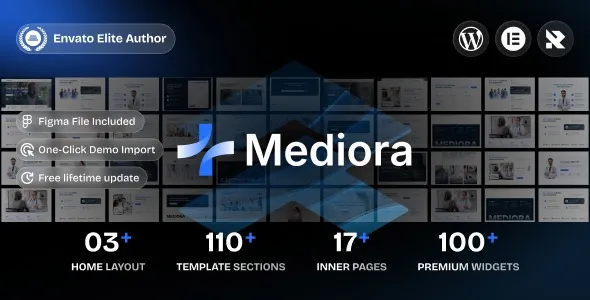
Mediora Theme 1.0.0 is an Elementor WordPress theme for healthcare websites: medical clinics, private practices, doctors, dentists, surgeons, hospitals, health centres and health tech startups. It is for a practice that wants a professional site it can change page by page in Elementor without touching code, starting from a finished medical design instead of a blank page. This version is the theme's first release.
What's in the Mediora Theme download
Our download is the original Mediora theme package for version 1.0.0, with the license key already activated. The developer's item page lists Elementor, the developer's own Elementor add-on kit and its form builder as free with the theme, and the theme offers to install its plugins after activation. The demo import does not bring in the demo photos, so you add your own pictures of your team and rooms.
Good to know
The theme needs WordPress 6.2 or newer, and the developer asks for PHP 8.3 or newer, a PHP memory limit of at least 256M and a max execution time of 300. On a host below those limits, the docs suggest importing single demo pages instead of the full demo. Activate the developer's essential plugin before the other required plugins. The download is a package: unzip it on your computer first and upload mediora.zip, not the whole package.
How to install Mediora Theme
- Log in to GPLGuide, open this product and click Download under Your downloads.
- Unzip the download on your computer and find mediora.zip inside, then upload mediora.zip, not the whole download.
- In WordPress, go to Appearance, Themes, Add New Theme, Upload Theme, choose mediora.zip and click Install Now.
- Click Activate, then install the plugins the theme asks for and activate the developer's essential plugin before the others.
- To load a demo, open the Themes menu, click Demo and then Import Now, and choose Full Import All for every page and global style.
Features & capabilities
- Three or more ready-made homepage layouts plus a set of medical inner pages.
- Every page is edited visually in Elementor, with no code needed.
- More than 75 Elementor widgets, including team and testimonial carousels, pricing tables, tabs, counters and image comparison.
- Demo import with three choices: everything, page content only, or global styles only.
- Contact Form 7, Mailchimp and Google Maps support.
- Sticky mobile header, preloader options and AJAX lazy loading.
- Unlimited colour settings with Google Fonts, FontAwesome and an extra icon collection.
- Translation and RTL ready, and WooCommerce compatible with product grid and carousel widgets.
Frequently asked questions
Is this the original file?
Yes. Every product on GPLGuide is the developer’s own release, unchanged. The license key comes already activated. If a product does ask for a key, the activation steps appear on its page once you have it.
Is it legal to use a GPL plugin or theme from GPLGuide?
Yes. WordPress plugins and themes are released under the GPL, which lets anyone use, share and change the code. The developer’s support desk and the developer’s own update service are not part of the file; those stay with the developer.
How do I install it?
Log in, open the product page and click Download under Your downloads. For a plugin go to Plugins, Add New Plugin, Upload Plugin, choose the ZIP, then Install Now and Activate. For a theme go to Appearance, Themes, Add New Theme, Upload Theme.
How do updates work?
When a newer version is listed on GPLGuide, download it from the product page and upload it over the installed copy; WordPress offers to replace the old version. Updates are manual.
Can I use it on more than one site?
Yes. The GPL lets you use it on as many of your own sites as you like.
What if the file does not work or a newer version is out?
Tell us on the Request Item page or through Support. We check the file and add the newer version when we have it.