MentalPress – WP Theme for your Medical or Psychology Website.
100% Original fileUnmodified copy of the developer's release
DeveloperThemeForest
Up to dateOriginal released Oct 18, 2026 · File last updated Nov 20, 2026
About this product
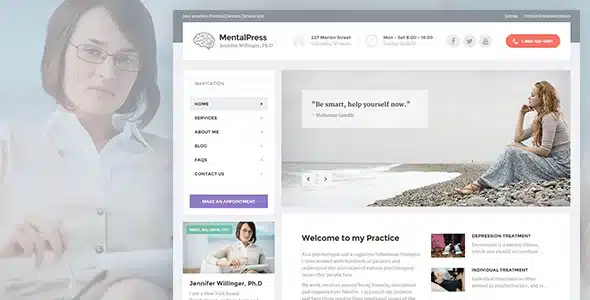
MentalPress Theme 4.0.0 is a WordPress theme for psychologists, therapists, counsellors and small clinics that want a calm, readable site with a services list, an about page, an appointment form and a blog. It suits a single practitioner as much as a group practice, and the developer also points it at dental and other medical offices. Pages are built with Page Builder by SiteOrigin and the developer's own widgets plugin, while colours, fonts, header and footer are set in the WordPress Customizer, so you can finish a site without touching code. The developer ships one-click demo content, the bundled widgets plugin and a short list of free plugins the theme asks you to install right after activation.
How to install MentalPress Theme
- Check your hosting first: this version of the theme needs PHP 8.2 or newer, so ask your host to switch if the site still runs an older PHP.
- Log in to GPLGuide, open this product and click Download under Your downloads.
- If the download holds more than one ZIP, unzip it on your computer first and upload only the installable WordPress theme ZIP; the full package with the documentation cannot be installed as it is.
- In WordPress go to Appearance, Themes, Add New Theme, Upload Theme, choose the theme ZIP, click Install Now and then Activate.
- Install and activate the plugins the theme asks for next: Advanced Custom Fields, Page Builder by SiteOrigin, One Click Demo Import, Classic Editor, Classic Widgets and the bundled widgets plugin. Contact Form 7 and WooCommerce are optional extras.
- Import the sample site under Appearance, Import Demo Data, then set your logo, colours, typography, header, navigation and footer under Appearance, Customize in the Theme Options panel.
Features & capabilities
- Front page template with its own slider, plus support for LayerSlider and Revolution Slider if you prefer those
- Header widget area for icon boxes and social icons, with a top bar above the menu
- Page Builder by SiteOrigin layouts filled with the bundled widgets: featured pages, testimonials, icon boxes and a Google Maps widget that takes your API key
- Ready-made Contact Form 7 layouts for the contact page and the appointment request page
- Shop pages styled for WooCommerce and for Ecwid
- Horizontal menu or the sidebar menu used in the demo, and a configurable footer widget layout
- Customizer sections for logo, header, navigation, typography, theme colours, latest posts, shop and footer with live preview
- Shortcodes for buttons and Font Awesome icons inside your page text
- WPML compatible and translation ready, with Dutch and German translations included
- One-click demo import of the sample pages, menus and widgets
Frequently asked questions
Is this the original file?
Yes. Every product on GPLGuide is the developer’s own release, unchanged. The license key comes already activated. If a product does ask for a key, the activation steps appear on its page once you have it.
Is it legal to use a GPL plugin or theme from GPLGuide?
Yes. WordPress plugins and themes are released under the GPL, which lets anyone use, share and change the code. The developer’s support desk and the developer’s own update service are not part of the file; those stay with the developer.
How do I install it?
Log in, open the product page and click Download under Your downloads. For a plugin go to Plugins, Add New Plugin, Upload Plugin, choose the ZIP, then Install Now and Activate. For a theme go to Appearance, Themes, Add New Theme, Upload Theme.
How do updates work?
When a newer version is listed on GPLGuide, download it from the product page and upload it over the installed copy; WordPress offers to replace the old version. Updates are manual.
Can I use it on more than one site?
Yes. The GPL lets you use it on as many of your own sites as you like.
What if the file does not work or a newer version is out?
Tell us on the Request Item page or through Support. We check the file and add the newer version when we have it.